

Plugin Overview
Overview
Duplicator Pro backs up, migrates, and streamlines the overall workflow for managing WordPress sites. Developers, designers, admins, and business owners use it to back up, restore, and move a WordPress site from one location to another.
This overview walks through what each menu item in Duplicator Pro does, and which license tier you need for the ones that aren’t included in every plan.
Menu Options
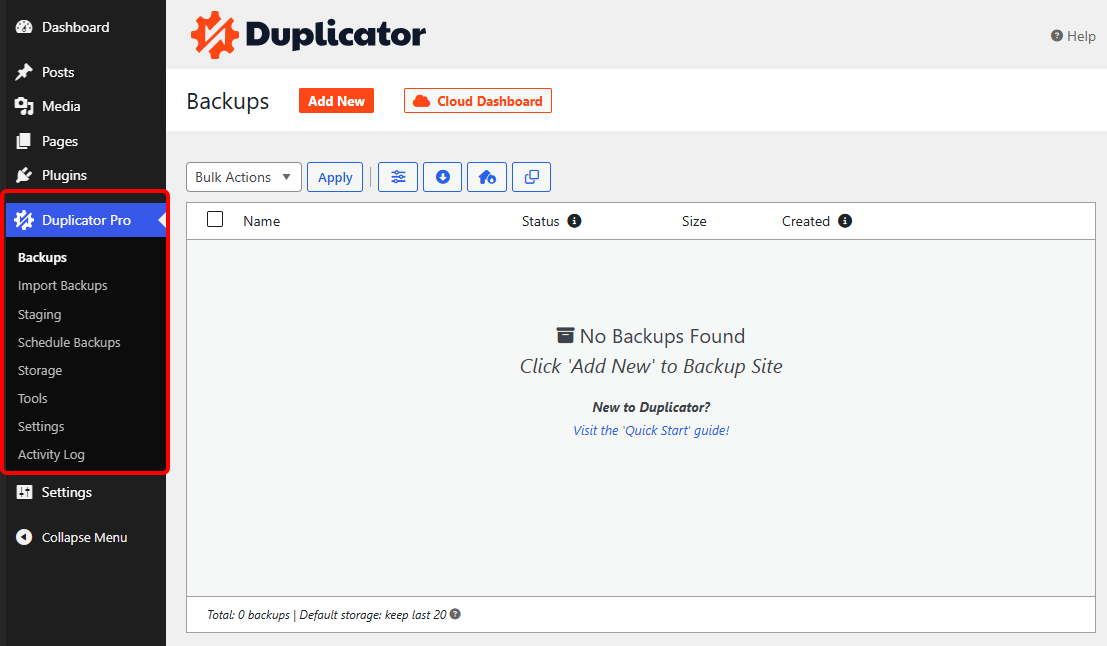
The plugin consists of the following menu items:
| Menu Name | Description |
|---|---|
| Backups | The starting point for the plugin. This is where all backups are created and viewed. See Creating Your First Backup. |
| Import Backups | Import an existing backup file into this site, either by dragging it in directly or entering a link. See Importing a Backup using Duplicator Pro. |
| Staging | Create a staging copy of your site to test changes safely before applying them live. Requires a Pro or Elite license. See Creating One Click Staging Site. |
| Schedule Backups | Create and set up schedules to run backups automatically at regular intervals. See Creating Automated Backups. |
| Storage | Create storage endpoints for services like Duplicator Cloud, Google Drive, Amazon S3, Dropbox, and more. See A Complete Guide to Duplicator’s Storage Options. |
| Tools | Diagnostic utilities, backup cleanup, log viewers, custom backup Templates, and Disaster Recovery point management. See A Complete Guide on Duplicator Tools. |
| Settings | Global plugin settings that control backup creation, storage, scheduling, notifications, and more. See A Complete Guide to Duplicator Pro Settings. |
| Activity Log | A separate bundled plugin, included with certain license tiers, that tracks user and site activity. Adds its own top-level menu once activated. See Navigating the Activity Log: Main Page Overview. |
Feature Availability by License Tier
Not every menu item is available on every license tier. Staging, for example, requires a Pro or Elite license and won’t work on a Basic license. Duplicator Pro is sold across five tiers, from Basic up through Elite, plus Enterprise for larger teams. Check our pricing page for the current feature breakdown by tier.
Duplicator Pro also bundles several companion plugins depending on your plan, including WP Media Cleanup, DB Optimizer, and Activity Log. Each adds its own top-level menu once activated, alongside the Duplicator Pro menu described above.
That covers every menu in Duplicator Pro. Each guide linked above digs into the specific settings and options for that section.
If you haven’t already, the next step is verifying your license to unlock updates and support.


