

Geração de uma fatura para o Duplicator
Pretende criar uma fatura para o pagamento da sua compra ou renovação do Duplicator Pro? Simplificámos o processo para si, fornecendo todos os detalhes necessários.
Neste guia, vamos demonstrar como gerar uma fatura para as suas compras no Duplicator Pro.
Para começar, inicie sessão na sua conta Duplicator Pro.
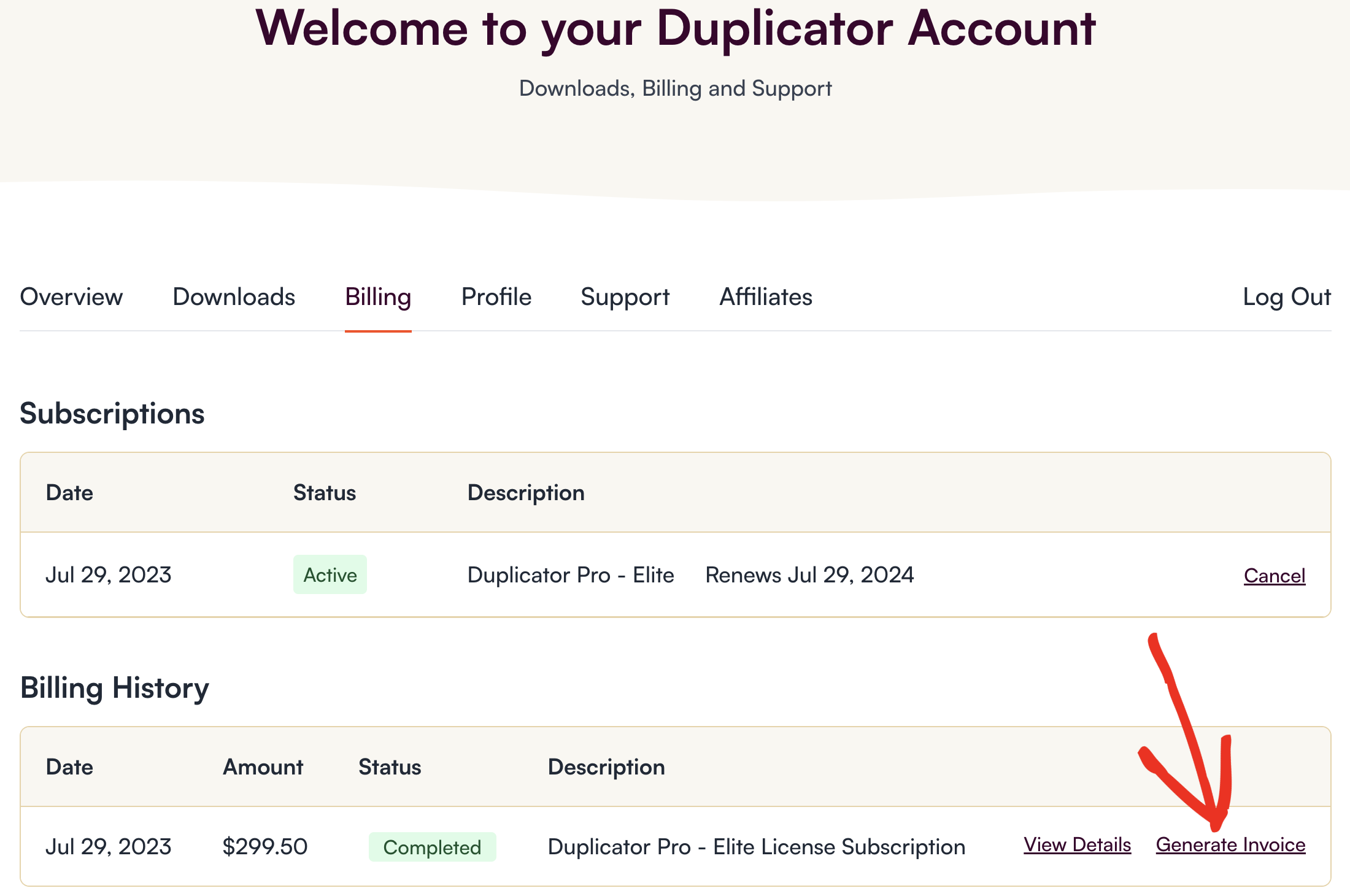
Depois de iniciar sessão, clique no separador Faturação para ver uma lista de todos os seus pagamentos anteriores. Em seguida, clique no link Gerar fatura ao lado da licença para a qual deseja gerar uma fatura.
Esta ligação abrirá um modal onde pode introduzir as informações que pretende incluir na fatura. Pode preencher os seguintes dados disponíveis:
- Nome para faturação
- Endereço de faturação (2 linhas)
- Cidade
- Código postal
- País
- Concelho / Estado
- Telefone
- Número de identificação fiscal / IVA
- Notas personalizadas
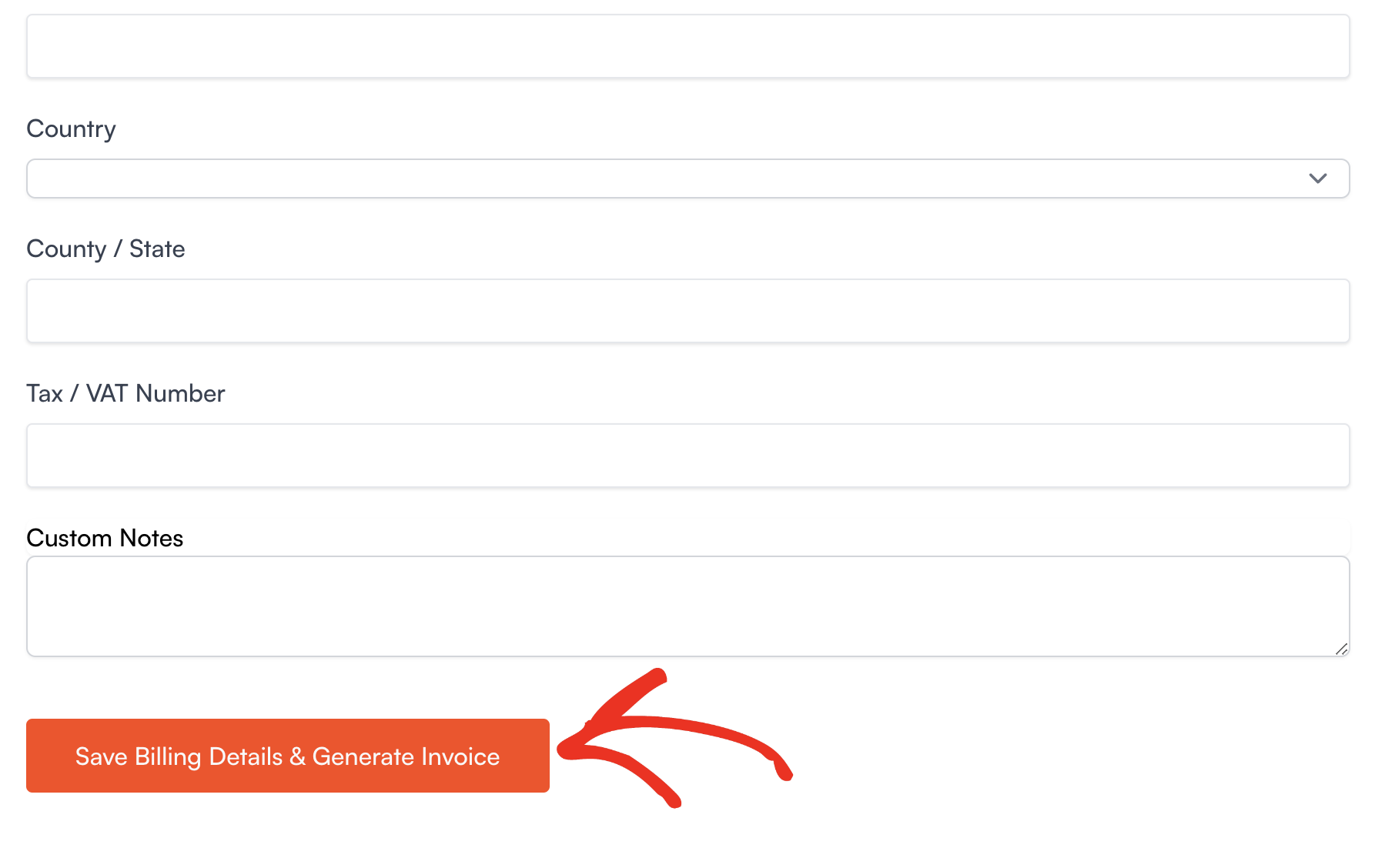
Depois de preencher estes campos, clique no botão Guardar detalhes de faturação e gerar fatura para criar a sua fatura.
É isso mesmo! Agora pode criar uma fatura para o Duplicator Pro sempre que precisar de uma.
Continua a ter problemas? Contacte a nossa equipa de apoio para obter mais assistência.


