

Anleitung zur Fehlerbehebung für WPEngine Hosting
Haben Sie Probleme mit dem WPEngine-Hosting mit Duplicator Pro? In diesem Leitfaden finden Sie praktische Lösungen, um Probleme mit dem WPEngine-Hosting effektiv zu beheben und zu lösen.
Stellen Sie zunächst sicher, dass Sie die neueste Version von Duplicator Pro verwenden. Bitte überprüfen Sie das Änderungsprotokoll und die Systemanforderungen .
In diesem Artikel
Fehler in der Build-Verarbeitung
Wenn Sie versuchen, ein Backup zu erstellen, kann WPEngine Fehler oder Hinweise zurückgeben.
Lösungen
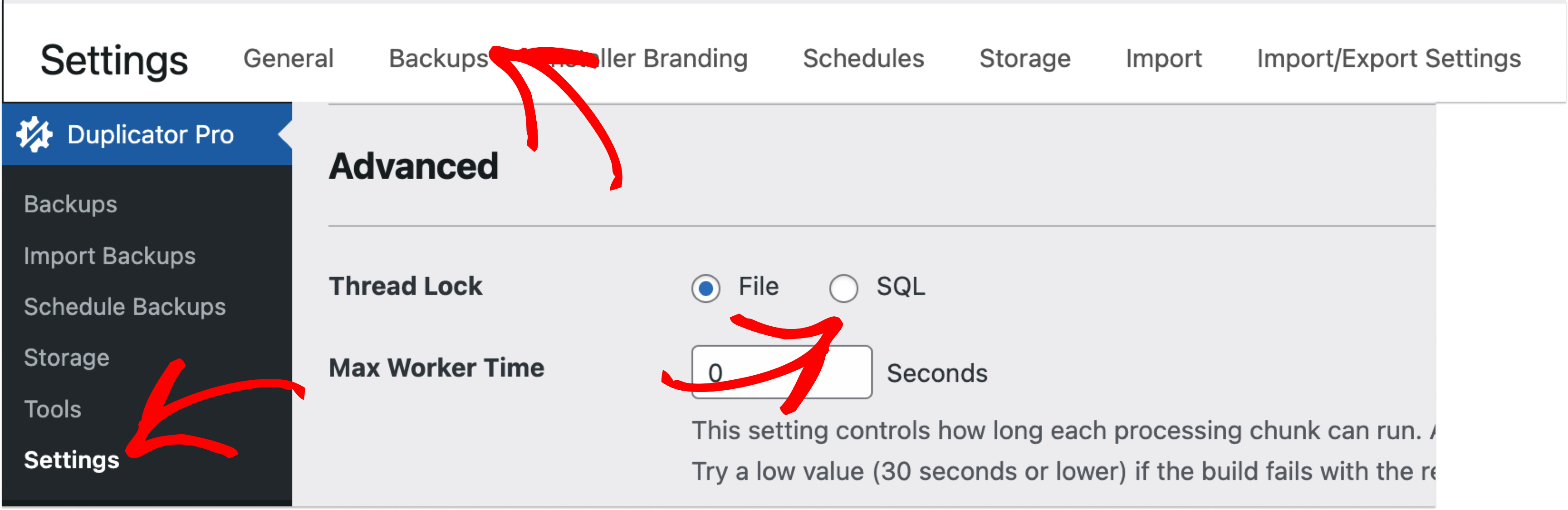
Gehen Sie zu Duplicator " Einstellungen " Backups " Erweitert.
- Setzen Sie "Sperrtyp" auf "SQL".
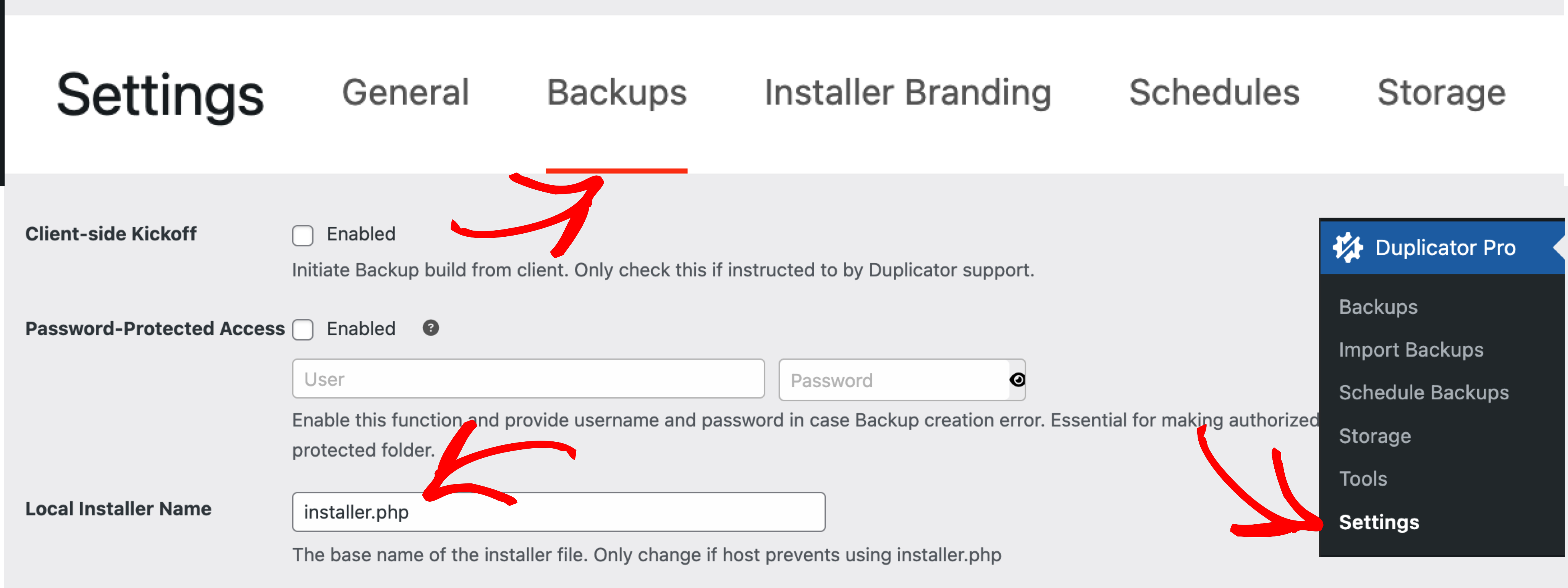
- Setzen Sie "Installer Name" auf "installer.ph1 - example" (WPEngine blockiert die Erstellung von PHP-Dateien, so dass die Standardinstallation "installer.php" nicht funktioniert).
Probleme beim Herunterladen des Installationsprogramms
WPEngine kann den Download der Installationsdatei blockieren.
Lösung
- Stellen Sie sicher, dass die Installationsdatei vor dem Herunterladen in "installer.ph1 - example" umbenannt wird.
- Um diese Einstellung anzupassen, gehen Sie zu Einstellungen " Backups " Erweitert " Installer Name und setzen Sie ihn auf installer.ph1 - Beispiel.
Duplizierer Lite
WPEngine unterstützt Duplicator Lite derzeit nicht. Wenn Sie Unterstützung dafür wünschen, sollten Sie sich an WPEngine wenden und um Kompatibilität mit dem Produkt bitten.


