

Dépannage des types de stockage SFTP/FTP
Vous rencontrez des problèmes avec le stockage SFTP/FTP dans Duplicator Pro ? Ce guide fournit des solutions pratiques pour dépanner et résoudre efficacement les problèmes.
Avant de poursuivre le dépannage, assurez-vous d'utiliser la dernière version de Duplicator Pro. Consultez le journal des modifications et les exigences du système, puis cliquez sur Tester le stockage dans l'entrée de stockage pour confirmer que les paramètres actuels sont corrects à l'aide du bouton de validation.
Guides étape par étape pour la configuration du stockage
Pour des instructions de configuration détaillées, consultez le guide ci-dessous :
Échec de la connexion lors du clic sur le stockage de test
Lorsque vous cliquez sur le bouton Tester le stockage sur une entrée de stockage FTP ou SFTP, le test échoue ou renvoie une erreur de transfert de fichiers.
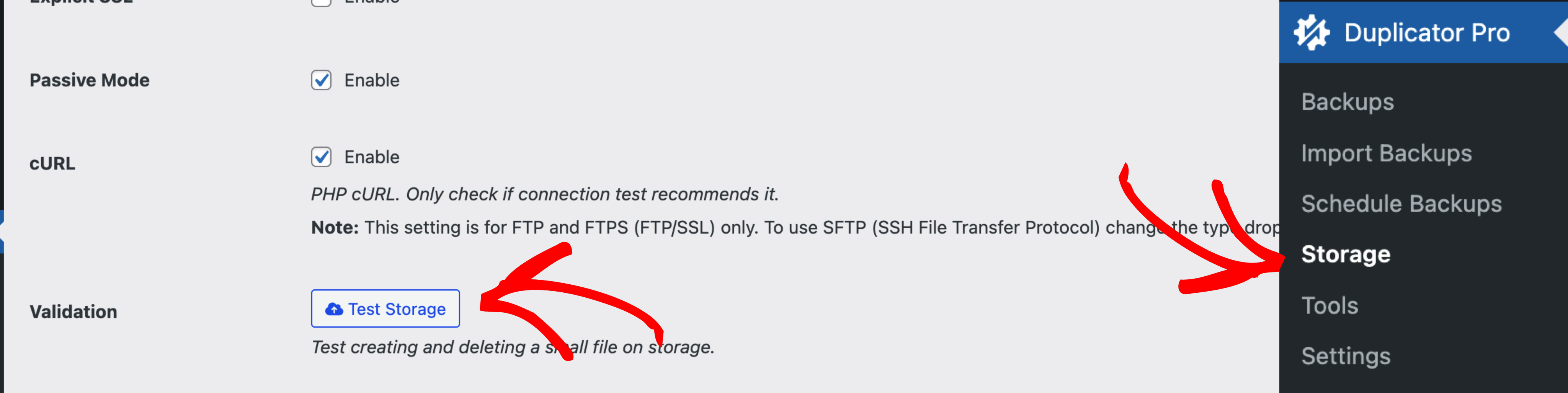
Lorsque le test échoue, Duplicator Pro affiche une boîte de dialogue État du stockage. S'il y a un seul message d'échec, il est affiché directement. S'il y a plusieurs messages d'état, ils apparaissent dans une zone de texte développée. Lisez-les pour connaître la raison spécifique de l'échec de la connexion plutôt que le simple message d'échec générique.
Option 1 : Vérifiez à nouveau les paramètres et testez avec une application FTP ou SFTP côté client
- Vérifiez à nouveau tous les paramètres FTP ou SFTP saisis dans Duplicator Pro. Les erreurs courantes incluent un port incorrect (FTP utilise le port 21 par défaut, SFTP le port 22), un chemin de dossier de stockage distant incorrect, ou des identifiants qui ne correspondent pas à ceux émis par l'hôte.
- Si vous utilisez SFTP avec un fichier de clé privée, confirmez que le fichier clé lui-même est valide et que sa phrase de passe, le cas échéant, est correctement saisie dans le champ Mot de passe.
- Si le serveur nécessite SSL explicite (FTPS), confirmez que ce paramètre est activé dans l'entrée de stockage et pris en charge par le serveur. Si le mode passif est activé et que la connexion échoue toujours, un pare-feu de l'un ou l'autre côté peut bloquer la plage de ports passive, essayez de tester avec le mode passif désactivé.
- Testez les mêmes identifiants à l'aide d'un client FTP ou SFTP comme FileZilla, Cyberduck ou CuteFTP pour confirmer une connexion réussie à partir d'une source externe.
- Si ni le client ni Duplicator Pro ne peuvent se connecter, contactez votre administrateur système pour vérifier le point de terminaison, le port et les identifiants.
- Si le client fonctionne mais pas Duplicator Pro, après avoir modifié un paramètre, enregistrez l'entrée de stockage et cliquez à nouveau sur Tester le stockage avant de passer à l'Option 2.
Option 2 : Problèmes de connectivité du serveur hébergé
Si votre serveur d'hébergement utilise des pare-feux ou des routes réseau différents de votre ordinateur local, il se peut qu'il ne puisse pas atteindre le point de terminaison FTP ou SFTP même lorsque votre ordinateur le peut. Cela inclut les hôtes qui bloquent entièrement le trafic FTP ou SFTP sortant.
Tester localement :
Si la même configuration de stockage fonctionne depuis votre ordinateur local mais échoue depuis le serveur hébergé, cela indique un problème au niveau du réseau du côté du serveur plutôt que des paramètres FTP ou SFTP eux-mêmes.
Contactez votre fournisseur d'hébergement :
Faites-leur savoir que le serveur ne peut pas établir de connexion à votre point de terminaison FTP ou SFTP, et demandez-leur de vérifier les règles de pare-feu sortantes ou les problèmes de routage réseau.
Travailler avec l'option 1 et l'option 2 résout la plupart des échecs de connexion FTP et SFTP dans Duplicator Pro.
En mettant en œuvre l'une de ces solutions, vous pouvez garantir une connexion stable et fiable aux connexions FTP/SFTP, permettant à vos sauvegardes de s'exécuter de manière transparente et sans interruption.
Pour la procédure d'installation complète, consultez Stockage de votre sauvegarde sur FTP ou SFTP.


