Comparaison des services de migration WordPress : Lequel sort vainqueur ?
 Joella Dunn
Joella Dunn
Joella Dunn
 John Turner
John Turner
John Turner
Migrer votre site WordPress peut donner l'impression de marcher sur un fil de funambule. Un faux pas et vous risquez des interruptions de service, une perte de données ou des erreurs.
Heureusement, des services de migration WordPress existent pour vous épargner le stress du processus. Ils s'occupent du gros du travail, assurant une transition en douceur pour votre site web.
Il existe une multitude d'options, j'ai donc sélectionné les meilleures pour vous. Vous trouverez un service de migration WordPress que vous recherchiez l'accessibilité, une aide experte ou une expérience sans effort.
Dans cet article, vous apprendrez :
- Qu'est-ce qu'un service de migration WordPress ?
- Pourquoi certains propriétaires de sites préfèrent-ils utiliser des services de migration pour des transferts de données sécurisés
- Les meilleures options de services de migration WordPress
- Comparaison des prix et quel service convient le mieux à différents besoins et budgets
Résumé rapide des meilleurs services de migration WordPress
| Service de migration | Plan gratuit ? | Prix premium | Idéal pour |
| Duplicateur | ✅ | $49.50+ | Option de migration gratuite et personnalisée ou une migration entièrement gérée par des experts WordPress |
| Balbuzard | ❌ | $149 | Aide professionnelle à la migration + maintenance continue |
| Valet | ❌ | Variable | Externalisation de tâches complexes telles que les migrations, le SEO ou la conception de sites web |
| Codeable | ❌ | Variable | Trouver un développeur expérimenté pour migrer votre site web |
| GoWP | ❌ | 1299 $/mois | Engager un développeur indépendant pour gérer les migrations de sites clients |
| Fantasktic | ❌ | Variable | Externalisation des migrations et des refontes |
Table des matières
Qu'est-ce qu'un service de migration WordPress ?
Un service de migration WordPress est un service payant qui migre l'intégralité de votre site web vers un autre emplacement. Au lieu de vous soucier de l'exportation et de l'importation des fichiers et des tables de base de données de votre site, toutes vos données seront transférées pour vous.
Pourquoi utiliser un service de migration WordPress ?
Migrer un site WordPress peut être difficile sans les bons outils. Lors d'une migration manuelle, vous serez seul responsable du téléchargement des fichiers et de la base de données de votre site sur le nouveau serveur.
Si vous n'avez aucune expérience en la matière, une migration manuelle peut être risquée. Vous pourriez perdre des données précieuses ou accidentellement endommager votre site web.
Souvent, une meilleure option est d'utiliser un service de migration WordPress. Cette solution professionnelle est conçue pour déplacer en toute transparence votre site WordPress d'un fournisseur d'hébergement ou d'un serveur à un autre.
Avec un service de migration spécialisé, les migrations deviennent sans tracas. Il transférera tous les fichiers du site Web, les bases de données, les thèmes, les plugins et les paramètres tout en garantissant que votre site Web reste entièrement fonctionnel.
Voici quelques avantages clés de l'utilisation d'un service de migration WordPress :
- Déplacez facilement vers un nouvel hébergeur, serveur ou nom de domaine
- Temps d'arrêt minimal
- Préserve le classement SEO
- Évite la perte de données
En fin de compte, un service de migration WordPress offre un moyen transparent, efficace et sécurisé de déplacer votre site Web. Avec une assistance experte, vous pouvez profiter d'une transition en douceur sans vous soucier des complexités techniques, des temps d'arrêt ou de la perte de données.
Mes services de migration WordPress préférés
Examinons certains des meilleurs services de migration WordPress afin que vous puissiez externaliser cette tâche de maintenance compliquée et gagner du temps pour développer votre entreprise !
Voici les meilleurs services de migration WordPress que nous allons couvrir :
- Duplicator : Plugin avec des migrations par glisser-déposer ainsi qu'un service premium clé en main
- Seahawk : Migrations professionnelles sans temps d'arrêt et maintenance continue
- Valet : Agence WordPress à service complet pour les migrations complexes et la gestion de site
- Codeable : Plateforme vous connectant à des développeurs WordPress vérifiés pour des projets de migration personnalisés
- GoWP : Agence en marque blanche parfaite pour les entreprises gérant plusieurs sites Web clients
- Fantasktic : Service de migration spécialisé avec options de refonte
1. Duplicator
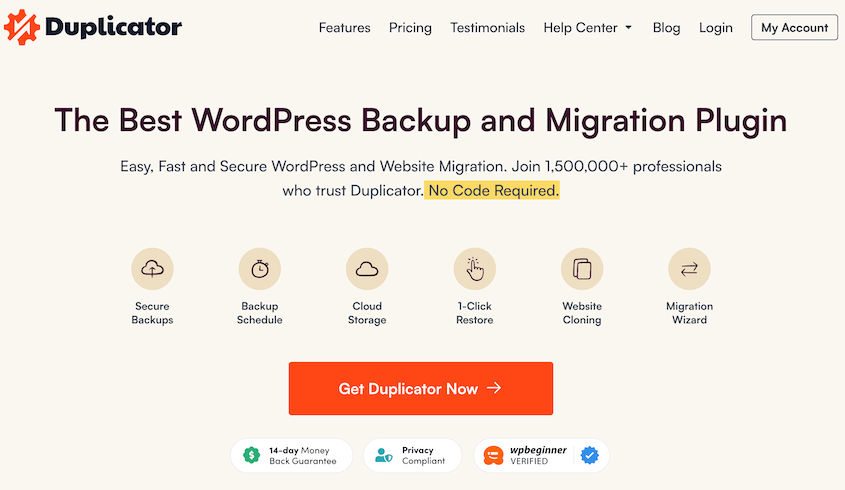
Duplicator est un plugin de migration WordPress avec des fonctionnalités de migration simples mais flexibles. Il vous permet de regrouper l'intégralité de votre site Web dans un seul fichier zip. Vous pourrez personnaliser exactement quelles données vous souhaitez migrer vers le nouvel emplacement.
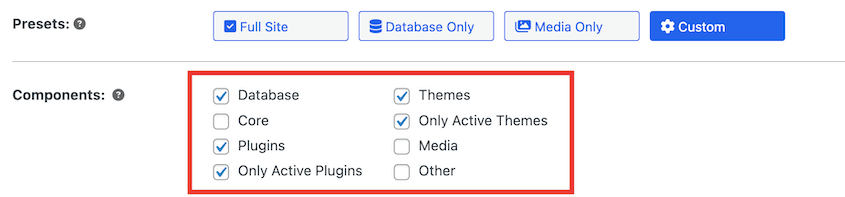
Une fois que vous avez téléchargé ce fichier, vous pouvez simplement installer Duplicator sur le nouveau site. Ensuite, faites glisser et déposez le fichier d'archive de l'ancien site dans la nouvelle installation à l'aide de l'outil d'importation.
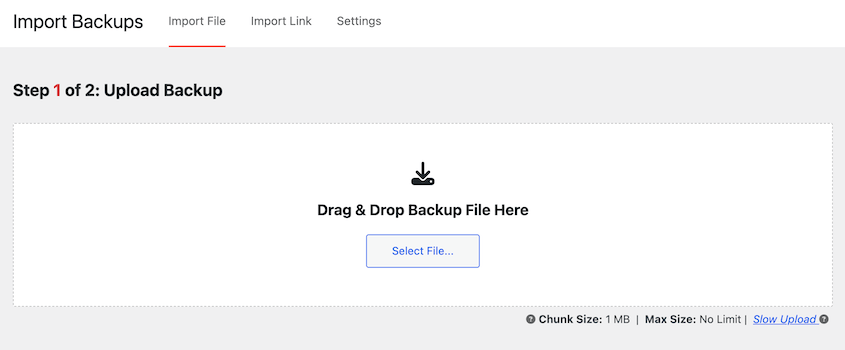
Cela lance automatiquement l'installateur Duplicator, vous évitant d'avoir à manipuler un client FTP, un gestionnaire de fichiers ou des scripts d'exportation de base de données.
Si vous êtes un développeur Web plus expérimenté, Duplicator vous donne les outils pour télécharger des sites dans n'importe quel endroit pouvant héberger WordPress.
En téléchargeant les fichiers d'archive et d'installation sur le serveur, vous importerez l'ancien site sans jamais avoir besoin de installer WordPress.
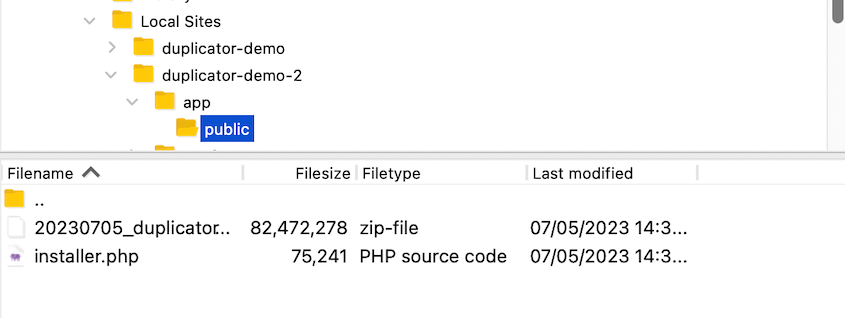
Cela vous fait gagner du temps lors du déplacement des données de vos clients. De plus, c'est entièrement gratuit si vous utilisez Duplicator Lite. Et qui n'aime pas un outil de migration gratuite ?
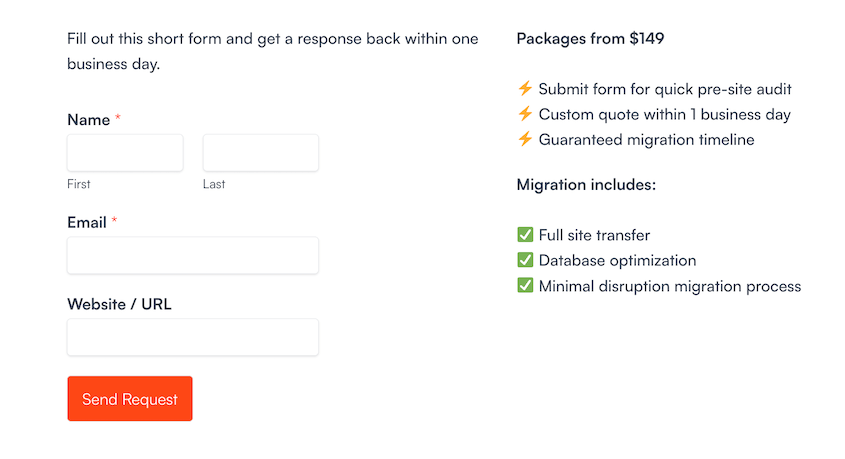
Si vous souhaitez que votre site soit migré pour vous, Duplicator le fait aussi ! Ses développeurs peuvent gérer l'ensemble du processus du début à la fin.
Tout ce que vous aurez à faire est de remplir un formulaire avec les détails de votre site. Après que l'équipe ait examiné votre demande, votre site sera migré dans les trois jours ouvrables.
En plus des migrations, Duplicator facilite les sauvegardes de sites web. Vous pouvez configurer des sauvegardes automatiques et enregistrer vos données dans le cloud. Cela fait de Duplicator un outil de maintenance WordPress extrêmement flexible.
Ce que nous avons aimé chez Duplicator
- Migrations par glisser-déposer vers un nouveau nom de domaine, un hébergeur web ou un serveur
- Créez des sites de staging et migrez les modifications vers votre site de production
- Sauvegardes manuelles et automatiques
- Recherche et remplacement personnalisés
- Fichiers de sauvegarde entièrement personnalisables pour vous aider à nettoyer votre site web lors d'une migration ou d'une sauvegarde
- Processus de restauration de sauvegarde facile
- Restaurez les sauvegardes distantes sans quitter votre tableau de bord WordPress
- Prend en charge les migrations de grands sites et les réseaux multisites WordPress
- Ne nécessite pas l'installation de WordPress
- S'intègre avec des fournisseurs de services cloud tels qu'Amazon S3, Dropbox, Google Drive et Microsoft OneDrive
Alternative : Un autre plugin WordPress conçu pour les migrations est All-in-One WP Migration. Pour comparer ces outils, consultez notre avis sur All-in-One WP Migration vs Duplicator.
2. Balbuzard
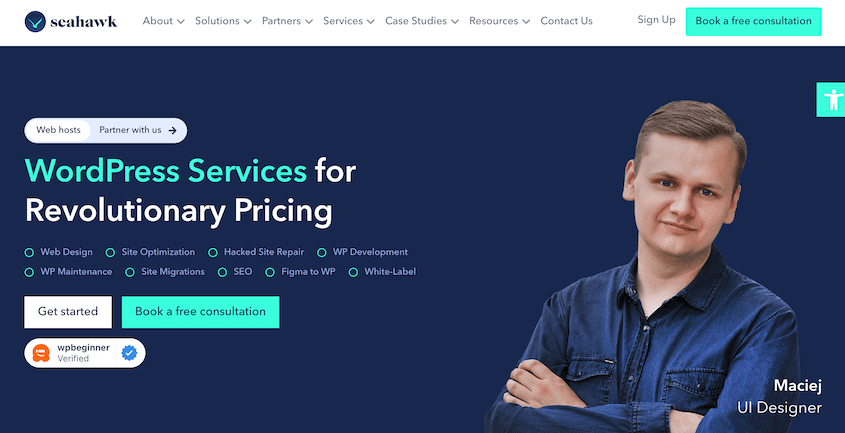
Si vous souhaitez confier entièrement votre migration WordPress à des mains expertes, nous vous recommandons Seahawk. Il s'agit d'un fournisseur de services WordPress qui s'occupe de la conception de sites web, des migrations, du référencement, de la maintenance, et bien plus encore.
Avec Seahawk, votre site ne fera pas que passer d'un point A à un point B. Son équipe d'experts déplace en douceur tout votre contenu sans interruption. En cours de route, ils privilégient la sécurité et la fonctionnalité.
De plus, Seahawk facilite la migration vers la plateforme WordPress.org. Il vous aidera à vous éloigner de systèmes de gestion de contenu (CMS) plus limités comme Wix, Drupal, Shopify, Blogger, ou WordPress.com.
Ce que nous avons aimé chez Seahawk
- Migrez depuis n'importe quel CMS vers WordPress
- Zéro interruption
- Aide d'experts WordPress
- Haute sécurité et confidentialité des données
- Peut migrer depuis HubSpot, SquareSpace, Joomla, et d'autres plateformes
- Support client 24h/24 et 7j/7
- Maintenance continue comme les sauvegardes et les mises à jour
3. Valet
Valet est une agence réputée de support et de maintenance WordPress qui propose des services de migration. Elle vous aidera à migrer avec succès vers un nouveau fournisseur d'hébergement ou un nouveau nom de domaine.
Même si vous gérez un grand site d'adhésion ou une entreprise de commerce électronique, Valet s'assurera que l'intégralité de votre contenu est transférée vers le nouvel emplacement. Il dispose d'un processus de migration en 6 étapes :
- Planification
- Gel du contenu
- Sauvegarde
- Migration
- Tests
- Lancement
Si vous souhaitez éviter de passer du temps sur le SEO, les sauvegardes, les mises à jour, la création de contenu et d'autres tâches de maintenance, Valet pourrait être le bon choix pour vous. En plus des migrations, Valet propose des plans complets pour tout prendre en charge, de la protection contre les logiciels malveillants à la conception de sites Web.
Ce que nous avons aimé chez Valet
- Agence à service complet pour toute tâche de gestion ou de maintenance
- Gère les migrations vers un nouveau système de gestion de contenu (CMS), un domaine, un serveur ou un hébergeur
- Service personnalisé basé sur vos besoins
Ce que nous n'avons pas aimé chez Valet
- Coût plus élevé par rapport à d'autres solutions, il convient donc mieux aux entreprises disposant de budgets plus importants.
4. Codeable

Codeable est une plateforme qui vous met en relation avec des experts WordPress triés sur le volet pour diverses tâches, y compris les migrations. Ces freelances peuvent gérer la conception de sites Web, le développement de plugins personnalisés, l'optimisation de bases de données, les migrations complètes de sites, et plus encore.
Si vous souhaitez travailler avec un freelance mais que vous ne savez pas comment en trouver un, Codeable offre une solution. En utilisant cette plateforme, vous pouvez publier un projet qui explique le type de migration que vous aviez en tête. En seulement 3 à 5 heures, vous recevrez des réponses d'experts qui souhaitent s'impliquer.
Ce que nous avons aimé chez Codeable
- Répertoire de centaines de développeurs WordPress experts
- Large gamme de services WordPress
- Projets personnalisables et assistance personnalisée
Ce que nous n'avons pas aimé chez Codeable
- Le coût peut varier en fonction du projet
- Nécessite de sélectionner un développeur en fonction des avis et des devis
5. GoWP
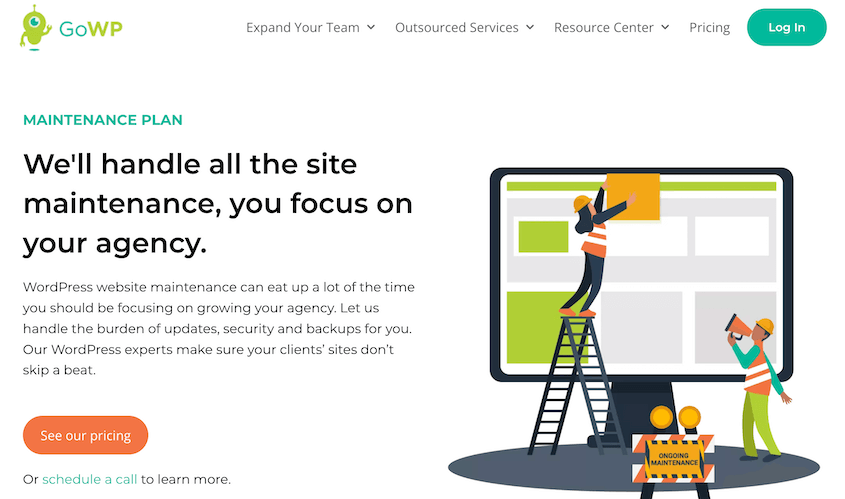
GoWP est une agence WordPress en marque blanche proposant une variété de services, y compris les migrations, la rédaction, la maintenance et l'optimisation de contenu.
Essentiellement, cela vous permet d'embaucher un expert pour une tâche spécifique et de l'inclure dans vos services commerciaux.
L'objectif de GoWP est de vous aider à développer votre entreprise ou votre agence. Vous pouvez externaliser les tâches de maintenance courantes ou embaucher l'un des développeurs experts de GoWP. Cela vous aidera à garantir que vos clients reçoivent tous les services et le support dont ils ont besoin.
Ce que nous avons aimé chez GoWP
- Externalisation de services tels que la maintenance, les modifications de contenu, la création de pages de destination et la création de blogs
- Vous pouvez embaucher un développeur, un rédacteur, un designer ou un assistant virtuel pour votre équipe
- Formation disponible pour développer votre agence
Ce que nous n'avons pas aimé chez GoWP
- Pour embaucher un développeur, les prix commencent à 1299 $ par mois.
6. Fantasktic
Fantasktic est un service de migration WordPress qui a migré avec succès plus de 25 000 sites Web WordPress. Il peut déplacer un site non-WordPress vers la plateforme WordPress. Vous pouvez également engager Fantasktic pour configurer votre site sur un nouvel hébergeur.
Cette agence s'occupera également de refondre votre site Web. Fantasktic migrera non seulement vos données, mais créera un nouveau site Web qui correspondra à la conception et aux fonctionnalités que vous aviez en tête.
Ce que nous avons aimé chez Fantasktic
- Migre votre site Web vers un nouvel hébergeur WordPress et un nouveau nom de domaine
- Déplace les sites non-WordPress vers WordPress
- Refond votre site Web
- Prévisualisez votre site migré avant sa mise en ligne
Ce que nous n'avons pas aimé chez Fantasktic
- Pas de prix transparents, mais vous pouvez obtenir un devis gratuit
- Aucune garantie d'absence d'interruption de service, car vous devrez attendre la propagation du DNS de votre domaine
FAQ sur les services de migration WordPress
Combien coûte un service de migration de site Web ?
Le coût de migration de votre site Web dépend du service de migration de site Web que vous choisissez et de la complexité de votre migration. Il est préférable de demander des devis ou de vérifier les prix des services sur le site Web de l'entreprise.
Vous voulez savoir combien coûte réellement une migration de site Web ? Vous aimerez peut-être ce guide complet sur les coûts de migration d'un site WordPress.
Comment faire une migration WordPress ?
Vous pouvez effectuer une migration WordPress en utilisant Duplicator, qui est un plugin de migration puissant et flexible. Avec cet outil, créez une sauvegarde complète de votre site. Ensuite, téléchargez-la et téléversez-la sur le nouveau site Web WordPress.
Pour un guide étape par étape, consultez notre tutoriel sur comment migrer un site WordPress !
WordPress propose-t-il la migration gratuite ?
WordPress lui-même n'offre pas de service de migration gratuit, mais il existe des plugins disponibles qui offrent des options de migration gratuites. Par exemple, Duplicator vous permet de migrer gratuitement votre site Web vers un nouvel hébergeur, un nouveau domaine ou un nouveau serveur. Ce plugin est également doté d'une fonctionnalité de sauvegarde, ce qui en fait un excellent outil de maintenance pour votre site WordPress.
Combien de temps faut-il pour migrer un site WordPress ?
Le temps nécessaire à la migration de votre site Web peut varier en fonction de la taille de votre site Web, de la complexité de votre configuration et du service de migration choisi. Cela peut prendre de quelques minutes à plusieurs jours.
Quel est le meilleur plugin de migration pour WordPress ?
Le meilleur plugin de migration pour WordPress est Duplicator Pro. Cet outil vous permet de créer des sauvegardes complètes de votre site WordPress. Ensuite, vous pouvez simplement glisser-déposer cette sauvegarde dans un nouvel emplacement pour migrer vos données.
Pour les utilisateurs plus avancés, Duplicator n’a même pas besoin que WordPress soit installé. En utilisant son installeur autonome, vous pouvez immédiatement transférer des données partout où WordPress est pris en charge.
Conclusion
J'espère que cela vous a aidé à trouver le meilleur service de migration WordPress pour vos besoins !
Voici quelques guides WordPress supplémentaires pour simplifier vos tâches de gestion :
- Migrations sans argent : Les meilleurs plugins de migration WordPress GRATUITS
- Comment migrer un site WooCommerce
- Le guide complet de la migration SEO (aucun risque de perte de trafic)
- Migration de HTTP vers HTTPS ? Honnêtement, c'est plus facile que vous ne le pensez
- Comment migrer un grand site WordPress (La méthode facile)
- Comment migrer un site WordPress gratuitement
Êtes-vous prêt à simplifier la migration de votre site web ? Téléchargez Duplicator Pro aujourd'hui pour glisser-déposer facilement votre site WordPress vers un nouvel emplacement !