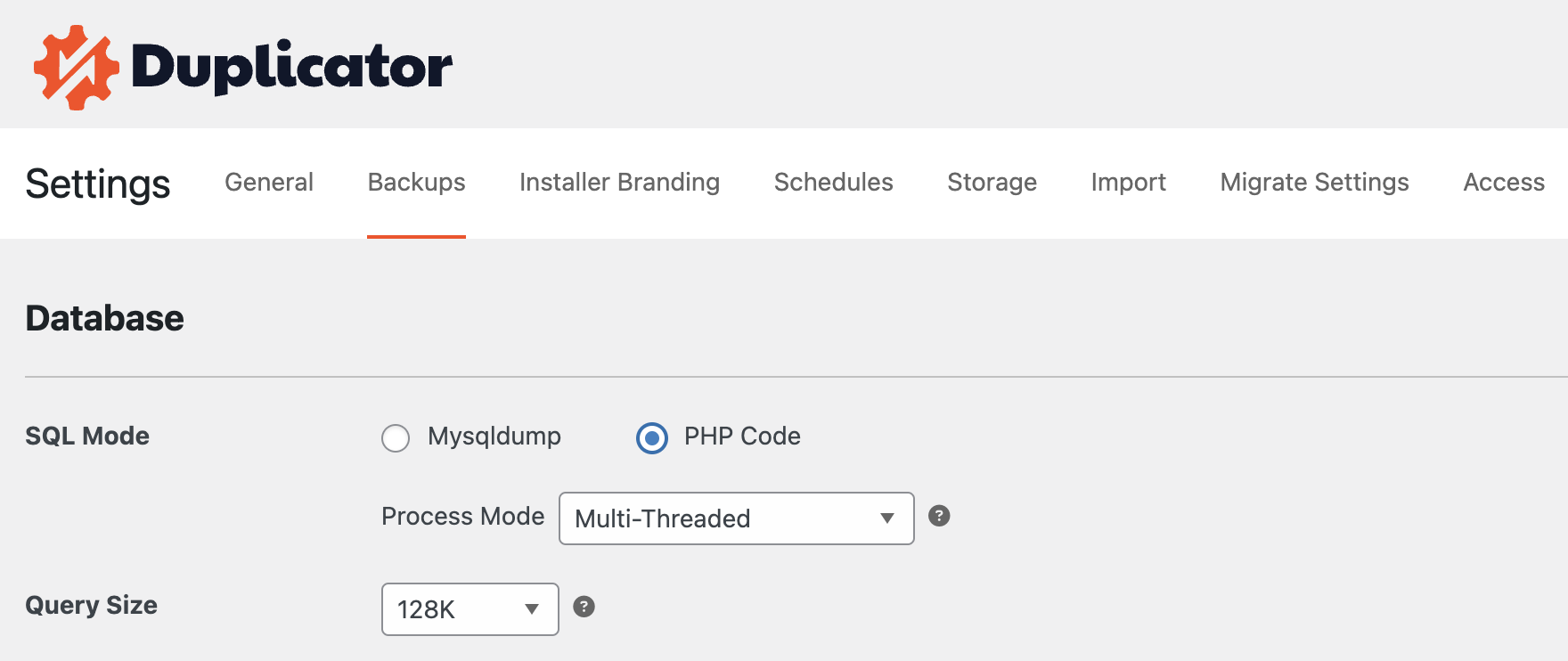
When creating a backup with Duplicator, selecting the correct Database SQL Mode is crucial for ensuring a smooth and successful process.
Duplicator offers two SQL Modes under Settings»Backups: MySqlDump and PHP Code. Each has its strengths and weaknesses, and choosing the right one depends on your specific server configuration and database size.
Duplicator provides two primary SQL Modes to handle database during backup creation:
MySqlDump: A command-line utility used to dump databases in a very efficient and fast manner.
PHP Code: A PHP-based method for exporting databases, designed to handle larger databases in chunks to avoid server resource limitations.
Each mode is tailored for different scenarios, and understanding their pros and cons will help you choose the best one for your situation.
MySqlDump Mode
MySqlDump is a command line utility used to export the database.
Advantage
Speed: MySqlDump operates at the command-line level, making it significantly faster compared to PHP-based methods.
Efficiency: It handles large databases more efficiently on servers with high resource availability.
Low Resource Usage: Ideal for smaller databases with sufficient server resources.
Disadvantages
Timeout and Memory Issues: On shared or low-resource servers, MySqlDump may encounter timeout and memory limitations, especially with larger databases.
Please Note: If MySqlDump isn’t detected at its default path, Duplicator will first attempt to auto-configure the correct path rather than immediately disabling the mode. If it still can’t be located after that, MySqlDump mode will be disabled. Also note, that the memory limit should be larger than the database size for successfully using MySqlDump. In case the memory limit is smaller than the database the memory limit could be exhausted, therefore a notice will be displayed during the Scan process, before starting the backup build.
Use Case: MySqlDump is best for smaller databases on servers with sufficient resources and shell access.
PHP Code Mode
PHP Code mode uses PHP scripts to export the database. It is designed to handle databases in smaller chunks, reducing the likelihood of server resource issues.
Advantages
Reliability: Handles larger databases without timeout or memory issues by breaking the export into smaller, manageable chunks.
Compatibility: Works on any server that supports PHP, making it a more universally compatible option.
Disadvantages
Reduced Performance: Unlike MySqlDump, which can utilize the full power of the server’s processor, PHP Code mode breaks the database export into smaller pieces. This means it can’t take full advantage of the server’s resources, making it slower and less efficient for large databases.
Use Case: PHP Code mode is recommended for larger databases or servers with strict resource limitations.
Recommended Configurations
Fastest Configuration: MySqlDump + ShellZip
Best for: Servers with good resource availability and shell access. This configuration provides the fastest backup creation but is subject to timeout and memory issues for very large databases.
Safest Configuration: PHP Code + DupArchive
Best for: Any server, especially those with limited resources or large databases. This configuration is slower but highly reliable.
Balanced Configuration: PHP Code + PHP Zip
Best for: Servers with decent resources that might not support MySqlDump consistently. It provides a good balance between speed and reliability.
Choosing the Right SQL Mode for Your Setup
Small Databases (< 500MB):
Use MySqlDump: This is usually fast and efficient for smaller databases. Ensure your server can handle the command-line utility.
Medium Databases (500MB – 1GB):
Test MySqlDump: If your server resources are good, MySqlDump might still work. If issues occur, switch to PHP Code.
Large Databases (> 1GB):
Use PHP Code: This is the safest option for large databases. It prevents memory and timeout issues by breaking the export into smaller chunks.
Servers with Limited Resources:
Use PHP Code: To avoid timeout and memory problems, especially if the server restricts command-line utilities like MySqlDump.
Choosing the right SQL Mode in Duplicator is critical for a smooth backup process. While MySqlDump is faster and efficient for smaller databases on well-equipped servers, PHP Code offers a reliable solution for larger databases or resource-constrained environments. Evaluate your server’s capabilities and database size to select the best configuration that suits your needs.
Try Duplicator free on your site — see why 1.5M+ WordPress pros trust us. But don't wait — this exclusive 60% discount is only available for a limited time.