Como uma Agência de Web Design Completa 50 Migrações por Mês
 Joella Dunn
Joella Dunn
Joella Dunn
 John Turner
John Turner
John Turner
Quer tornar sua agência de web design mais eficiente?
Pode se tornar difícil manter os sites dos seus clientes, especialmente à medida que você aumenta sua base de clientes. Se você gerencia backups e migrações manualmente, pode estar perdendo tempo e dinheiro.
Jan Knop, o proprietário da 77Webz, encontrou uma maneira de tornar migrações, backups e restaurações fáceis. Continue lendo para ver como ele fez isso!
Conheça a 77Webz
77Webz é uma agência de design e desenvolvimento web sediada em Milton, Ontário, Canadá. Ela cria sites personalizados e de ponta para ajudar empresas a atingir seus objetivos de marketing digital.
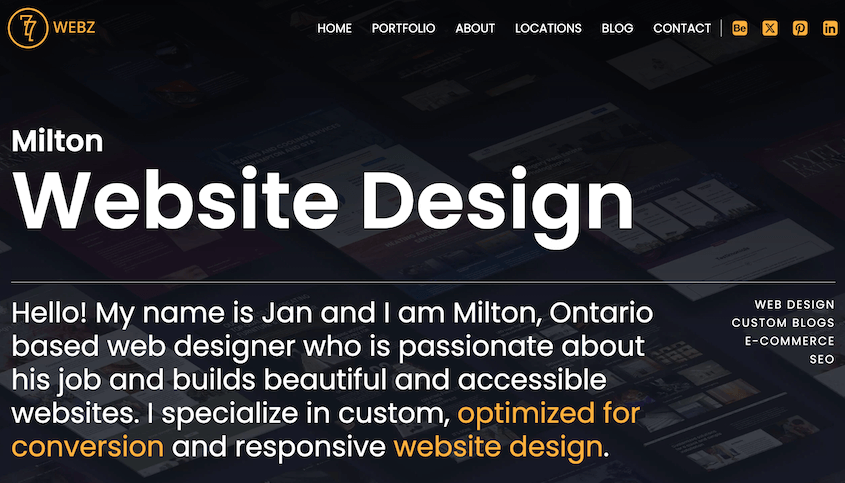
O proprietário, Jan Knop, tem mais de 20 anos de experiência como web designer, desenvolvedor e especialista em SEO. Suas habilidades de desenvolvimento web o ajudam a construir sites rápidos e responsivos, otimizados para conversões.
Os Desafios de Restaurar e Migrar Sites de Clientes
Migrar sites pode ser um trabalho árduo para os desenvolvedores. Envolve copiar os dados do site, movê-los para um novo servidor e fazer tudo funcionar em um novo host. Fazer isso manualmente leva muito tempo e traz riscos como perda de dados ou erros inesperados.
Na 77Webz, Jan Knop enfrentou desafios semelhantes na migração, backup e restauração dos sites de seus clientes.
Anteriormente, os plugins que ele usava não ofereciam proteção total à prova de erros durante migrações ou restaurações. Quando ele recorreu aos backups nativos de hospedagem, estes não eram fáceis de restaurar.
Isso o deixou exposto ao risco de tempo de inatividade do site e clientes insatisfeitos.
Além disso, Jan precisa gerenciar backups e migrações para mais de 50 sites diferentes todos os meses. Ferramentas ineficientes simplesmente não eram uma opção.
Portanto, ficou claro que ele precisava encontrar um plugin de backup e migração eficiente e confiável.
Desbloqueando a Eficiência: O Papel do Duplicator Pro no Sucesso da 77Webz
Gerenciar uma agência web como a 77Webz exige o equilíbrio de várias tarefas de manutenção diferentes. Mas com o Duplicator Pro, uma parte significativa da carga de trabalho se tornou muito mais fácil.
Duplicator Pro é um plugin de backup e migração do WordPress com flexibilidade suficiente para a agência de Jan.
Sempre que o site de um cliente precisa ser feito backup, o Duplicator pode lidar com a tarefa. Suas opções fáceis de personalização permitem fazer backup de bancos de dados, arquivos e até mesmo adicionar sites ao diretório.
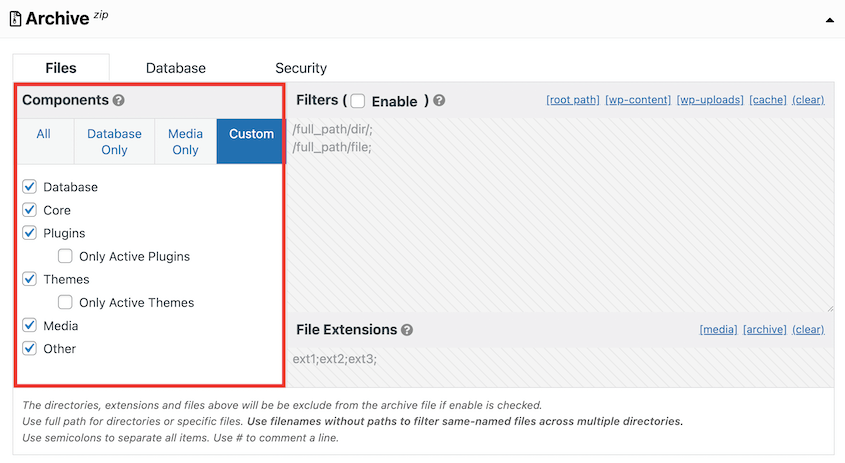
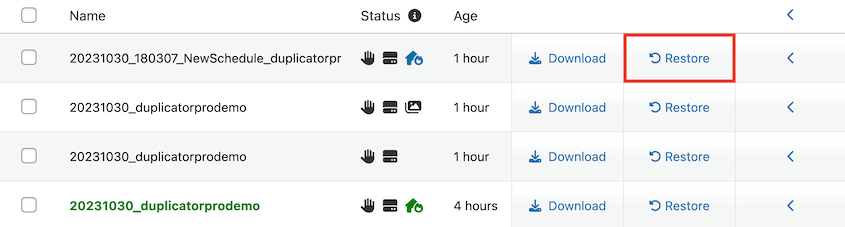
Depois de criar o backup, você pode restaurar o site de algumas maneiras diferentes:
- Use o botão Restaurar de um clique
- Arraste e solte o arquivo de backup na página Importar
- Reenvie os arquivos de backup e instalador para o servidor
- Cole um link de recuperação de desastres para reverter erros de site completo
“Posso ficar tranquilo sabendo que, se algo der errado, posso restaurar tudo facilmente com um clique e começar de novo.”
– Jan Knop
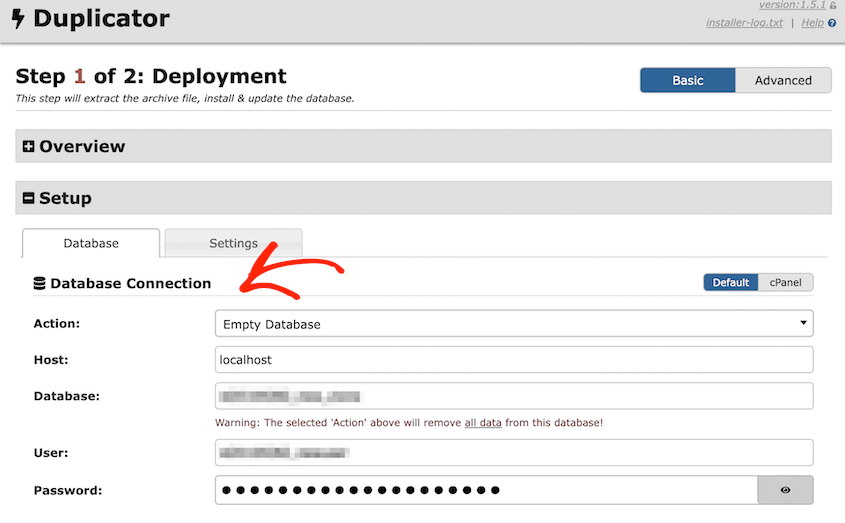
As migrações funcionam de forma semelhante. Em vez de baixar manualmente os arquivos e o banco de dados de um cliente, Jan agora pode criar um backup personalizado do site original. Em seguida, ele pode ser facilmente transferido para outro local.
O Duplicator guia você passo a passo pelo processo de migração, tornando-o fácil e rápido.
“Uso o plugin Duplicator há vários anos e, desde o momento em que comecei a usá-lo, tive zero migrações ou restaurações falhas. Meus clientes adoram essa garantia de 100% de que seus sites estão bem protegidos contra longos períodos de inatividade.”
Resultados
Com o Duplicator, Jan conseguiu:
- Realizar migrações com tempo de inatividade próximo de zero
- Gerenciar mais de 50 sites por mês
- Economizar tempo automatizando backups
- Recuperar sempre os dados do cliente com várias opções de restauração
- Oferecer preços competitivos devido aos diferentes planos de licença do Duplicator
- Restaurar e migrar sites com 100% de garantia
- Minimizar quedas de tráfego SEO após migrações de sites
Resumo
O Duplicator oferece a web designers como Jan Knop uma solução inestimável de migração e backup de sites. Ele torna as tarefas essenciais de manutenção do WordPress rápidas e fáceis, permitindo que você expanda sua agência.
“O Duplicator é uma ferramenta que caiu do céu, aumentando minha produtividade e, o mais importante, minha credibilidade aos olhos dos meus clientes. Não consigo imaginar construir e manter sites sem este plugin instalado.”
Pronto para expandir a base de clientes da sua agência aumentando a produtividade? Baixe o Duplicator Pro para backups automáticos, migrações de arrastar e soltar e outros recursos úteis!