

6 Best WordPress Image Optimizer Plugins in 2026 (Tested on a Real Site)
 Joella Dunn
Joella Dunn
Joella Dunn
 John Turner
John Turner
John Turner
I uploaded 25 images to a fresh WordPress staging site and ran different image optimizer plugins on the same library. The results ranged from 349.8 KB saved to individual images compressed by over 50%.
Same images, same site, wildly different outcomes depending on which plugin you use.
In this post, I documented my favorite image optimizer WordPress plugins, what each one does, how long setup takes, what the results look like, and where the free tier runs out.
Whether you’re trying to fix a slow site, cut your hosting storage costs, or just make your next migration less painful, one of these picks fits your situation.
Here are the key takeaways:
- Best for media library cleanup: WP Media Cleanup, which removes unused image size variations that every WordPress site leaves behind. Most sites recover 30-50% of media storage. Starts at $29/year or free with Duplicator Pro.
- Best all-around compression: ShortPixel, with WebP and AVIF support and credit-based pricing that works for most site sizes.
- Best for unlimited optimization: EWWW Image Optimizer, which compresses directly on your server with no per-image credits. The free tier covers unlimited local optimization.
- Best for AVIF compression: Imagify, with the strongest AVIF results in independent tests.
- Best for beginners: Smush. Running in under five minutes, the free version handles the basics without a credit card.
- Best for cloud delivery: Optimole, with compression and CDN in one plugin that auto-adjusts image size per device in real time.
Table of Contents
- Image Optimizer Plugins Compared
- Do You Need an Image Optimizer Plugin?
- How We Evaluated These Tools
- The 6 Best WordPress Image Optimizer Plugins for 2026
- 1. WP Media Cleanup: Best for Removing Unused Image Variations
- 2. EWWW Image Optimizer: Best for Unlimited, Server-Side Optimization
- 3. ShortPixel: Best All-Around Compression
- 4. Imagify: Best for AVIF Compression and Clean UI
- 5. Smush: Best for Beginners and Fast Setup
- 6. Optimole: Best for Automated Cloud Delivery
- Why Your Images Might Still Be Slow After Optimizing
- Frequently Asked Questions (FAQs)
Image Optimizer Plugins Compared
- 🥇 WP Media Cleanup: Best for clearing unused image size variations; most sites free up 30-50% of media storage
- 🥈 EWWW Image Optimizer: Best for unlimited, server-side compression with no credits
- 🥉 ShortPixel: Best all-around compression with WebP and AVIF support
Do You Need an Image Optimizer Plugin?
Most hosting environments don’t compress images automatically. When you upload a 4MB photo, WordPress stores it at full resolution plus multiple smaller size variations and serves whichever one loads, often the full-size file.
Without optimization, you’re asking every visitor to download files 5-10x larger than necessary. That slows your page load time and drags down your Core Web Vitals score, which Google uses as a ranking signal.
If your site has any images at all, yes, you need one of these plugins.
How We Evaluated These Tools
I tested each plugin on live WordPress sites with real media libraries. Evaluation criteria included compression ratio (lossy and lossless), WebP and AVIF conversion, bulk optimization speed, Core Web Vitals impact, ease of use, and pricing.
WP Media Cleanup is made by the same team that builds Duplicator. We’ve included it because it solves a real problem that none of the compression plugins address: unused image size variations that accumulate as themes and configurations change. It works differently from compression tools and belongs on this list. We’ve also been direct about what it doesn’t do.
The 6 Best WordPress Image Optimizer Plugins for 2026
1. WP Media Cleanup: Best for Removing Unused Image Variations
A site with 5,000 uploaded images could have over 20,000 size variations sitting on the server. Most of them have never been loaded by a single visitor.
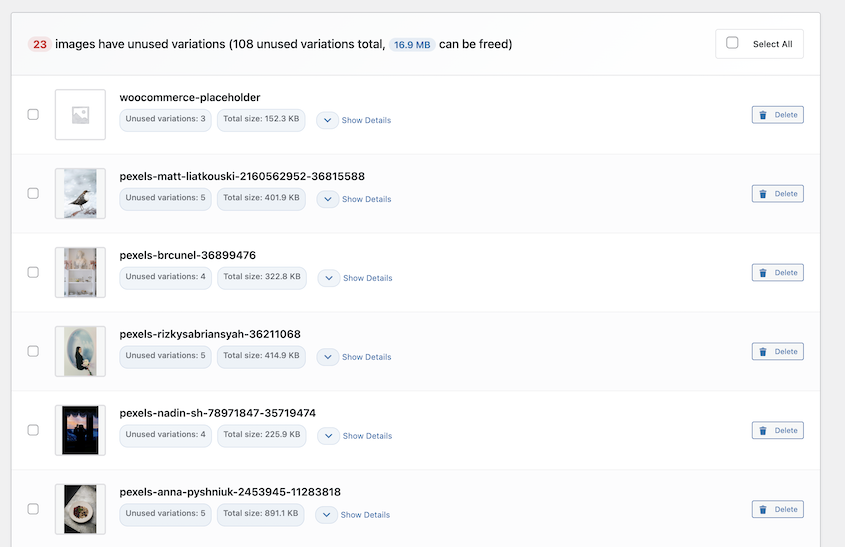
WP Media Cleanup scans your media library, identifies the unused variations, and removes them safely. Originals are never touched. Deleted files move to a temporary directory and stay there for 30 days before permanent deletion.
Best for: Site owners with media libraries that go back more than a year, anyone who’s changed themes, and teams handling migrations where storage size affects the timeline.
Why We Chose WP Media Cleanup: Most image optimization conversations start and end with compression. But if your site has been running for a few years with multiple theme switches behind it, your server is carrying dead weight that no compression plugin will touch. WP Media Cleanup is the only tool on this list that directly addresses that problem.
What We Liked:
- Personal results: processed in 5-10 seconds and removed 16.9MB on a small site
- Available as a standalone plugin or bundled with Duplicator Pro, a popular backup/migration plugin
- Smaller media libraries mean smaller backups and faster site migrations; the downstream benefit compounds every time you clone, migrate, or restore a site
- Scans posts, pages, widgets, theme customizer settings, and ACF meta boxes, not just the media library database table
- Originals are never touched; only redundant size variations are flagged
- Deleted files sit in a temporary directory for 30 days before permanent deletion, so recovery is straightforward
- WP-CLI support for agencies managing multiple sites from the terminal
- Starts at $29/year as a standalone purchase, or is included free with Duplicator Pro
What We Didn’t Like:
- WP Media Cleanup doesn’t compress images or convert to WebP/AVIF. You’ll need a compression plugin alongside it.
2. EWWW Image Optimizer: Best for Unlimited, Server-Side Optimization
EWWW Image Optimizer is one of the only plugins that compresses images directly on your server, with no API call required for basic optimization. The free tier has no monthly image limits for local compression, which makes it a completely different cost model than credit-based competitors.
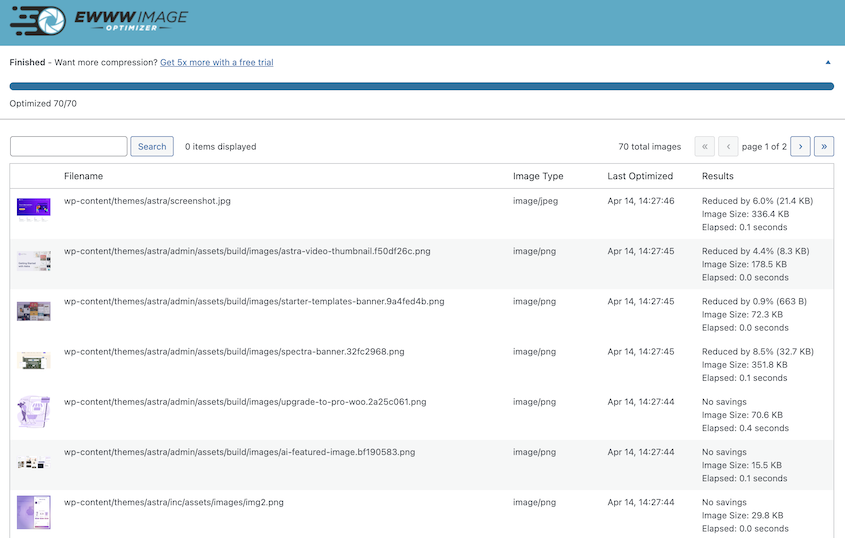
It’s currently being used on over 1 million websites and has a 4.8/5 star rating on WordPress.org. Reviewers mention easy setup, reliability, quiet background optimization, and extensive free features.
Best for: High-volume sites, developers who prefer privacy-focused setups, and anyone who’s burned through API credits on another tool and wants a predictable cost structure.
Why We Chose EWWW: Unlimited local optimization is rare in this category. Most tools meter usage against monthly credits or API calls. EWWW’s free tier runs entirely on your server with no external dependency. That matters on content-heavy sites where images land daily and credit-based pricing adds up fast.
What We Liked:
- Local compression runs on your server without API calls; no credits, no upload limits for basic optimization
- 1 million+ active installs; actively maintained with strong documentation
- Adding the paid API plan upgrades you to WebP and AVIF without switching plugins
- Compression runs automatically on every image upload
What We Didn’t Like:
- Free tier doesn’t include WebP or AVIF; those require the paid API plan
3. ShortPixel: Best All-Around Compression

ShortPixel appears on nearly every image optimizer plugin list, and it showed up in my testing too. Images from my test library came back 50% smaller after a single bulk run.
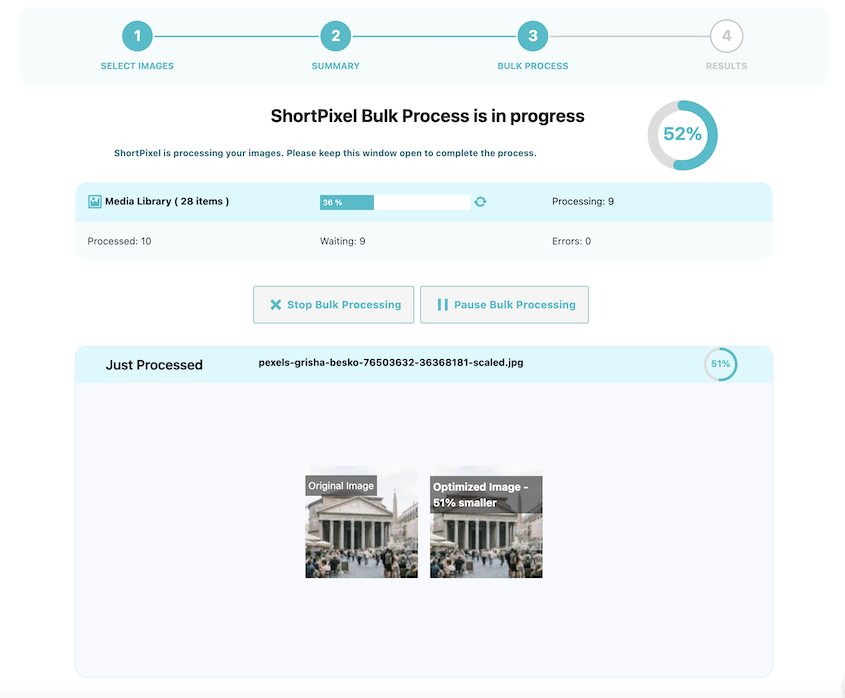
It supports lossy, lossless, and AVIF compression and converts images to WebP automatically on upload. The credit-based pricing model means you pay for images processed, not a recurring license that charges the same whether you uploaded 10 images this month or 10,000.
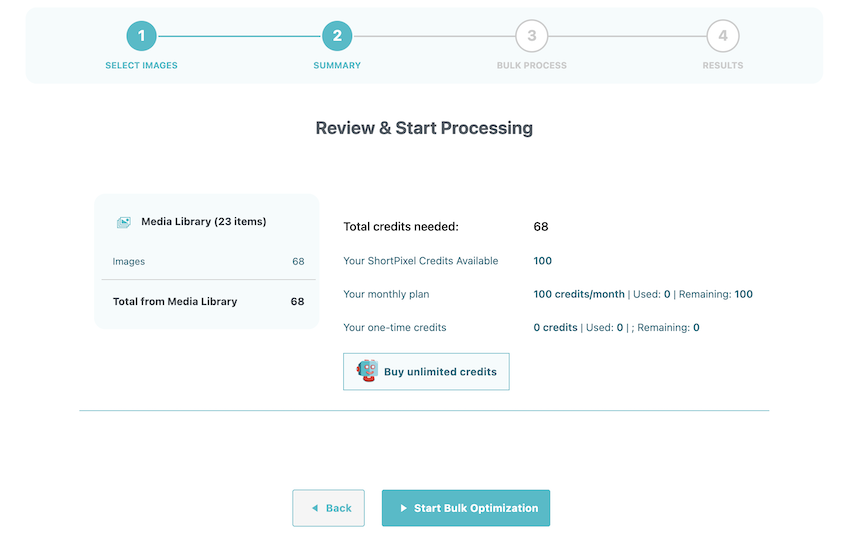
Best for: Sites where compression quality and Core Web Vitals scores matter most, especially anyone targeting strong LCP on mobile.
Why We Chose ShortPixel: It consistently shows up as a top pick, and my own test results backed that up. AVIF support is included without requiring a premium-tier upgrade, which puts it ahead of Smush and several others.
What We Liked:
- AVIF and WebP support available without upgrading to a paid tier
- One-time bulk optimization credits available for sites that don’t add images frequently
- Free tier includes 100 images/month
What We Didn’t Like:
- Bulk optimization on personal testing took 3 minutes for a small site
- Credit-based pricing scales up quickly on sites with large, frequently-updated media libraries
- No CDN delivery built in; that requires a separate tool
4. Imagify: Best for AVIF Compression
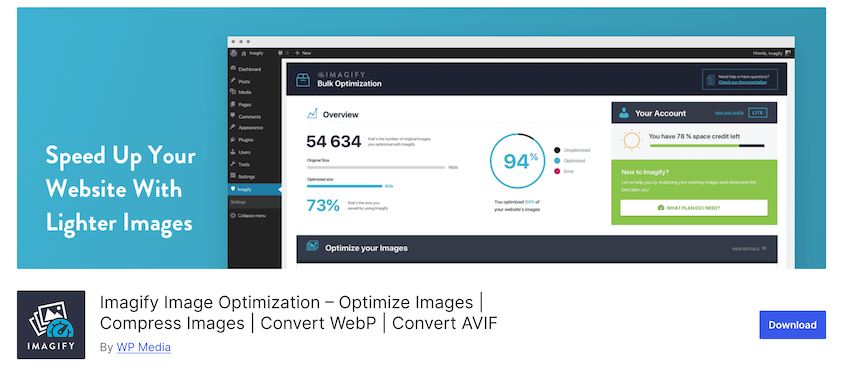
Imagify produced better AVIF compression results than most competitors in head-to-head tests. Setup takes minutes. Compression stats are presented clearly, one-click bulk optimization works without reading documentation first, and the free plan covers 20MB of monthly image data, enough for a new site or low-volume blog.
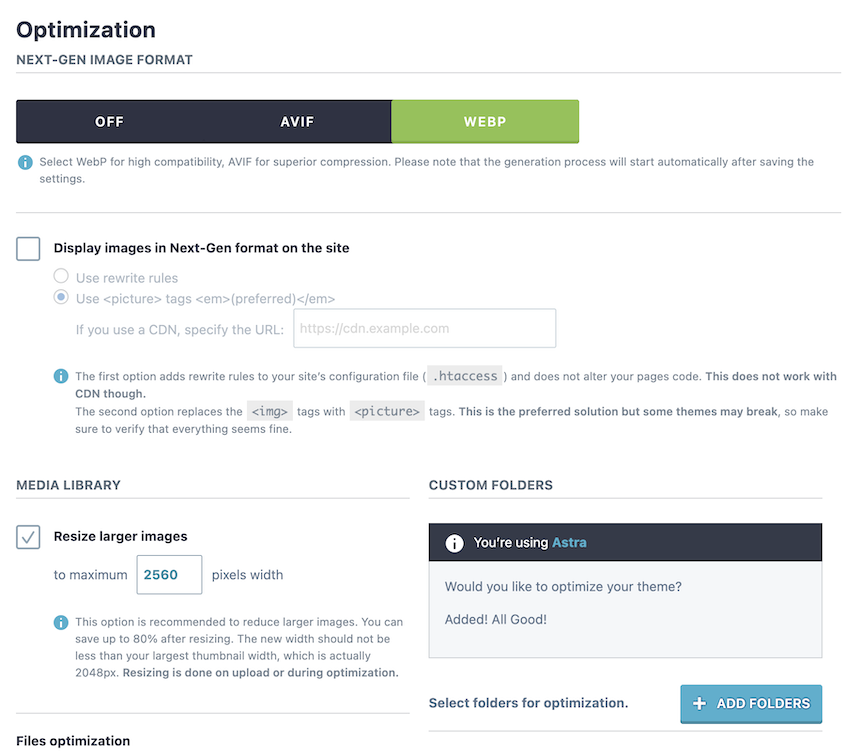
Best for: Site owners who want strong AVIF results or who have less than 20MB of images.
Why We Chose Imagify: The compression quality is strong, especially on AVIF.
What We Liked:
- Strong AVIF compression in independent tests
- Free plan includes 20MB of monthly optimization quota; paid Growth plan is $4.99/month for 500MB (roughly 5,000 images)
- Clean dashboard with per-image savings stats and clear before/after file size reporting
- One-click bulk optimization with local backup of originals
What We Didn’t Like:
- Bulk optimization on personal testing took 2 minutes for a small site
- No CDN delivery; optimized images are stored on your server, not served from an edge network
- Backup originals eat into your hosting storage if you’re not keeping your media library clean
5. Smush: Best for Beginners and Fast Setup
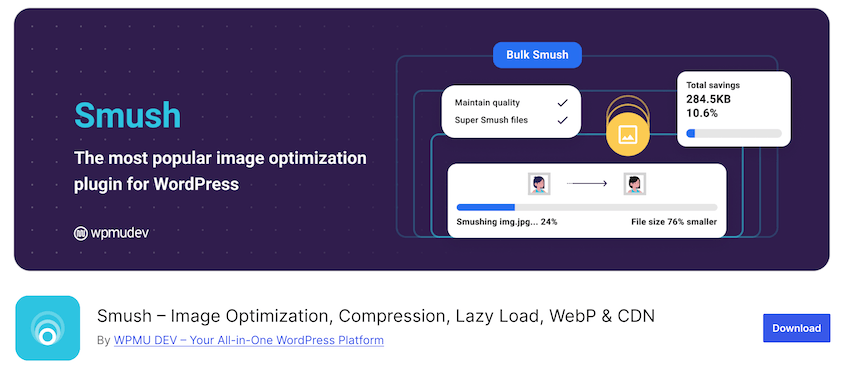
Smush is one of the most-installed image plugins on WordPress.org for a reason: it works without configuration. Install it, run the bulk optimizer, and it handles compression, lazy loading, and WebP conversion automatically.
The free version covers most small sites, and the setup wizard walks you through every option in plain language.
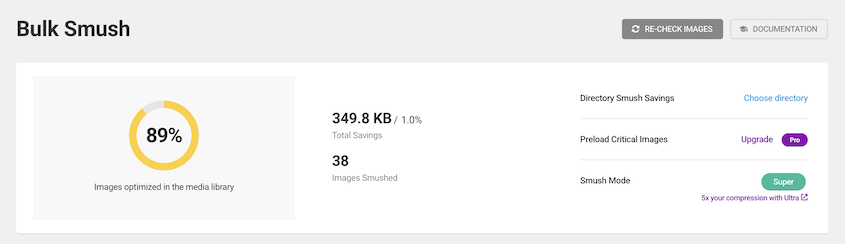
On my 25-image test site, Smush processed 38 images in about 50 seconds and saved 349.8 KB total (1.0% of the library).
Best for: New WordPress users, bloggers, and small sites where speed of setup matters more than squeezing out every last KB.
Why I Chose Smush: If you’ve never touched an image optimization plugin and need something running in under five minutes, Smush is the right starting point. The defaults are sensible, and the bulk optimizer handles your existing library in a few clicks.
What We Liked:
- Setup under five minutes with no API key required for basic compression
- Free version includes bulk optimization, lazy loading, and basic WebP support
- Smush Pro ($36/year at the discounted annual rate) adds CDN delivery and AVIF
- 1 million+ active installs and 4.8/5 star rating
What We Didn’t Like:
- AVIF is a Pro-only feature, while competitors include it at lower price points
6. Optimole: Best for Automated Cloud Delivery
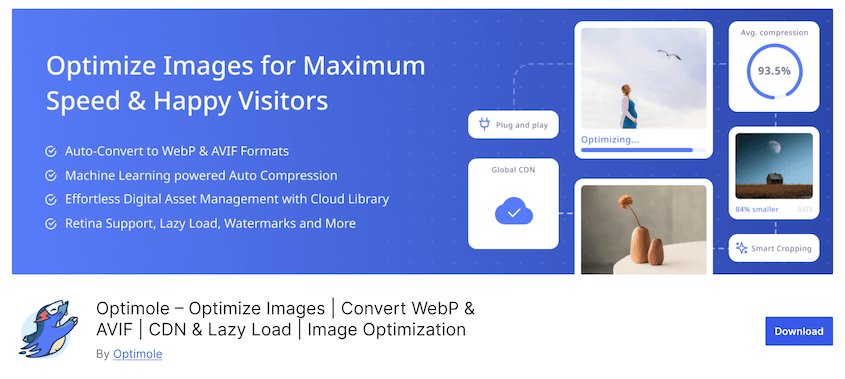
Optimole compresses images but also serves them from a CDN automatically, adjusting file size and format in real time based on each visitor’s device and browser.
Upload an image once. Optimole serves it at the right dimensions to every device, converting to WebP or AVIF automatically based on browser support.
Starter plans run $19.08/month (billed annually) for up to 48,000 monthly visits.
Best for: High-traffic sites, WooCommerce stores with large product catalogs, and teams who want compression and CDN delivery without configuring two separate tools.
Why I Chose Optimole: Most image plugins compress files and stop there. Delivery is still on you, through your host or a separate CDN setup. Optimole combines both in a single plugin. For sites with a lot of traffic, that’s a meaningful performance gain without the additional configuration overhead.
What We Liked:
- Compression and CDN delivery in a single plugin with no separate CDN setup required
- Real-time image resizing for each visitor’s device; mobile visitors automatically get appropriately sized images
- Unlimited images on paid plans; pricing is based on visit volume, not per-image credits
- Free tier available for sites under 2,000 monthly visits
What We Didn’t Like:
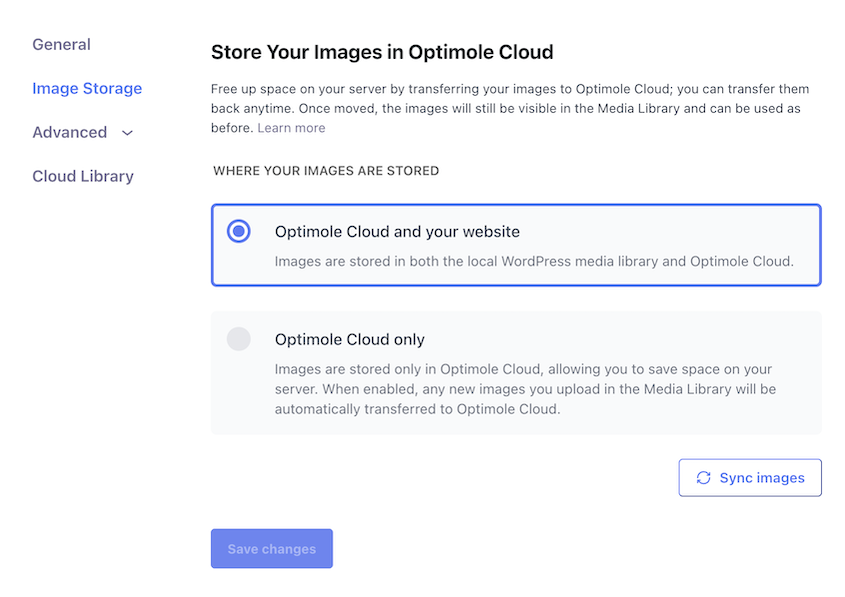
- Default storage keeps images on both your server and Optimole Cloud; switching to cloud-only offloads your images entirely, which creates a vendor dependency if you ever cancel
- “Site speed test” in the dashboard opens Google PageSpeed Insights in the browser rather than showing results inside the plugin
- If you cancel your plan, CDN delivery stops, and you’ll need to migrate images back from cloud-only storage if you’d enabled it
Why Your Images Might Still Be Slow After Optimizing
This trips up a lot of site owners. You install a compression plugin, run the bulk optimizer, call it done, and your PageSpeed score barely moves.
Here’s what’s happening. WordPress generates multiple size variations every time you upload an image: thumbnail, medium, large, and whatever custom sizes your active theme registers. Change themes or update your site’s configuration, and those old size variations stay on your server. Unused, unloaded, taking up space.
On a site with 5,000 uploaded images, that’s often 20,000+ extra files doing nothing but inflating your backups and increasing the size of every site migration you’ll ever run. Compression plugins optimize what’s there. They don’t remove what’s unnecessary. That’s what WP Media Cleanup handles, and it’s why it’s on this list alongside the compression tools.
Frequently Asked Questions (FAQs)
What’s the best WordPress image optimizer plugin?
WP Media Cleanup is the strongest pick for clearing unused image size variations (the files that accumulate silently as themes and plugin configurations change). Most sites recover 30-50% of media storage by removing them. For active image compression, ShortPixel is the top-performing tool in 2026 independent benchmarks, with AVIF support and transparent credit-based pricing.
Can I use an image compression plugin and WP Media Cleanup at the same time?
Yes, and that’s the recommended approach. Compression plugins like ShortPixel, EWWW, and Imagify reduce the file size of images you upload. WP Media Cleanup removes unused size variations that those compression plugins leave in place. They solve different problems and don’t interfere with each other. Running two compression plugins simultaneously causes conflicts, but this pairing doesn’t.
Will an image optimizer plugin slow down my WordPress site?
Not in any meaningful way. Most plugins process images in the background or at upload time, not during page loads. The performance gain from serving smaller, properly formatted images far outweighs any server-side overhead the plugin itself adds.
What’s the difference between WebP and AVIF?
WebP is a modern image format developed by Google that produces smaller files than JPEG or PNG at comparable quality. All major browsers support it, making it the safe default for most sites in 2026. AVIF is newer and offers even better compression, with solid support now across Chrome, Firefox, and Safari. ShortPixel and Imagify both support AVIF without requiring a premium upgrade.
How many unused image variations does a typical WordPress site have?
It depends on how long the site has been running and how many themes it’s gone through, but the numbers add up fast. A site with 5,000 uploaded images can have 20,000+ size variations on the server, roughly a 4:1 ratio depending on theme and plugin settings. Every registered image size can trigger WordPress to retroactively generate that size for all existing uploads. WP Media Cleanup scans for variations that are no longer attached to any active page, post, or widget and flags them for safe removal.
Do I need an image optimizer plugin if my host already does image compression?
Some managed WordPress hosts handle basic image compression at the server level, but most don’t convert to WebP or AVIF automatically, and none of them remove unused image size variations from your media library. It’s worth checking what your host actually does before installing a compression plugin, but WP Media Cleanup addresses a gap that host-level compression doesn’t touch regardless of your hosting setup.
What’s the best free WordPress image optimizer plugin?
EWWW Image Optimizer is the strongest free pick for compression. Its free tier compresses images directly on your server with no API key required, no monthly credit limit, and no external service involved. The tradeoff is that WebP and AVIF conversion require the paid API plan. For a completely free setup that handles core compression without any recurring cost, EWWW is the right starting point.
Start Optimizing Your Online Images
If your site has been running for more than a year and you’ve changed themes or redesigned anything, start with WP Media Cleanup. There’s a good chance you’ve got thousands of image variations on your server that no visitor has ever loaded. Removing them first gives you a real baseline, and then a compression plugin can do its job without working around dead weight.
For compression, ShortPixel covers most sites well. If you upload constantly and want to avoid managing credits, EWWW’s unlimited local compression is the better fit. For a no-fuss setup on a newer site, Smush gets you running in minutes.
You probably need exactly two things: a plugin that compresses what you upload and one that clears the variations you’ve stopped using. Both are on this list.
WP Media Cleanup is free with Duplicator Pro. Run a scan on your media library and see exactly what’s sitting in your uploads folder. Most people are surprised by the numbers.
While you’re thinking about image optimization, these other guides should help:
- How to Delete Duplicate Images in WordPress (And Reclaim Gigabytes of Server Space)
- WordPress Media Library Not Showing Images? Fix It in Under 15 Minutes
- How to Clean Up Your WordPress Media Library in 2026
- How to Download the WordPress Media Library
- Top Media Cleaner WordPress Plugins: A Complete Guide for 2026
- How to Restore the WordPress Media Library