Can You Copy Another Person’s Website? Laws, Ethics, and Safer Alternatives
You found a website you love. The layout is clean, the copy works, and the whole thing feels like exactly what you want for your own site. So naturally, you start wondering: could I just copy it?
It’s a common thought. And the answer is more nuanced than a simple yes or no.
Copying a website can mean a lot of different things, and the legality, ethics, and your actual options all depend on what you’re trying to copy and why.
Some parts of a website are protected by copyright or trademark law. Other parts are just common design patterns anyone can use.
Here are the key takeaways:
- Copying someone else’s text, images, logos, or custom code without permission can create legal problems.
- General ideas, common layouts, and standard website features are usually not protected the same way.
- You can absolutely use another site as inspiration and build your own version from scratch.
- If you want something similar, the safest move is to use the same licensed theme or framework, then create your own content and branding.
- Cloning your own site for migrations, staging, or backups is completely legitimate—and smart practice.
Table of Contents
- Why Would You Want to Copy Another Website?
- What Does Copying a Website Actually Mean?
- Is It Legal to Copy Another Person's Website?
- Is It Ethical to Copy Another Person's Website?
- How to Recreate a Website You Love (Without Copying It)
- The One Time Copying a Website Is Completely Fine: Your Own
- Frequently Asked Questions (FAQs)
Why Would You Want to Copy Another Website?
The most common reasons people want to copy a website are pretty simple:
- You found a competitor’s site and want yours to feel just as polished.
- You’re building a new site and want a proven layout to start from.
- You want to move your own site to a new host without rebuilding from scratch.
- You’re a developer or agency cloning a client’s site for staging or testing.
- You saw a design you like and want to understand how it was built.
Some of these are completely fine. Some carry real legal risk. And one of them is genuinely good practice: moving or cloning your own site.
Knowing which category you’re in makes the rest of this a lot more useful.
What Does Copying a Website Actually Mean?
Before getting into what’s legal or not, it helps to break a website into parts. Different parts are protected in different ways.
Content (Text, Images, Videos)
This is the clearest category.
Written content, photos, videos, graphics, and other original creative work are generally protected by copyright as soon as they’re created and fixed in a tangible form. You don’t need to register them or add a copyright symbol for them to be protected.
So if you copy someone else’s blog posts, product descriptions, photos, or graphics without permission, you’re likely infringing their copyright.
Design and Layout
This is where it gets gray. A general layout concept, like two columns, a sticky header, or a hamburger menu, isn’t copyrightable. Broad ideas can’t be owned.
But the specific creative execution of a design can be protected. That includes distinctive visual arrangements, original graphics, custom illustrations, and a unique overall look that goes beyond a simple structure.
In other words, you can use the same general idea. You shouldn’t clone the exact website.
Source Code
Code sits in a middle ground.
Original code can be protected by copyright, but copyright doesn’t protect the underlying idea, method, or functionality. So someone can build a site that does the same thing yours does. They just can’t copy your code and paste it into their own project.
That means copying someone’s HTML, CSS, JavaScript, or other custom code without permission can be a problem, even if you change a few things afterward.
Branding (Logo, Name, Color Palette)
Branding is a different legal issue entirely.
Logos, names, slogans, and other brand identifiers are usually covered by trademark law, not copyright. Copying a brand identity, using a confusingly similar name, or trying to make your site look like theirs in a way that confuses users can create serious legal risk.
Is It Legal to Copy Another Person’s Website?
The short answer: it depends on what you copy.
For most of what people actually want to copy, the answer is no. But that does not mean you can’t build something similar.
Copying Content
No. Not without explicit permission from the site owner.
If you copy someone’s written content, photos, videos, or graphics, you may be violating copyright law. A takedown request can happen quickly, and the site hosting the copied material will often remove it.
If the copying is willful, the copyright owner may also seek damages under U.S. law.
Copying Code
Generally no, not if it’s their original code.
A website’s code can be protected if it contains original expression. But the same functionality can usually be recreated with your own code. That’s the important distinction.
So it’s usually fine to make a form, slider, checkout flow, or layout that works similarly. It’s not fine to copy and reuse someone else’s custom code.
Copying Design Ideas
This is typically allowed.
You can look at a site you admire, figure out what makes it effective, and build your own version from scratch. You can use the same kinds of sections, spacing, navigation patterns, and content structure.
The line is simple: recreate the idea, not the exact execution.
When It Might Be Allowed
There are a few situations where copying a website is legitimate:
- The site owner gives you written permission.
- The content or code is open-source or licensed for reuse.
- You buy a commercial theme or template and use it under the license terms.
- You are cloning your own site for backup, staging, or migration.
Is It Ethical to Copy Another Person’s Website?
Even when something is legally possible, it may still be a bad idea.
The web design world is smaller than people think. If you copy someone’s design too closely, people notice. They notice the copy, similarity, or reused content. And that can damage your credibility fast.
There’s also the issue of respecting the creator’s work. A strong website is usually the result of strategy, design work, writing, development, and testing. Lifting it wholesale means benefiting from work you didn’t do.
Using another site as a benchmark is smart. Copying it outright is not.
How to Recreate a Website You Love (Without Copying It)
If you found a site you admire, there’s a completely legal path to getting something similar. It takes a bit of detective work, but it’s straightforward.
Find Out What Theme They’re Using
Most WordPress sites run on a commercial theme that anyone can buy. That means the thing you admire might already be available.
WPBeginner’s Theme Detector can identify the theme a site is using in seconds. You enter the URL and get immediate answers.
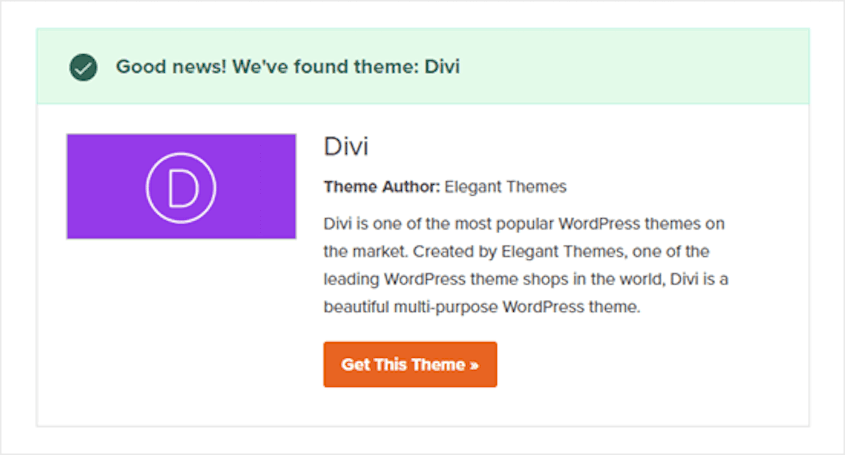
BuiltWith, Wappalyzer, and WPThemeDetector are other popular options.
You can also do it manually: right-click the page, select View Page Source, and search for themes/ in the code. The folder name that follows is usually the theme name.
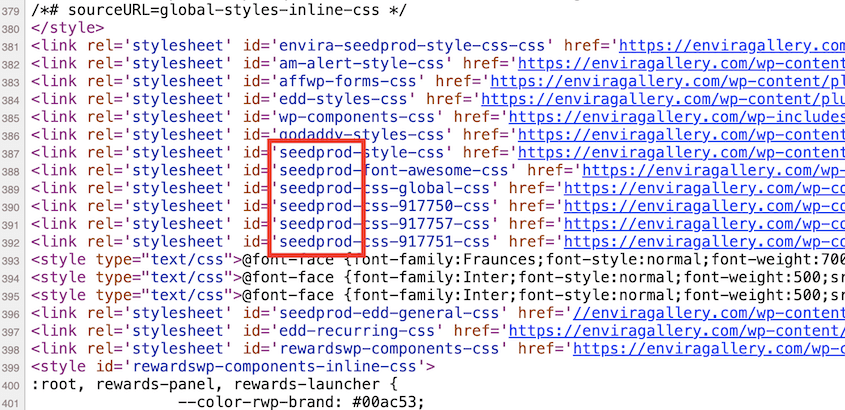
Once you find it, buy it yourself and start from there.
Find Out What Plugins They’re Using
Plugins are harder to detect, but many show up in the page source or through the same detection tools.
BuiltWith and Wappalyzer identify a lot of common plugins. Script paths in the source code often include the plugin folder name, which gives it away.
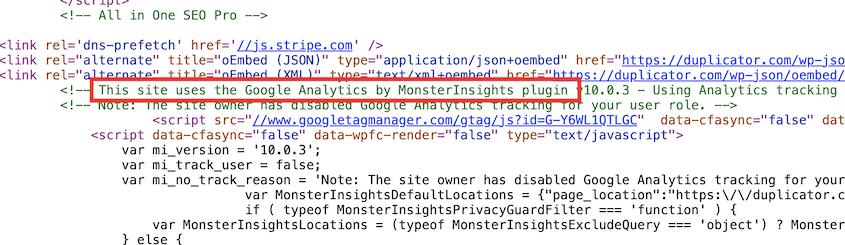
Not every plugin will be detectable, and that’s fine. Focus on the functionality you actually want.
If their contact form looks great, right-click it and inspect the element. The class names or form attributes often point directly to the plugin powering it. The same goes for sliders, popups, or checkout flows.
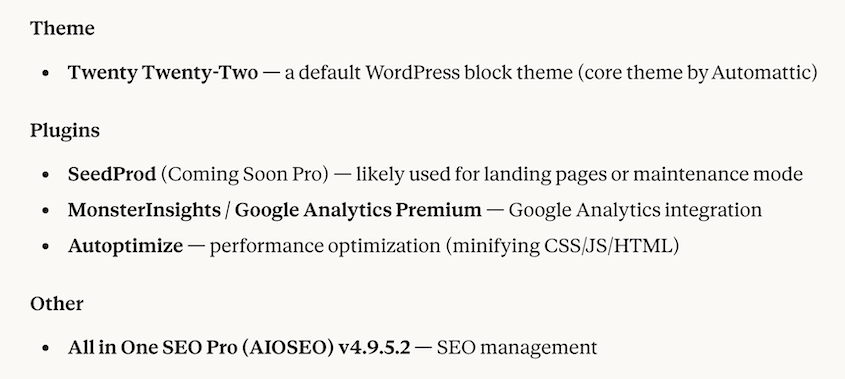
Build Your Own Version with Original Content
Buy the same theme. Install the same plugins. Then write your own copy and use your own images.
This is completely legal. It’s also how a lot of successful sites get built. The structure and functionality can match. The words and visuals have to be yours.
That’s the distinction that keeps you on the right side of copyright and gives your site its own identity.
The One Time Copying a Website Is Completely Fine: Your Own
There’s one scenario where duplicating a website is not only legal but very useful: cloning your own site.
People frequently do this when they are:
- Moving to a new host.
- Creating a staging site.
- Testing a redesign before going live.
- Backing up a site before making major changes.
- Recovering from a bad update or a hack.
In all of these cases, creating an exact copy of your own site is the right move.
The key requirement: you need to own the site or have explicit permission from the owner to clone it.
That applies even if your intentions are good. Cloning a site you don’t have authorized access to is not a gray area. It carries real legal risk regardless of what you planned to do with the copy.
For site owners cloning their own WordPress site, Duplicator makes the process straightforward. You create a full backup, and Duplicator packages everything into a portable file with its own installer.
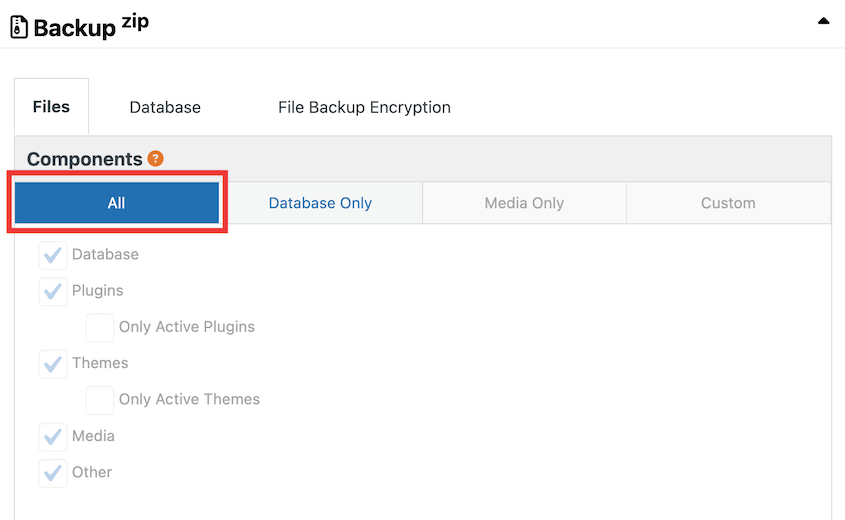
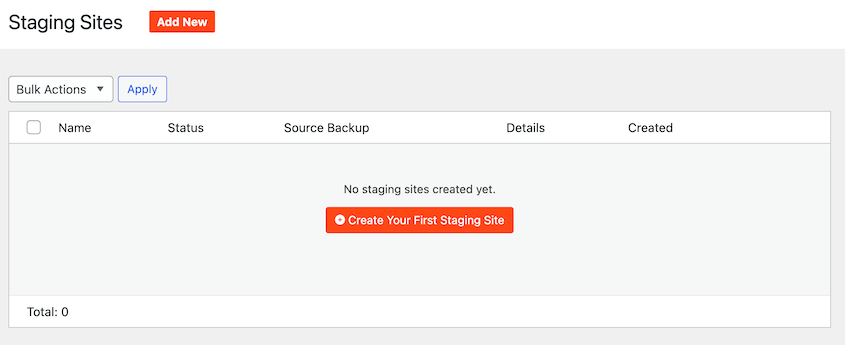
From there, you can spin up a staging site with one click, test changes without touching your live site, and then push updates to production when you’re ready.
Over 1.5 million WordPress professionals use Duplicator Pro for exactly this kind of work. If you’re moving hosts, setting up staging, or just want a reliable backup before making significant changes, it’s worth a try.
Frequently Asked Questions (FAQs)
Is it illegal to copy a website design?
Not usually, but it can be if you copy specific parts of the design too closely. General layout ideas are often fair game. Unique visuals, custom graphics, and distinctive creative choices are a different story.
Can I copy a website’s HTML and CSS?
Not if it’s their original code. You can build the same kind of interface with your own code, but copying and reusing someone else’s code can create legal risk.
What happens if someone copies my website?
You can file a DMCA takedown notice with the infringing site’s hosting provider. Hosts are required to act quickly under the DMCA. If the copying is willful and causes financial harm, you may also have grounds for a lawsuit.
Is it legal to make a website that looks like another website?
It can be if you’re using the same general style or structure without copying the specific content, branding, or expressive design elements. The safest move is to use the other site as inspiration and build your own version.
Can I use another website’s layout as inspiration?
Yes. Studying sites you admire, taking notes on what works, and using that to inform your own design decisions is completely legal. Inspiration is not infringement. The issue arises when you reproduce specific creative expression rather than just the concept. Use other sites to benchmark and learn, then build something that’s genuinely yours.
How do I find out what WordPress theme a website is using?
WPBeginner’s Theme Detector makes it easy to know what WordPress theme a website is using. You can also right-click any WordPress site, select View Page Source, and search for themes/ in the code. The folder name after that path is usually the theme name. From there, a quick search will tell you where to buy it.
Is cloning a website the same as copying it?
No. Cloning typically refers to creating an exact duplicate of your own site for migrations, backups, or staging. That’s legal and good practice. Copying is reproducing someone else’s site without permission.
The technical process can look similar, but the ownership and authorization behind it determine whether it’s legitimate.
Most Websites Borrow. Few Actually Copy.
The web works on shared patterns. Nearly every site you admire uses ideas that already exist: common layouts, familiar navigation, standard content sections, and proven conversion patterns.
That’s not copying. That’s how websites get built.
The line is narrower than people think. Content, branding, and custom code are protected. Common ideas, layouts, and functionality usually aren’t.
So if you want a site like one you admire, don’t copy it. Study it, learn from it, and build your own version with original content and design choices.
And if you’re copying your own site, moving hosts, or setting up a staging environment, make sure you have a tool that can handle it cleanly.
Duplicator Pro is built for exactly that kind of work: backups, migrations, staging, and recovery without the manual mess. It’s the practical way to protect a site you’ve already built and keep your next move simple.
If this post got you thinking about protecting or moving your WordPress site, these guides are worth reading next.