

Installing and Activating the Activity Log Plugin
The Duplicator Activity Log plugin gives you a complete audit trail of everything happening on your WordPress site. Before you can start tracking events, you’ll need to install the plugin and activate your license. This guide walks you through both steps.
Downloading the Plugin
Head to Duplicator Pro Account and log in. Under Downloads, find the Activity Log plugin and click Download. You’ll get a .zip file — keep it handy for the next step.
Installing via WordPress
Log in to your WordPress admin area. Go to Plugins › Add New Plugin and click the Upload Plugin button at the top.

Click Choose File, select the .zip file you downloaded, then click Install Now. Once the installation finishes, click Activate Plugin.
You’ll now see Activity Log listed in your WordPress admin sidebar.
Activating Your License
Go to Activity Log › Settings. On the General tab, you’ll see the License section at the top.
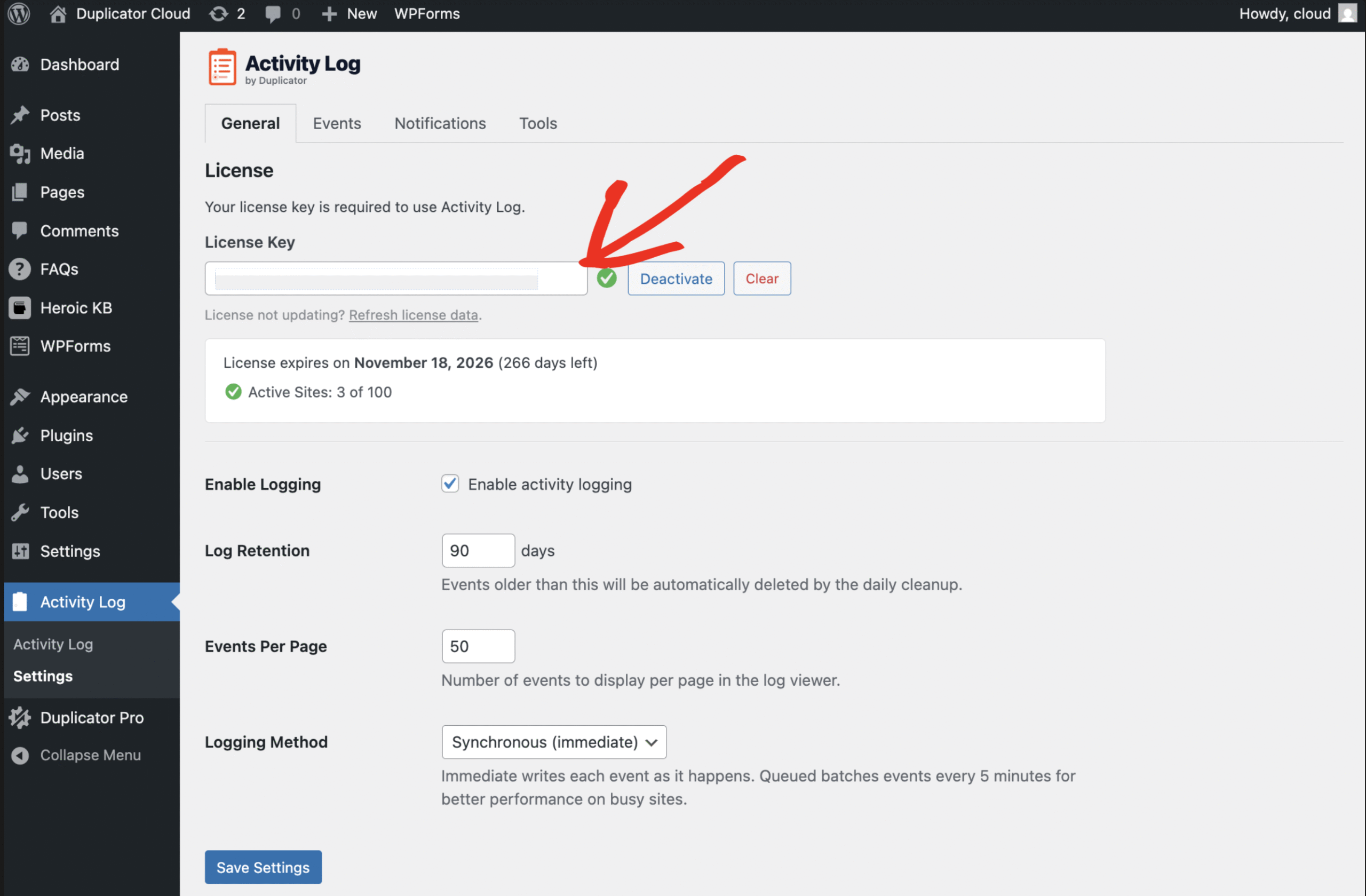
Paste your license key into the License Key field and click Activate. Once activated, you’ll see your license expiration date and the number of active sites on your plan. That’s it — Activity Log is now active and recording events on your site.
As a next step, check out Navigating the Activity Log to learn your way around the log viewer.


