Best WordPress Themes for Blogs: 5 Fast Options That Convert Readers
 Joella Dunn
Joella Dunn
Joella Dunn
 John Turner
John Turner
John Turner
You’ve poured your heart into creating amazing content, but your WordPress blog looks… generic. Maybe it’s loading too slowly, not converting readers into subscribers, or just doesn’t reflect your unique brand voice.
Your theme choice can make or break your blog’s success. And with 11,000+ WordPress themes out there, finding “the one” feels impossible.
I’ve spent weeks testing the top WordPress blog themes on real websites, measuring page load speeds, customization flexibility, mobile responsiveness, and SEO performance.
Here are the key takeaways:
- SeedProd is our #1 pick because it gives you professional designer capabilities with the most intuitive drag-and-drop interface—see exactly what you’re building in real-time without any coding
- Speed matters more than features: The fastest themes (GeneratePress at +10KB over your page size, Astra at <50KB) consistently outrank bloated themes with more features
- Free versions can be excellent: Astra, GeneratePress, and Kadence offer genuinely functional free versions
- Visual builders vs. traditional customizers: Choose SeedProd or Thrive if you think visually; choose Astra or GeneratePress if you prefer traditional WordPress customizers
- 60% of blog readers use phones, making mobile optimization critical for success
- Test themes on staging sites: Use Duplicator to clone your blog and test themes safely before making them live
Table of Contents
Quick Summary: Best WordPress Themes for Blogs
What Makes a Great WordPress Blog Theme?
A WordPress blog theme is the visual framework that controls how your content appears to readers. It’s not just about making your blog look pretty; your theme directly impacts speed, SEO rankings, mobile experience, and conversion rates.
Google now prioritizes fast-loading sites in search rankings. A bloated theme can destroy your SEO before you publish your first post.
Look for themes under 50KB in size with clean code.
60% of blog readers use mobile devices. Your theme should look flawless on phones and tablets, not just desktop computers.
The best blog themes put your writing first with comfortable line spacing, readable fonts (16px minimum), and layouts that minimize distractions from your content.
SEO foundation matters. Proper HTML structure, fast loading, schema markup support, and clean code help search engines understand and rank your content.
You should be able to change colors, fonts, layouts, and branding without touching CSS or hiring a developer. Customization without code is what separates modern themes from outdated templates.
How We Test & Review WordPress Blog Themes
When it comes to recommending themes for your WordPress blog, we don’t take shortcuts. Duplicator’s review process is thorough, hands-on, and designed to give you the most accurate picture possible.
We installed and tested each theme on actual WordPress sites running the latest version, not just development environments. This real-world testing allows us to evaluate how these themes perform under genuine conditions with varying content types, plugins, and hosting environments.
Best WordPress Themes for Blogs
Here are the best WordPress themes for blogs we tested:
- SeedProd: The most intuitive drag-and-drop theme builder with 350+ blocks, real-time visual editing, and AI theme building
- Thrive Theme Builder: Built specifically for converting readers into subscribers with integrated lead generation tools
- Astra: Lightning-fast (under 50KB) with 240+ starter templates and universal page builder compatibility
- GeneratePress: Clean, fast code with good accessibility
- Kadence: Modern Gutenberg-first design with gorgeous templates that look like custom designs
Theme #1: SeedProd: Our Top Pick for Visual Blog Builders
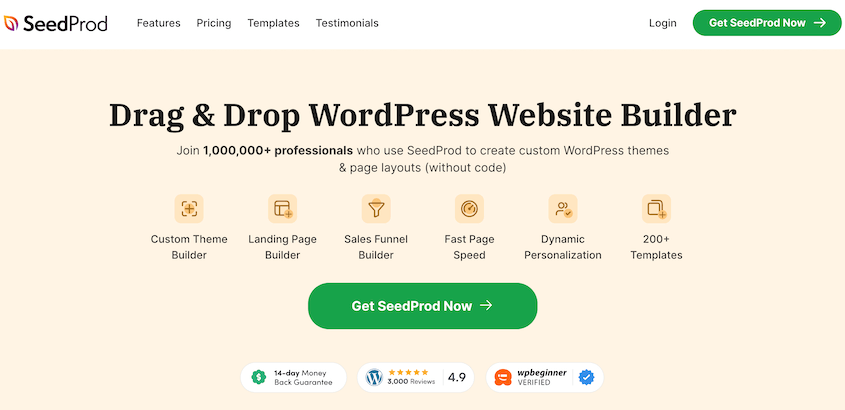
SeedProd is the most intuitive drag-and-drop theme builder for WordPress, giving bloggers complete visual control over every element of their site without writing a single line of code.
Unlike traditional themes that lock you into predefined layouts, SeedProd lets you design your dream blog exactly how you envision it—from custom headers and navigation menus to unique blog post layouts.
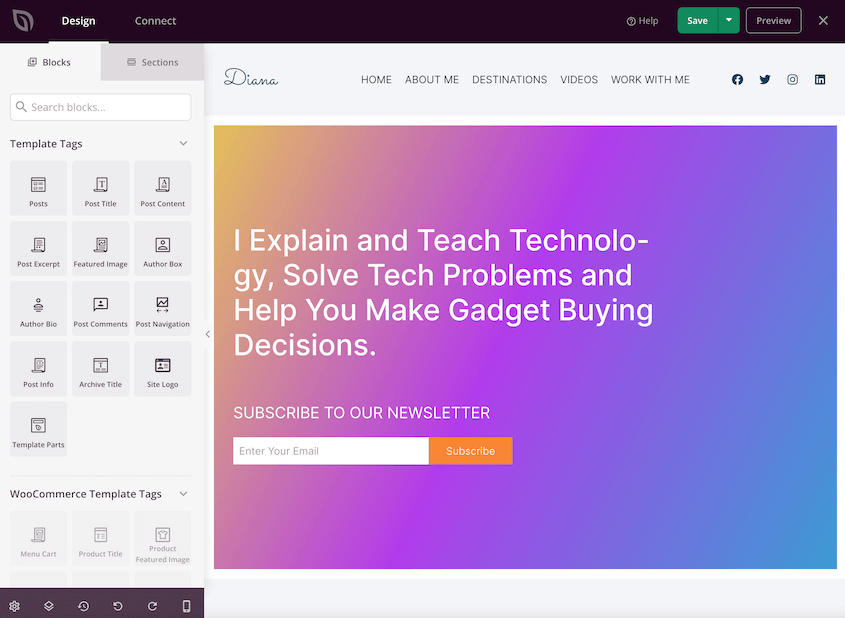
Want to add a featured post section with custom styling? Drag in the block and customize it instantly.
Need a newsletter signup form integrated into your blog sidebar? Add it in seconds with SeedProd’s built-in email integration for Mailchimp, ConvertKit, AWeber, and more.
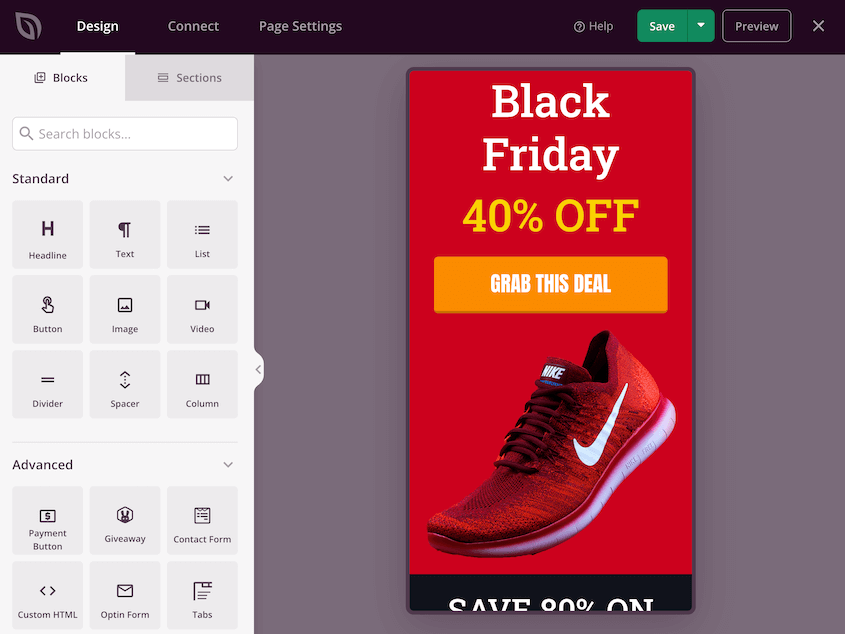
The theme builder includes 350+ pre-designed theme templates. There are also hundreds of professionally designed templates for landing pages that maximize conversions. I created a beautiful site in minutes.
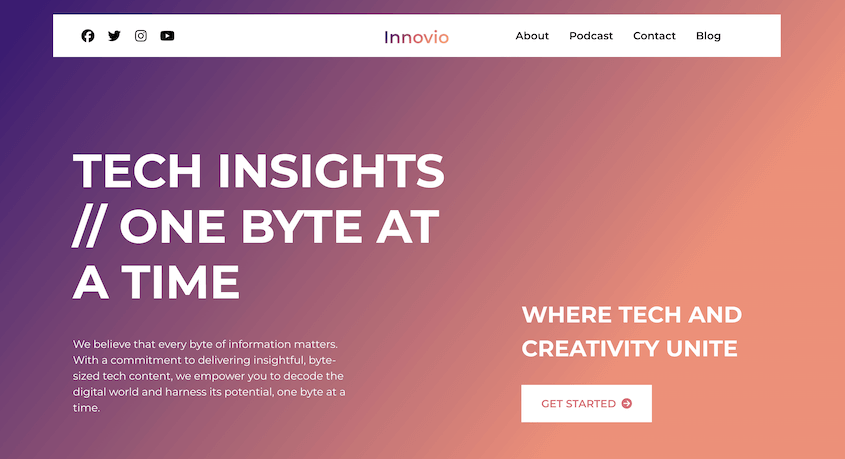
SeedProd is perfect for bloggers who think visually, want complete creative freedom without coding limitations, and need a theme that grows with their blog.
The theme works seamlessly with the SeedProd page builder (which you may already know for creating coming soon pages and landing pages), extending that same drag-and-drop power to your entire blog theme. You get one consistent, intuitive interface for building everything on your site.
You can even create a theme with AI. Tell SeedProd what your blog is about, and it’ll be generated for you.

What We Liked About SeedProd Theme
- Drag-and-drop visual editing
- 350+ pre-designed templates
- 90+ pro blocks
- Built-in connections to Mailchimp, ConvertKit, AWeber, Drip, and 20+ email services for growing your list
- Design separate layouts for desktop, tablet, and mobile with device-specific customization
- WooCommerce ready
- Global blocks and templates: Create reusable sections (like email signup boxes or author bios) that update site-wide with one edit
- Clean, fast-loading code optimized for SEO
- AI site creation
What We Didn’t Like About SeedProd Theme
- The theme builder is only available in SeedProd Pro plans (starting at $99.50/year)
Why We Chose SeedProd Theme
SeedProd gives bloggers professional designer capabilities without requiring any coding skills or expensive developer costs. The visual building experience is the most intuitive I’ve tested—you see exactly what you’re creating in real-time, making it perfect for visual thinkers.
Pricing
SeedProd Theme Builder requires the SeedProd Plus plan starting at $99.50/year, which includes the theme builder, page builder, 100 templates, and subscriber management.
Theme #2: Thrive Theme Builder: Top Pick for Conversion-Focused Bloggers
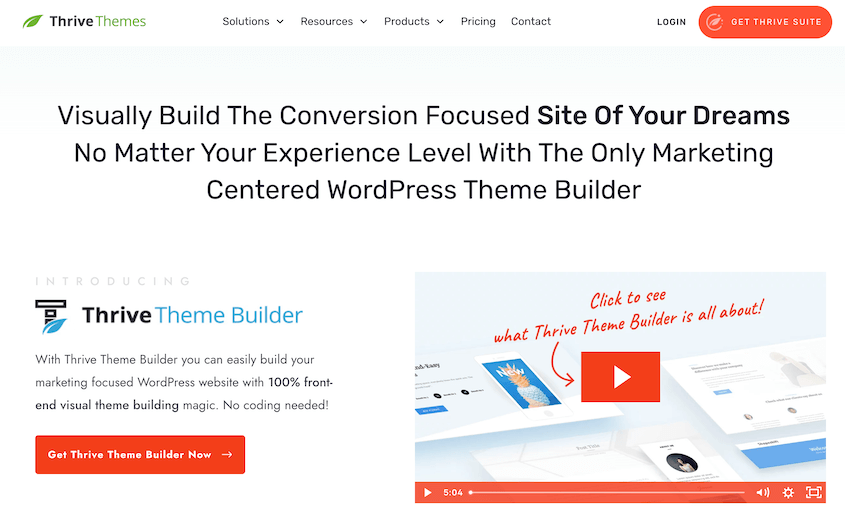
Thrive Theme Builder is the most conversion-focused WordPress theme on the market, specifically designed for bloggers who want to turn readers into subscribers, customers, and raving fans.
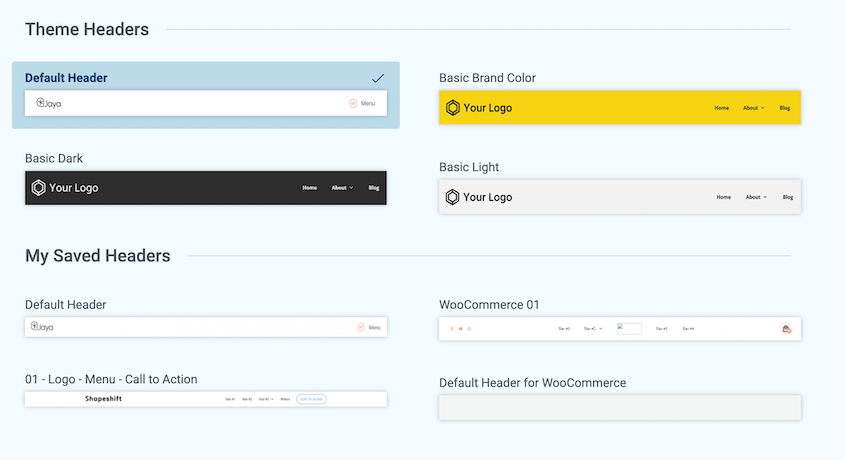
Unlike traditional themes that just make your blog look pretty, Thrive Theme Builder combines stunning design with built-in conversion tools like opt-in forms, attention-grabbing content boxes, and lead generation widgets.
Its drag-and-drop visual editor lets you customize every pixel of your blog without coding.
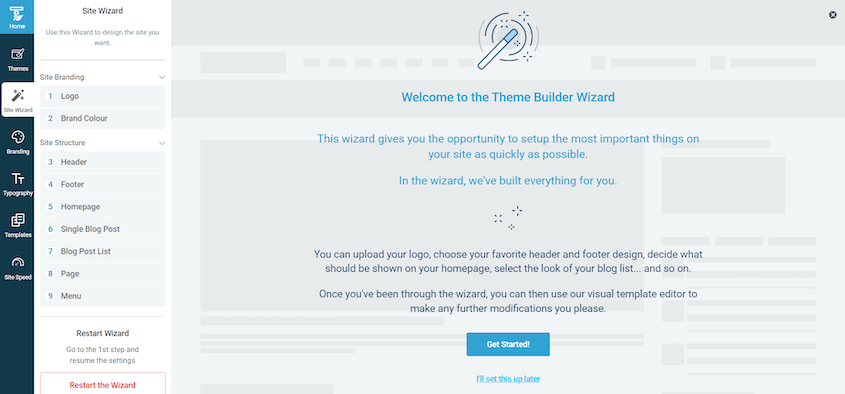
Want to add a special email signup area after your intro paragraphs? Done in 30 seconds. Need a different layout for pillar posts vs. regular blog posts? Easy.
The theme comes with pre-designed templates specifically for bloggers, but the real power is building completely custom layouts that match your brand perfectly.
This is the theme for serious bloggers who monetize their content through affiliate marketing, digital products, email courses, or ad revenue.
If you’re treating your blog like a business, Thrive Theme Builder gives you the conversion-focused tools typically found in expensive landing page builders—but for your entire blog.
What We Liked About Thrive Theme Builder
- Built for conversions
- Drag-and-drop editor lets you customize headers, footers, blog archives, single posts, and custom templates
- Optimized for speed with clean code and minimal bloat
- Conditional display options
- Pre-designed layouts for list posts, review posts, tutorials, and pillar content that you can customize
- Part of Thrive Suite, including Thrive Leads (opt-in form plugin) and Thrive Architect (page builder)
What We Didn’t Like About Thrive Theme Builder
- Steeper learning curve than traditional themes
- If you want a super simple, text-focused blog with zero bells and whistles, this might be overkill
Why We Chose Thrive Theme Builder
Thrive Theme Builder is a WordPress theme built specifically for bloggers who want to build a business, not just publish content. The conversion-focused features, unlimited customization without coding, and fast performance make it perfect for serious content creators. If you’re monetizing your blog through any method (affiliate links, products, email lists), Thrive Theme Builder pays for itself by turning more readers into subscribers and customers.
Pricing
Thrive Theme Builder is available through a Thrive Suite subscription at $299/year or by itself for $99/year. No free version is available, but you get a 30-day money-back guarantee.
Theme #3: Astra: Best for Speed and Flexibility
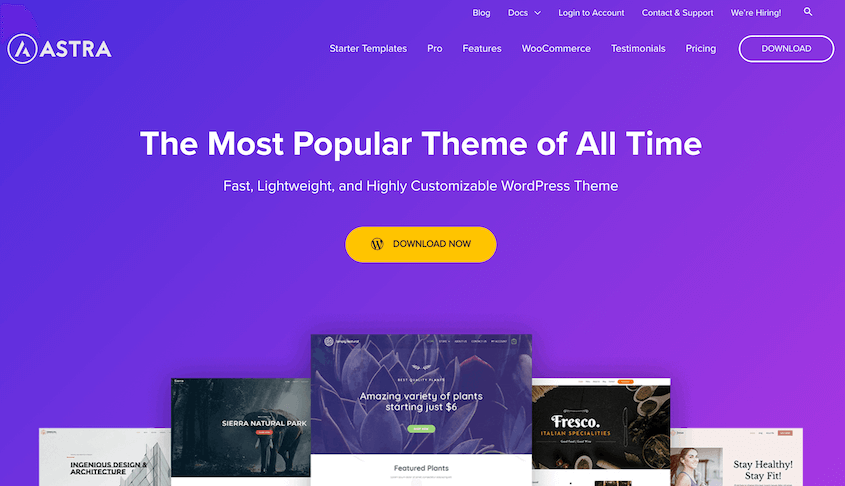
Astra is lightweight, fast, and compatible with every page builder. With over 1 million active installations, it’s one of the most popular WordPress themes. And for good reason: it works right out of the box but gives you unlimited customization potential when you’re ready to grow.
What makes Astra special is its small file size (less than 50KB!) that loads in under 0.5 seconds.
Astra includes powerful customization options through the WordPress Customizer—change typography, colors, layouts, header styles, and blog layouts all with live preview.
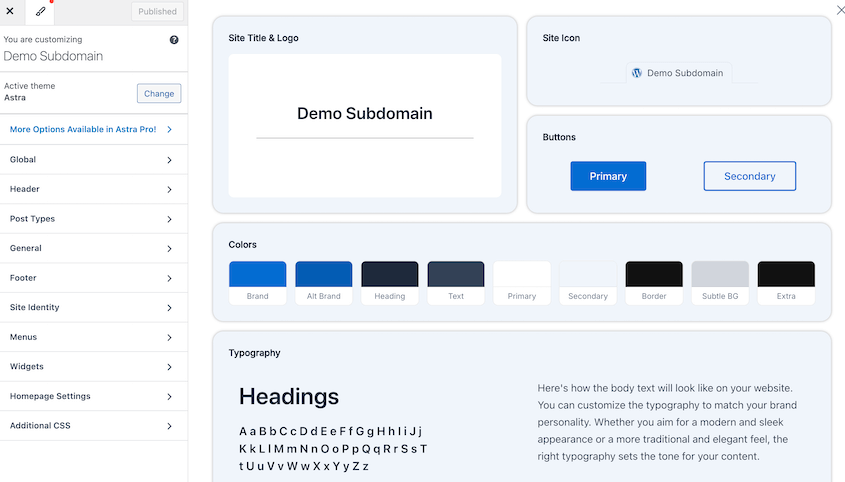
It works perfectly with SeedProd, Elementor, Beaver Builder, and Gutenberg, so you’re never locked into one platform.
What We Liked About Astra
- Under 50KB theme size loads in 0.5 seconds
- Works with any page builder
- 300+ starter templates
- Powerful free version
- Adjust every element (header, footer, sidebar, typography, colors) through easy customizer interface
- Mobile responsive
- WooCommerce ready
What We Didn’t Like About Astra
- Advanced features like header builders, typography presets, and display conditions are locked behind paid version
Why We Chose Astra
Astra delivers the perfect balance of speed, flexibility, and ease of use that bloggers need. It’s fast enough to boost your SEO, customizable enough to match any brand, and simple enough for beginners—while giving advanced users unlimited control.
Pricing
Astra offers a genuinely useful free version with core features. Astra Pro starts at $69/year for one site.
Theme #4: GeneratePress: Best Minimalist Theme for Writers
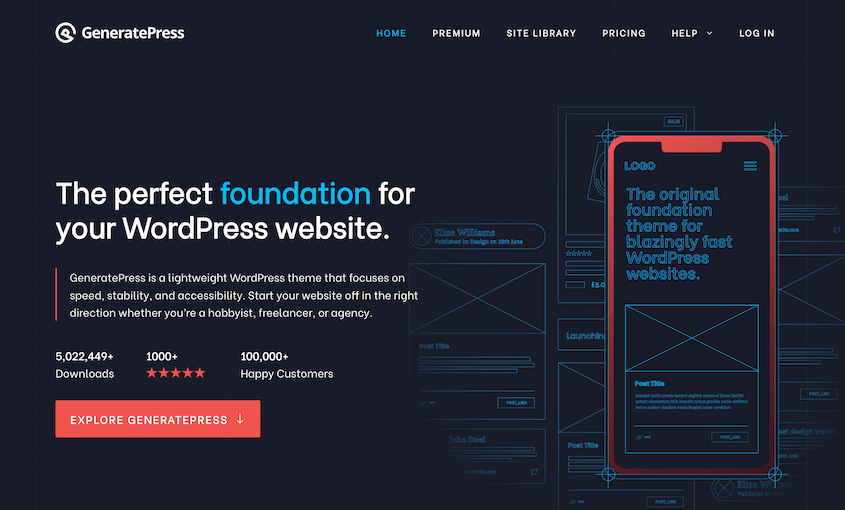
GeneratePress is the minimalist’s dream theme—clean, fast, and built exclusively for readers who want zero distractions from your content. With an almost obsessive focus on performance and accessibility, GeneratePress strips away every unnecessary feature to deliver the fastest, most search-engine-friendly blog theme available.
This theme is built by developers for people who care about code quality. GeneratePress uses industry best practices, follows WCAG accessibility guidelines, and only adds 10KB to your page size.
The design is intentionally simple, with neutral colors, readable typography, and spacious layouts, putting your words front and center.
Don’t mistake simple for limited, though. GeneratePress includes powerful customization hooks, extensive documentation, and premium modules that add features without bloating the core.
You can edit GeneratePress with either the Full Site Editor or Customizer, whatever you’re more comfortable using.
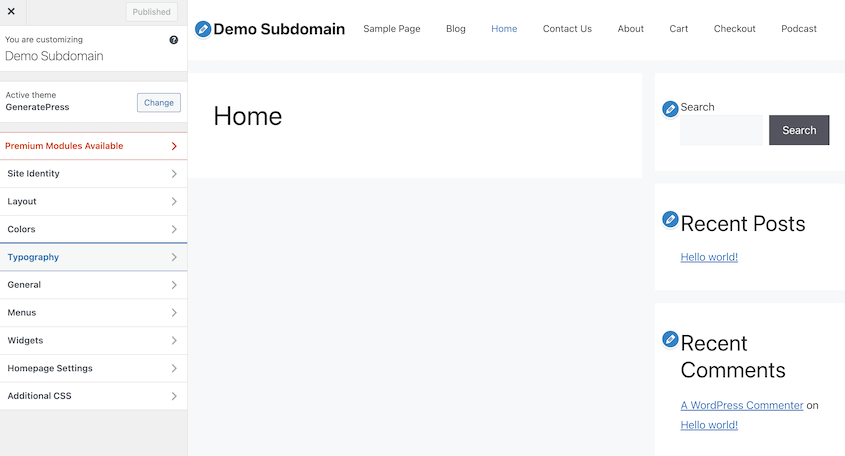
If you want a theme that disappears into the background and lets your writing shine, if page speed is your top priority, or if you’re a developer who wants clean code to customize, GeneratePress is your theme.
What We Liked About GeneratePress
- Requires only 7.5KB and 2 HTTP requests
- WCAG 2.0 compliant
- Free version includes most features
- Only activate the premium modules you actually use (typography, colors, spacing, etc.)
- Works with any page builder
- No sliders, animations, or unnecessary features slowing down your site
What We Didn’t Like About GeneratePress
- If you want eye-catching animations, creative layouts, or bold designs, look elsewhere
- Only 60+ pre-designed layouts compared to competitors with 100+
Why We Chose GeneratePress
GeneratePress does one thing perfectly: lets your content be the star. The obsessive focus on speed, accessibility, and clean code makes it ideal for serious writers who know that bloated themes kill SEO rankings and reader engagement. If you value performance over flashy features, GeneratePress is your theme.
Pricing
GeneratePress offers a powerful free version with core functionality. GeneratePress Premium is $59/year.
Theme #5: Kadence: Best Modern Theme for Lifestyle Blogs
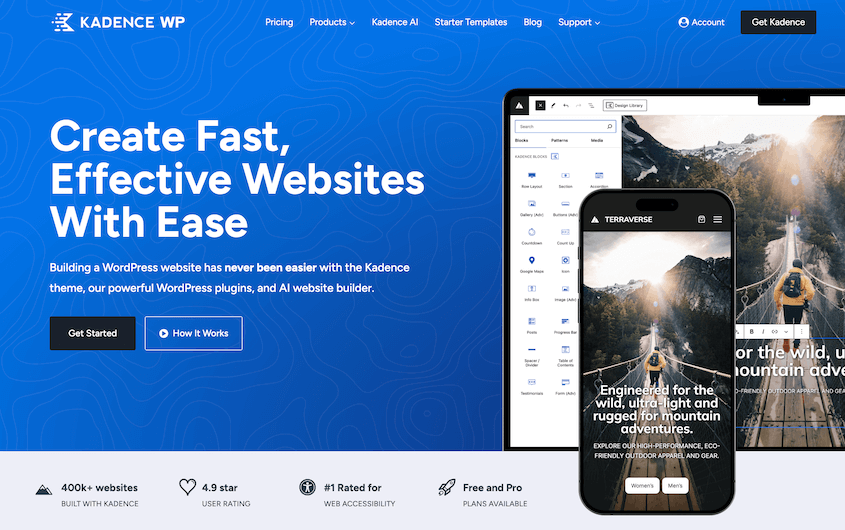
Kadence was launched in 2019 but is already competing with themes that have been around for a decade. It combines the speed of GeneratePress with the flexibility of Astra and adds gorgeous modern design templates that look like custom-coded sites.
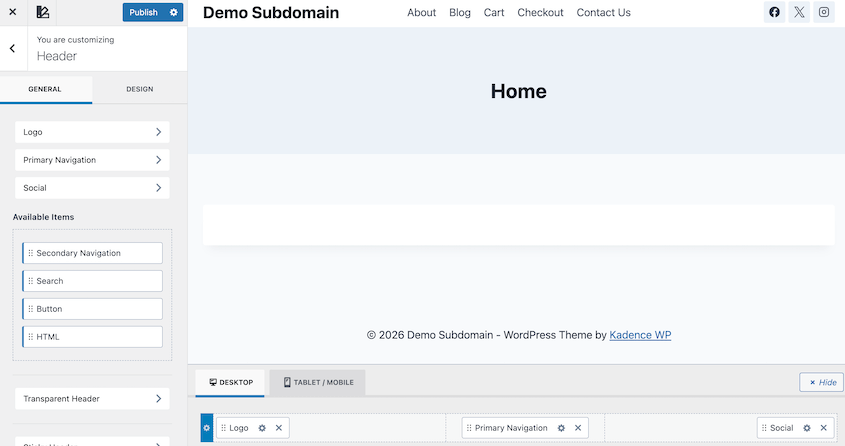
What makes Kadence special is its modern approach to WordPress theme design. It’s built for the Gutenberg block editor first (not as an afterthought), includes a powerful header/footer builder directly in the customizer, and ships with conversion-focused elements like countdown timers, testimonial blocks, and advanced typography controls.
If you’re building a lifestyle blog, fashion blog, food blog, or any visually-driven content site, Kadence makes you look like a pro.
What We Liked About Kadence
- 90+ starter templates
- Native block editor integration feels natural
- Drag-and-drop header customization without page builder dependency
- Advanced typography controls
- E-commerce ready
- AI site creation
What We Didn’t Like About Kadence
- Still relatively new, with less community content and tutorials compared to Astra or GeneratePress
- Can’t upload custom fonts or use Adobe Fonts without premium
Why We Chose Kadence
Kadence proves you don’t have to sacrifice speed for beauty. The modern templates look professionally designed, the free version is genuinely useful, and the Gutenberg-first approach feels like the future of WordPress. If you want a contemporary blog that looks expensive but installs in minutes, Kadence delivers.
Pricing
Kadence offers an excellent free version with a header builder, blog layouts, and starter templates. Kadence Pro is $69/year.
Which Is the Best WordPress Theme for Blogs?
After testing all these themes on real WordPress sites, SeedProd Theme Builder is our clear winner for most bloggers.
SeedProd gives you professional designer capabilities without any coding through the most intuitive drag-and-drop interface I’ve tested. You see exactly what you’re creating in real-time—no guessing, no switching between preview modes.
Import one of 300+ professional blog templates and customize every element to match your brand, or start from scratch and build something completely unique.
The theme includes 90+ pre-designed blocks (headers, footers, blog layouts, author boxes, email opt-ins, social sharing) plus built-in email marketing integrations for Mailchimp, ConvertKit, AWeber, and 20+ services.
You get three premium tools in one: theme builder, page builder, and landing page creator—all with the same intuitive interface.
Best alternatives:
- Thrive Theme Builder: Choose this if conversion optimization and A/B testing are your primary focus
- Astra or GeneratePress: Choose these if you prefer traditional WordPress customizers over visual builders
- Kadence: Choose this if your budget is tight and you want capable free versions
FAQs About the Best WordPress Themes for Blogs
What is the best free WordPress theme for blogs?
GeneratePress and Astra both offer excellent free versions that are genuinely functional. GeneratePress is best for writers who want minimalist, fast-loading blogs, while Astra is better for bloggers who want more customization options and starter templates. Both free versions include everything most bloggers need to launch and grow their blog.
Do I need a page builder with my WordPress blog theme?
No, you don’t need a page builder. Themes like Thrive Theme Builder, Kadence, and Astra have built-in customization tools that work through the WordPress Customizer. However, page builders like SeedProd, Elementor, or Beaver Builder give you more visual control over layouts if you want pixel-perfect customization.
Best approach: Start with a theme’s built-in customization. Add a page builder later only if you need advanced layout control for landing pages or custom designs. For creating high-converting opt-in pages and custom landing pages without coding, SeedProd’s drag-and-drop page builder works perfectly with any theme on this list.
What’s the difference between a blog theme and a regular WordPress theme?
Blog themes prioritize content readability with comfortable typography, appropriate white space, and layouts that make articles easy to read. They focus on features bloggers need: author boxes, post navigation, related posts, social sharing, and email opt-ins.
Regular WordPress themes might prioritize e-commerce features, portfolio galleries, or business service layouts that don’t work well for content-heavy sites. Always choose a theme specifically designed for blogs to ensure your content displays beautifully.
Which WordPress theme is fastest for blogs?
GeneratePress is the absolute fastest because it’s only 7.5KB and processes 2 HTTP requests. Astra is another exceptionally fast theme.
Upgrade to premium when:
- You need advanced typography controls (custom fonts, spacing)
- You want premium starter templates to speed up design
- You need advanced header/footer customization
- You want WooCommerce features for selling products
- You need priority support for business-critical sites
Don’t upgrade if the free version meets your needs. Many bloggers run successful sites on free themes.
Can I switch WordPress themes after launching my blog?
Yes, you can switch themes anytime, but expect 2-4 hours of adjustment work. You’ll need to reconfigure your header/menu, reset widget areas, adjust color schemes, and potentially fix layout issues on important pages.
Avoid themes with proprietary shortcodes (like Divi) if you plan to switch themes frequently, as shortcodes break when you deactivate the theme.
What is the best WordPress theme for lifestyle blogs or fashion blogs?
Kadence excels for visual, lifestyle-focused blogs with their modern templates and beautiful typography. Thrive Theme Builder is best if you’re monetizing a lifestyle blog through affiliate links, courses, or products.
For fashion blogs specifically, look for themes with strong image galleries, Instagram integration, and masonry layouts—Kadence and Astra both include these in their starter templates.
Start Building Your Professional Blog Today
You don’t need an expensive custom theme to build a successful blog. Whether you choose Thrive Theme Builder for its conversion-focused features, Astra for its speed and flexibility, or GeneratePress for its minimalist perfection, you’re taking an important step toward creating a professional blog that readers love.
Remember, the best WordPress blog theme is the one you actually launch with and stick with long enough to build an audience. Start with a free version if your budget is tight (Astra and GeneratePress are excellent), test how it feels for a month, and upgrade to premium features only when your blog grows and you know exactly what you need.
One final piece of advice: pair your theme choice with a solid backup and migration plan. You’ll want to experiment with designs, test new layouts, and potentially migrate your blog as it grows.
That’s where having a tool like Duplicator becomes essential. It lets you back up your entire site, test theme changes on a staging site, and migrate your blog if you ever switch hosts or need to move to a new domain.
Ready to protect your blog and test theme changes safely? Download Duplicator Pro to create automatic backups, build staging sites for testing themes, and migrate your blog effortlessly as you grow—all at an affordable price!
While you’re here, check out these other WordPress guides for bloggers:
- How to Start a WordPress Blog (Step-by-Step Guide)
- How to Back Up a WordPress Blog
- How to Migrate Your Blogger Site to WordPress
- How to Import Medium Blog Posts into WordPress
- Zero Cost, Secure Data: The Best FREE WordPress Backup Tools
- Your WordPress Site is Bleeding Money Every Second It’s Slow (Here’s the Fix)