

Troubleshooting Dropbox Storage Issues
Are backups failing to upload to Dropbox during a build or scheduled backup? A quick adjustment to your Dropbox storage settings, or reconnecting the storage, usually resolves the issue.
This guide covers troubleshooting Dropbox storage issues in Duplicator Pro, including upload failures and connection errors.
Resolving Dropbox Upload Failures During Builds
If the upload process to Dropbox fails during a build, we recommend the solutions below to assist with your troubleshooting.
Option 1: Lower the Upload Chunk Size
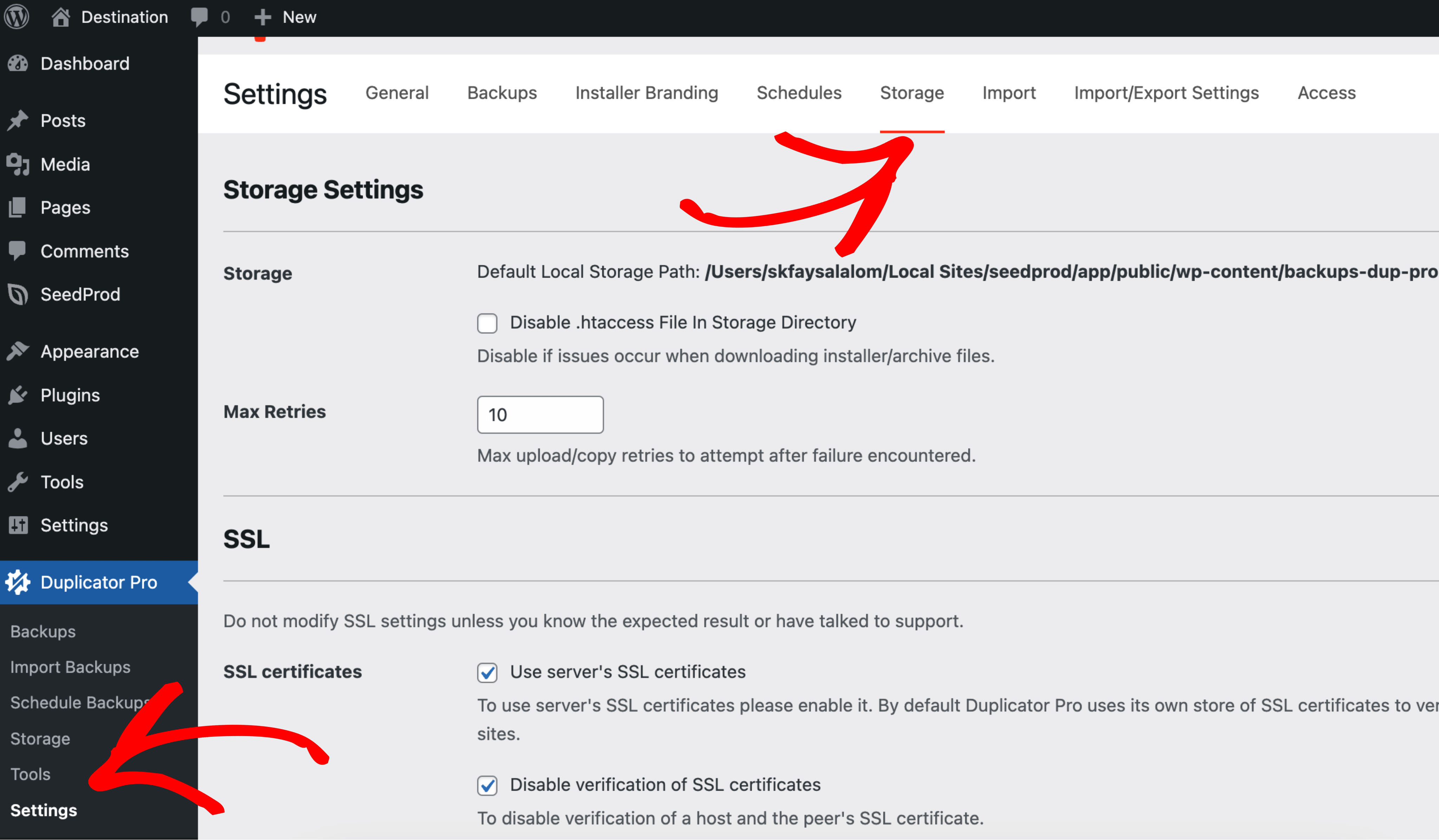
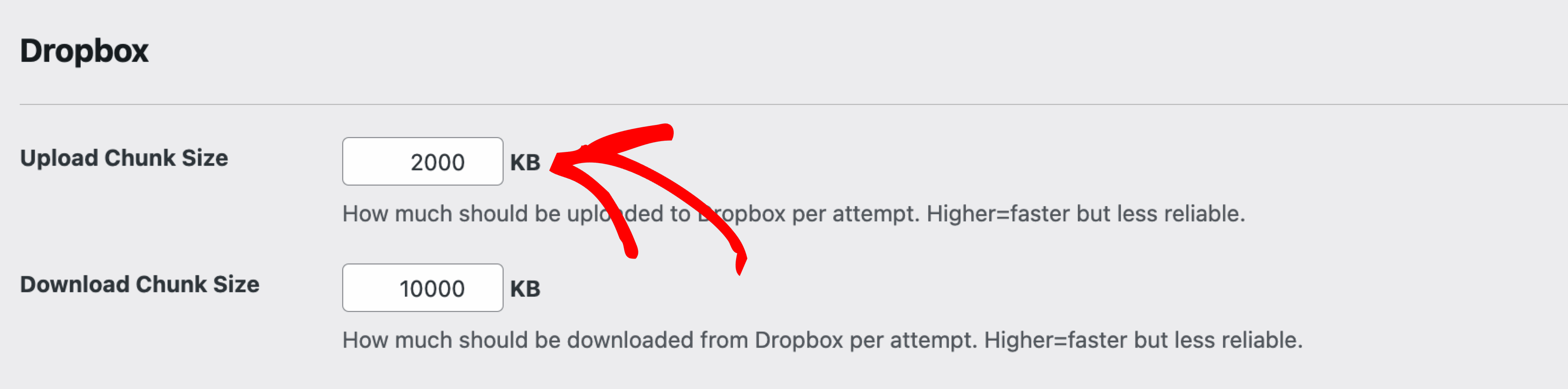
This can be related to a temporary network condition. Navigate to Duplicator Pro » Settings » Storage, expand the Dropbox section, and lower Upload Chunk Size below its default of 2000 KB. Try a value like 1000 KB.
This reduces the data packet size sent to Dropbox per attempt, which can help mitigate intermittent network disruptions.
Option 2: Reconnect Dropbox Storage
If Test Storage reports “Dropbox token is invalid.” or “Not connected.”, the connection needs to be reauthorized. Go to Duplicator Pro » Storage, delete the existing Dropbox entry, then click Add New to reconnect and reauthorize through Dropbox.
That’s it! With the Upload Chunk Size adjusted and the Dropbox connection reauthorized, Duplicator Pro uploads backups to Dropbox reliably again.
Setting up Dropbox storage for the first time? Check out our tutorial on Storing Your Backup to Dropbox. For a full overview of every storage option Duplicator Pro supports, see A Complete Guide to Duplicator’s Storage Options.


