

How to accelerate slow backup build process
Are you having trouble with the Backup build process running slowly? This guide provides practical solutions to troubleshoot and resolve the issues effectively.
To begin with, make sure you are using the latest version of Duplicator Pro. Please check the changelog and system requirements.
Several factors can contribute to slow build times. Below are some common problems and ways to address them:
Unnecessary Files
- Exclude backups created by other backup plugins, as well as large log files or other data that are not needed for a successful restore.
- During the scan report step, review any large file warnings.
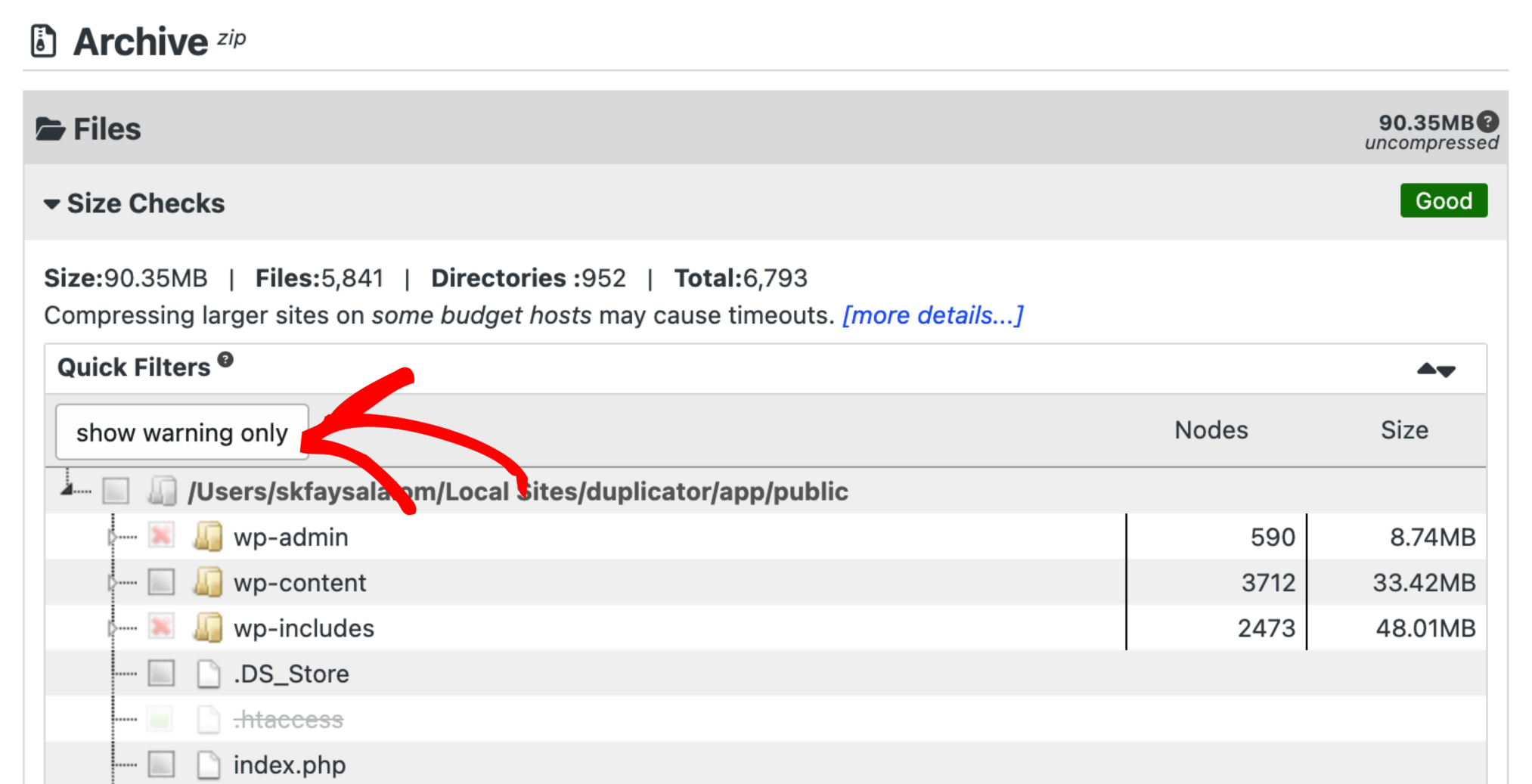
3. Identify whether these files are essential for your backup. If not, you can select the files that are not necessary and click the button “Add Filters & Rescan”.
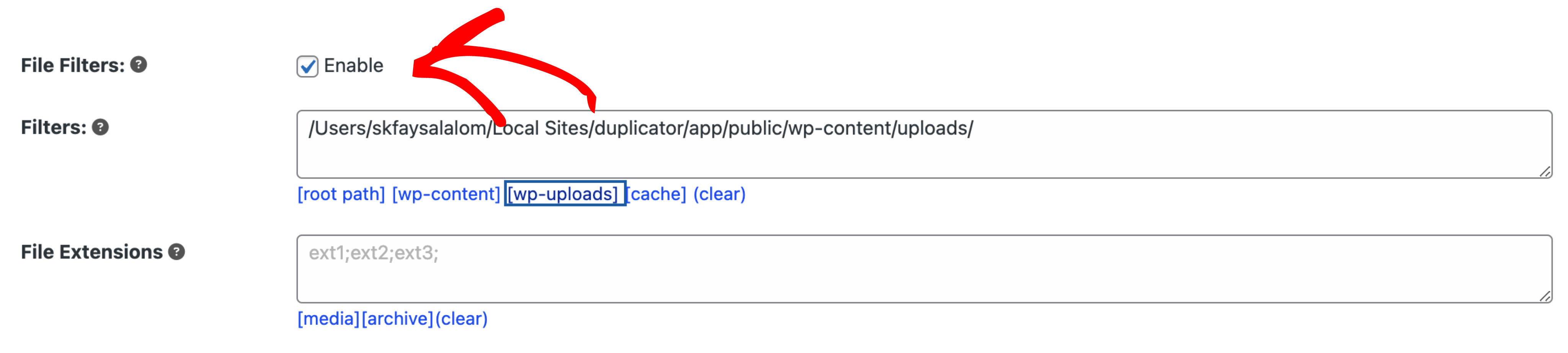
4. Optionally, you can also return to the backup creation screen and add the full path of these unnecessary files to the ignored file list.
Large Databases
- If your database exceeds 20MB, consider enabling the
PHP Codeoption for the setting Database Dump Engine (SQL Mode) located at Duplicator Pro > Settings > Backups. - Ensure your database is properly optimized by using a plugin like WP-Optimize to clean up unnecessary data and enhance performance.
Use System Zip
- The zip routine built into the operating system is often faster than using PHP.
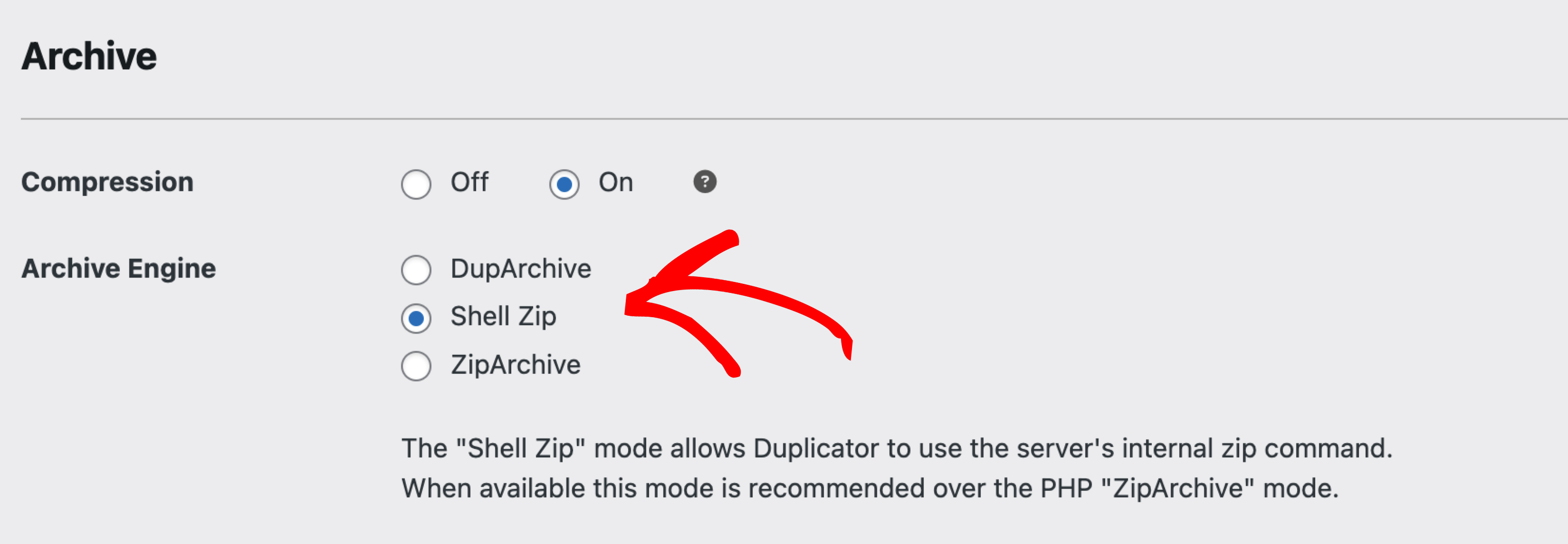
3. Using Shell Exec typically results in much faster builds. However, some budget hosting providers may not support it. If your host does not support shell_exec, you can request them to enable it for PHP or consider switching to a recommended host that offers this feature.
Improve Server performance
- If you’ve applied the above optimizations and still experience slow builds, the issue might be with your hosting environment. Budget hosts often experience server overloads, leading to performance issues.
- Contact your hosting provider to investigate the slowdown or request a server migration.
- If you manage your own server or VPS, consider increasing the
PHP memory_limitfor improved performance.
By checking either of these reasons, you can ensure a faster and reliable backup builds, and allowing your backups to run seamlessly without interruptions.
Consider running DB Optimizer to trim database bloat before a build, and WP Media Cleanup to reduce oversized media, both of which speed up large-site backups.
Check out for more:
What can I do for issues with migrating a large site?
Recommended hosting providers for Duplicator?


