

Using Duplicator with IONOS (fomerly 1&1)
This guide covers troubleshooting steps for resolving build and timeout issues when using Duplicator on IONOS (formerly 1&1) hosting.
In This Article
Build Processing Settings
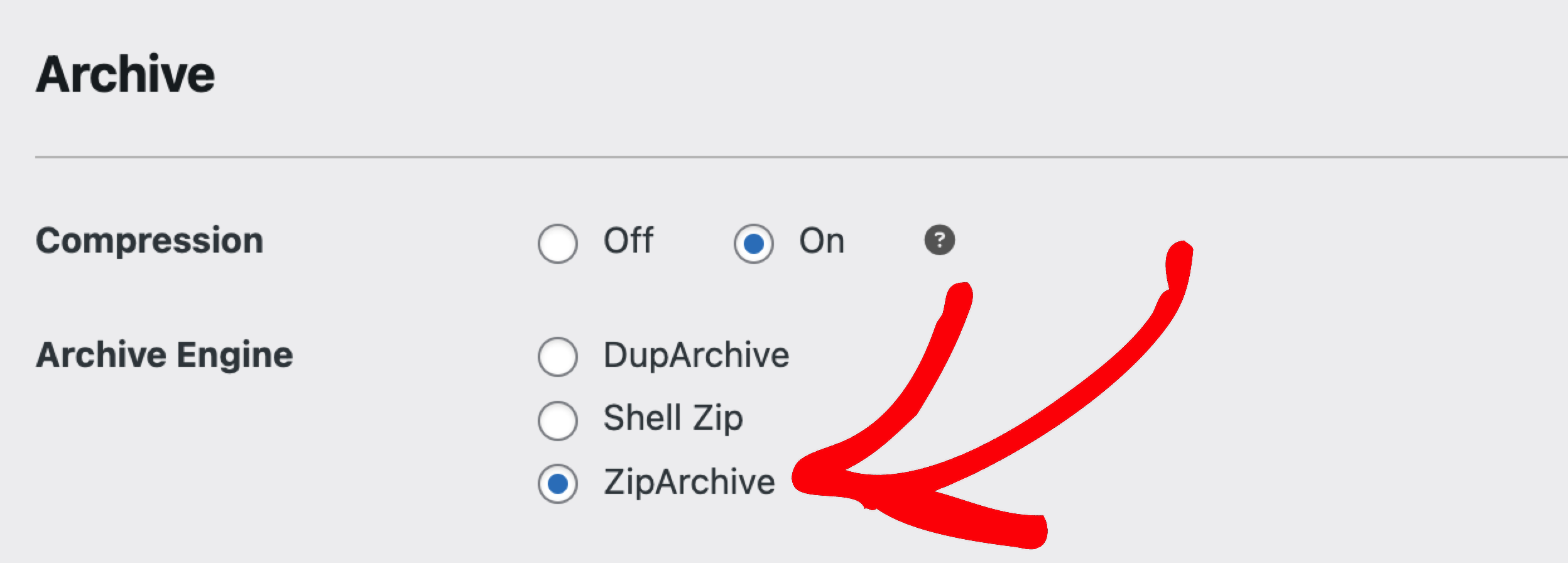
- Go to Duplicator » Settings » Backups.
- Set Archive Engine to ZipArchive.
- Also, under Duplicator » Settings » Backups:
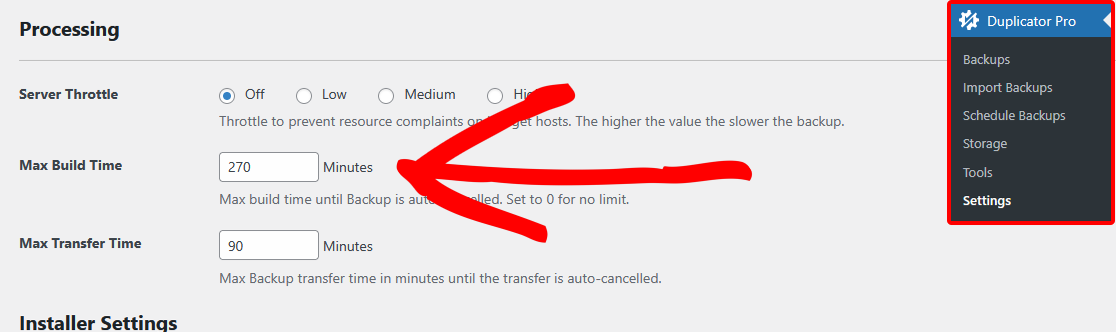
- Set Server Throttle to “A Bit” or “More” to reduce server load during backup builds.
- Adjust the Max build time (in minutes) field if your backups are timing out before they finish.
- Rebuild the backup and exclude large/unnecessary files (e.g., backups from other plugins).
Troubleshooting Timeout Issues
Finally, you may also want to check out these guides for more help:
- How to Handle Server Timeout Issues – more detail on troubleshooting timeout issues using both Duplicator Pro and Duplicator Lite.
- How to Resolve WordPress Migration Issues – if you’re running into migration-specific problems.
That’s it! By following these steps, you can resolve most build and timeout issues when using Duplicator on IONOS (formerly 1&1).


