
Announcing Duplicator Incremental Backups for Smaller, Faster, Hourly Backups
 Joella Dunn
 John Turner
A full-site backup is the foundation of every recovery plan. It’s how millions of site owners get back online after a bad update or a broken server.
But your site keeps changing after that backup finishes. New orders come in, students finish lessons, donors give, and you publish new content.
Protecting all of that used to mean making a choice. You could back up as frequently as possible, or you could save storage space.
Now, you can do both.
With incremental backups, Duplicator creates one full backup of your site. After that, each backup only saves what changed since the last one. Every backup is stored safely in Duplicator Cloud.
Backups stay small and fast, so they can run as often as every hour. You’ll protect your latest changes while using a fraction of the storage space.
Ready to see how incremental backups work?
Table of Contents
Back Up Your Site Every Hour With Incremental Backups
Many sites run one full backup a day. That’s a solid routine, but anything that happens between backups could get lost after unexpected errors.
If your site breaks in the 24 hours between backups, you might lose today’s orders, form entries, or edits.
Incremental backups close that gap.
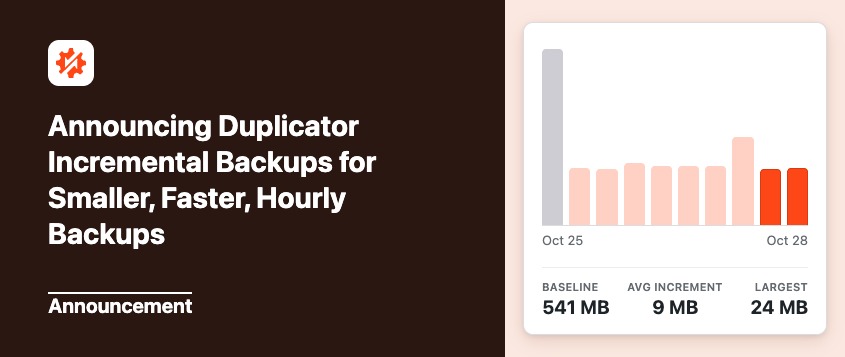
Duplicator starts with one full copy of your site, called the baseline. Every backup after that is a snapshot of only the files and database tables that were added, modified, or deleted.
To get started, get Duplicator Cloud storage for your website. Remember that incremental backups take up less storage space, so you can start with 2GB and upgrade if needed.
Then, connect your site to Duplicator Cloud.
When you’re ready to use incremental backups, create a baseline. It’s roughly the size of a standard backup, so it takes a few minutes. Every snapshot after it is much quicker.
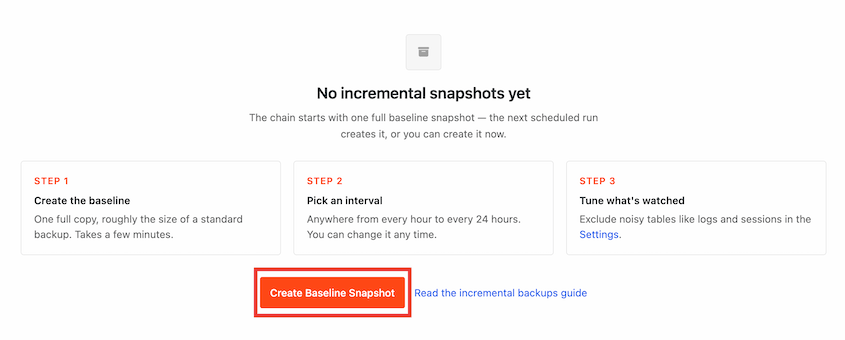
Choose how often backups run (anywhere from every hour to every 24 hours) and how many backups to keep in storage.
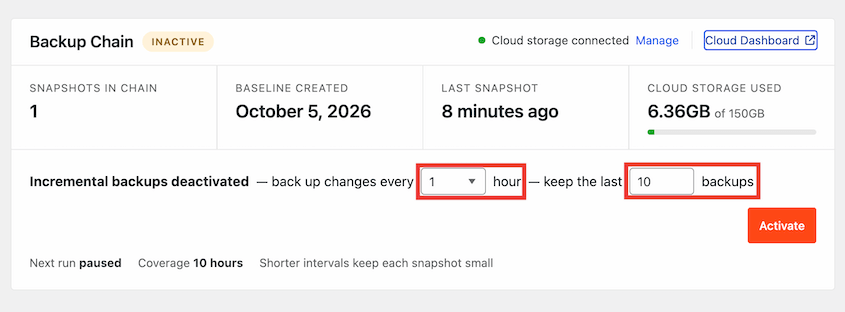
When you reach your limit, Duplicator automatically folds the oldest snapshots into a new baseline. Your chain stays intact, so you can restore any snapshot you still have.
Save Storage Space With Smaller Backups
Running a full backup every hour would mean copying your entire site 24 times a day. That uses a lot of server work and storage space.
Incremental backups only upload what’s new, so backups stay small.
They run when something changes. If your site barely changes, you won’t fill your storage with dozens of identical backups. Duplicator only creates a new snapshot when there’s a real difference.
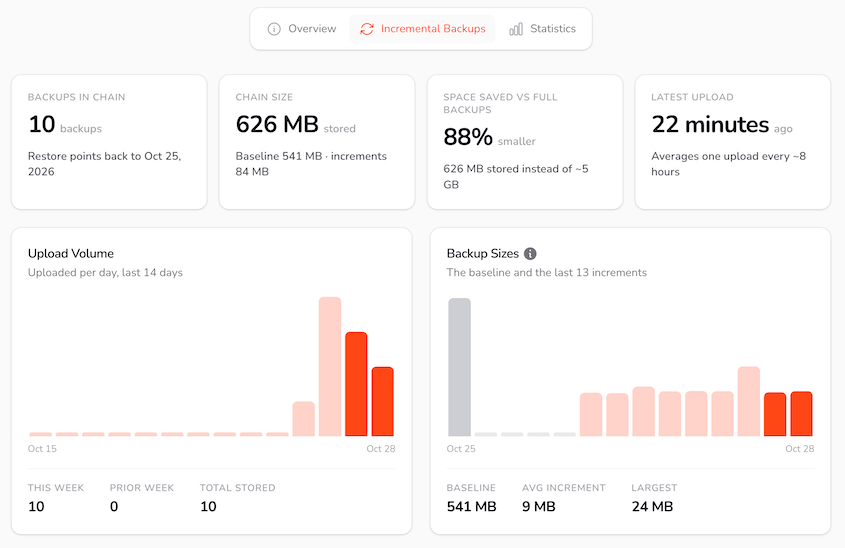
On one of our test sites, the baseline was 540 MB. After that, the average incremental snapshot was just 13 MB.
Compared to storing the same number of full-site backups, the incremental backups used 88% less storage space.
You can see this in your Duplicator Cloud dashboard. Go to Websites » [Your Website] » Incremental Backups for stats on your backup chain, upload volume, and backup sizes.
See Exactly What Changed in Each Backup
Every snapshot shows the number of backed-up files and database tables.
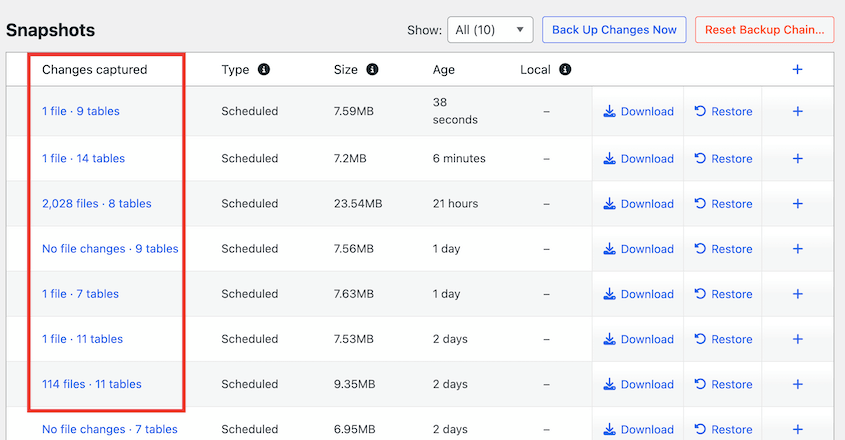
Click on it to see the exact files and tables in that snapshot.
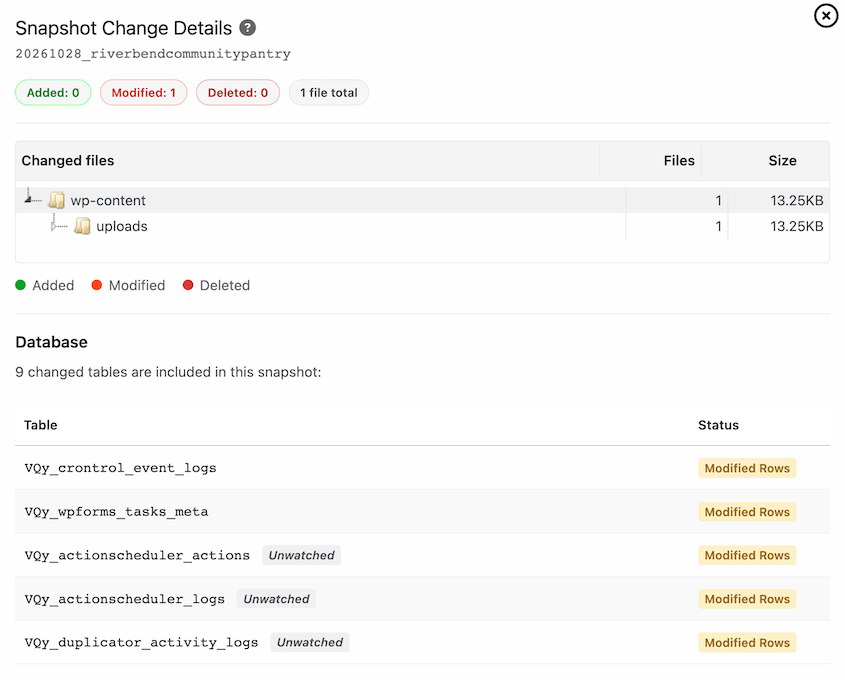
This makes it much easier to pick the right backup. If a plugin update broke your site at a specific time, you’ll know which snapshot came right before it.
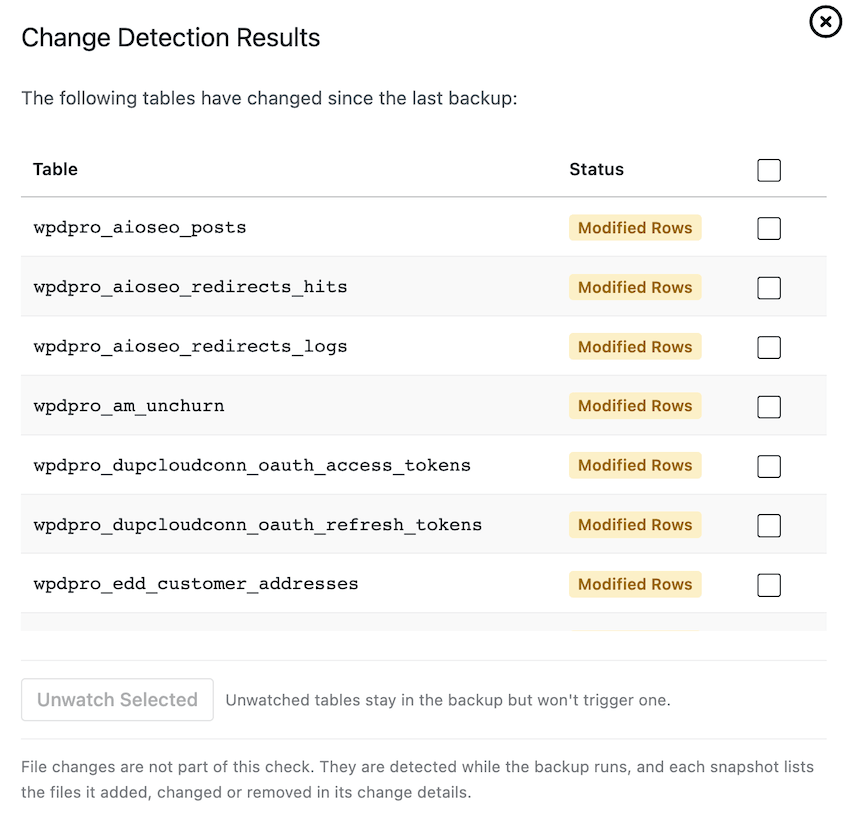
Want to check for changes before your next backup runs? Click View change list to see which database tables have changed since your last snapshot.
Choose What Triggers a New Backup
Some parts of your site change all the time, even when you aren’t doing anything. Logs, caches, and scheduled task tables update constantly.
You don’t need an hourly backup every time someone loads a page.
On the Settings tab, you can choose how Duplicator treats each table and folder:
- Backup: Include it in your backups and create a new snapshot when it changes.
- Unwatch: Keep it in your backups, but changes to it alone won’t trigger a new snapshot.
- Exclude: Leave it out of your backups completely.
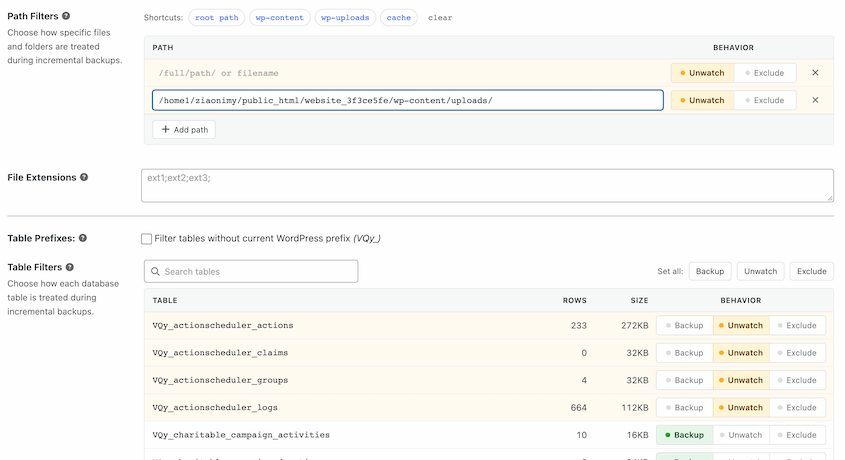
Duplicator unwatches the noisiest tables by default, so a new snapshot only happens when something meaningful changes.
Restore Any Snapshot From WordPress or Duplicator Cloud
Restoring an incremental backup is just as simple as restoring a full one.
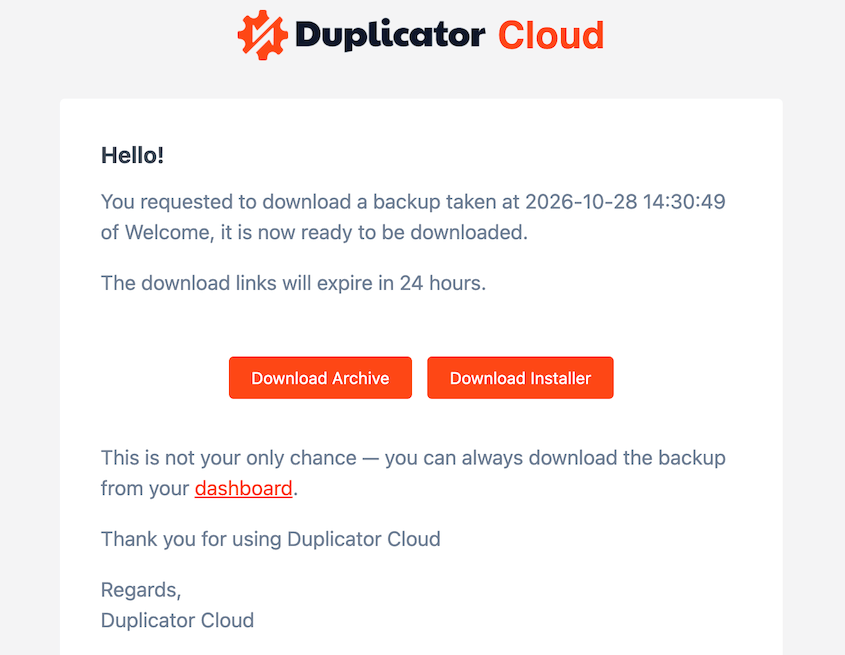
Find the snapshot you want and click Restore or Download. Duplicator builds a complete backup of your site from that point in time.
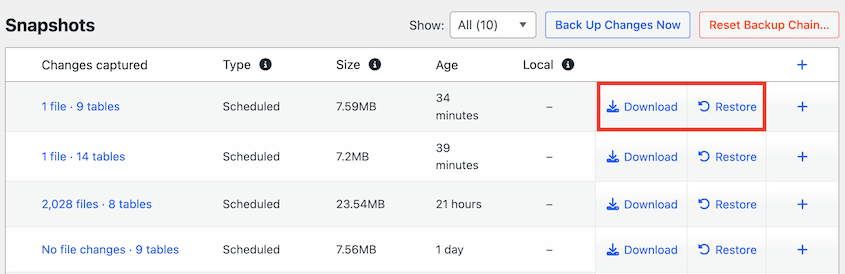
You’ll get an email from Duplicator Cloud as soon as it’s ready.
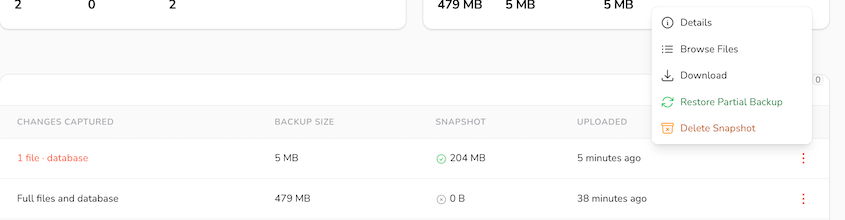
You can also manage every snapshot from your Duplicator Cloud dashboard. Open the menu next to any backup to view details, browse its files, download it, or restore it.
Start Using Incremental Backups Today
Incremental backups give your site hourly protection without the weight of full backups. You’ll store only what changed and restore any snapshot when you need it.
Upgrade to Duplicator Pro or Elite to start using incremental backups. You’ll also need a Duplicator Cloud storage plan, which starts at $29/year.
Already on a Pro or Elite plan? Update your plugin to 5.1.0, connect Duplicator Cloud, and create your first baseline. Activate a custom schedule, and your snapshots will start running automatically to the cloud.
While you’re here, check out Duplicator’s other new features:
- [New] Introducing Duplicator 5.0: AI Backups, AutoTune, and Extra Free Features
- [NEW] Duplicator DB Optimizer: Clean Your WordPress Database Before It Becomes a Problem
- Announcing One-Click Staging and Remote Cloud Restores for Bold Changes, Zero Consequences
- [New Plugin] Activity Log: Track Every Change, Login, and Action on Your WordPress Site
- [NEW] WP Media Cleanup Deletes Unused Images Hiding in Your Media Library