WP Crontrol 2.0: Now Maintained by Duplicator, With Pro Features Free
 Joella Dunn
Joella Dunn
Joella Dunn
 John Turner
John Turner
John Turner
WP Crontrol is one of the most trusted developer tools in WordPress.
More than 300,000 sites use it to see, run, pause, and fix the scheduled tasks (cron events) that keep a WordPress site running. That covers backups, emails, cleanups, updates, and a lot more.
Today, we’re excited to share that WP Crontrol is now maintained by the Duplicator team. Our first big release, WP Crontrol 2.0, is out now.

Table of Contents
A Note From John Blackbourn
John Blackbourn created WP Crontrol and looked after it for 14 years. Here’s what he had to say about the handover:
I’ve always maintained that if I was to hand over ownership of any of my plugins it could only be to a long-standing and respected member of the WordPress ecosystem, in whose hands I know the plugin would be well maintained. The team at Awesome Motive absolutely fit that requirement and I’m pleased that they’ve agreed to take over my WP Crontrol plugin. I’ve enjoyed and learned a lot maintaining it over the last 14 years, but the time has come to pass it on. It’s in good hands.
— John Blackbourn, creator of WP Crontrol
Thank you, John, for building such a useful tool and for trusting us with it. We’ll take good care of it.
Why Is Duplicator Maintaining WP Crontrol?
Scheduled tasks are at the heart of what we do.
Duplicator Pro’s scheduled backups rely on WP-Cron, like most automated jobs in WordPress. When cron quietly stops working, backups, emails, and other tasks can fail without anyone noticing.
WP Crontrol is the tool developers reach for to find and fix that. Looking after it is a natural fit for our team.
What Can You Do With WP Crontrol 2.0?
WP Crontrol has always been great at showing you what’s scheduled on your site and letting you run, pause, or edit jobs.
Version 2.0 builds on that. It helps you answer the questions that come up after something goes quiet: Did that event run? How long did it take? Did it fail, and why?
It also lets you hear about problems as they happen, so you’re not waiting for a missing backup or an unsent email to tell you something’s wrong.
Here’s everything new in this 2.0 release.
See Every Time an Event Ran, Free
Cron event logs and Cron Insights were previously part of WP Crontrol Pro. They’re now included in the free plugin.
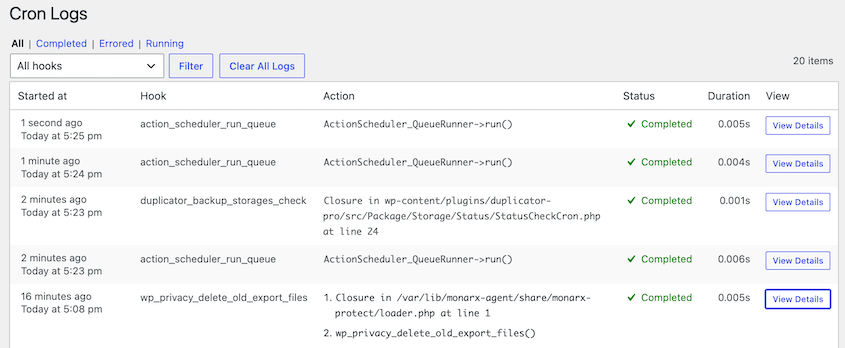
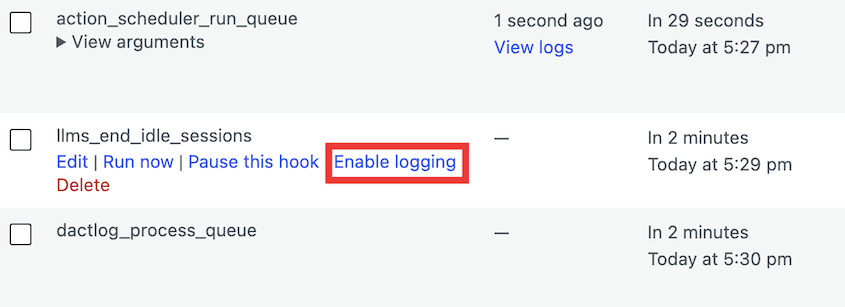
Turn on logging for any event, and you’ll see every time it ran, how long it took, and whether it completed or failed.
Each logged run also records any errors, HTTP requests, emails sent, and database queries.
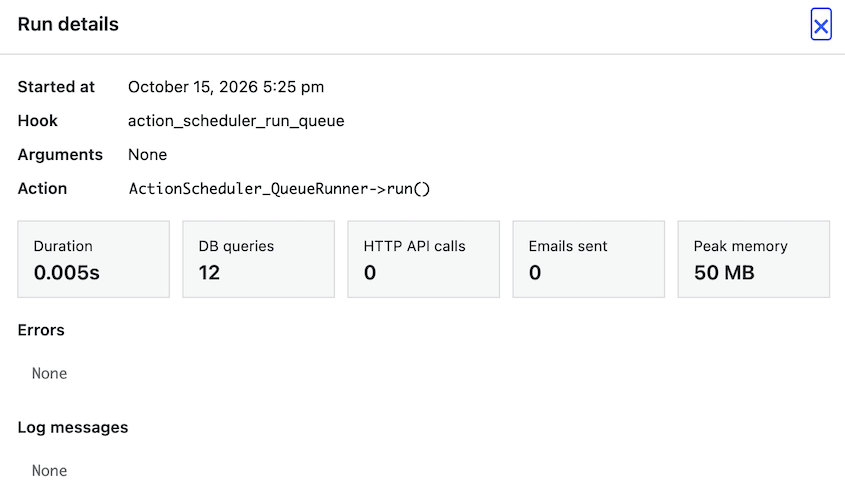
That makes it easy to find the cause when a scheduled task misbehaves. You can see whether a slow external request held things up or an email sent by a logged event failed to send.
Logging stays off until you turn it on, so nothing changes on your site unless you want it to. Pick the events you care about (like a backup or a newsletter send) and leave the rest alone.
Spot Slow or Failing Tasks at a Glance
Cron Insights shows how your scheduled tasks behaved over the last week. You can quickly see which ones run long or fail.
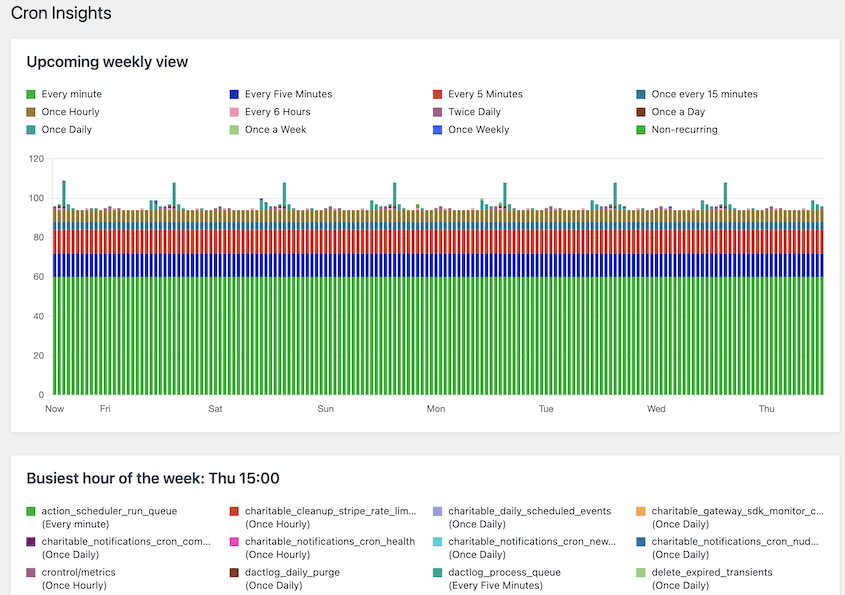
Instead of digging through individual log entries, you get the big picture in one place. You’ll catch any job that’s getting slower or failing every few days, before it turns into a bigger problem.
Get an Email When a Cron Event Fails
WP Crontrol can email you when a logged cron event fails.
You’ll hear about a failed task right away, without having to remember to check your logs.
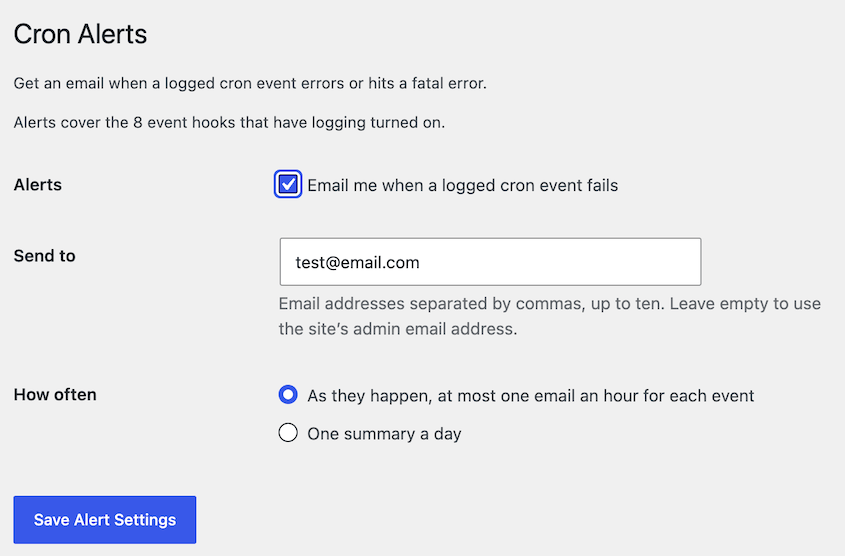
Get alerts as they happen (at most one email an hour for each event) or one summary a day. You can send alerts to up to ten addresses, so your developer or agency can get them too.
Click Send Test Email to check that alerts reach your inbox.
WP Crontrol now also shows when an email sent by a scheduled task failed to send.

With logging turned on for that event, the failed email shows up right in the log entry. You’ll know which task tried to send it and when, so you can fix the problem before more emails go missing.
Ask an AI Assistant Which Cron Jobs Failed and Why
WP Crontrol 2.0 supports the new WordPress Abilities API (WordPress 6.9 and later). An AI assistant connected to your site, through a tool like WPVibe, can use these abilities with your account’s permissions.
Here’s what an AI assistant can do:
- List cron events
- Run and pause events
- Turn on logging
- Read logs and insights
That turns cron troubleshooting into a conversation. Ask AI, “Which cron jobs failed this week, and why?” and it can go look.
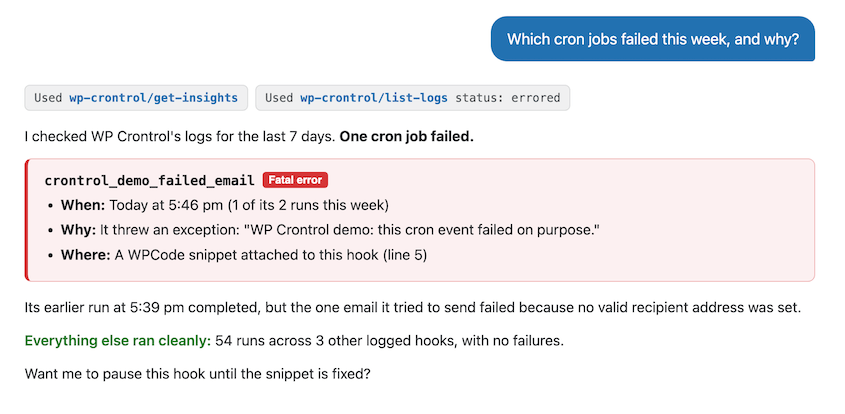
You can also ask it to run the backup event now and tell you if it worked, or pause a hook until Monday.
For safety, assistants can’t create or edit PHP or URL cron events.
Find All Your Cron Tools in One Menu
Events, Logs, Insights, Alerts, AI, and Schedules now sit together under a new Cron menu in your WordPress dashboard.
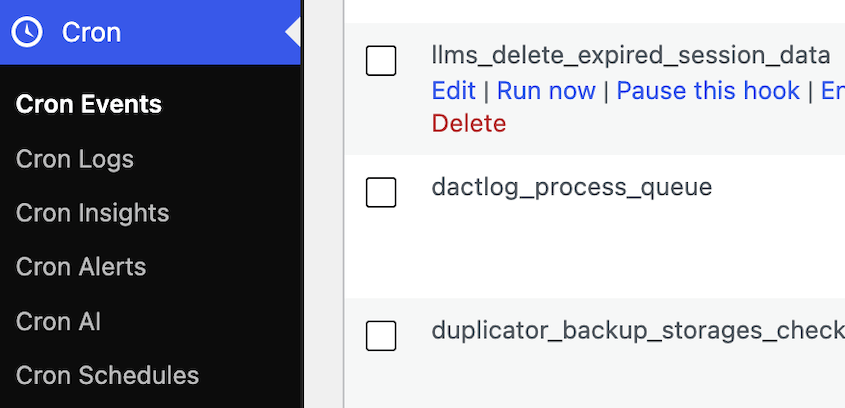
You can move from an event to its logs, insights, and alerts without hunting through different admin screens.
However, if you’re used to finding WP Crontrol under Tools » Cron Events, that still works.
Read Event Dates in Your Own Language
Dates and times in the event list can now be translated, including month names.
If you manage sites in multiple languages, the event list now matches the rest of your dashboard.
What Stays the Same?
Here’s what isn’t changing in WP Crontrol:
- It’s free and open source.
- It’s private by default. WP Crontrol doesn’t send data from your site or load anything from third parties. Logs never store event arguments, and they’re kept for 30 days.
- Your workflow stays put. Everything you use today works the same way.
How Do You Get WP Crontrol 2.0?
If you already use WP Crontrol, update it from the Plugins page in your WordPress dashboard.
New to WP Crontrol? Install it for free from WordPress.org, or search for “WP Crontrol” under Plugins » Add New Plugin.
Questions or ideas? Let us know in the WP Crontrol support forum.
While you’re here, check out Duplicator’s new features:
- Duplicator Lite Just Got Better: 1-Click Restores, Cloud Storage, and Encryption in 5.0
- [New] Introducing Duplicator 5.0: AI Backups, AutoTune, and Extra Free Features
- [NEW] Duplicator DB Optimizer: Clean Your WordPress Database Before It Becomes a Problem
- Announcing One-Click Staging and Remote Cloud Restores for Bold Changes, Zero Consequences
- [New Plugin] Activity Log: Track Every Change, Login, and Action on Your WordPress Site