

Installing and Activating the Activity Log Plugin
The Duplicator Activity Log plugin gives you a complete audit trail of everything happening on your WordPress site. Before you can start tracking events, you’ll need to install the plugin and activate your license. This guide walks you through both steps.
This guide walks you through downloading Activity Log, installing it on WordPress, and activating your license.
Downloading the Plugin
Head to your Duplicator Pro Account and log in. Under Downloads, find the Activity Log plugin and click Download. You’ll get a .zip file, keep it handy for the next step.
Activity Log requires WordPress 6.2 or later and PHP 7.4 or later.
Installing via WordPress
Log in to your WordPress admin area. Go to Plugins » Add New Plugin and click the Upload Plugin button at the top.
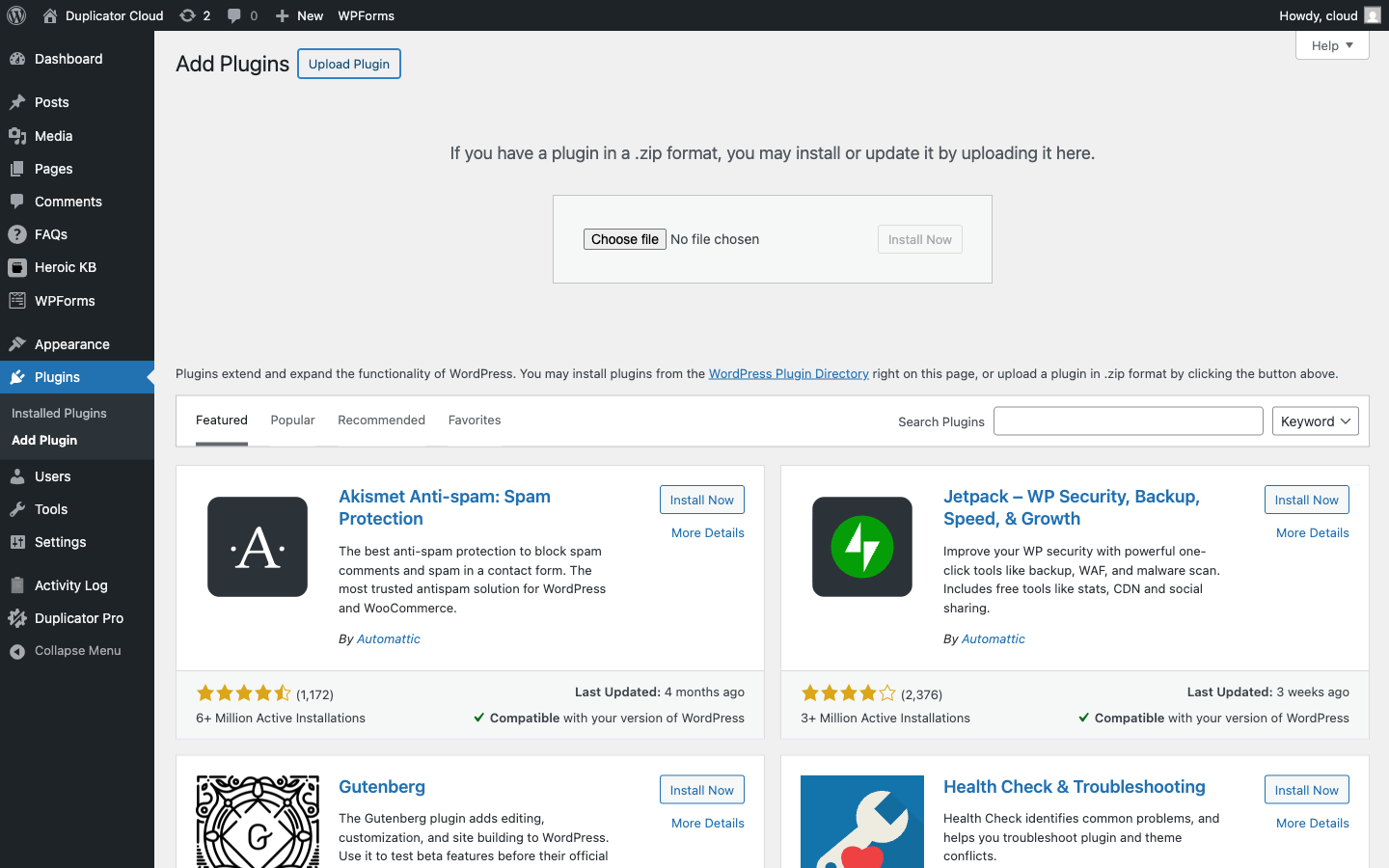
Click Choose File, select the .zip file you downloaded, then click Install Now. Once the installation finishes, click Activate Plugin.
On a single-site install, you’ll now see Activity Log listed in your WordPress admin sidebar. On a multisite network, activating from Network Admin » Plugins makes Activity Log available network-wide instead of on just one site. See Activity Log and WordPress Multisite for the full breakdown of network-wide versus per-site activation.
Activating Your License
Right after activating the plugin, you’re redirected to a full-page Welcome to Activity Log screen asking for your license key. This screen gates the rest of the plugin, every Activity Log page redirects back here until a valid license is entered. Paste your license key into the field and click Activate License.
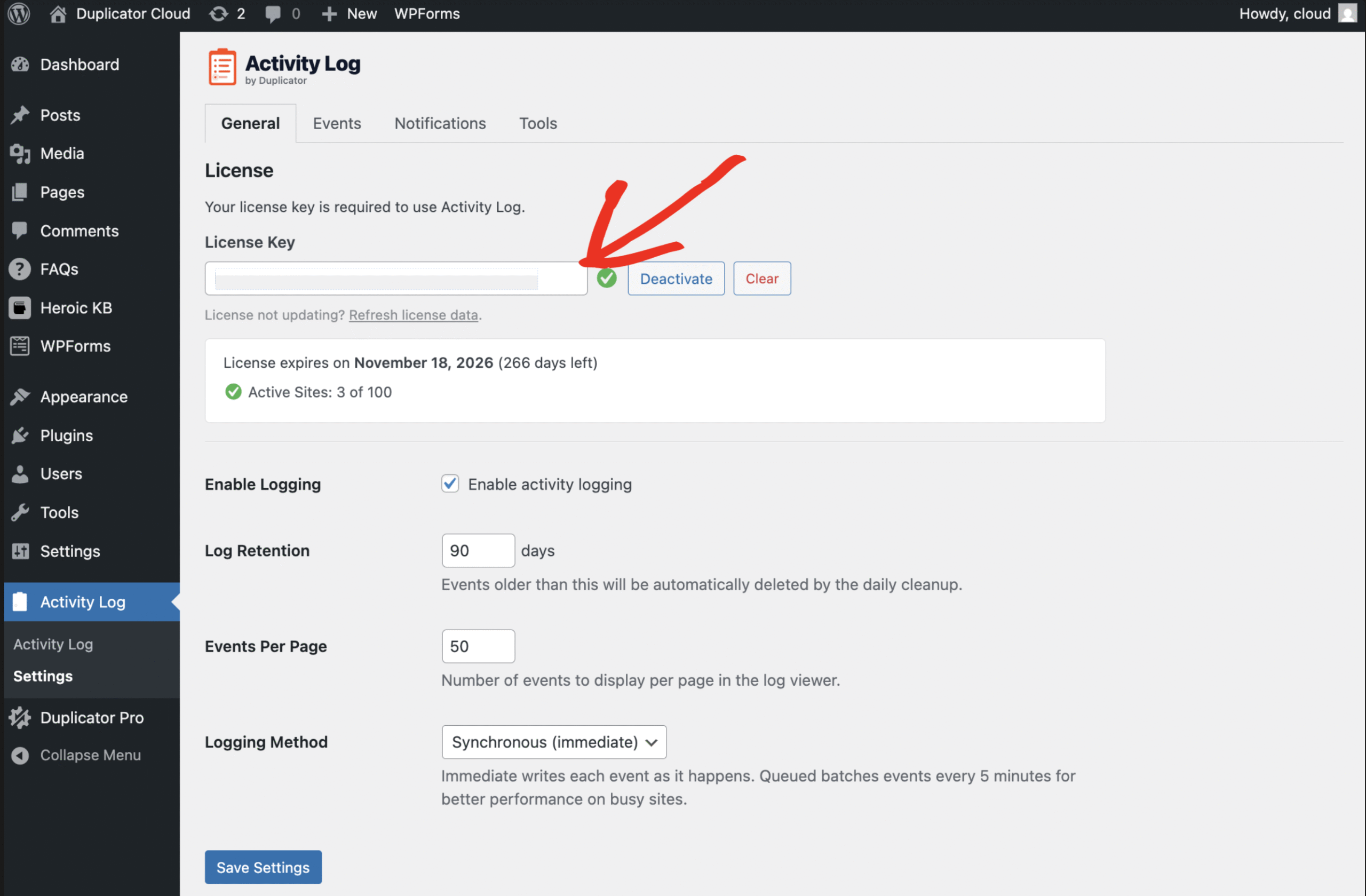
To manage your license later, go to Activity Log » Settings, open the General tab, and use the License section: paste a key there and click Activate.
Once activated, you’ll see your license expiration date and the number of active sites on your plan.
That’s it, Activity Log is now active and recording events on your site. As a next step, check out Navigating the Activity Log to learn your way around the log viewer.


