

Using Duplicator Pro on WordPress.com
Great to hear you’re interested in using Duplicator Pro on your WordPress.com site! As long as your plan supports third-party plugins, you can install Duplicator Pro to enhance your site’s functionality. Keep in mind that there may be slight differences in appearance compared to a WordPress.org setup. You’ll love the endless possibilities that come with using Duplicator Pro.
This tutorial will discuss everything you need to know to successfully use Duplicator Pro on your WordPress.com site.
Why Does WordPress.com Handle Plugins Differently From WordPress.org?
Unlike WordPress.org, where plugins are available to every installation, WordPress.com only unlocks plugin installation on plans that specifically support third-party plugins.
So while Duplicator Pro will work perfectly well on WordPress.com once your plan supports plugins, keep in mind that plugin management there follows its own process, distinct from the WordPress.org experience. For a general walkthrough of installing plugins on WordPress.com, see their official plugin installation guide.
Installing Duplicator Pro on the WordPress.com Site
To install the Duplicator Pro plugin, you’ll first need to log in to your Duplicator Pro account. Then go to the Downloads tab and click the Download Duplicator Pro button to download the plugin’s .zip file.
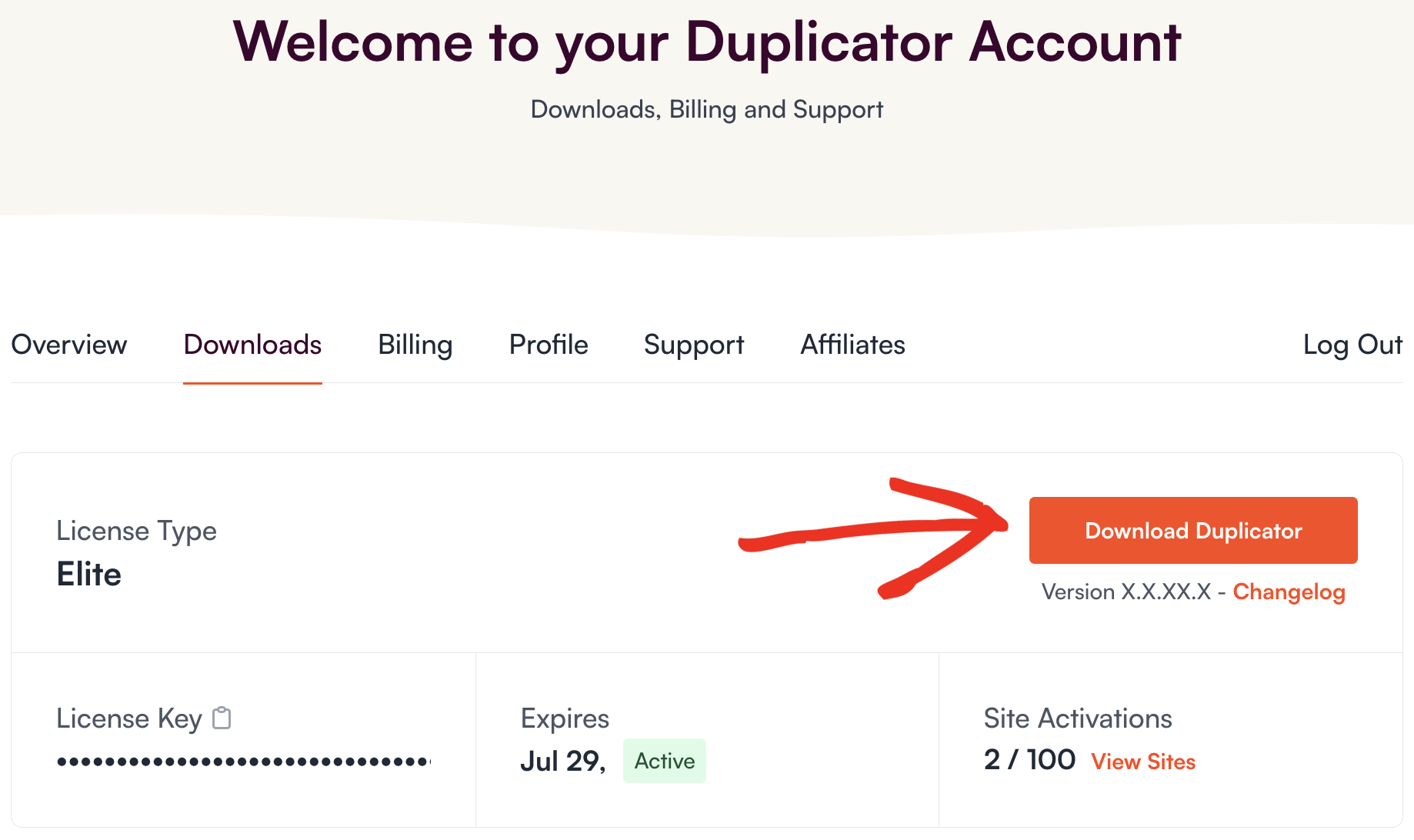
Once the download is complete, you’ll have a zipped folder named duplicator-pro.zip that you’ll need to upload to your site.
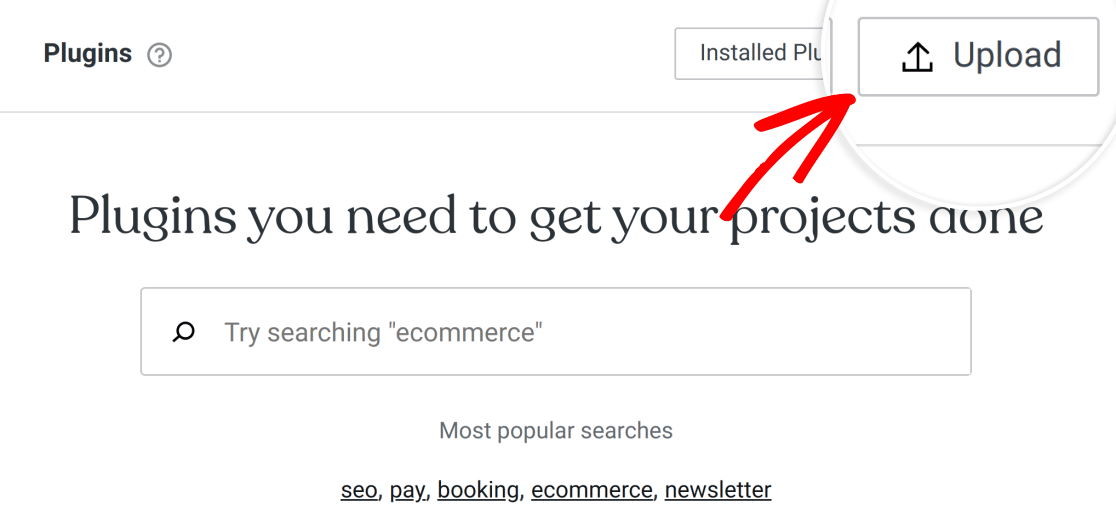
Return to your WordPress.com site and navigate to Plugins » Add New Plugin in the left menu. Then, in the upper-left corner of the next screen, click the Upload button
To upload the plugin, click on Drop files or click here to install and select the duplicator-pro.zip file. Optionally, you can drag and drop the .zip file into the same area:
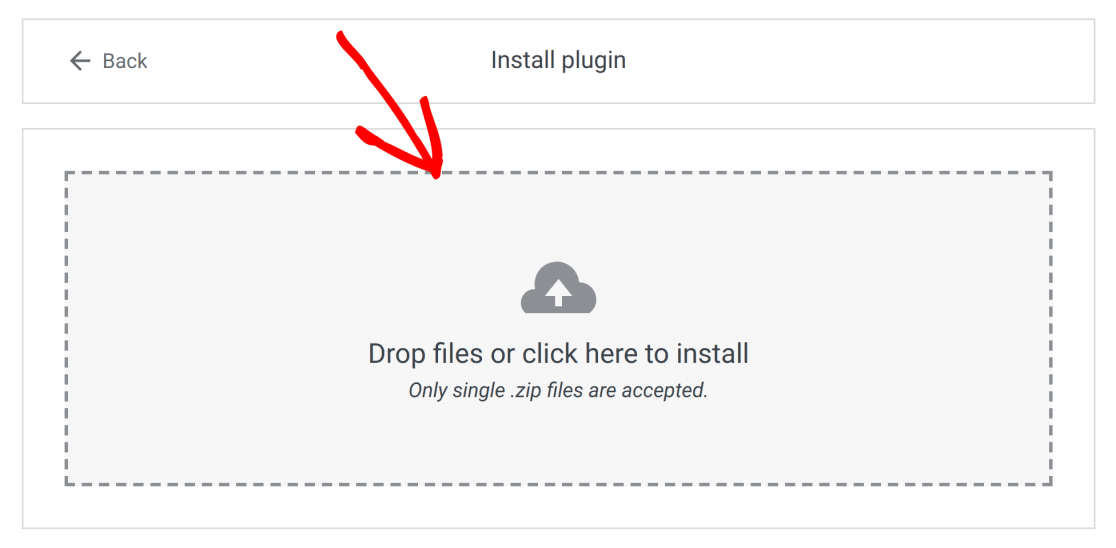
Once the Duplicator-pro.zip file has been uploaded, WordPress will automatically install and activate the plugin for you.

WordPress will let you know when the installation has been completed successfully.

Next, you can go ahead and verify your license key and get started using Duplicator Pro on the WordPress.com site.


