

Activating Your DB Optimizer License
Activating your DB Optimizer license turns on automatic update notifications. This article covers activating, deactivating, clearing a stuck key, and forcing a license recheck.
You’ll need a license key from your Duplicator account, which you’ll paste into the License area under the plugin’s settings.
Activating your license
- Find your license key in your account at https://duplicator.com/my-account/.
- In your WordPress admin, go to DB Optimizer » Settings » License
- Paste your key into the field.
- Click Activate.
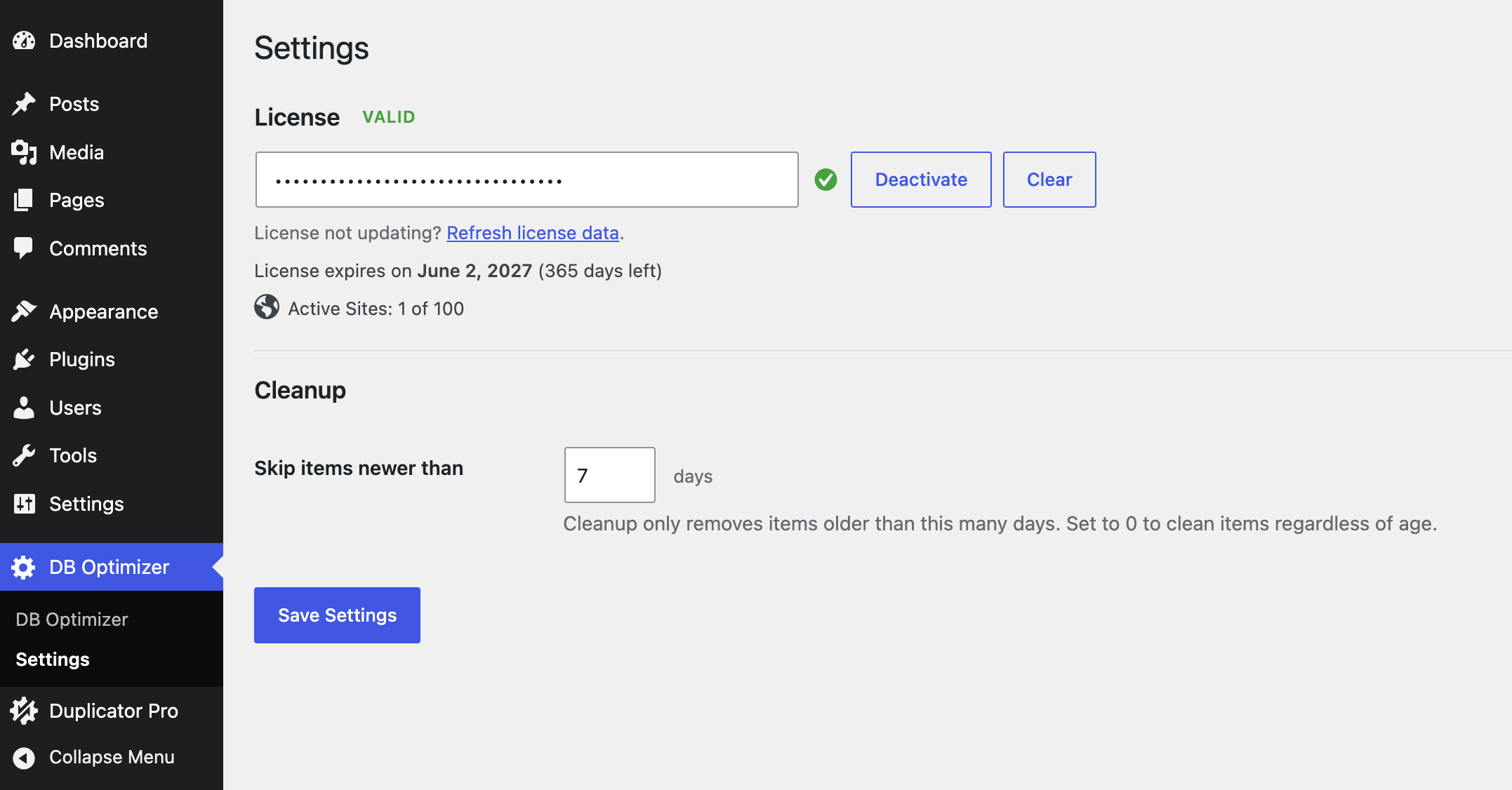
That’s it. Update notifications will start arriving automatically.
Deactivating your license
Moving the license to another site, or taking a site offline? Deactivate first:
- Open the License area.
- Click Deactivate.
This frees up the activation so you can use the key somewhere else.
Clearing a stuck key or forcing a refresh
If a key won’t deactivate normally, or the license area shows a status you know is wrong, two more actions are available next to the License field:
Clear:
Shown next to the field whenever a key is entered. It tries to deactivate the key remotely first, then clears the key from this site either way, use it when a key is stuck and won’t deactivate through the normal button.
Refresh license data:
A link in the “License not updating?” hint above the license status. It forces a fresh check against the licensing server instead of using the cached status, use it when the license area looks stale or wrong.
If your license still won’t activate after trying these, see My license won’t activate in the troubleshooting guide.
What the plugin sends, and when
It connects to the Duplicator licensing API at https://duplicator.com to check your key and look for updates.
When it connects:
- When you activate a license.
- When you deactivate a license.
- On a quiet background check roughly once a day while a license is active.
- When WordPress runs its usual check for plugin updates.
What it sends:
- Your license key
- The plugin version
- Your site URL
- The type of request (`activate_license`, `check_license`, `deactivate_license`, or `get_version`)
For the full details, see the Duplicator Terms of Service (https://duplicator.com/terms/) and Privacy Policy (https://duplicator.com/privacy-policy/).


