Best WooCommerce Migration Plugins: 7 Options for Every Type of Move
 Joella Dunn
Joella Dunn
Joella Dunn
 John Turner
John Turner
John Turner
Moving a WooCommerce store is one of those tasks that looks straightforward until you’re mid-migration and something isn’t coming through right. Orders are missing, products are half-imported, or the payment gateway isn’t connecting on the new server.
The plugin you choose matters. Moving your store to a new host is a completely different job from migrating off Shopify. A tool built for one often can’t handle the other. Pick the wrong one, and you’ll spend hours troubleshooting a problem it was never designed to solve.
I compared all the WooCommerce migration plugins, looking at ease of use, data integrity across products, orders, and customer records, how each handles large stores, and what your recovery options are when things go sideways.
Whether you’re switching hosts, setting up a staging environment, or replatforming from another eCommerce system, there’s a right tool for your situation. This guide breaks down which one that is.
Here are the key takeaways:
- Best all-around for site migration: Duplicator Pro: handles full WooCommerce site moves with a standalone installer that works on blank servers, no WordPress pre-installation needed
- Best free option: Migrate Guru: completely free for full-site moves, no file size cap, and transfers directly between servers without touching your computer
- Best for platform replatforming: LitExtension: supports 140+ eCommerce platforms and handles products, customers, orders, and SEO URLs automatically
- Best for small stores: All-in-One WP Migration: beginner-friendly, free up to 512MB, and the restore process is as simple as drag and drop
- Best for product data only: WP All Import: the right call when you need to import a product catalog from a custom system that the automated services don’t cover
Table of Contents
- How We Evaluated These Plugins
- Which Type of WooCommerce Migration Are You Doing?
- The 7 Best WooCommerce Migration Plugins
- 1. Duplicator Pro (Best for Moving a Full WooCommerce Site Between Hosts)
- 2. All-in-One WP Migration (Best for Small WooCommerce Stores That Need a Simple Move)
- 3. Migrate Guru (Best Free Option for Large WooCommerce Sites)
- 4. UpdraftPlus (Best for Teams That Want Backups and Migrations in One Plugin)
- 5. WP All Import (Best for Migrating WooCommerce Data Between WordPress Sites)
- 6. LitExtension (Best WooCommerce Migration Service)
- 7. Cart2Cart (Best Automated Cross-Platform Migration With a Free Demo)
- Frequently Asked Questions (FAQs)
How We Evaluated These Plugins
We tested and reviewed plugins across two migration scenarios:
- Full-site WordPress/WooCommerce moves
- Platform-to-WooCommerce replatforming
We looked at ease of restore, WooCommerce data integrity, file size handling, documentation quality, and real-world pricing.
Full disclosure: Duplicator is our product. It’s at the top of this list because it genuinely outperforms the alternatives for full-site WooCommerce migrations, especially for large stores and emergency recovery situations. We’ve been honest about its limitations too. For replatforming from Shopify or Magento, we recommend LitExtension and Cart2Cart because those are the better tools for that job.
Which Type of WooCommerce Migration Are You Doing?
Not all WooCommerce migrations work the same way, and knowing which type you’re dealing with is the most important call you’ll make before installing anything.
If you’re moving your existing WooCommerce store to a new host, a staging server, or a different domain, you need a full-site migration plugin. These tools copy everything: WordPress files, database, WooCommerce settings, and order history. Because WooCommerce runs on WordPress, when a full-site migration moves your WordPress install, your store comes with it intact.
If you’re leaving Shopify, Magento, BigCommerce, or another eCommerce platform to start fresh on WooCommerce, that’s a different problem entirely. Your product catalog, customer accounts, and order history live inside another platform’s system.
A WordPress migration tool can’t read that data. You need a service built to map your old platform’s structure into WooCommerce’s format.
The 7 Best WooCommerce Migration Plugins
1. Duplicator Pro (Best for Moving a Full WooCommerce Site Between Hosts)
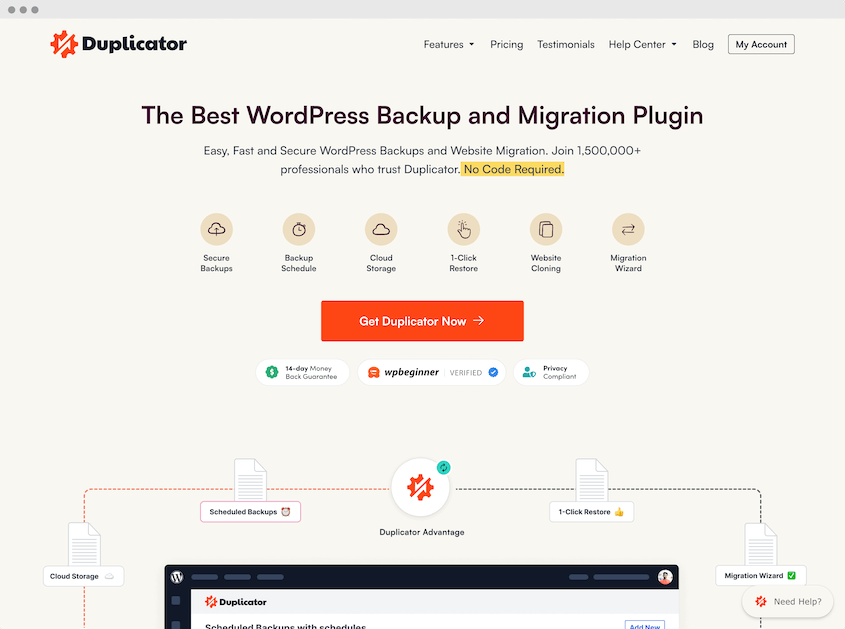
Duplicator Pro packages your entire WooCommerce site into a single backup with all its files, database, settings, and order history. Then, Duplicator can deploy it anywhere using a standalone installer that works on a completely blank server.
It’s the only migration plugin that can restore a site when WordPress is fully locked out, and it’s handled real-world migrations up to 400GB.
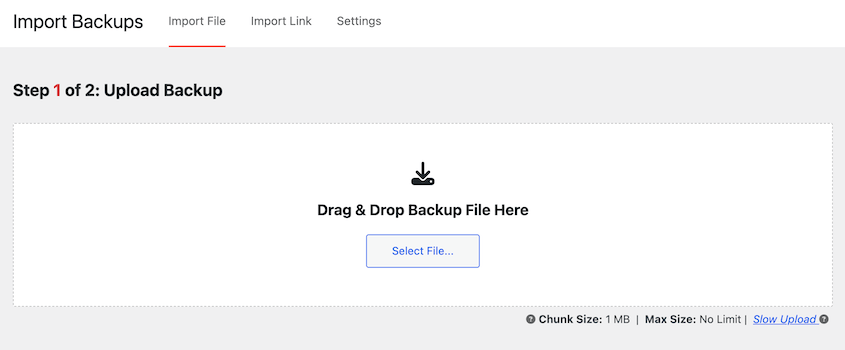
Best for: WooCommerce store owners switching hosts, setting up staging environments, or recovering from a server emergency
Why We Chose Duplicator Pro: I use Duplicator Pro for every WooCommerce migration I run. The feature that sets it apart from everything else here is the standalone installer. Most migration tools need WordPress up and running on the destination before you can restore. Duplicator doesn’t. You upload two small files to the new server, open a browser, and walk through the deployment. That matters when you’re moving to a fresh server or trying to recover after a crash has already broken the destination.
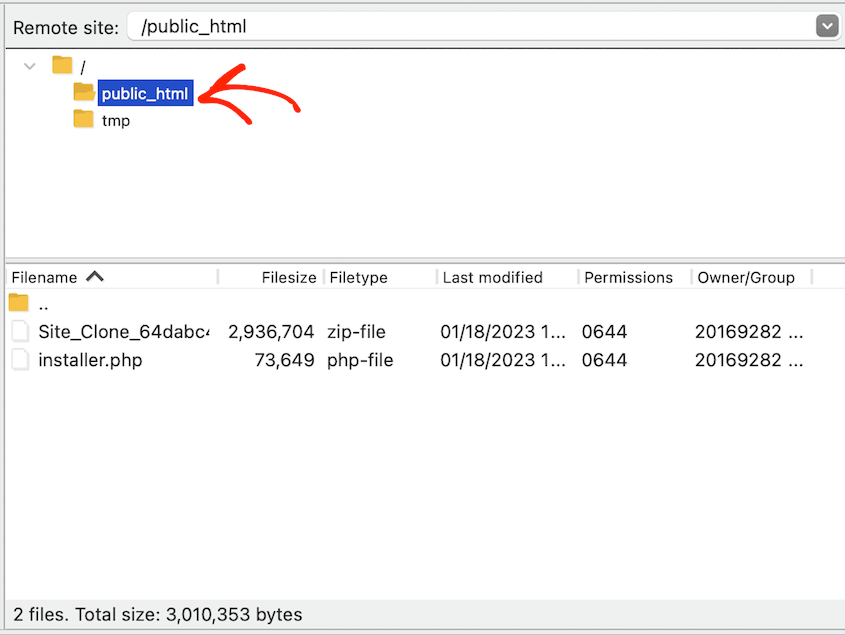
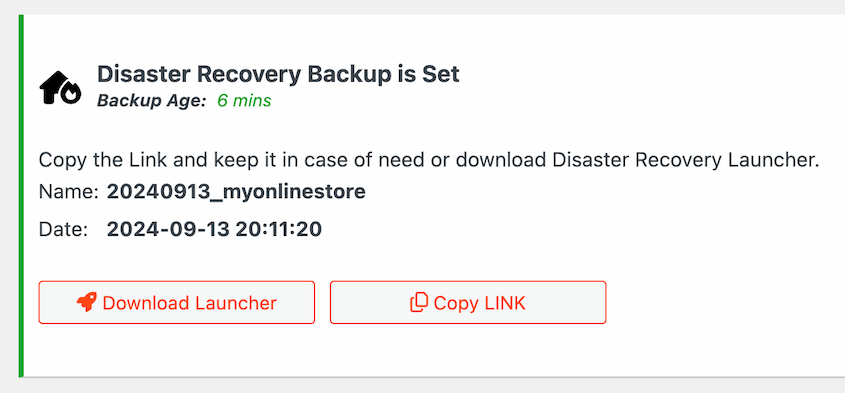
The disaster recovery is the other feature I keep coming back to. If a bad plugin update corrupts your database or your host goes offline, you can restore directly from cloud storage even when you can’t access wp-admin at all. No other plugin on this list offers that.
What We Liked:
- Standalone installer deploys to blank servers with no pre-installed WordPress needed. This is the feature that makes it genuinely different from every other option here.
- Custom URL search and replace
- Drag-and-drop migrations for easy moves
- Disaster recovery URL restores your site even when you’re completely locked out of WordPress. Nothing else on this list can do that.
- DupArchive format has no file size ceiling. We’ve seen it handle real migrations at 400GB.
- Full Multisite support at the Pro tier
- 10+ cloud storage providers, including in-house Duplicator Cloud, S3, Google Drive, and Dropbox
- One-click backup restores from wp-admin
- Remote backup recovery from Duplicator Cloud
- 4,000+ five-star reviews and more than 1 million active installs
What We Didn’t Like:
- The free Lite version handles basic site moves but doesn’t include scheduled backups or cloud storage. For a live WooCommerce store, the Pro tier is worth the upgrade.
2. All-in-One WP Migration (Best for Small WooCommerce Stores That Need a Simple Move)
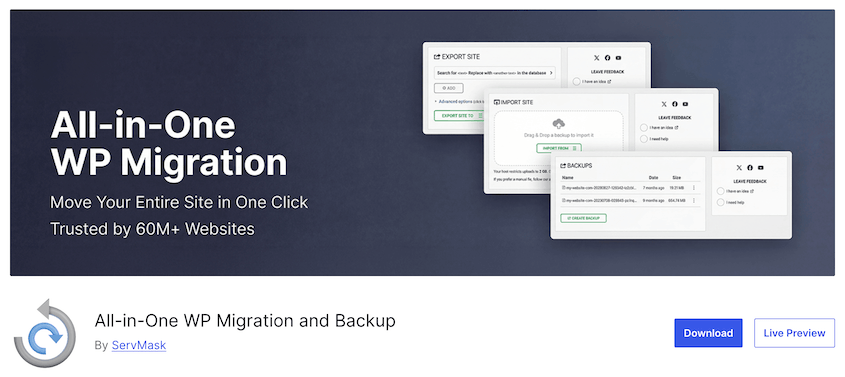
All-in-One WP Migration packs your site into a single file and migrates it through a drag-and-drop interface directly inside WordPress. The free version works for sites up to 512MB.
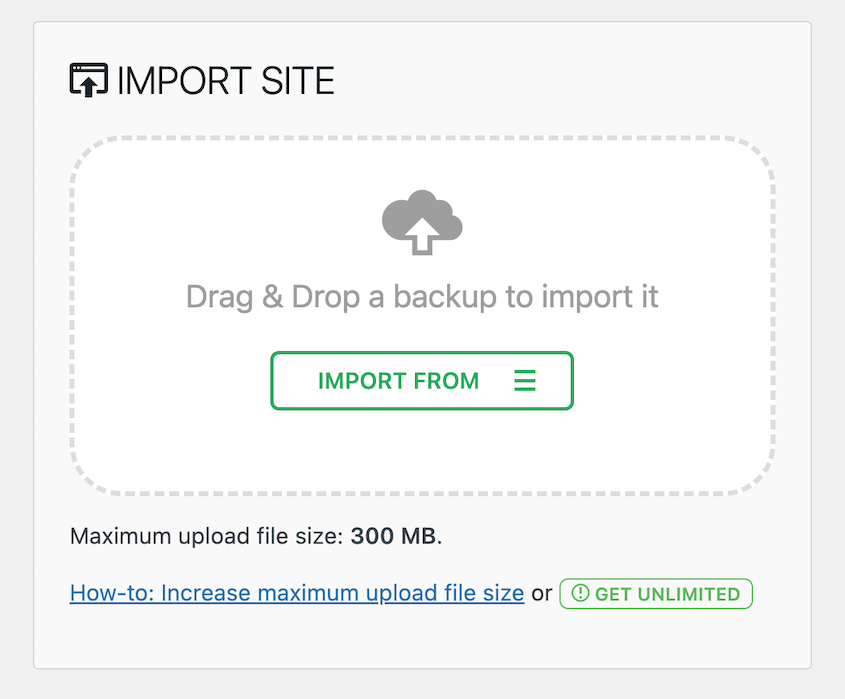
Best for: Small WooCommerce stores under 512MB that need a straightforward first migration or anyone who wants to handle the whole process from inside the WordPress dashboard
Why We Chose It: If you’ve never migrated a site before and your store is on the smaller side, this is the most approachable starting point. The whole process is export, download, upload, restore. For a store with a modest product catalog and limited media, it works cleanly.
The 512MB limit shows up fast on a live WooCommerce store, though. Factor in product images, plugin files, and a growing order database, and many stores push past that before they’re even considered mid-size. And if the restore hits an error, there’s no recovery mechanism built in.
What We Liked:
- Drag-and-drop migrations
- 5+ million activations and a large support community
- Works on virtually every host with minimal configuration
What We Didn’t Like:
- The 512MB free limit is a real ceiling for most WooCommerce stores
- Extensions for larger file sizes and cloud storage are sold separately, and costs add up quickly
3. Migrate Guru (Best Free Option for Large WooCommerce Sites)
Migrate Guru is completely free and designed for large sites. Instead of downloading your backup to a local computer and reuploading it to the destination, it transfers everything directly between servers.
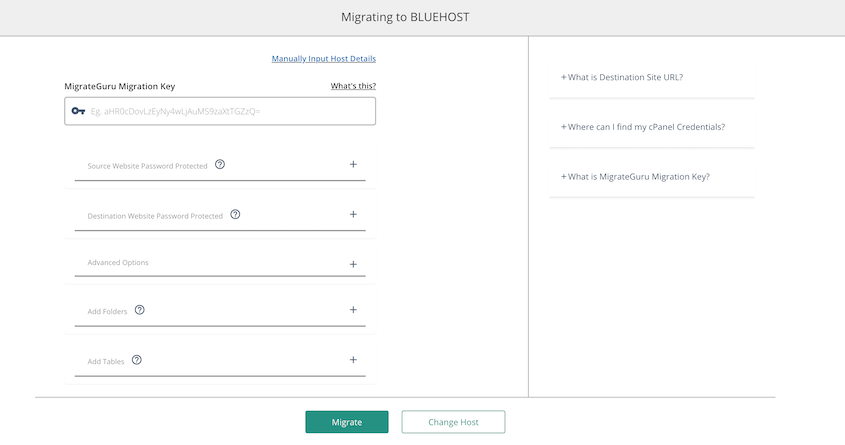
Best for: WooCommerce store owners on a tight budget who need to move a large site between hosts and don’t need backup scheduling or staging tools built in
Why We Chose It: The server-to-server transfer is what makes Migrate Guru worth recommending. Most migration plugins require you to download a full backup, then upload it again to the new server. On a large WooCommerce store with thousands of products and a big media library, that process can take hours. Migrate Guru skips it by moving files directly between servers.
It also supports WordPress Multisite, which many free migration plugins don’t offer.
What it can’t do is worth being clear about. There’s no backup scheduler, staging workflow, or recovery path if the migration fails partway through. It’s a single-purpose tool. But for what it does, it does it well.
What We Liked:
- Completely free with no file size restrictions
- Server-to-server transfer skips the download and reupload cycle, saving time on large stores
- WordPress Multisite support included
What We Didn’t Like:
- No backup scheduling, staging tools, or disaster recovery if something breaks
- Can’t migrate to or from a local development environment
- No restore option if the destination install breaks mid-import
4. UpdraftPlus (Best for Teams That Want Backups and Migrations in One Plugin)
UpdraftPlus is primarily a backup plugin, but it includes full site migrations in both its free and paid versions. If you’re already using it for scheduled backups, you can handle your next host migration from the same dashboard without installing anything else.
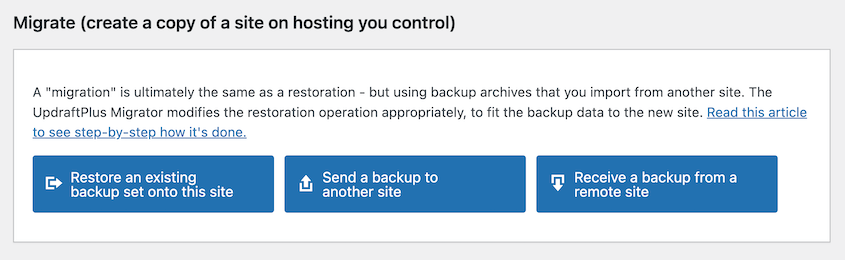
Best for: WooCommerce store owners already running UpdraftPlus for backups who want to handle site migration from the same interface
Why We Chose It: Having migrations built into the free version is a genuinely useful feature. You can set up automated backup schedules and then, when you’re ready to move, use the same plugin for the migration. The restore runs from the same dashboard you already use for backups.
The tradeoff is flexibility under pressure. UpdraftPlus requires WordPress to already be installed and working on the destination server before a migration is possible. There’s no standalone installer and no recovery URL for locked-out scenarios.
What We Liked:
- Migrations included in both the free and paid versions
- Backup scheduling and site migrations from a single plugin
- Solid free cloud storage support, including S3, Google Drive, and Dropbox
- Large community with extensive tutorials and support resources
What We Didn’t Like:
- No standalone installer. The destination server needs WordPress already installed and working before you can migrate.
- No disaster recovery URL for locked-out scenarios
- Backups split into multiple files by default, which can make management awkward on large WooCommerce stores
5. WP All Import (Best for Migrating WooCommerce Data Between WordPress Sites)
WP All Import migrates WooCommerce products, orders, and customers between WordPress sites using drag-and-drop field mapping. Unlike full-site migration tools, it moves specific data rather than the entire site, making it the right choice when you’re merging two stores, moving selectively, or importing from a structured file rather than doing a full-site copy.
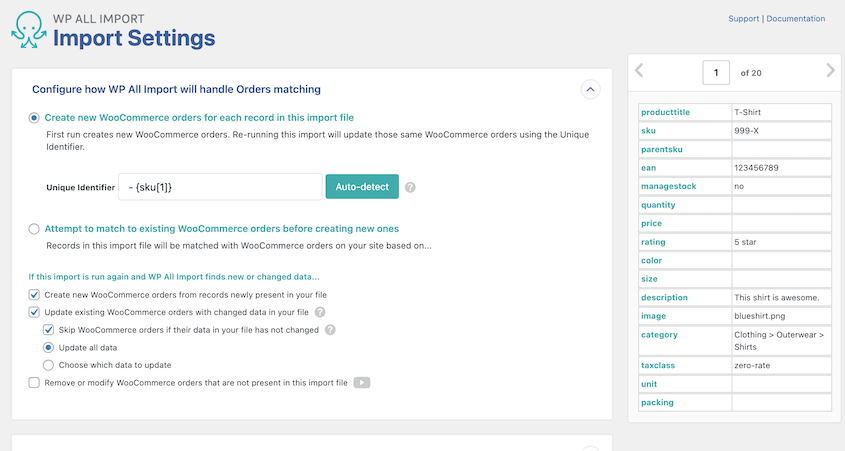
Best for: WooCommerce store owners who need to move products, orders, or customer records from one WordPress site to another without copying the full install, or who are importing from a CSV or XML export from another WooCommerce store
Why We Chose It: If you’re merging two WooCommerce stores, splitting a store into two, or setting up a new site that needs data from an existing one without inheriting its theme and plugin setup, WP All Import handles the data side cleanly. You export your products, orders, or customers from the source site, load the file into WP All Import on the destination, map the fields, and run the import.
It also works with any CSV or XML source, so if your data doesn’t come from WordPress at all, it can still handle the import. The tradeoff is that it only handles data. Your WordPress theme, plugin settings, and site configuration are separate problems.
What We Liked:
- Migrates WooCommerce products, orders, and customers between WordPress sites
- Drag-and-drop field mapping with no coding required for standard imports
- Works with any CSV, XML, or Excel file, not just WordPress exports
- Handles WooCommerce variable products, custom attributes, and external image URLs
What We Didn’t Like:
- Data migration only. Full-site files and configuration need to be handled separately.
- More hands-on import process than a full-site migration tool
- WooCommerce-specific features require a paid license
6. LitExtension (Best WooCommerce Migration Service)
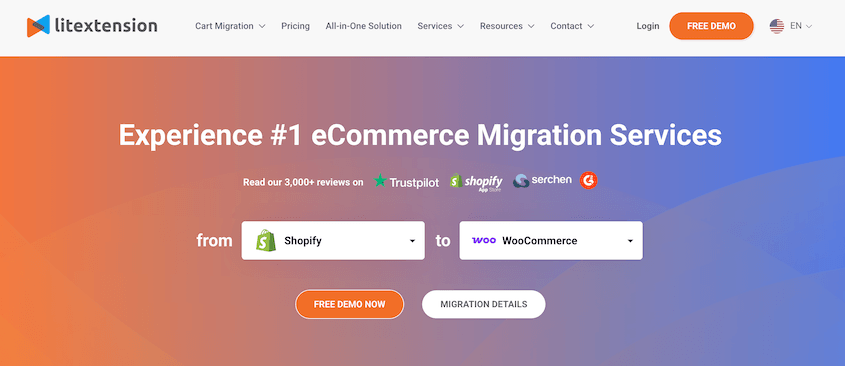
LitExtension automates the process of moving product catalogs, customer records, order histories, and SEO URLs from 140+ eCommerce platforms into WooCommerce. Data mapping between your old platform’s structure and WooCommerce’s happens automatically, with no manual CSV editing. The company has completed more than 300,000 migrations.
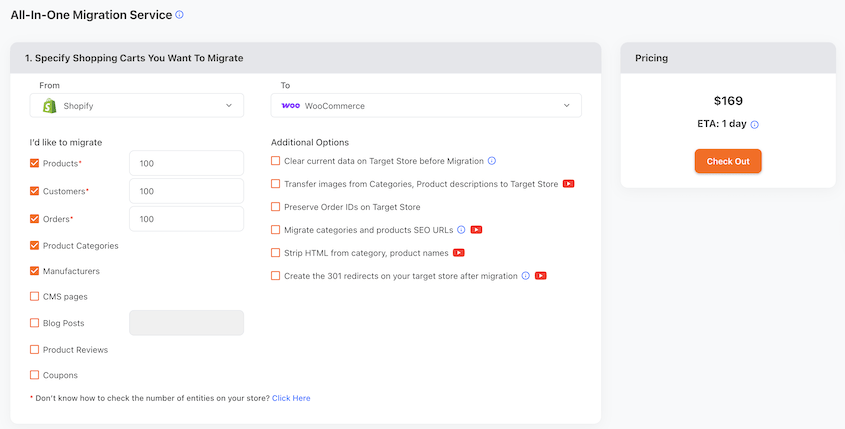
Best for: Store owners replatforming to WooCommerce from Shopify, Magento, BigCommerce, PrestaShop, or any other major eCommerce platform
Why We Chose It: When you’re moving to WooCommerce, your product catalog, customer accounts, and order history live inside a different data structure. Getting that data into WooCommerce correctly, with variants matched, categories intact, and SEO URLs preserved, is a real technical challenge. LitExtension handles the mapping automatically. It’s the most thorough solution available in this category.
The free demo migration is worth running before you pay anything. Transfer a small sample of your data and verify it lands where it should. On a large store migration, that step saves a significant headache.
One thing to understand going in: LitExtension is a service, not a self-hosted plugin. You connect it to your source store and your WooCommerce installation, and it handles the transfer. You need a working WooCommerce install ready to receive data before you start.
What We Liked:
- 140+ supported source platforms, the broadest coverage available in this category
- Migrates products, customers, orders, categories, reviews, and SEO URLs
- Free demo migration to validate data mapping before paying
- 300,000+ completed migrations across major platforms
What We Didn’t Like:
- Per-migration pricing rather than an annual license (starts at $169 without customizations). If you run migrations for multiple clients, costs add up.
- Only migrates store data. WordPress theme, plugins, and site configuration are separate.
- Requires a working WooCommerce installation on the destination before migration begins
7. Cart2Cart (Best Automated Cross-Platform Migration With a Free Demo)
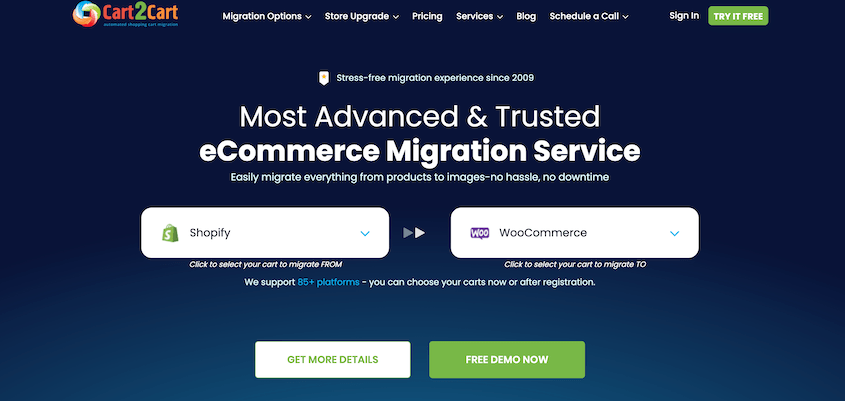
Cart2Cart transfers products, customers, orders, and categories from 85+ shopping carts to (or from) WooCommerce. Pricing is volume-based rather than a flat fee, and a free demo migration covers 10 products and 10 orders before you commit to anything.
Best for: Store owners replatforming from a small-to-medium catalog who want to test the migration before paying, or who find per-entity pricing works out cheaper than a flat fee.
Why We Chose It: I liked the free demo migration. Before spending anything, you can see exactly how your data looks after import. For a store with complex product structures, that’s valuable. The volume-based pricing can also come out cheaper than LitExtension’s flat fee for smaller stores.
What We Liked:
- Free demo migration covering 10 products and 10 orders, no payment required upfront
- Volume-based pricing can be more cost-effective for smaller stores
- Straightforward guided setup
What We Didn’t Like:
- Costs climb quickly for large catalogs. Compare the total against LitExtension before committing.
- Supports 85 source platforms vs. LitExtension’s 140+
- Doesn’t migrate theme, plugins, or site settings. Those need to be configured separately.
Frequently Asked Questions (FAQs)
What’s the best WooCommerce migration plugin?
For moving a WooCommerce site between hosts, Duplicator Pro is the strongest option. The standalone installer, the disaster recovery URL, and no file size cap make it the most capable tool for full-site migrations. If you’re replatforming from Shopify, Magento, or another eCommerce platform, LitExtension is the better choice for that specific job.
Can I migrate a WooCommerce store without losing orders?
Yes, as long as you use a full-site migration plugin. Duplicator Pro, Migrate Guru, and All-in-One WP Migration all package the WordPress database as part of the migration, which includes your WooCommerce orders, customers, and settings. I’d recommend Duplicator Pro as the best option, since it can migrate data without installing WordPress first. Plus, it has stellar disaster recovery when your site gets locked out.
Do I need to back up my store before migrating?
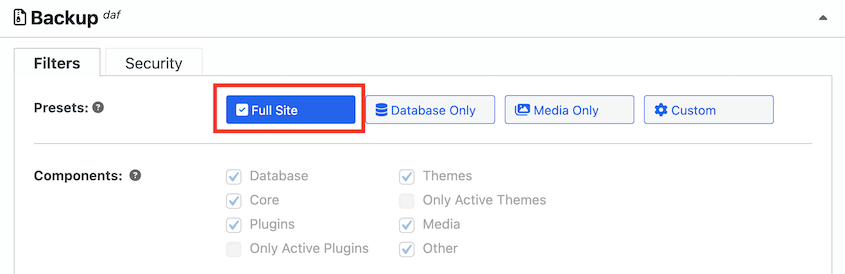
Yes, every time without exception. Run a full backup immediately before starting any migration. If something breaks on the destination server after the transfer, you want a clean restore point ready. Duplicator Pro handles backups and migrations from the same interface, so you’re not managing two separate tools. Create a backup, choose the Full Site preset, and download it. This is your backup, and also the migration file.
What’s the difference between a WooCommerce migration plugin and a WordPress migration plugin?
For host-to-host moves, there’s no meaningful difference. WooCommerce runs on WordPress, so a full-site WordPress migration moves your entire store with products, orders, and settings included. The distinction matters when replatforming. Tools like LitExtension are designed to read other platforms’ data structures and import them into WooCommerce. A standard WordPress migration plugin can’t do that.
Can I migrate a WooCommerce store to a new host without any downtime?
With the right setup, yes. The approach is to update your computer’s hosts file with your new IP address. Migrate your website and verify everything, including checkout and payment processing. When you’re ready to go live, remove the hosts entry and point your domain to the new host during a low-traffic window.
Is there a free WooCommerce migration plugin?
Yes. Duplicator Lite is completely free and handles full-site WooCommerce migrations. The migration process involves backing up your site and uploading this backup to the new location via FTP. Launch Duplicator’s installer, and follow the step-by-step instructions.
Back Up First. Then Start Your Migration.
For full-site WooCommerce moves, Duplicator Pro is what I’d install. The standalone installer and the disaster recovery URL handle the two situations that trip people up most often: blank destination servers and accidental WordPress errors.
If you’re leaving Shopify or Magento, use LitExtension or Cart2Cart. They’re built for that job specifically.
Regardless of which plugin you choose, back up your store before you touch anything. Your orders, customers, and settings need to be in a known-good state before any migration begins. That’s the step people skip when they’re rushing, and the one they regret most if something goes wrong.
Download Duplicator Pro and run a full backup before your next migration. If something goes wrong mid-move, you’ll have a clean restore point ready.
While you’re thinking about optimizing your WooCommerce site, these posts should help:
- Proven WooCommerce SEO Strategies to Skyrocket Your Store’s Rankings
- How to Update WooCommerce (Without Breaking Your Online Store)
- The Ultimate Guide to WooCommerce Backups
- How to Migrate a WooCommerce Site (Beginner-Friendly Guide)
- 26 Best WooCommerce Plugins to Improve Your Online Store
- How a Developer Easily Migrates Online Stores with 150,000 Products