![[NEW] Duplicator DB Optimizer: Clean Your WordPress Database Before It Becomes a Problem](https://duplicator.com/wp-content/uploads/2026/06/Announcement-DB-Optimizer.jpg)
4 WordPress Malware Removal Plugins That Clean Infected Files (Not Just Flag Them)
 Joella Dunn
Joella Dunn
Joella Dunn
 John Turner
John Turner
John Turner
Your site failed a Google Safe Browsing check. Or a client emailed a screenshot of the “This site may be hacked” warning and asked what happened.
At that point, you’ve got two paths. Clean it up yourself, or pay someone who does this for a living.
WordPress malware removal covers a wider range than most people expect. Some plugins detect an infection and stop there, leaving the cleanup to you.
Others remove it automatically. A few outsource the cleanup to an actual human security team.
None of that matters if the cleanup itself takes your site down.
This post covers the best WordPress malware removal plugins (and the one step most guides skip before you touch any of them).
Here are the key takeaways:
- Do this first, every time: Duplicator backs up your site before any scan or cleanup runs. If you’ve got a backup from before the infection, restoring it removes the malware in one step, no scanning required.
- Best overall for actual removal: MalCare’s Auto-Clean removes malware in one click, without you editing a single file.
- Best free scanner with a firewall: Wordfence protects over 3 million sites and includes a working scanner on its free tier.
- Best for a human touch: Sucuri includes unlimited manual cleanup from its own security team on every paid plan, plus firewall and hardening defaults once you’re clean.
Table of Contents
Can a Plugin Actually Remove Malware, or Just Detect It?
Most free security plugins detect malware. Fewer actually clean it up.
Detection means the plugin flags a suspicious file or database entry and tells you where it is. Removal means it deletes or repairs the infected code itself, without you opening a file manager.
Wordfence’s free tier detects. MalCare’s paid tier removes malware automatically. Sucuri does both but leans on a human team for anything its scanner can’t fix on its own.
Decide which one you actually need before you install anything.
If you’re comfortable reading PHP, a detection-only scanner and some patience will get you there. If you want the infection gone without touching code, you need automated or human-assisted cleanup.
Either way, back up first.
What Does a Malware Removal Plugin Scan?
A thorough malware removal plugin checks four places:
- Core WordPress files
- Plugin and theme files
- The database
- The .htaccess file
Malware can hide in all of these areas.
Database-level infections are the ones most scanners miss. I’ve seen spam links sitting quietly in post content, malicious redirects tucked into widget settings, and rogue admin accounts created directly in the wp_users table with no file to flag.
Best WordPress Malware Removal Plugins
Here’s a closer look at our favorite malware removal plugins:
- Duplicator: Automates full backups of your site and database before anything else changes, with a restore option that wipes out malware in one step (if it predates the infection).
- MalCare: Automates one-click malware removal and scans your files and database from its own servers.
- Wordfence: A free scanner and firewall combo used on over 5 million sites.
- Sucuri: Unlimited manual malware cleanup from a dedicated security team, plus firewall and hardening defaults once you’re clean.
1. Duplicator: Best For Pre-Cleanup Backups
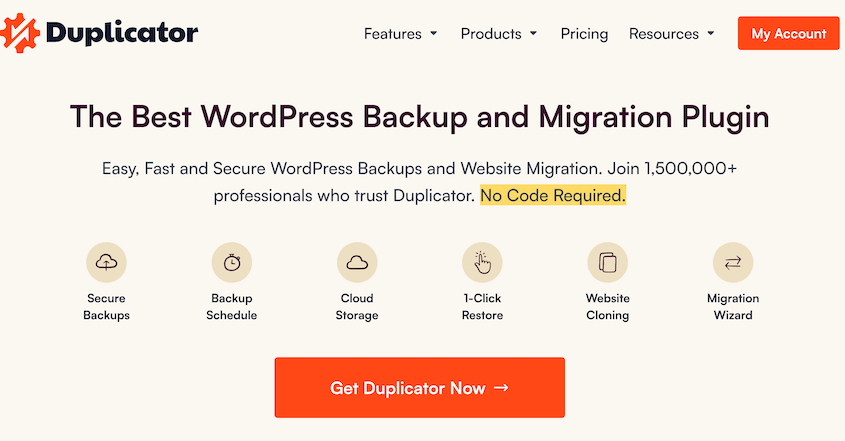
Every option on this list modifies your files or database once it finds something. Duplicator is the step that makes those changes reversible.
Duplicator creates a full backup of your WordPress site and database. You can store your data on your server or off-site with Duplicator Cloud, Google Drive, Dropbox, and other cloud locations.
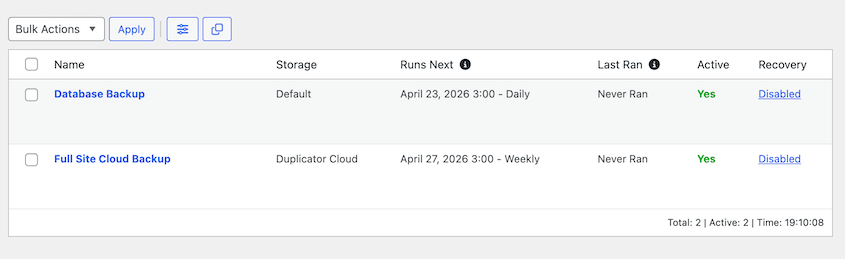
The benefit shows up the moment anything goes wrong.
I’ve seen a malware removal script delete a file the theme depended on and take the homepage down with it. A backup taken five minutes earlier turned that into a two-minute restore instead of a rebuild.
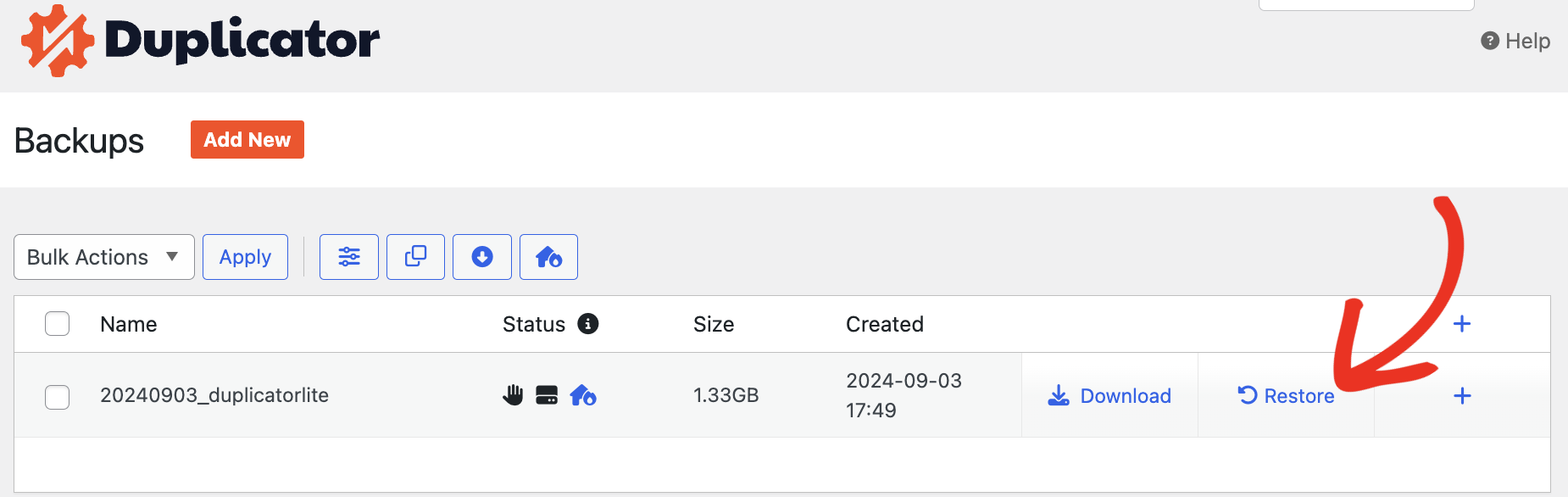
Plus, Duplicator can make malware removal plugins unnecessary. If you know roughly when the site got infected and you have a backup from before that date, restoring it wipes the malware out entirely.
You skip the scan-and-clean process altogether!
Unlike other backup/restore plugins, Duplicator can restore your site even if WordPress itself is down.
Don’t panic if you can’t log in. Just re-upload your backup files to your site’s root directory and launch the installer.
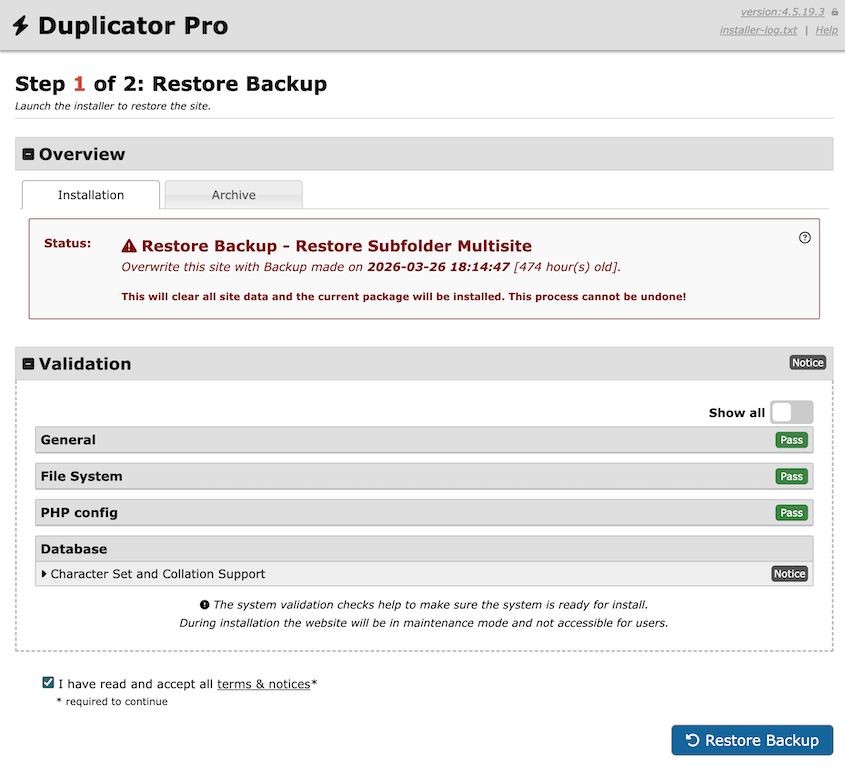
However, after the restore, the vulnerability that let the malware in the first time is still open. Restore a clean backup to get your site working, then harden your site’s security to make sure it doesn’t happen again,.
Update the plugin, theme, or WordPress core version that let it through. Change any exposed passwords before the site goes back online. Otherwise, you’re just restoring a clean site into the same open door.
What We Liked:
- Disaster recovery URL restores a site even when wp-admin won’t load, which is the state an active infection leaves you in
- Restoring a pre-infection backup removes malware entirely, without needing to identify every infected file by hand
- One-click restore straight from cloud storage; no re-uploading a multi-gigabyte archive over FTP
- Elite plans include Activity Log, which can be used after an infection to trace the exact admin account and file that changed first
- Free version covers basic backups, enough to build the habit before you ever need it
What We Didn’t Like:
- Restoring an old backup only works if it predates the infection. If the malware sat undetected for weeks, your most recent clean backup might be older than you’d like
- It doesn’t detect or remove malware from a live, currently infected site on its own. Pair it with one of the scanners below for that, or restore to before the infection happened and patch the hole immediately after
Why We Chose Duplicator: Malware cleanup can go wrong quietly, and restoring a clean backup is often faster than scanning file by file. Duplicator’s disaster recovery URL can restore a site even when WordPress itself won’t load, which nothing else on this list does for you.
Duplicator Pricing: There’s a free version for manual backups. Duplicator Pro plans start at $69.30/yr.
2. MalCare: Best For Automated One-Click Removal

MalCare scans your site from its own servers rather than yours, so a full scan doesn’t slow down your pages. When it finds an infection, Auto-Clean removes it in one click.
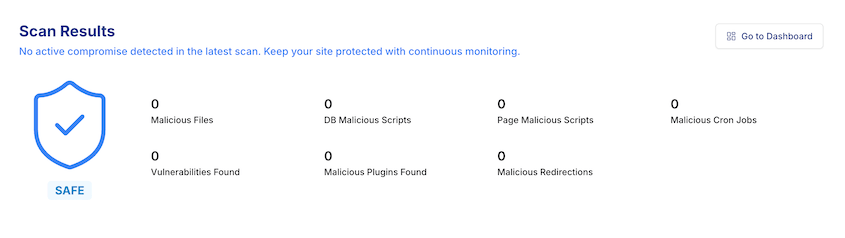
We ran it against a test site flagged by Google Safe Browsing for injected spam pages. The scan came back within minutes, and Auto-Clean handled removal without us opening a file manager.
That’s the appeal here. Most scanners hand you a report and a decision. MalCare hands you a fixed site.
What We Liked:
- Zero performance overhead since scanning happens on MalCare’s infrastructure, not yours
- Unlimited expert support for infections the automated tool can’t resolve
- Central dashboard for managing scans across multiple sites; useful if you’re not cleaning up just one install
- Free malware scanner, firewall, and ongoing security checks every 7 days
What We Didn’t Like:
- Automated cleanup is a paid feature. The free version scans and reports but won’t clean anything until you upgrade
- Paid plans start at $99/site/year, which adds up fast across an agency’s client list
Why We Chose MalCare: Nothing else on this list makes automated removal this simple. The scan runs off-server, and the cleanup is a genuine one-click action.
MalCare Pricing: Free to scan. Paid plans with Auto-Clean start at $179/yr.
3. Wordfence: Best For a Free Scanner and Firewall

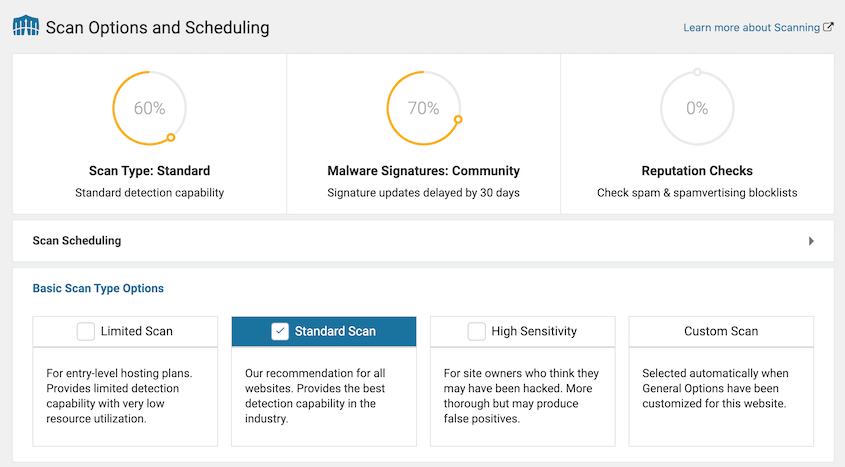
Wordfence runs its scanner and firewall directly on your server, which means deeper visibility into file changes but more resource use than cloud-based tools.
Over 5 million sites run it, and its free tier includes a working malware scanner most competitors reserve for paid plans. We ran a full scan on a mid-size test site and got an actionable report without entering a card number.
What We Liked:
- Free tier includes a malware scanner, not just a firewall
- Live traffic view
- Massive install base keeps the threat signature database updated constantly
- Country-level blocking on premium is a fast way to cut off traffic if you don’t do business globally
What We Didn’t Like:
- Scans run on your own server, so larger sites feel the load
- Free tier detects malware but doesn’t remove it. You’re editing files yourself or paying for cleanup
- Professional cleanup service runs roughly $590 per site if you’d rather not fix it yourself
Why We Chose Wordfence: It’s the plugin most WordPress users already have installed somewhere in their history. The free tier isn’t a stripped-down demo, and the scanner behind it is real.
Wordfence Pricing: Free for scanning and a basic firewall. Premium starts at $149/yr, but the cleanup service runs about $590/yr.
4. Sucuri: Best For Manual Cleanup Service

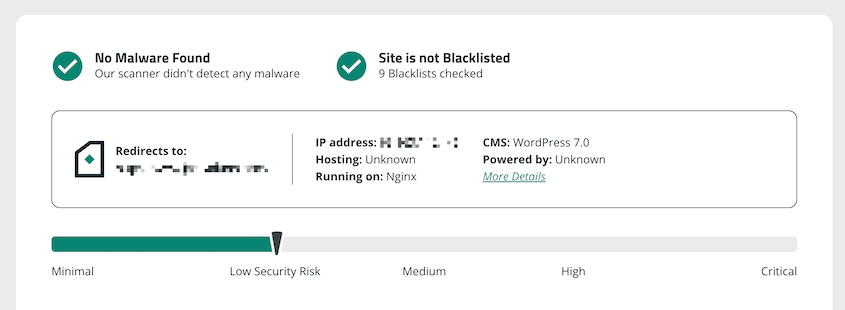
Sucuri built its reputation on cleanup, not just detection. Every paid plan includes unlimited manual malware removal from Sucuri’s own security team.
Once your site is clean, you’ll have easy ways to protect your site from future attacks. Sucuri comes with a firewall, two-factor authentication, and a full set of hardening defaults.
What We Liked:
- Unlimited manual malware cleanup included on every paid tier; no per-incident fee stacking on top
- Web application firewall on paid plans
- Post-cleanup report clearly lists what was found and removed, useful for explaining to a client what happened
What We Didn’t Like:
- Most expensive entry on this list: Basic runs $229/year
- Free plugin alone won’t clean anything. The cleanup service requires a paid plan
Why We Chose Sucuri: The unlimited cleanup service is the real differentiator. If the scanner misses something, an actual person looks at your site and fixes it.
Sucuri Pricing: Free to scan with SiteCheck. Paid plans with unlimited cleanup start at $229/yr.
Frequently Asked Questions (FAQs)
What’s the best WordPress malware removal plugin?
MalCare is the strongest pick for active cleanup, since its Auto-Clean removes infections in one click without manual file access. Wordfence is the better free option if you’re comfortable removing flagged code yourself, and Sucuri fits owners who want a human security team involved. Back up with Duplicator before running any of them.
Can a WordPress plugin actually remove malware or just detect it?
Both, depending on the plugin and plan. Free tiers on most plugins detect and flag infections but leave removal to you. Paid tiers on MalCare, Sucuri, and Malcure add automated or human-assisted cleanup, which is the feature to check for before assuming a plugin will fix anything.
Will removing malware break my WordPress site?
It can. Deleting an infected file that’s also load-bearing for a theme or quarantining the wrong database row can take a site down entirely. Back up your site before running any cleanup and keep a restore option ready in case the fix causes more damage than the infection did.
How much does professional WordPress malware removal cost?
It varies by vendor. Wordfence’s manual cleanup service runs around $590 per site. Sucuri includes unlimited manual cleanup starting at $229.99/year. MalCare bundles automated cleanup into paid plans starting at $179/site/year.
Do I need a security plugin if my host already scans for malware?
Most hosts scan at the server level, which catches some infections but not database-level or content-based malware hiding inside your posts or widgets. A dedicated plugin adds a second layer that checks what your host’s scan typically misses.
Should I back up my site before removing malware?
Yes, and it’s worth checking whether an older backup predates the infection. If it does, restoring it can remove the malware in one step, faster than scanning and cleaning file by file. Just update the plugin, theme, or core version that let the infection in before bringing the site back online, or you’ll get reinfected the same way. Duplicator’s disaster recovery URL also covers the case where you’re locked out of wp-admin and can’t get in to restore anything at all.
Which Malware Removal Plugin Is Right For You?
If you want cleanup handled automatically, MalCare does it in one click. If you’d rather keep it free and edit flagged files yourself, Wordfence gets you there. If you want a human team on call, Sucuri’s unlimited cleanup service is built for that.
Before any of that, check your backups. If you’ve got one from before the infection started, restoring it can be faster than scanning and cleaning file by file. It wipes the malware out in one step instead of hunting for every infected file by hand.
Just patch whatever let the malware in (an outdated plugin, a weak password, an unpatched theme) before the site goes back online. Restore into the same open door, and you’ll be cleaning this up again in a month.
Duplicator’s free version handles the basics, and it’s worth having installed before you ever need it. If you want fast, one-click restores and disaster recovery that works without WordPress running, upgrade to Duplicator Pro.
While you’re here, I think you’ll like these other security guides:
- How to Clean Up a WordPress Site
- What To Do When You’re Locked Out of WordPress
- How to Recover a Hacked WordPress Site
- 22 Most Common WordPress Errors (And Some Quick Fixes)
- Your WordPress Site Could Vanish Tomorrow (Unless You Do This)