Meilleurs outils pour gérer plusieurs sites WordPress (Du chaos au contrôle)
 Joella Dunn
Joella Dunn
Joella Dunn
 John Turner
John Turner
John Turner
Gérez-vous plusieurs sites WordPress ?
Chaque site nécessite des mises à jour, des sauvegardes et une maintenance quasi constante. Si votre flux de travail est maladroit, vous serez pris dans un cycle de connexions interminables et de tâches négligées.
Les outils de gestion multi-sites sont votre arme secrète. Ils rationalisent votre flux de travail, centralisent le contrôle et vous libèrent des maux de tête administratifs. Vous n'aurez pas besoin de passer d'un site à l'autre et vous aurez plus de temps libre.
Dans cet article, je vais vous présenter les meilleurs outils de gestion multi-sites !
Voici les points clés à retenir :
- Les outils multi-sites permettent de gagner du temps de gestion en éliminant les connexions répétitives et les mises à jour manuelles sur plusieurs sites.
- Les fonctionnalités essentielles comprennent : les mises à jour en un clic, les sauvegardes automatisées, la surveillance de la sécurité et les rapports centralisés pour les clients.
- Les réseaux WordPress Multisite nécessitent des outils de sauvegarde spécialisés comme Duplicator Pro pour une gestion appropriée de l'ensemble du réseau.
- ManageWP et MainWP proposent des versions gratuites avec des sites illimités et des extensions premium.
- Choisissez entre l'installation de plugins (InfiniteWP, MainWP) ou l'utilisation de tableaux de bord hébergés (ManageWP).
- Les outils axés sur les agences proposent le marquage blanc, des rapports clients automatisés et des environnements de staging pour les services professionnels.
- Les cas d'utilisation spécialisés incluent la gestion du marketing d'affiliation (CMS Commander) et la surveillance des performances (WP Umbrella).
Résumé rapide des meilleurs outils de gestion multi-sites
| Outil de gestion multi-sites | Tarifs | Idéal pour |
| Duplicator Pro | 199,50 $/an | Sauvegardes et migrations multi-sites |
| InfiniteWP | 147 $/an | Mises à jour, sauvegardes et sécurité |
| Solid Central | 69 $/an | Mises à jour, SEO et surveillance de la disponibilité |
| Jetpack | 24,95 $/mois | Sauvegardes, sécurité et analyses |
| CMS Commander | 8 $/mois | Gestion de plusieurs blogs WordPress |
| MainWP | 29 $/mois | Mises à jour, organisation et sécurité |
| ManageWP | Gratuit + Modules Premium | Gestion multi-sites gratuite |
| WP Remote | 29 $/mois | Génération de rapports clients |
| WP Umbrella | 1,99 $/mois/site | Mises à jour et surveillance des erreurs |
Table des matières
Pourquoi utiliser des outils de gestion multi-sites ?
Que vous soyez développeur, designer ou agence, vous devrez probablement gérer plusieurs sites web. Chacun de vos clients aura un site web différent qui nécessite des mises à jour, des sauvegardes et d'autres opérations de maintenance WordPress.
Pour gagner beaucoup de temps, vous pouvez utiliser un outil de gestion multi-sites. Avec le bon logiciel, vous pourrez centraliser divers tableaux de bord WordPress et rationaliser les tâches.
Les outils de gestion multi-sites vous aident à garder un œil sur différents sites web sans changer de tableaux de bord wp-admin. Cela garantira que chacun de vos clients reçoive la même maintenance de routine. De plus, cela vous permet d'accélérer vos flux de travail et d'avoir plus de temps pour acquérir de nouveaux clients.
Voici les principaux avantages de l'utilisation d'outils pour gérer plusieurs sites WordPress !
Efficacité temporelle
La gestion de sites WordPress peut souvent prendre beaucoup de temps. En utilisant les bons outils, vous pouvez effectuer simultanément des tâches sur plusieurs sites, vous faisant gagner un temps précieux et évitant tout tracas.
Contrôle centralisé
Vous pouvez utiliser un seul tableau de bord ou panneau de contrôle pour superviser tous vos sites WordPress depuis un seul endroit. Vous n'aurez pas besoin de vous connecter à chaque site individuellement, ce qui simplifie le processus de gestion.
Mises à jour et sauvegardes
Les outils de gestion multi-sites peuvent mettre à jour le logiciel de base WordPress, les thèmes et les plugins sur plusieurs sites. Ils automatisent souvent les sauvegardes également, garantissant la sécurité de vos données.
Surveillance de la sécurité
Beaucoup de ces outils sont dotés de fonctionnalités de sécurité telles que l'analyse des logiciels malveillants et la détection des vulnérabilités. Cela vous permet de surveiller la sécurité des sites de vos clients et de prendre des mesures immédiates en cas de problème.
Optimisation des performances
Certains outils offrent des fonctionnalités d'optimisation des performances, notamment la mise en cache, la compression d'images et la minification. Ces fonctionnalités peuvent nettoyer votre site en améliorant sa vitesse et ses performances globales.
9 meilleurs outils pour gérer plusieurs sites WordPress
Explorons maintenant certains des meilleurs outils pour gérer plusieurs sites WordPress !
- Duplicator Pro : Plugin WordPress Multisite avec sauvegardes réseau et migrations de sous-sites
- InfiniteWP : Plugin auto-hébergé gratuit avec sites illimités et modules de sécurité premium
- Solid Central : Outil tout-en-un avec vérificateur SEO et intégration Google Analytics
- Jetpack : Suite alimentée par WordPress.com avec CDN et fonctionnalités de sécurité
- CMS Commander : Outil axé sur les blogueurs avec intégrations de marketing d'affiliation
- MainWP : Outil populaire de gestion multi-sites gratuit avec un vaste marché d'extensions premium
- ManageWP : Plateforme hébergée dans le cloud avec des sites gratuits illimités et du marquage blanc
- WP Remote : Outil axé sur les agences avec rapports clients automatisés
- WP Umbrella : Spécialiste de la surveillance des performances avec intégration PageSpeed
1. Duplicator Pro
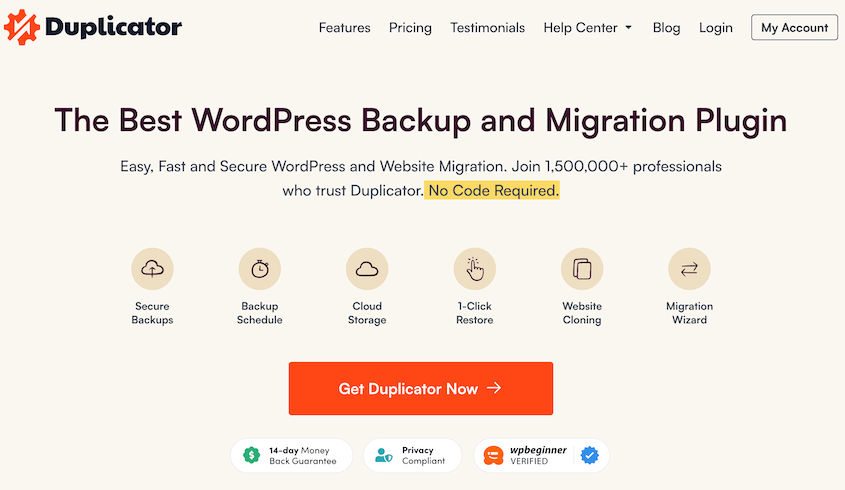
Duplicator Pro est un plugin puissant qui vous aide à sauvegarder et migrer des sites web. Avec son interface conviviale, vous pouvez facilement cloner, déplacer ou dupliquer des sites WordPress.
Contrairement à d'autres plugins de sauvegarde, Duplicator prend en charge WordPress Multisite. Essentiellement, il s'agit d'un réseau de nombreux sites web différents sur une seule installation WordPress. Une fois que vous avez configuré un Multisite, vous pouvez utiliser Duplicator pour effectuer des sauvegardes pour l'ensemble du réseau.
Pour vous assurer de ne jamais perdre de données de vos sous-sites, il est important de créer des sauvegardes. Avec Duplicator, vous n'aurez pas à sauvegarder manuellement chaque site web. Au lieu de cela, vous pouvez enregistrer tous les thèmes, plugins, fichiers et informations de base de données du réseau.
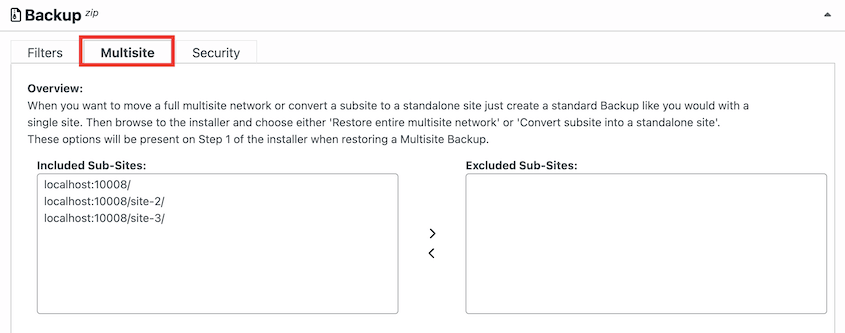
Si vous ne souhaitez pas sauvegarder un sous-site particulier, déplacez-le simplement dans la boîte Sous-sites exclus. Cependant, vous ne pourrez restaurer votre réseau complet que si vous incluez chaque sous-site.
En cas de crash de votre réseau, vous pouvez définir une sauvegarde récente comme point de récupération. Ensuite, Duplicator vous guidera tout au long du processus de restauration de votre réseau Multisite.
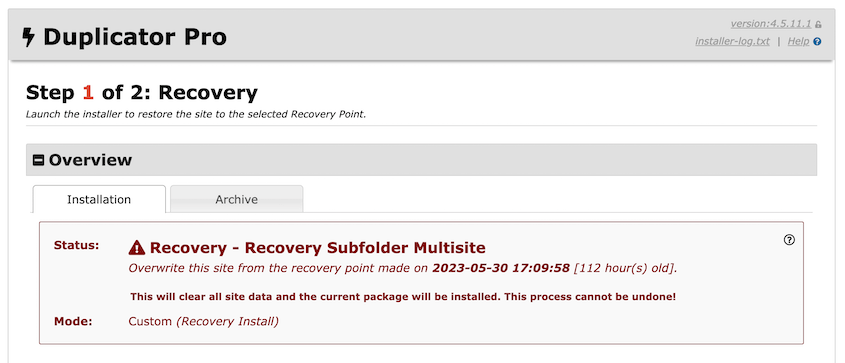
De plus, Duplicator Pro ne se limite pas aux sauvegardes. En utilisant Duplicator, vous pourrez également migrer l'ensemble de votre réseau ou des sous-sites individuels.
Voici quelques fonctionnalités utiles que vous trouverez dans Duplicator Pro :
- Sauvegardes et migrations complètes du réseau Multisite
- Importer des sites individuels dans un réseau Multisite
- Migrer un sous-site vers un site autonome
- Déplacer un sous-site vers un autre réseau
- Copier un sous-site au sein d'un réseau Multisite
- Configurer des sauvegardes automatiques
- Prend en charge les migrations de grands sites
- Points de récupération pour une restauration rapide
- Stockage cloud vers Amazon S3, Google Drive, Dropbox, et plus encore
- Définir des limites de sauvegarde pour éviter de surcharger le stockage cloud
Tarification : Duplicator dispose d'une version gratuite du plugin avec des fonctionnalités de sauvegarde et de migration de base. Cependant, si vous souhaitez la prise en charge de Multisite, vous devrez passer à Duplicator Pro. Les fonctionnalités Multisite sont disponibles dans les plans Pro et Elite, qui commencent à 199,50 $ par an.
Pourquoi nous avons choisi Duplicator
Duplicator est le meilleur plugin pour sauvegarder ou migrer un réseau WordPress multisite. Vous pouvez l'utiliser pour effectuer des sauvegardes complètes du réseau ou sauvegarder facilement des sous-sites individuels. Si nécessaire, Duplicator peut rationaliser le processus de déplacement des sous-sites dans et hors de votre réseau.
2. InfiniteWP
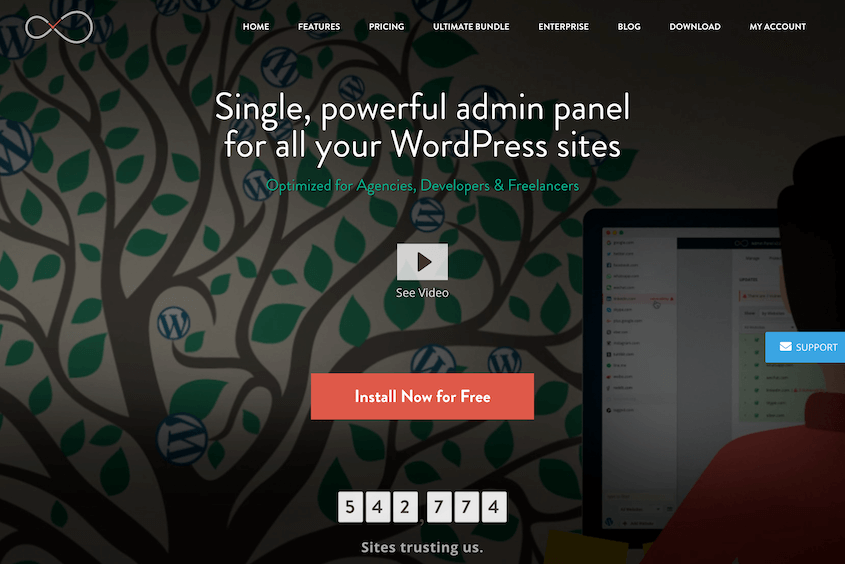
InfiniteWP est un outil qui vous permet de gérer un nombre illimité de sites WordPress à partir d'un tableau de bord centralisé. Il offre des fonctionnalités pratiques de mise à jour, de sauvegarde et de gestion de la sécurité.
Plutôt que d'être une application SaaS, InfiniteWP est un plugin WordPress. Une fois installé sur différents sites Web, vous pouvez tous les contrôler à partir d'un seul panneau d'administration. Vous pouvez ensuite commencer à mettre à jour facilement les plugins, les thèmes et le noyau de WordPress de vos sites en un seul clic.
Fonctionnalités clés :
- Accès administrateur en un clic
- Mises à jour en un clic pour les thèmes, les plugins et le noyau de WordPress
- Sauvegardes planifiées
- Options de restauration
- Intégrations de stockage cloud
- Analyse des logiciels malveillants
- Surveillance de la disponibilité
- Rapports clients
- Authentification à deux facteurs
Tarifs : Vous pouvez télécharger gratuitement le panneau d'administration d'InfiniteWP. Cela vous permettra de sauvegarder, de mettre à jour et même de restaurer un nombre illimité de sites Web. Si vous souhaitez des fonctionnalités premium comme l'analyse des logiciels malveillants ou la surveillance de la disponibilité, les forfaits InfiniteWP commencent à 147 $ par an.
Pourquoi nous avons choisi InfiniteWP
InfiniteWP vous permet de gérer tous vos sites WordPress distincts dans un seul tableau de bord. Il prend en charge des fonctionnalités de gestion utiles comme l'accès en un clic, la sauvegarde et la restauration, les analyses de logiciels malveillants et le staging.
3. Solid Central (anciennement iThemes Sync)
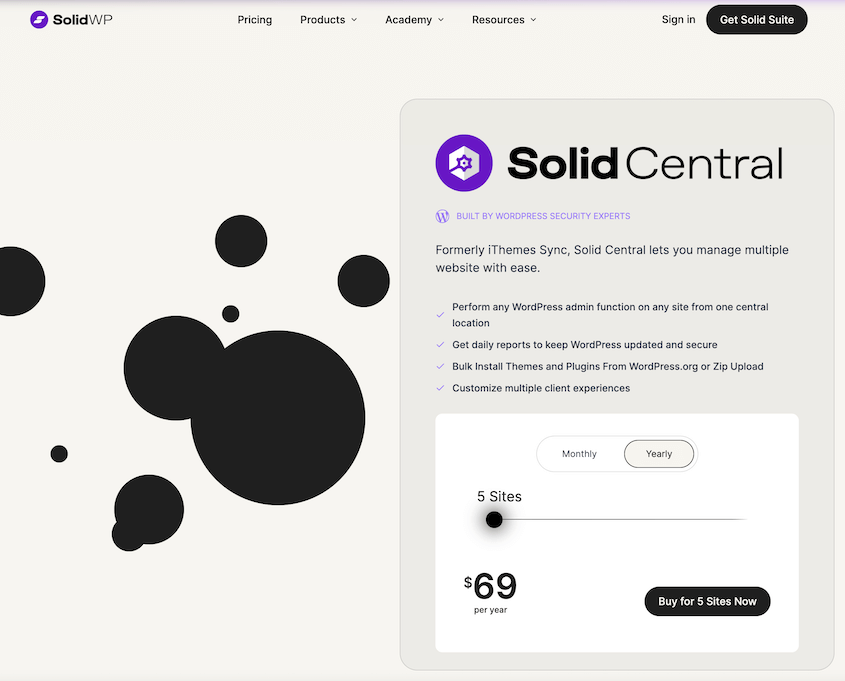
Un autre outil qui simplifie les mises à jour WordPress est Solid Central. Si vous avez du mal à vous souvenir de mettre à jour chaque plugin et thème sur différents sites, Solid Central peut s'en charger pour vous. En plus des mises à jour, vous pourrez installer, activer, désactiver et supprimer en masse des plugins de vos sites.
De plus, Solid Central est doté d'un vérificateur SEO et d'une surveillance de la disponibilité. Vous recevrez également des rapports de Google Analytics et de Google Search Console. Pour mettre à jour vos clients, vous pouvez facilement leur envoyer des rapports sur les statistiques de leur site.
Fonctionnalités clés :
- Mises à jour en un clic
- Gestionnaire de thèmes et de plugins
- Surveillance de la disponibilité
- Sauvegardes à distance
- Tableau de bord WordPress personnalisable
- Vérificateur SEO
- Rapports Google Analytics et Google Search Console
Tarifs : Solid Central offre une période d'essai de 30 jours pour essayer cet outil de gestion multi-sites. Si cela vous plaît, vous pouvez passer à un forfait premium pour 69 $ par an. Gardez à l'esprit que vous ne pouvez gérer que 5 sites Web avec le forfait de base, et aucune des formules supérieures ne prend en charge un nombre illimité de sites Web.
Pourquoi nous avons choisi Solid Central
Avec Solid Central, vous pouvez gérer jusqu'à 100 sites depuis un seul tableau de bord. Il prend en charge toutes les fonctions d'administration WordPress, vous pourrez donc effectuer des mises à jour et des installations logicielles en masse. Comme Solid Central peut générer des rapports clients, il peut être un bon choix si vous proposez des services de maintenance WordPress.
4. Jetpack
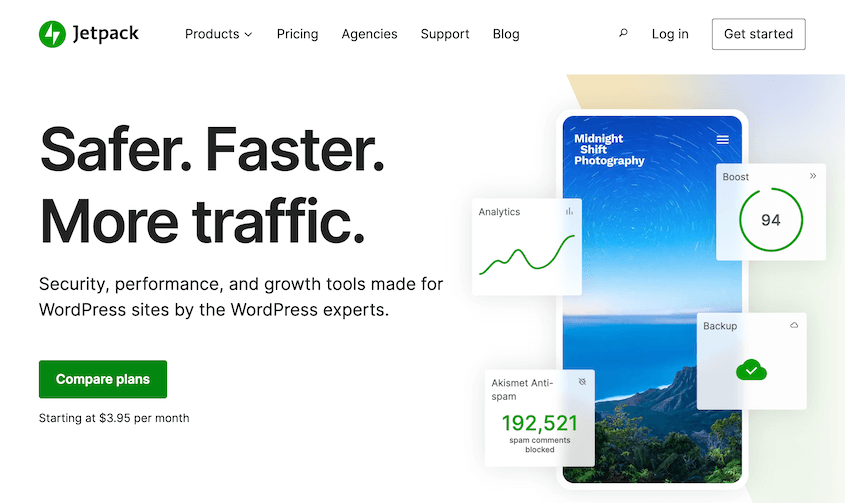
Jetpack est une suite de plugins créée par les développeurs de WordPress (Automattic). Elle dispose d'un ensemble complet d'outils pour améliorer la sécurité et les performances de WordPress, même sur plusieurs sites différents.
En utilisant le plugin Jetpack, vous connecterez votre site WordPress.org aux serveurs WordPress.com. Cela signifie qu'il nécessite un compte WordPress.com. Une fois que vous en aurez un, vous pourrez utiliser un tableau de bord centralisé WordPress.com pour gérer les sauvegardes multi-sites, les mises à jour, et plus encore.
Fonctionnalités clés :
- Sauvegardes en temps réel
- Restauration en un clic
- Pare-feu d'application Web (WAF)
- Protection contre les attaques par force brute
- Analyses de logiciels malveillants
- Réseau de diffusion de contenu d'images (CDN)
- Statistiques et analyses du site
Tarifs : La version gratuite de Jetpack peut gérer les sauvegardes et les mises à jour de base. Pour accéder à plus de fonctionnalités, vous pouvez envisager de passer à la boîte à outils complète. Celle-ci commence à 24,95 $ par mois pour la première année.
Pourquoi nous avons choisi Jetpack
Jetpack vous permet d'utiliser votre tableau de bord WordPress.com pour gérer plusieurs sites WordPress. Vous pouvez mettre à jour vos sites Web, installer des plugins, surveiller les temps d'arrêt et même protéger vos sites contre les pirates.
5. CMS Commander
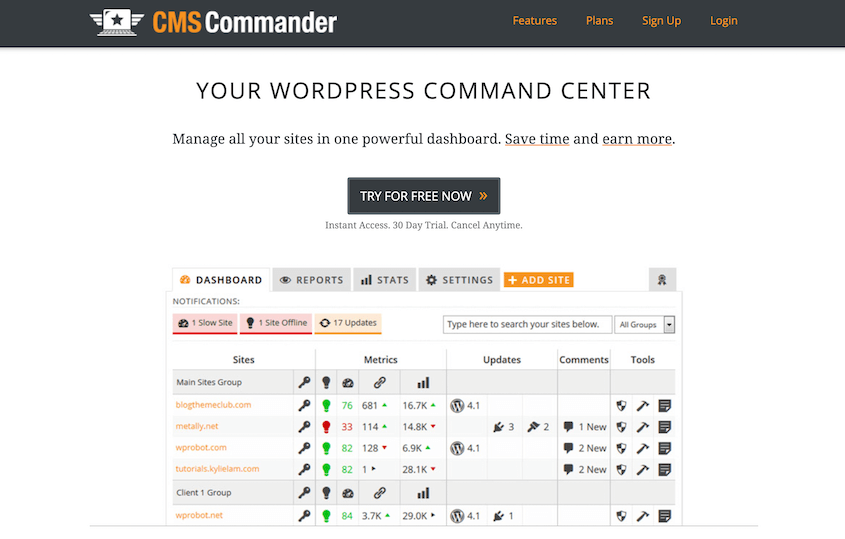
Si vous gérez de nombreux blogs WordPress différents, CMS Commander pourrait être le bon choix. Cette solution de gestion multi-sites vous permet de contrôler facilement les articles, les commentaires et les utilisateurs de différents sites. Par exemple, vous pouvez créer des articles de blog en masse, supprimer d'anciens utilisateurs et nettoyer le spam de commentaires.
CMS Commander est également un outil utile pour les spécialistes du marketing d'affiliation. Vous pouvez commencer à monétiser n'importe lequel de vos blogs WordPress en intégrant des programmes d'affiliation comme Amazon Associates, ShareASale ou Commission Junction.
Fonctionnalités clés :
- Mises à jour en un clic
- Installation groupée de plugins
- Publication groupée de contenu
- Gestion des utilisateurs WordPress
- Sauvegardes automatiques
- Stockage de sauvegarde dans le cloud
- Analyses de logiciels malveillants
- S'intègre avec un logiciel de réécriture
Tarifs : CMS Commander propose un essai de 30 jours pour tous ses plans payants. Une fois terminé, le logiciel commence à 8 $ par mois pour 5 sites WordPress.
Pourquoi nous avons choisi CMS Commander
CMS Commander peut être le bon choix pour les blogueurs et les spécialistes du marketing d'affiliation. Il vous permet de monétiser vos sites avec Amazon, ShareASale et eBay. De plus, vous pouvez publier, modifier et importer du contenu en masse.
6. MainWP
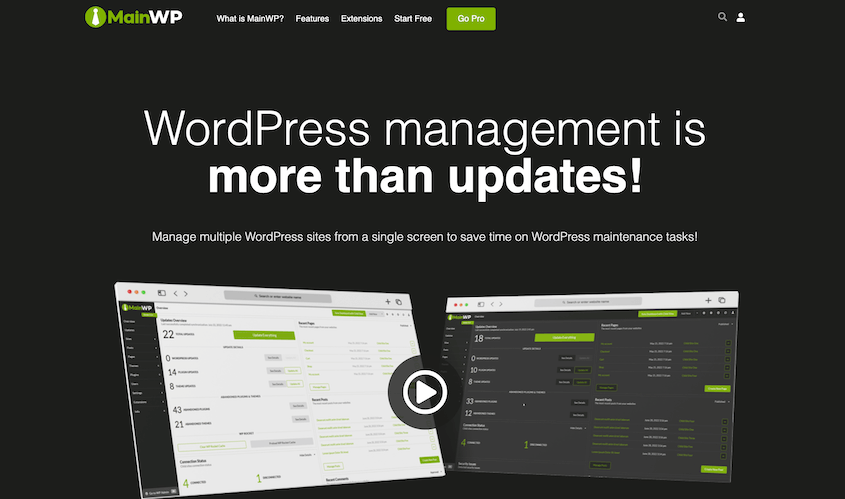
Avec plus de 2 000 avis 5 étoiles, MainWP est l'un des outils les plus populaires pour gérer plusieurs sites WordPress. Il offre des fonctionnalités étendues pour les mises à jour, les sauvegardes, la sécurité et la gestion de contenu.
Étant donné que le plugin principal est entièrement gratuit, il peut également être une option efficace pour les débutants. Si vous venez de commencer à vendre des services de maintenance WordPress, vous pouvez utiliser MainWP pour mettre à jour automatiquement les sites Web de vos clients. De plus, il existe des balises pour une organisation facile des sites et des fonctionnalités de sécurité pour protéger en permanence les informations des clients.
Fonctionnalités clés :
- Installer, activer et mettre à jour les plugins
- Créer des profils clients
- Gestion groupée de contenu
- Analyse de sécurité
- Importation ou exportation de sites
- Mises à jour automatiques
- Extensions gratuites et payantes
Tarifs : MainWP est gratuit. Ses extensions offrent une large gamme de fonctionnalités pour vous aider avec le SEO, le marketing, la surveillance et d'autres tâches de maintenance. Vous pouvez obtenir toutes ces extensions premium à partir de 29 $ par mois.
Pourquoi nous avons choisi MainWP
MainWP offre une large gamme de fonctionnalités gratuites qui facilitent la gestion de plusieurs sites WordPress. Vous pouvez publier du nouveau contenu, gérer les utilisateurs, créer des profils clients, mettre à jour les logiciels, et plus encore.
7. ManageWP
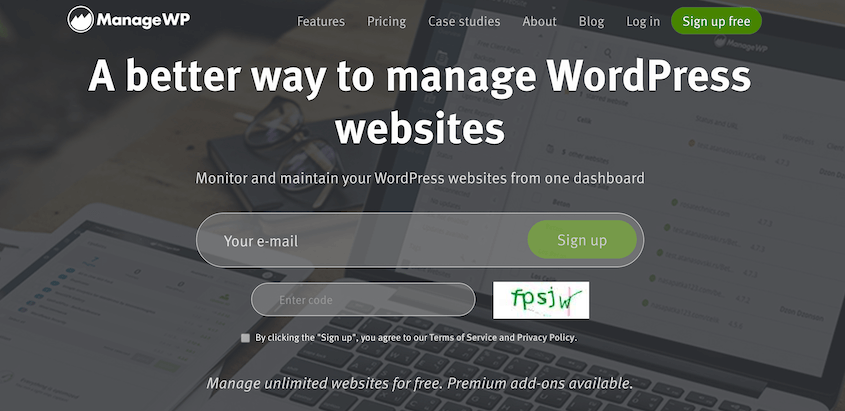
ManageWP est une autre plateforme populaire qui vous permet de gérer plusieurs sites WordPress efficacement. Elle fournit un tableau de bord central hébergé sur les serveurs de ManageWP.
Avec ManageWP, vous pouvez gérer les commentaires, vérifier votre classement SEO, et mettre à jour les plugins et les thèmes. Une fois que vous avez terminé les tâches de gestion de site nécessaires, vous pouvez envoyer à vos clients un rapport détaillant tout ce que vous avez fait.
L'une des meilleures fonctionnalités de ManageWP est qu'elle peut prendre en charge un nombre illimité de sites avec un plan gratuit. Disposer d'un outil de gestion multi-sites abordable peut vous aider à développer votre entreprise et à acquérir de nouveaux clients.
Fonctionnalités clés :
- Accès au site en un clic
- Prend en charge un nombre illimité de sites
- Sauvegardes à la demande
- Migration et clonage
- Surveillance de la disponibilité
- Définit un point de restauration avant les mises à jour
- Vérification de sécurité Sucuri
- Marque blanche
Tarification : Similaire à MainWP, ManageWP offre un niveau gratuit. Cela vous donnera des sauvegardes cloud, des connexions en un clic, le clonage, l'analyse, et plus encore. De plus, des modules complémentaires premium sont disponibles pour étendre davantage la plateforme. Pour tout cela, cela coûtera 150 $ par mois.
Pourquoi nous avons choisi ManageWP
ManageWP propose des modules complémentaires gratuits et premium, vous pouvez donc personnaliser entièrement les outils dont vous avez besoin pour gérer plusieurs sites. Vous pouvez utiliser la marque blanche pour configurer ces outils avec votre image de marque personnalisée. De plus, les rapports de ManageWP tiennent vos clients informés.
8. WP Remote
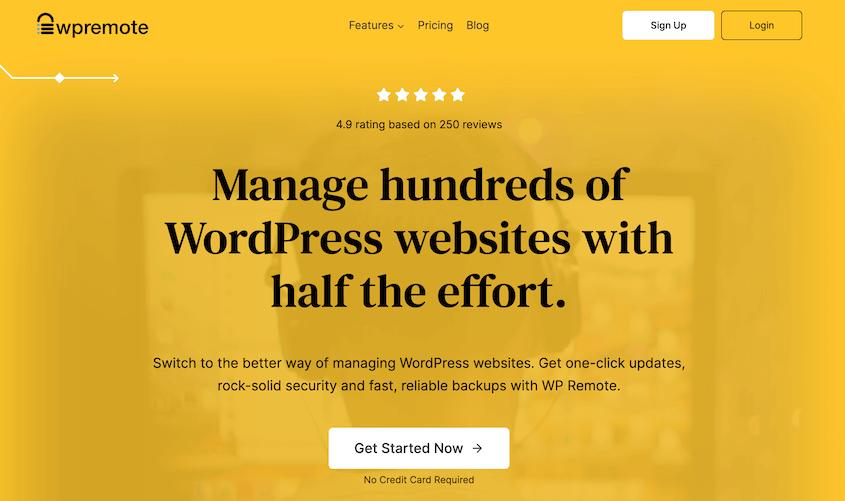
WP Remote est un outil simple et convivial pour gérer plusieurs sites WordPress. Il vous suffit d'installer le plugin WP Remote dans WordPress pour configurer votre tableau de bord central personnalisé.
Plutôt que de les créer vous-même, WP Remote génère automatiquement des rapports clients. Ceux-ci donneront à vos clients un aperçu précieux de la santé de leur site. Comme ils sont personnalisables, vous pouvez concevoir ces rapports pour qu'ils correspondent à l'image de marque de votre agence web ou de votre entreprise indépendante.
Fonctionnalités clés :
- Mises à jour en un clic
- Staging en un clic
- Suppression de logiciels malveillants
- Rapports clients automatisés
- Sauvegardes automatiques
- Vérifications de performance
- Surveillance de la disponibilité
Tarification : WP Remote commence à 29 $ par mois pour une licence unique. Cependant, il existe de nombreuses options de paiement différentes en fonction du nombre de sites que vous avez et des fonctionnalités que vous préférez.
Pourquoi nous avons choisi WP Remote
WP Remote dispose de fonctionnalités de sécurité essentielles telles que l'analyse des logiciels malveillants, la protection contre les attaques par force brute et les alertes pour les vulnérabilités des plugins et des thèmes. Tous ces services sont exécutés sur les serveurs de WP Remote, vous n'avez donc pas à vous soucier de l'impact sur les performances de vos sites.
9. WP Umbrella
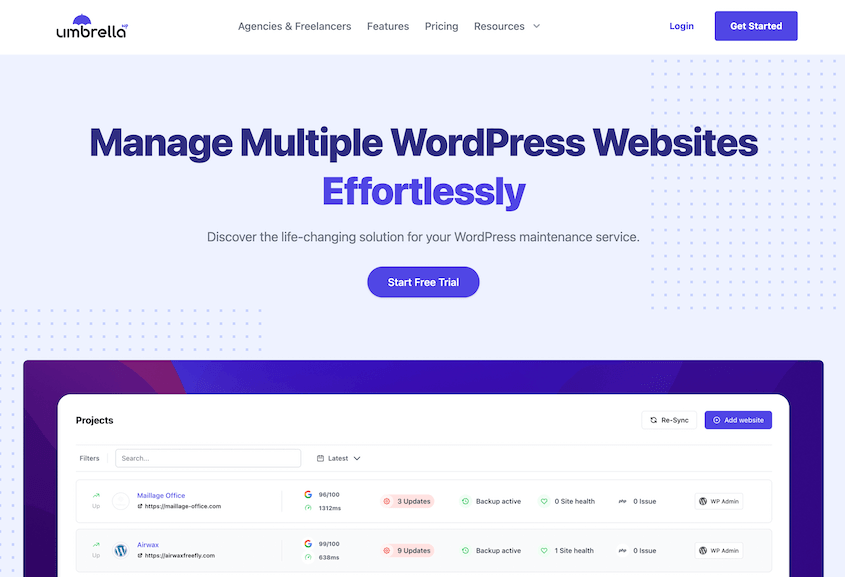
WP Umbrella est un outil de gestion multi-sites conçu spécifiquement pour les agences et les freelances WordPress. Son interface utilisateur (UI) conviviale pour les débutants vous permet de connecter différents sites Web et d'effectuer des mises à jour en masse.
L'avantage de WP Umbrella est son système de notification. En utilisant les métriques de Google PageSpeed Insights, WP Umbrella évaluera vos sites Web pour tout problème de front-end. S'il y a des problèmes, vous le saurez instantanément.
Fonctionnalités clés :
- Accès au site en un clic
- Mettre à jour en masse les thèmes, plugins et logiciels principaux de WordPress
- Sauvegardes automatiques
- Surveillance de la disponibilité
- Surveillance des erreurs PHP
- Surveillance de Google PageSpeed
Tarifs : Vous pouvez essayer WP Umbrella gratuitement pendant 14 jours. Après cela, il en coûtera 1,99 $ par site et par mois.
Pourquoi nous avons choisi WP Umbrella
WP Umbrella peut automatiser bon nombre de vos tâches de maintenance telles que les mises à jour et les sauvegardes. Sa surveillance complète vous informera si quelque chose ne va pas avec vos sites Web.
Quel est le meilleur outil pour gérer plusieurs sites WordPress ?
Lorsqu'il s'agit de gérer plusieurs sites WordPress, le choix du bon outil peut faire une différence significative dans votre efficacité et votre expérience globale. Bien qu'il existe plusieurs excellentes options disponibles, un outil qui se démarque des autres est Duplicator Pro.
Duplicator Pro offre un ensemble complet de fonctionnalités spécialement conçues pour simplifier la gestion de plusieurs sites WordPress. Une fois que vous avez configuré WordPress Multisite, vous pouvez utiliser Duplicator pour planifier des sauvegardes automatiques, migrer des sous-sites dans et hors du réseau, et même créer des sites de staging.
Si vous souhaitez utiliser un tableau de bord centralisé sans WordPress Multisite, nous vous recommandons InfiniteWP. Il s'agit d'un outil entièrement gratuit qui vous permet de mettre à jour facilement les plugins et les thèmes, d'analyser les logiciels malveillants, de surveiller le temps de disponibilité de votre site, et plus encore.
Questions fréquemment posées (FAQ)
Comment gérer plusieurs sites WordPress pour des clients ?
Vous pouvez gérer plusieurs sites WordPress pour des clients en créant un réseau WordPress Multisite. Ensuite, installez Duplicator Pro pour gérer les sauvegardes, les migrations et le clonage pour l'ensemble du réseau. Cela prendra en charge de nombreuses tâches de gestion fastidieuses qui prendraient beaucoup de temps à faire manuellement.
Quelle est la différence entre MainWP et ManageWP ?
Alors que ManageWP est un outil tiers de gestion multi-sites, MainWP est un plugin auto-hébergé. ManageWP vous fournira un tableau de bord externe, mais vous devrez installer le plugin enfant MainWP sur votre site Web WordPress. Les deux ont des plans gratuits avec des extensions premium, mais ManageWP vous oblige à payer pour chaque module complémentaire individuel.
Quels sont les avantages de WordPress Multisite ?
WordPress Multisite est une fonctionnalité puissante qui vous permet de créer et de gérer plusieurs sites Web à partir d'une seule installation WordPress. Avec ce tableau de bord centralisé, vous pouvez économiser du temps, des efforts et des ressources tout en assurant la cohérence sur votre réseau de sites.
Conclusion
Nous espérons que ce guide vous a aidé à trouver le meilleur outil pour gérer plusieurs sites WordPress !
Pendant que vous êtes ici, vous pourriez aimer ces tutoriels WordPress et critiques de plugins supplémentaires :
- 13 meilleurs plugins WordPress multisite
- Comment optimiser votre base de données WordPress
- Comment protéger votre site Web contre les pirates
- Comment sauvegarder un site WordPress
- 9 meilleurs fournisseurs d'hébergement WordPress : Classement ultime
- Meilleurs services de sauvegarde WordPress pour ne plus jamais vous soucier des sauvegardes
Vous voulez gagner du temps en sauvegardant plusieurs sites Web WordPress ? Téléchargez Duplicator Pro pour configurer des sauvegardes automatiques sur votre réseau Multisite !