How LOGIS Stopped WordPress From Auto-Updating Itself Into a Crash
 Joella Dunn
Joella Dunn
Joella Dunn
 John Turner
John Turner
John Turner
Your site goes down, so you restore a backup. For a few seconds, everything works.
Then, it breaks again. Same crash, like nothing happened.
That’s the loop Ondrej Konvicka got stuck in at LOGIS. No matter how many times he restored the site, WordPress kept auto-updating itself right back into the same crash.
The fix wasn’t a better backup. It was editing what was already inside the one he had.
An Introduction to LOGIS
LOGIS builds advanced production planning and scheduling software for industrial manufacturers. It helps factories run their manufacturing more efficiently and get products to customers reliably on time.
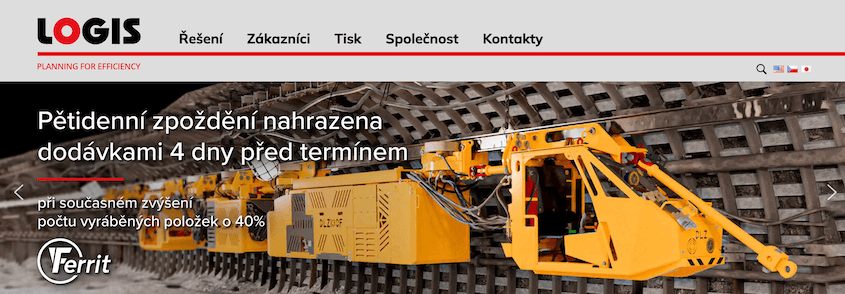
The company isn’t new. It’s more than 30 years old, and its website has been online since 1994. Ondrej Konvicka has managed that site since 2005—over 20 years of hands-on website administration.
Back then, the internet was a simpler place. Occasional file copies and database copies were a perfectly reasonable way to back things up.
That stopped being enough as websites grew more complex and the internet turned into a more hostile environment.
Having a reliable backup is a clear necessity.
Ondrej’s rule for a backup system is simple: automation. Backups should run on a regular schedule, without anyone having to remember to do it. It took him a few years to get the right tool for the job.
The Challenge of a Backup That Kept Restoring the Problem
Over the past 10 to 15 years, LOGIS tried plenty of backup tools. Ondrej describes the pattern simply: every one of them always had some “BUT.”
The backup works, but it can only be stored locally. Or the backup works, but recovery tends to be a problem.
About two years ago, LOGIS switched to Duplicator. Ondrej points to the feature set as the reason: highly configurable without being overwhelming, a long list of compatible cloud storage providers, and automation that didn’t need babysitting.
Deployment, in his words, “was a breeze.”
Then came the real test.
You never really know how good a backup solution is until you need to actually restore the backup, which is what we had to do recently.
A misconfiguration on the LOGIS website let WordPress auto-update itself from version 6.x to version 7, and the update broke compatibility with plugins the site depended on. The site went down.
Ondrej restored a backup.
The site came back “up and running in no time,” he says — “at least for a couple of seconds it was.”
The misconfiguration had been backed up along with everything else. Once restored, WordPress auto-updated itself again almost immediately, and the site crashed the same way it had before.
The fix had to happen before the restore finished: change the configuration hiding inside the backup itself. Ondrej wasn’t sure whether that was even possible.
Editing a Backup Archive With Duplicator
Ondrej reached out to Duplicator’s support team to find out.
Thanks to their assistance and know-how, we quickly had a list of steps we needed to take to modify the configuration files contained in the backup archive.
With their guidance, he used the DupArchive Extractor tool to open the backup archive, located the site’s wp-config.php file inside it, and edited it to stop WordPress from auto-updating again.
Support also walked him through how to diagnose a broken restore more broadly: disable plugins one at a time to isolate what’s causing a crash and check for a PHP version mismatch between the backup and the server.
After modifying the backup, he was able to complete the restore.
This time, the site stayed up. In Ondrej’s words, “It was quite impressive.”
Looking back at Duplicator more broadly over his two years using it, Ondrej has a specific complaint about the backup software industry that Duplicator solves:
Most backup solutions I have seen pay a lot of attention to how backups are created, and very little to how they are restored, although both are equally important. Duplicator had a very nice surprise in store for us here, because the restoration process is handled very well.
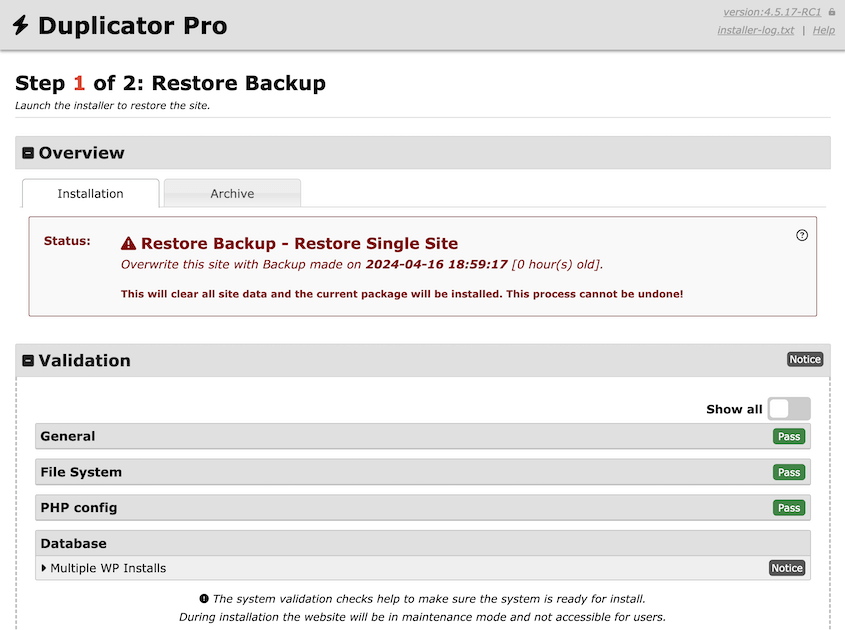
He points to Duplicator’s restore process specifically. It offers more configuration options than he expected, all clearly labeled, and it won’t let you start a restore until the configuration validates. Only once it passes does the Restore button become enabled.
With over 20 years of website administration experience, Ondrej could have handled this incident the old way: manual file copying, database restoration, reassigning permissions by hand.
Sure. But it would certainly take me much longer, and there would be much more of a room for error. Having this done in an automated and tested way is definitely the right approach.
Results
With Duplicator, LOGIS was able to:
- Fix a WordPress backup that kept restoring an auto-update error by editing the configuration inside the archive before finishing the restore
- Get direct, hands-on guidance from Duplicator’s support team for a scenario outside the standard restore process
- Store backups across multiple cloud destinations instead of relying on local-only storage
- Run backups automatically, on a schedule, without manual intervention
- Restore a website with far less time and risk than doing it manually
Back Online, For Good This Time
The LOGIS website mostly serves internal purposes, which Ondrej says takes some of the pressure off. But the incident still tested Duplicator in a way routine backups never would.
The thing I am most happy about is having the confidence that Duplicator has the feature set that we need and people on the support team who know well what to do in these stressful situations.
Ondrej said it best: you never really know how good a backup solution is until you have to restore it. Don’t wait for a crash to find out yours can’t keep up.
Upgrade to Duplicator Pro for automatic backups, fast restores, and secure cloud storage!
While you’re here, see how Duplicator has transformed other businesses’ workflows:
- How a One-Man Web Agency Saves 10% of Revenue with Duplicator
- How Duplicator Helped Launch a Behavioral Health Website in Minutes
- How a Web Design Agency Avoided Migration Failures Across 50+ Projects
- How Super Power Family Rebranded With Zero Downtime
- How WPHostee Cut Migration Time by 50% and Downtime by 80%