Duplicator Documentation

Documentation, Reference Materials, and Tutorials for Duplicator

Want it done for you?

Let the Duplicator experts migrate your WordPress site for you — quick, safe, and hassle-free.

Get Migration Help

How do I share my backup file?


When support requests to validate a backup file (.daf or .zip) to check its functionality, it’s important to provide the backup archive clearly and efficiently. This guide explains three methods to share the backup file with the support agent:

Note: This guide covers sharing the backup file itself. If support also needs login or server credentials, don’t include those here, use our Privately Sharing Credentials with Support method instead.

Tip: Whichever method you use below, share both the archive file and its matching installer.php, support usually needs both to fully validate a backup.

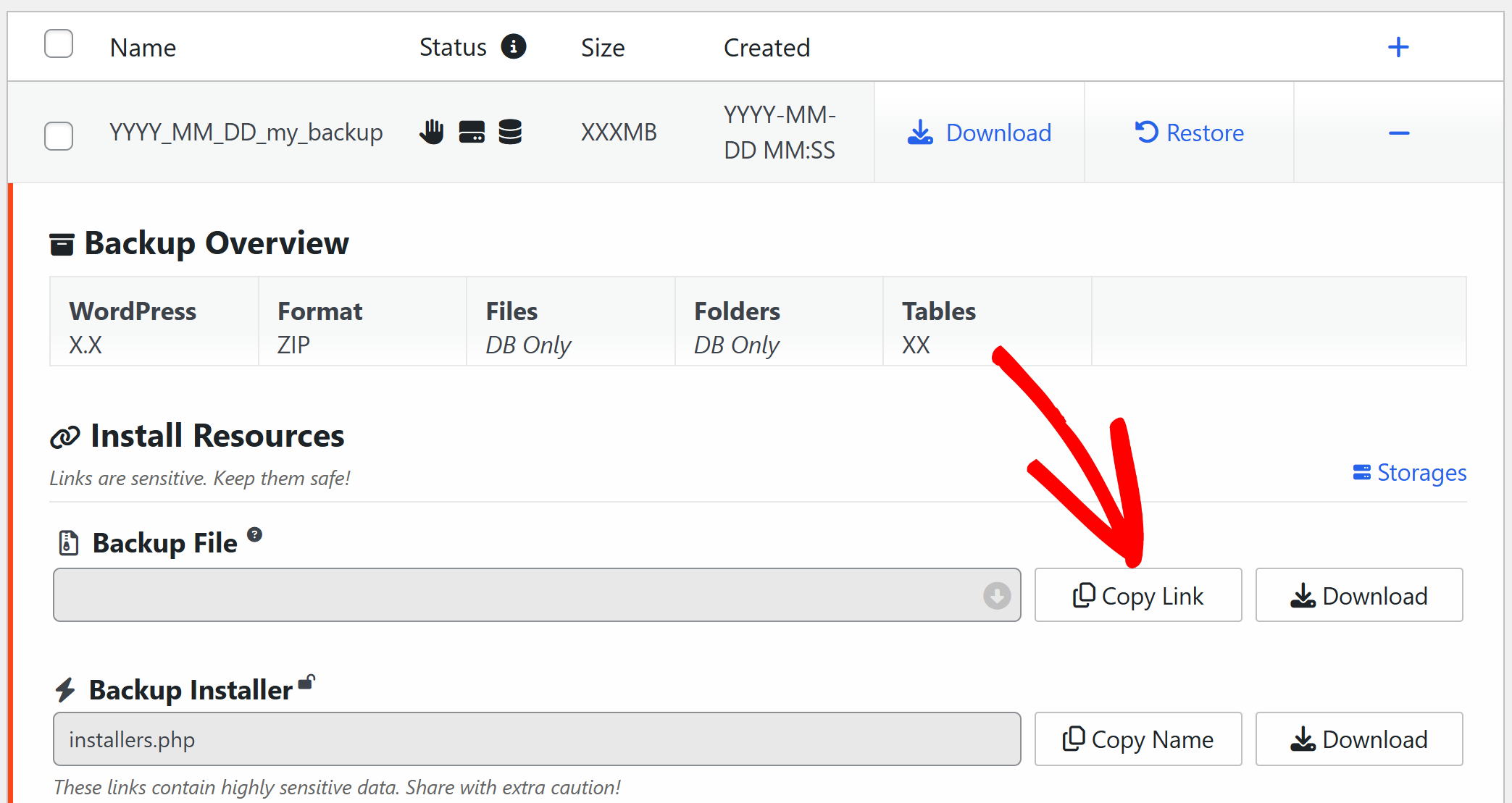
The backup link is a public link that allows direct download of the backup. To obtain the backup link, follow these steps:

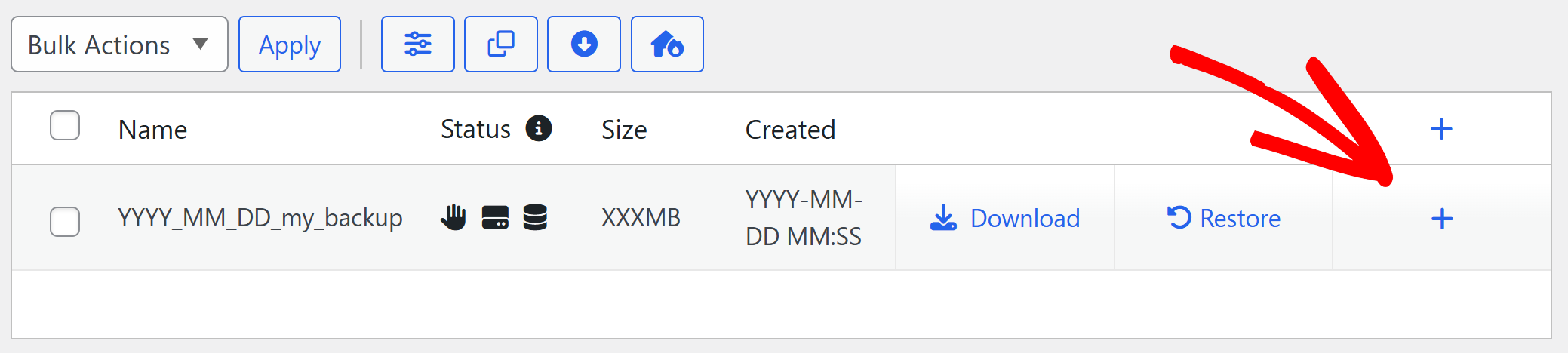
  1. Navigate to Duplicator Pro » Backups.
  2. For the desired backup, click the plus icon on the right to show the backup details.


Security Note: Since a backup link is publicly accessible to anyone who has it, use a password-protected or encrypted archive when sharing this way (see Backups » Security settings when creating the backup). Once support has confirmed they no longer need the file, delete the backup link from the Backups screen to revoke access. Personal computers (localhost) or sites that are not internet-accessible cannot be used.

WeTransfer

This is a free service that allows secure file sharing. To share the backup with the support through WeTransfer, follow these steps:

  1. Visit wetransfer.com.
  2. The link will remain for 3 days in free account.
  3. Drop your backup file onto the screen.
  4. Fill the email from and to and wait for the verification code.
  5. Verify the code and wait to upload.

Other Cloud Services

You can use Dropbox, Google Drive, or similar services. The following are general steps you can take to provide us with the backup through the cloud services:

  1. Upload the backup file to a shareable location on your chosen service.

– After we respond to your ticket, please remember to remove your files.
– To prevent any delay in processing your ticket, ensure that you can also download from the link provided when using the “Cloud Service” option.


Was this article helpful?


Related Articles

Don't Let Another Day Pass Unprotected

Every hour without proper WordPress backups puts your site at risk • Every delayed WordPress migration costs you performance and growth

Get Duplicator Now
Duplicator Plugin

Wait! Don't miss your
exclusive deal!

As a customer, you get 60% OFF

Try Duplicator free on your site — see why 1.5M+ WordPress pros trust us. But don't wait — this exclusive 60% discount is only available for a limited time.

or
Get 60% Off Duplicator Pro Now →