

Resolving various permission related issues
Having trouble with permission-related issues in Duplicator Pro? This guide provides practical solutions to troubleshoot and resolve them.
Before troubleshooting, make sure the latest version of Duplicator Pro is installed. Check the changelog and system requirements.
Resolving FTP Credentials Message
If WordPress is prompting you for FTP credentials, it means that WordPress does not have the necessary file permissions to modify files directly on your server.
Solution 1: Editing wp-config.php
The wp-config.php file is located in the root directory of your WordPress installation. You can access it using one of the following methods:
Steps to Edit the wp-config.php File
- Open the
wp-config.phpfile using a text editor (e.g., Notepad++, VS Code, Sublime Text). - Scroll down to where other
define()statements are located. - Add the following line before the comment that says “That’s all, stop editing! Happy publishing.”:
define('FS_METHOD', 'direct');
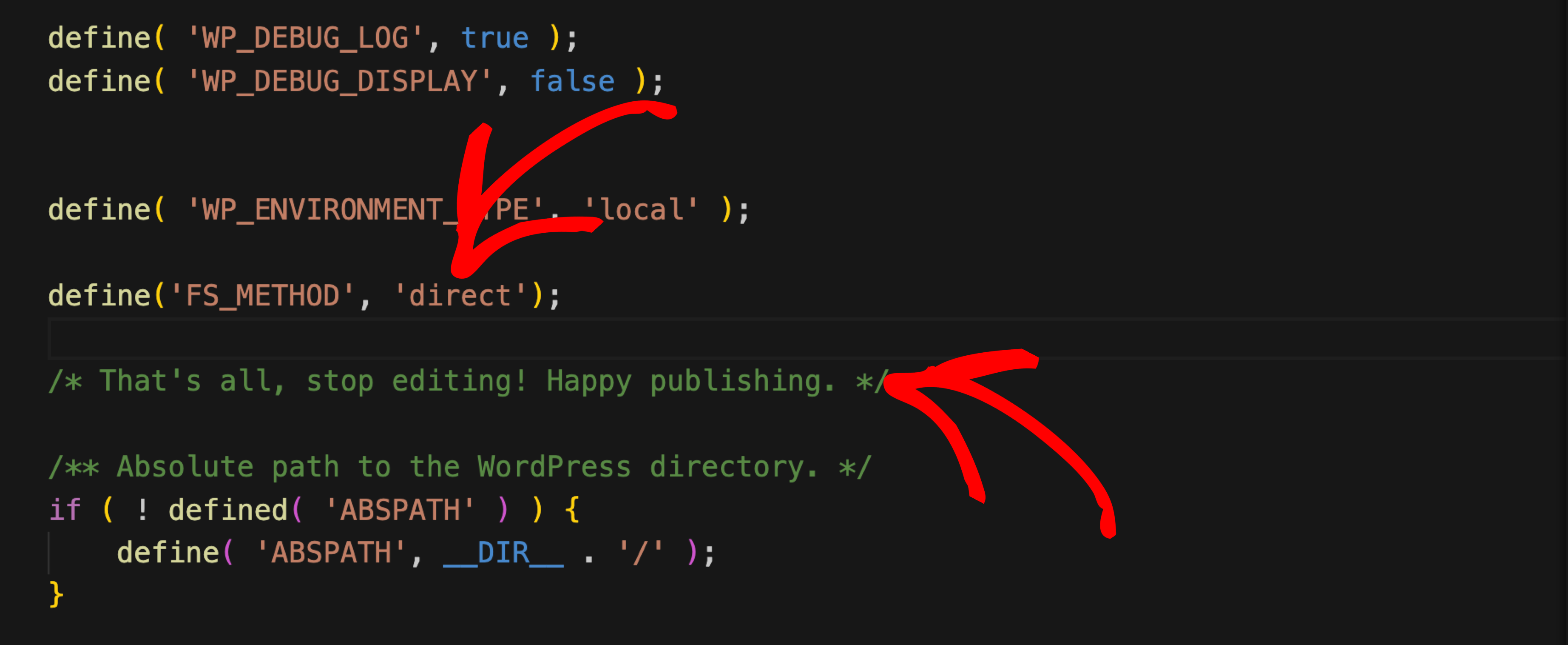
Solution 2: Reference Article to Resolve the Problem.
In this KB article, you will find the details and learn how to fix the error where WordPress asks for FTP credentials:
How to Resolve “WordPress Asking for FTP Credentials” Error
Permission problems often trace back to the underlying file and folder permissions themselves. The recommended values are 644 for files and 755 for directories; never use 777, since it allows anyone to modify the files. Duplicator’s installer can apply these automatically: under Options » Advanced » Extraction Flow » File and Directory Permissions in Step 1, enabling File permissions (default 644, “All files”) and setting Folder permissions (default 755) applies the specified permissions across every extracted file and folder during installation.
Resolving open_basedir Restriction Issue
The “open_basedir restriction in effect” error occurs when PHP is restricted from accessing files outside the specified directory paths, often due to security settings imposed by the hosting provider. This can prevent WordPress or other applications from functioning correctly.
If you encounter issues related to open_basedir while using Duplicator, here are two possible solutions to discuss with your hosting provider:
Disable open_basedir restriction:
- Request your hosting provider to disable or temporarily remove the
open_basedirrestriction on your account.This helps determine if the restriction is causing conflicts with Duplicator. - This helps determine if the restriction is causing conflicts with Duplicator.
Configure open_basedir paths:
- Work with your host to include all necessary folder paths where
open_basediris restricting access. - Ensure that it covers all critical directories, including the root folder where WordPress is installed.
- Example configuration: open_basedir = /public_html/mysite/
The open_basedir restriction can limit PHP script access, potentially causing conflicts with Duplicator. While some hosts enforce it for security, disabling or properly configuring it can help resolve issues.
For the best experience, work with your hosting provider to adjust the settings and ensure smooth site migrations and backups.
If permission errors persist or show up as server timeouts, see How to Handle Server Timeout Issues. If the issue seems related to available memory, CPU, or disk space rather than permissions specifically, see How to Manage Server Resources (CPU, Memory, Disk).


