WP Stagecoach vs Duplicator: Which WordPress Staging Plugin Is Worth Paying For?
 Joella Dunn
Joella Dunn
Joella Dunn
 John Turner
John Turner
John Turner
Testing changes directly on a live site is a gamble. A plugin update could break your checkout, or a theme tweak could wipe your homepage layout.
A staging site solves this. It’s a copy of your live site where you can make changes, test them, and confirm everything works before it goes anywhere near production. Most WordPress professionals consider it non-negotiable.
WP Stagecoach and Duplicator are two plugins that can get you there, but they take completely different approaches.
WP Stagecoach is a staging-only service that hosts your staging site on its own cloud servers. Duplicator is a full site management suite that handles backups, migrations, and staging all in one plugin.
When I tested both on live WordPress installs, I noticed a few key differences that could impact your decision. Let me show you which plugin is worth it!
Here are the key takeaways:
- WP Stagecoach is a staging-only tool. It creates staging sites on its own cloud servers and has no backup, migration, or disaster recovery features.
- Duplicator handles the full site lifecycle. Backups, staging, migration, and disaster recovery are all included in one plugin.
- WP Stagecoach requires a paid account before it does anything. No free version, no sandbox, and the trial requires a credit card. Duplicator has a genuinely free version.
- WP Stagecoach’s database merge is its standout feature. When pushing staging changes to live, it preserves orders and signups that came in during staging rather than overwriting the live database.
- Duplicator staging is more flexible. One-click staging lives on your own server. The classic install method works on local machines, subdomains, subdirectories, or new servers with nothing pre-installed.
- The pricing math favors Duplicator. WP Stagecoach starts at $149/year for one site, staging only. Duplicator Pro starts at $69.30/year for two sites covering backups, staging, and migration.
- WP Stagecoach was acquired in 2018, and development has slowed. Its G2 rating is 3.8 out of 5 from 12 reviews. Duplicator holds 4.9 out of 5 from more than 5,000 reviews on WordPress.org.
- Cloud dependency is a real risk with WP Stagecoach. If their service goes down, your staging environment goes with it. Duplicator staging runs on infrastructure you control.
Table of Contents
What to Look for in a WordPress Staging Plugin
Staging is only useful if the right things are in place around it. Before committing to any plugin, these are the questions worth asking.
- Where staging lives. On your server or someone else’s cloud. This affects privacy, speed, and what happens if the vendor shuts down or gets acquired.
- How you push changes back to live. Does it overwrite your live database or merge only what changed? For sites collecting orders or form submissions around the clock, this is the difference between a smooth launch and a data loss incident.
- Whether it also handles backups. A staging tool with no backup capability means you need two plugins and two subscriptions to do what one should handle.
- What happens when something breaks. Can you restore in one click? Can you recover without admin access?
- Pricing relative to what you actually get. A staging-only tool costs you more than an all-in-one tool that covers backups, staging, and migration together.
What is WP Stagecoach?
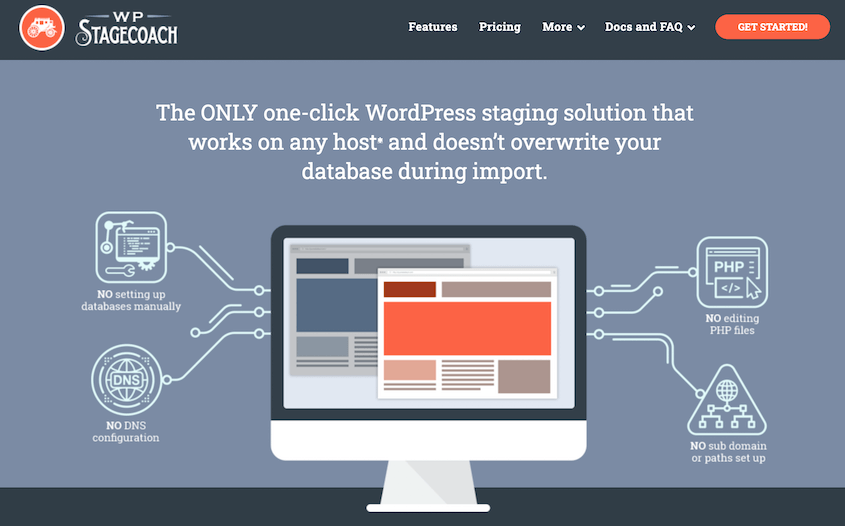
WP Stagecoach is a premium WordPress plugin that creates staging sites on its own cloud servers. Your staging site doesn’t live on your hosting account. It lives on WP Stagecoach’s infrastructure, accessible at a .wpsc.dev subdomain.
The plugin itself is a connector. You install it on your WordPress site, authenticate with a paid account, and it handles the rest remotely.
WP Stagecoach does one thing well: staging. It won’t back up your site, migrate it to a new host, or recover it if something goes wrong after a bad push.
What is Duplicator?
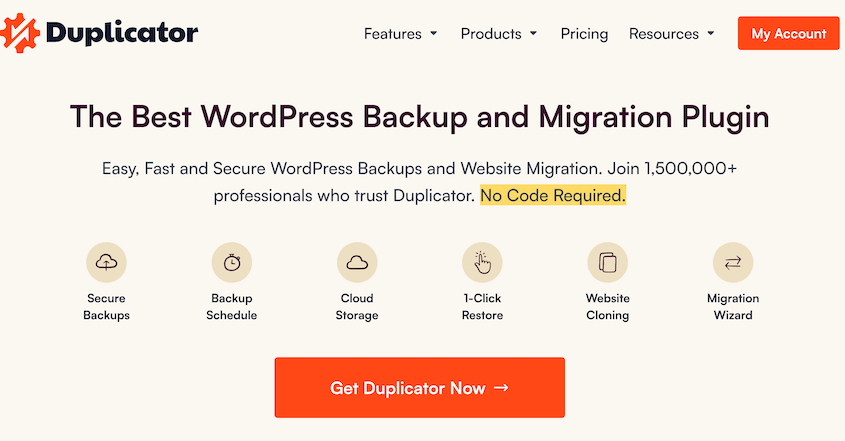
Duplicator is a WordPress plugin for backing up, migrating, and cloning websites. It does all of that in one place.
It works by creating a full archive of your WordPress site. Every file, database table, plugin, theme, and setting gets packed into a single portable package.
From that package, you can restore your site, move it to a new host, clone it for a client, or spin up a staging environment.
Over 1.5 million WordPress professionals use it. On WordPress.org, it holds a 4.9 out of 5 rating from more than 5,000 reviews.
WP Stagecoach vs Duplicator: Key Differences
Before getting into the details, here’s where these two tools fundamentally differ.
Ease of Use
Both plugins claim to make staging simple. What that looks like in practice is very different.
WP Stagecoach Ease of Use
You need a wpstagecoach.com account, a paid subscription, and an API key to use WP Staging. The 5-day trial exists, but a credit card is required to start it.
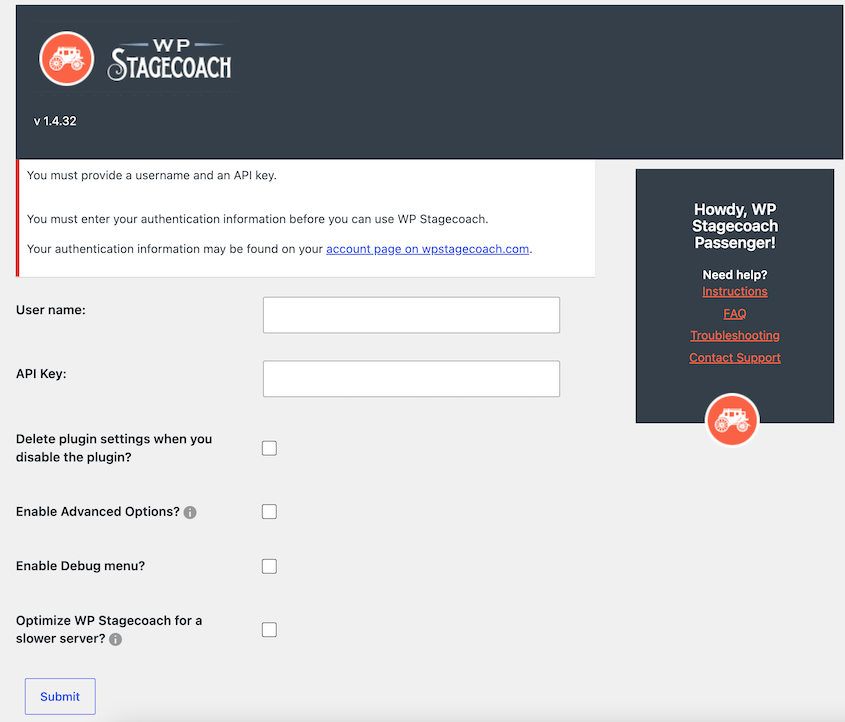
Once authenticated, the interface is genuinely minimal. You’ll have a text field for your staging site name and checkboxes for extra customization.
For users who want simplicity above all else, that’s appealing.
Duplicator Ease of Use
You can install the free version of Duplicator from wordpress.org. The Pro version is also available for download on duplicator.com, and you’ll just need to activate your license.
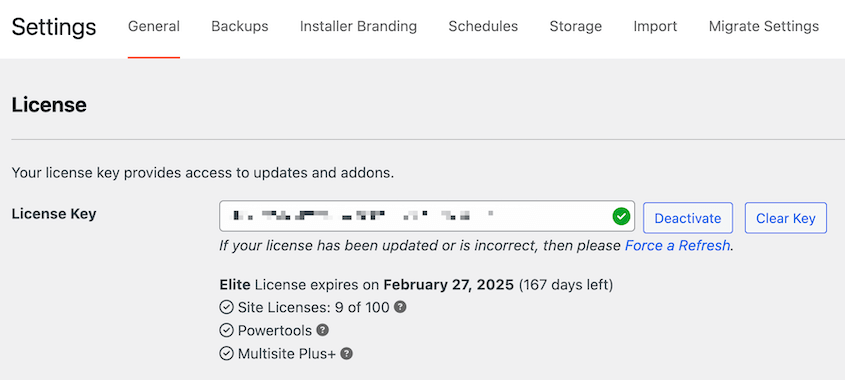
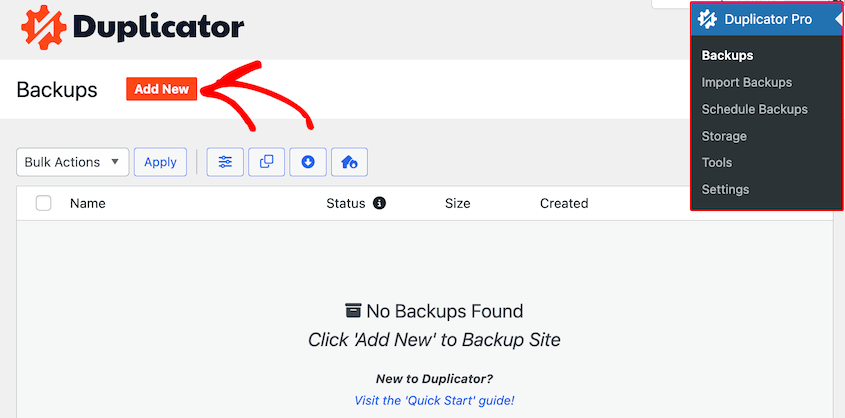
From there, Duplicator is very easy to use. The backup wizard walks you through naming, templates, storage selection, and backup presets.
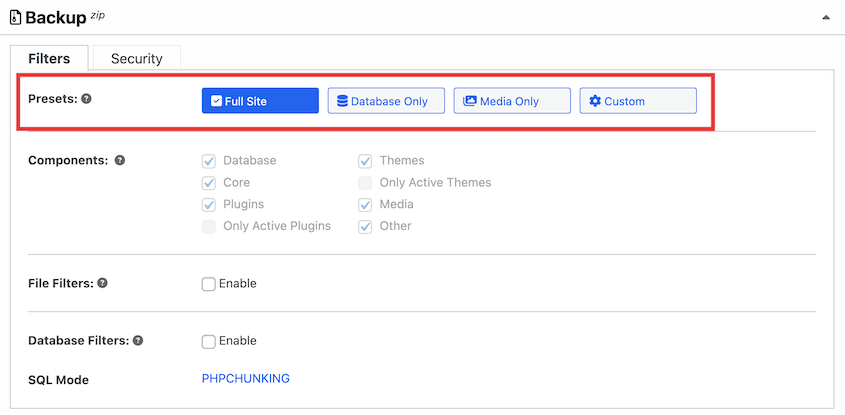
Full Site, Database Only, Media Only, and Custom presets are available, so you’re not making decisions from scratch every time. Sensible defaults mean most users won’t need to touch the advanced settings at all.
Before building the backup, Duplicator runs a scan. It checks for oversized debug logs, unreadable files, and anything else likely to cause problems during migration.
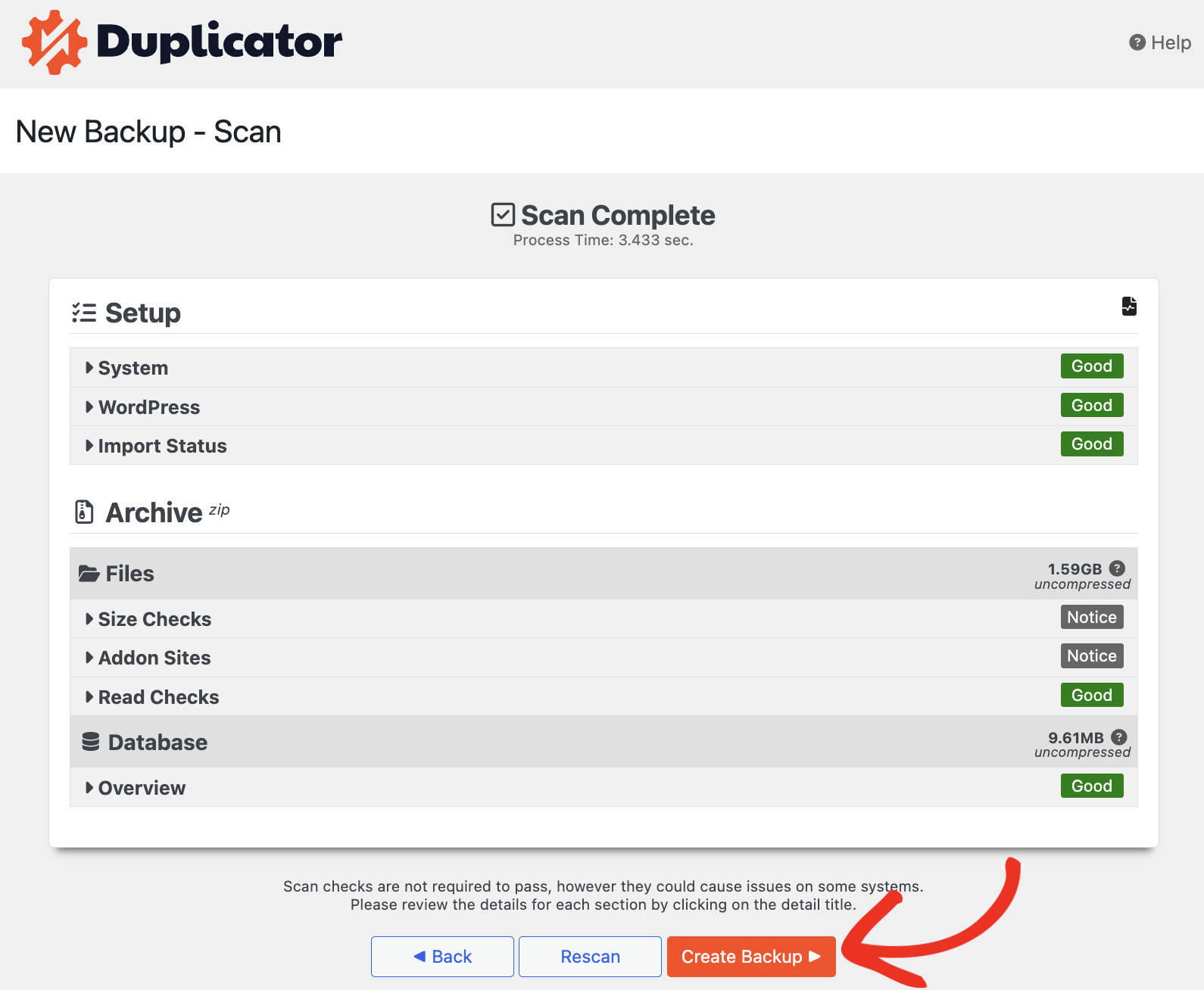
I’ve had that scan catch issues I didn’t know existed on sites I’d been managing for months. It’s a small thing that saves real time.
Once you build a backup, you can easily use it to create a staging site, download your data for safekeeping, or migrate it to a different location.
More options than WP Stagecoach, but organized clearly. The learning curve is shallow.
Staging Workflow
Since you’re here for a staging tool, let’s see how WP Stagecoach and Duplicator compare in staging functionality.
WP Stagecoach Staging
Creating a staging site takes one click after setup. You’ll have options to disable your caching plugins and password protect the staging site.
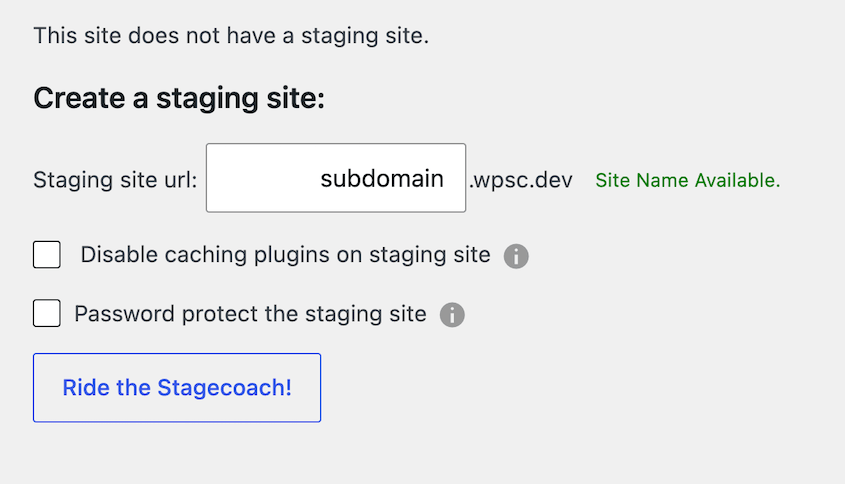
WP Stagecoach copies your site to its cloud servers and gives you a public URL at yoursite.wpsc.dev. Because staging runs on their infrastructure, it doesn’t consume resources on your live server during creation.
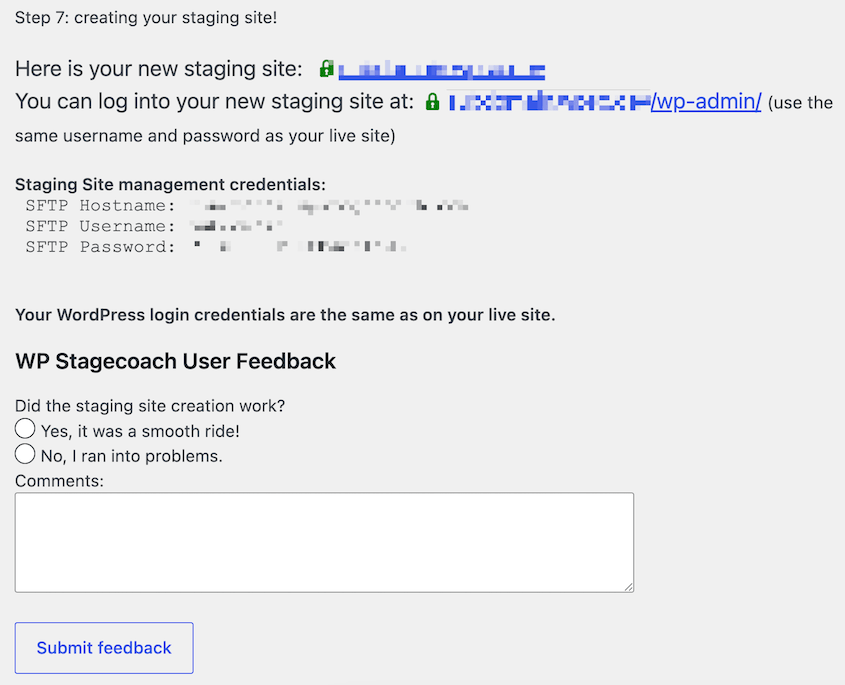
Pushing changes back to live is where WP Stagecoach earns its reputation.
Its database merge feature doesn’t overwrite your live database with the staging copy. It identifies what changed on staging and applies only those changes, leaving everything else intact.
If your WooCommerce store collected orders while you were testing a new theme on staging, those orders survive the push. That’s a real problem most staging tools don’t solve well.
You can also choose what to push: files only, database only, or both. If you only changed CSS, there’s no reason to touch the database at all.
The tradeoff is dependency. Your staging site lives on WP Stagecoach’s servers. If their service goes down, your staging environment goes with it.
There’s no offline option, no local environment, and no fallback if the company stops operating.
Duplicator Staging
Duplicator gives you two ways to create a staging environment, and they work differently depending on what you need.
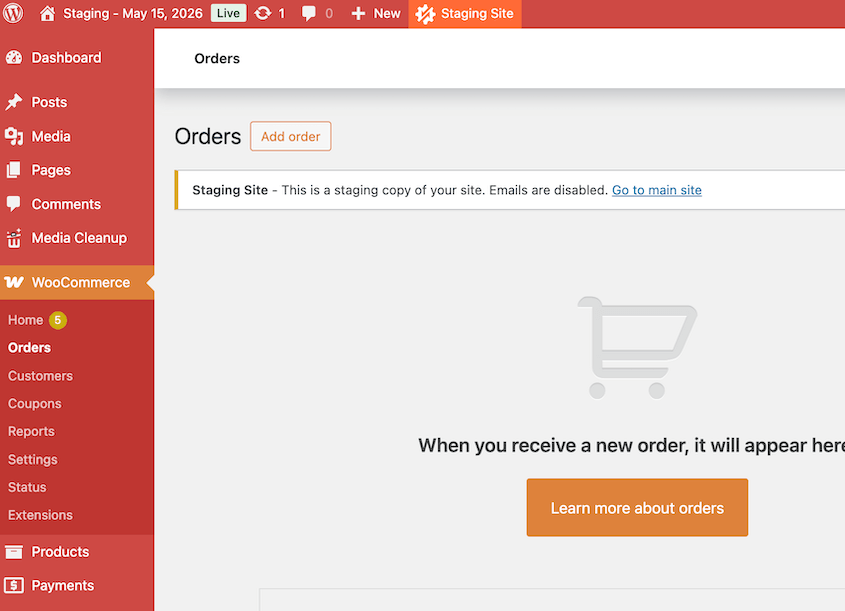
One-click staging is available in Duplicator Pro. From the Staging screen in wp-admin, select any existing backup and create a staging site in a few clicks.
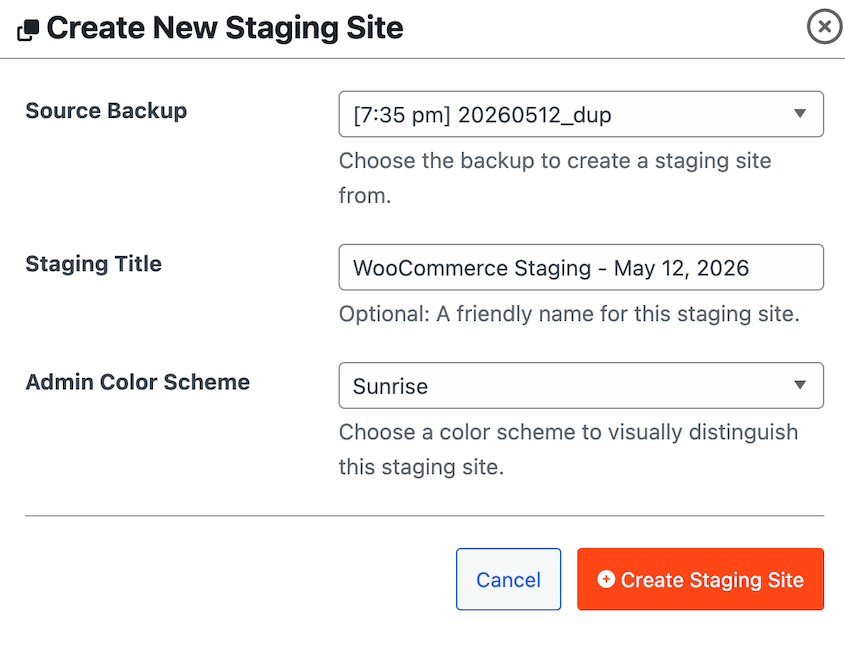
You can customize the dashboard color to avoid confusing staging for production. Duplicator will automatically discourage search engine indexing and email sending.
The staging site lives on your own server, not a third-party cloud location. Open the site, make changes to see how they’ll affect your live site, and delete the staging area when you’re done.
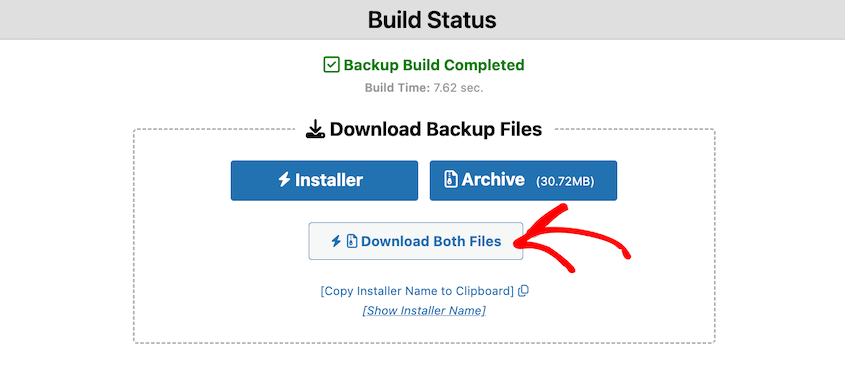
For more flexible staging, you can use Duplicator to move backups to your custom staging location. Create a full backup and download the archive file and the installer.php file.
Upload both to the destination’s root folder, then navigate to yourdomain.com/installer.php to run the installer.
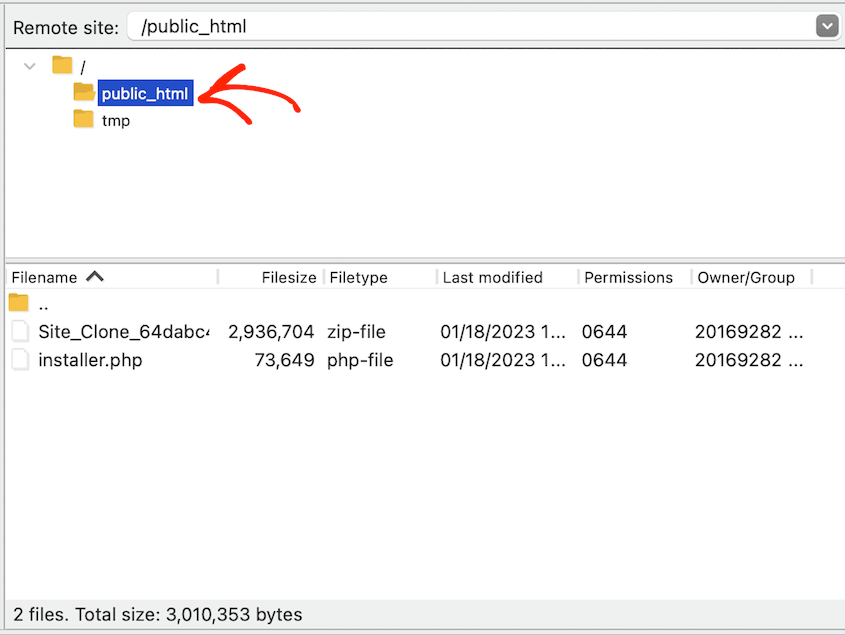
This can work with a local development environment, a subdomain, a subdirectory, or a completely different server. WordPress doesn’t need to be pre-installed at the destination. You just upload two files and run the installer.
I’ve used Duplicator to spin up staging sites on local machines, client subdomains, and fresh servers that had nothing on them yet. The process is the same every time.
Keep in mind that Duplicator doesn’t merge databases when pushing staging changes back to live. Its model is a full site snapshot you modify and migrate rather than a live-sync connection between environments.
For most sites, creating a fresh backup right before the push covers the risk. For high-volume WooCommerce stores where even a short window of live orders could be overwritten, WP Stagecoach’s merge feature is the more careful approach.
Backup and Recovery
If you’re evaluating these tools purely for staging, this section might feel beside the point. It shouldn’t.
Staging is how you test changes before they go live. Backups are how you recover when something goes wrong anyway.
The two problems are connected, and a tool that only solves one of them leaves you exposed.
WP Stagecoach
WP Stagecoach has no backup functionality. If you push staging changes to live and something breaks, there is no restore button inside the plugin.
To protect your site alongside WP Stagecoach, you need a separate backup plugin. That means a second subscription, a second interface, and two separate tools to manage what could be handled in one.
Duplicator
Backups are the foundation everything else in Duplicator runs on. Every staging site starts from a backup. Every migration starts from a backup. Every restore comes from one too.
Duplicator Pro supports scheduled backups on hourly, daily, weekly, and monthly intervals.
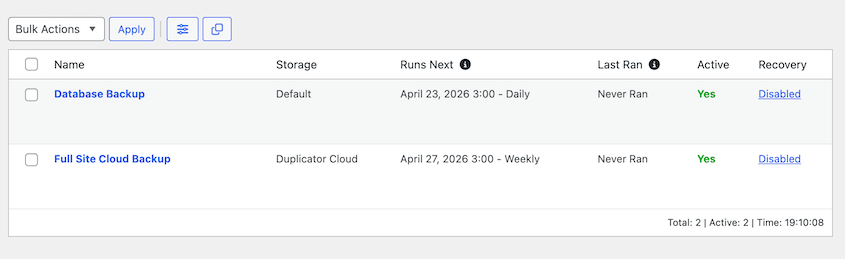
You can send backups to multiple destinations at once: local server, Duplicator Cloud, Google Drive, Dropbox, Amazon S3, OneDrive, and more.
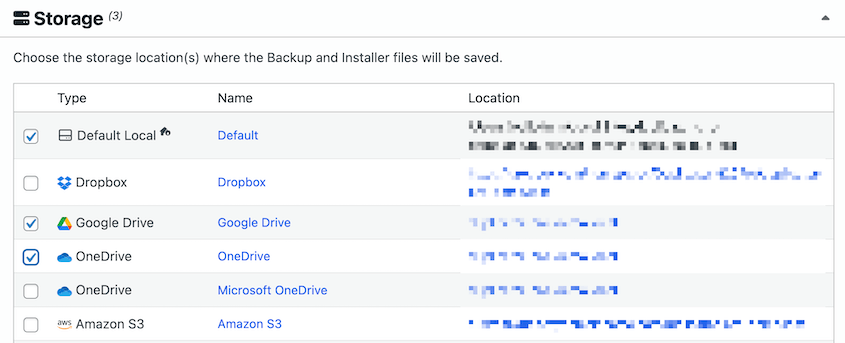
A backup sitting on the same server that just crashed isn’t usable. Getting it off-site automatically is what gives you real protection.
The disaster recovery URL is worth calling out. It lets you restore your site even when you’re completely locked out of wp-admin.
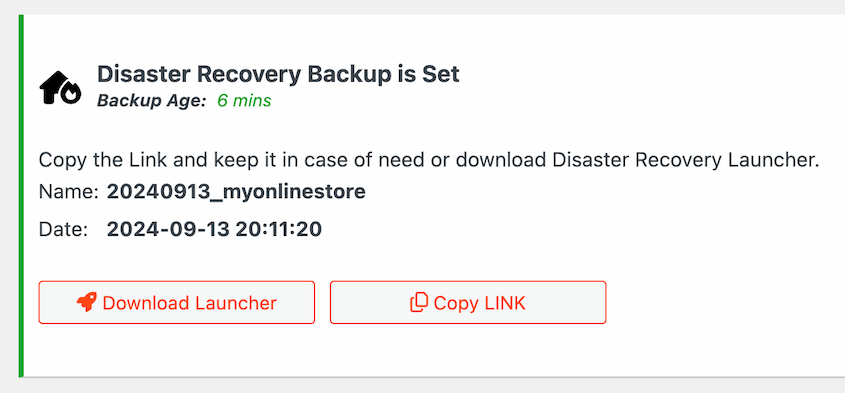
Bad server migrations, botched updates, and corrupted logins would normally be devastating. However, if you configure the recovery link in advance, that link gets you back in without needing WordPress to be functional.
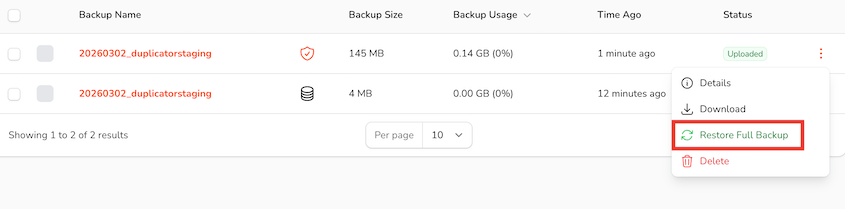
One-click restore from cloud storage means you don’t have to re-upload anything. Select the backup, click restore, done.
Migration
If you ever need to move your site to a new host, a new domain, or just off a server that’s causing problems, here’s how these two compare.
WP Stagecoach
WP Stagecoach is not a migration tool. It cannot move your site to a new host, a new domain, or any destination outside its own cloud staging environment.
If you outgrow your host or need to hand a finished site off to a client on different infrastructure, WP Stagecoach plays no role in that process.
Duplicator
Migration is one of the core reasons people install Duplicator in the first place.
The drag-and-drop import in Duplicator Pro is the fastest path: upload the archive file directly into the Import Backups screen and follow the wizard through the rest.
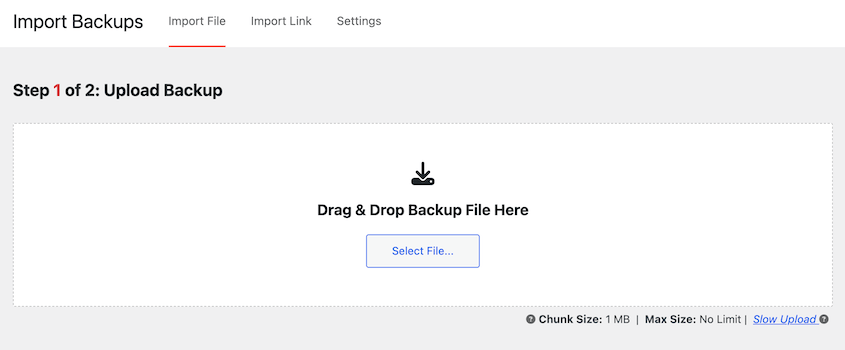
For the classic method, download the archive and installer.php files, upload both to any destination, and run the installer at /installer.php. You won’t need WordPress pre-installation required at the destination.
Duplicator has handled confirmed real-world migrations up to 400GB. It supports full WordPress Multisite networks.
During installation, it runs a search and replace on URLs automatically, so nothing breaks when the domain changes.
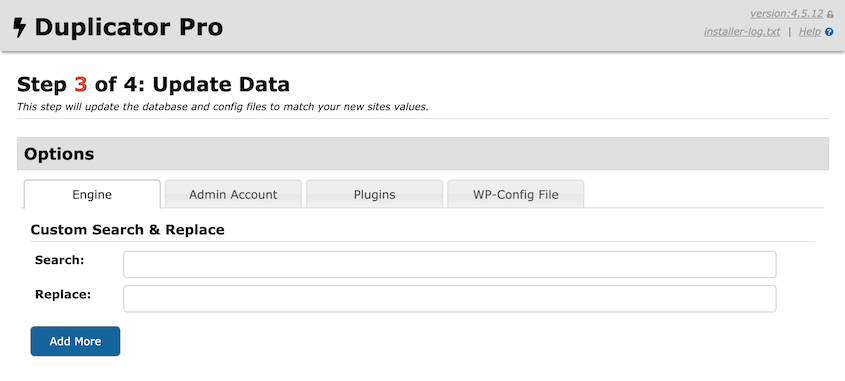
The same process that creates a staging site starts a migration. Same files, same installer, different destination.
That consistency means there’s no separate workflow to learn when the time comes to move somewhere new.
Pricing
WP Stagecoach Pricing
WP Stagecoach offers four tiers, all paid:
- Small: $149/year for 1 site
- Medium: $299/year for 5 sites
- Large: $549/year for 30 sites
- Enterprise: custom pricing
The 5-day free trial exists but requires a credit card. If the automated push to live fails, manual import help costs an additional $55 per incident on Small and Medium plans and $25 on Large.
Duplicator Pricing
- Free (Lite): classic install method for staging and migrations; one-click backups
- Basic: $69.30/year for 2 sites
- Plus: $99.50/yr for 5 sites
- Pro: $199.50/yr for 20 sites (includes WP Media Cleanup and DB Optimizer)
- Elite: $299.50/year for 100 sites (includes WP Media Cleanup, Activity Log, and DB Optimizer)
All paid plans come with a 14-day money-back guarantee. The free version requires no credit card.
At the Basic tier, you get backups, staging, and migration for two sites at $69.30/year. WP Stagecoach’s cheapest plan covers one site for staging only at $149/year. That’s more than twice the price for a fraction of what Duplicator covers.
The Elite plan at $299.50/year handles 100 sites. WP Stagecoach’s Large plan handles 30 sites at $549/year, with no backup capability included.
User Reviews and Reputation
Feature lists tell you what a plugin claims to do. Reviews tell you what happens when real sites are on the line.
WP Stagecoach
WP Stagecoach is a premium plugin not listed in the WordPress.org plugin directory. On G2, it holds a 3.8 out of 5 rating from 12 reviews.
That’s a small sample, but the pattern in the feedback points to ease of use as the main strength and pricing as the main friction.
The acquisition by WP Masters in 2018 is the bigger concern. Third-party coverage consistently notes that the development team is no longer active at the same pace.
The plugin doesn’t have a clear update schedule. For a tool that depends entirely on its own cloud infrastructure to function, a slowdown in development and support is a real risk to factor in.
Duplicator
On WordPress.org, Duplicator holds a 4.9 out of 5 rating from 5,000 reviews. It has over 1 million active installations.
Recurring themes in the reviews include the plugin working when others failed, migrations completing on sites that had stumped other tools, and long-term use across years of client work.
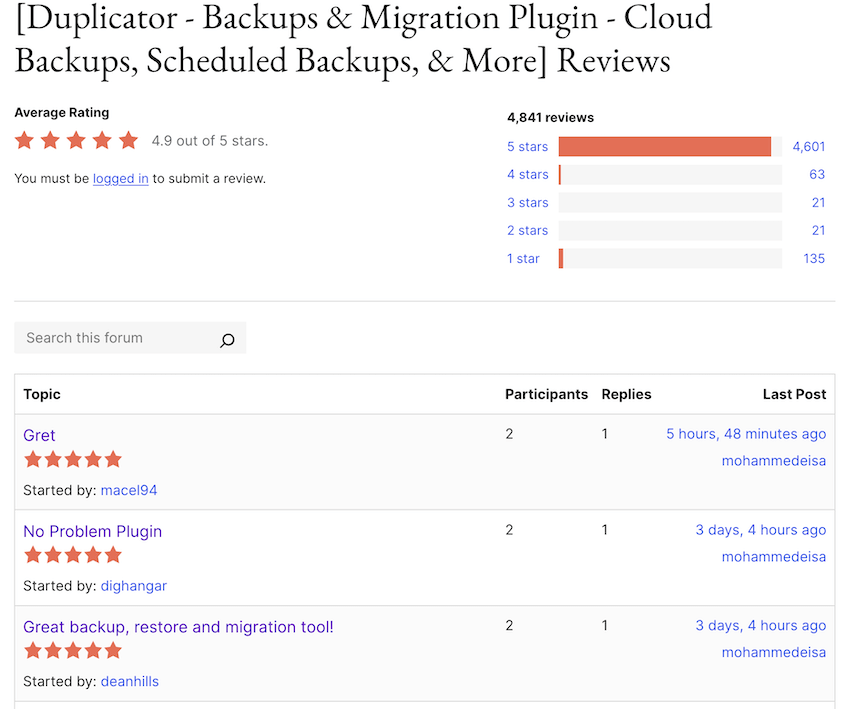
Duplicator is actively maintained. The free version alone has built a track record across more than a million sites.
Pros and Cons
Here’s where each plugin stands after testing both.
WP Stagecoach
Pros:
- Minimal interface once authenticated — low learning curve for staging-only workflows
- Database merge on push preserves live data, including orders and signups collected during staging
- Selective push: files only, database only, or both
- SSL included on all staging sites
- Staging runs on cloud servers, not your host’s resources
- Password protection for client preview links
Cons:
- Staging only: no backups, migrations, or disaster recovery
- Requires a paid account before the plugin does anything
- $149/year minimum for one site, covering staging only
- 5-day trial requires a credit card
- Acquired in 2018; development activity has slowed
- G2 rating: 3.8 out of 5 (12 reviews)
- Cloud-dependent: if the service goes down, staging goes with it
- Manual import help costs extra per incident
Duplicator
Pros:
- Backups, staging, migration, and disaster recovery in one plugin
- Free version available
- One-click staging and classic install method for any environment
- Disaster recovery URL works without wp-admin access
- 4.9 out of 5 stars, 5,000+ reviews, 1 million+ active installs
- Lower per-site pricing across more use cases
- 14-day money-back guarantee
- Actively maintained
Cons:
- Free version requires FTP knowledge for classic migrations
- No database merge when pushing staging changes back to live
WP Stagecoach vs Duplicator: Which One Should You Choose?
The right answer depends on what problem you’re trying to solve and whether you’re willing to pay for a second plugin to fill the gaps.
You want staging, backups, and the ability to migrate later.
Duplicator Pro covers all of it. There’s no second plugin, no second subscription, and no second set of credentials to manage.
Create a backup, spin up a staging site, and push to a new host when you’re ready. It’s all the same tool.
You want to test on your local machine or a subdomain you control.
WP Stagecoach can’t do this. Staging lives on their servers, on their subdomain. Duplicator’s classic install method works on any environment: local machine, client subdomain, subdirectory, or a fresh server with nothing on it yet.
You’re not ready to pay yet.
Duplicator’s free version handles real migrations and real backups. WP Stagecoach requires a credit card before the plugin does anything at all.
You’re managing a large number of sites.
Duplicator Pro Elite covers 100 sites at $299.50/year, including backups, staging, and migration. WP Stagecoach’s Large plan covers 30 sites at $549/year for staging only. The math isn’t close.
You run a WooCommerce store or membership site with constant live activity.
WP Stagecoach’s database merge is a genuine advantage here. New orders, registrations, and content created on your live site while you were working on staging won’t get wiped when you push.
That’s a real problem, and WP Stagecoach solves it cleanly. Just know you’ll need a separate backup plugin running alongside it, which adds to the total cost.
Frequently Asked Questions (FAQs)
Is WP Stagecoach free?
No. WP Stagecoach has no free version. Plans start at $149/year for one site. A 5-day free trial is available, but a credit card is required to activate it. If you cancel before the trial ends, you won’t be charged.
Does Duplicator create staging sites?
Yes. Duplicator Pro includes one-click staging that builds a staging environment from any existing backup, hosted on your own server. The free version supports the classic install method: download the archive and installer.php, upload both to any destination, and run the installer at yourdomain.com/installer.php. That destination can be a subdomain, subdirectory, local machine, or a completely new server with no WordPress pre-installed.
What’s the difference between WP Stagecoach and Duplicator?
WP Stagecoach is a staging-only tool that creates staging sites on its own cloud servers. Duplicator is a full site management plugin covering backups, migrations, cloning, staging, and disaster recovery. WP Stagecoach requires a paid subscription before the plugin does anything. Duplicator has a free version with no account required to get started.
Can I use WP Stagecoach for backups?
No. WP Stagecoach has no backup functionality. If you use it for staging, you’ll need a separate backup plugin to protect your live site before and after any push to production.
Does Duplicator work without a staging server?
Yes. The classic install method works on any hosting environment, including a local machine. Create a backup, download the archive and installer.php, upload both to the target location, and run the installer. No staging server, no cloud account, and no pre-installed WordPress are required at the destination.
Which is better for WooCommerce staging?
WP Stagecoach has an edge for WooCommerce sites with constant order volume. Its database merge feature preserves orders, customer accounts, and other live data that came in while you were working on staging. Duplicator doesn’t merge databases on push-back. If your store is processing orders around the clock and even a short window of overwritten data would be a problem, WP Stagecoach’s merge feature is worth considering. That said, you’ll still need a separate backup plugin running alongside it.
What happens to my staging site if WP Stagecoach goes down?
Your staging site becomes inaccessible. WP Stagecoach hosting is entirely cloud-based, so the staging environment depends on their service being operational. The plugin was acquired by WP Masters in 2018, and development activity has slowed since then. If the service experiences downtime or shuts down entirely, there is no local fallback.
One Tool for Staging. One Tool for Everything.
WP Stagecoach does what it says. The interface is simple, the cloud hosting keeps staging off your server, and the database merge feature is genuinely useful for stores that can’t afford to lose a single order during a push. If that specific workflow is what you need, it works.
But it’s a narrow tool. It doesn’t back up your site. It doesn’t migrate it. It can’t recover anything if the push goes wrong.
And it comes from a plugin that hasn’t seen consistent development since a 2018 acquisition. You’re paying $149 a year for one capability from a product with an uncertain future.
Duplicator covers the full picture. Before a major update, you create a backup. You test the update on staging. If something breaks, you restore from the backup.
If you eventually need to move hosts, you migrate using the same tool. That’s the whole site lifecycle, handled in one plugin, at a lower per-site price than WP Stagecoach charges for staging alone.
Over 1.5 million WordPress professionals use Duplicator Pro to handle backups, migrations, and staging. Create a backup before any update, spin up a staging environment to test it, and restore in one click if something goes wrong.
While you’re here, I think you’ll find these other resources useful:
- How to Create a WordPress Staging Site (For Safe Testing)
- Do You Need a Staging Site?
- How to Convert WordPress to a Staging Site
- How to Create a WooCommerce Staging Site (+ What to Test Before Going Live)
- How to Back Up Your Website’s Staging Site Before Every Push
- 9 Best WordPress Staging Plugins (+ Our Expert Reviews)