![[NEW] Duplicator DB Optimizer: Clean Your WordPress Database Before It Becomes a Problem](https://duplicator.com/wp-content/uploads/2026/06/Announcement-DB-Optimizer.jpg)

5 Best WordPress Multisite Migration Plugins (Tested for 2026)
 Joella Dunn
Joella Dunn
Joella Dunn
 John Turner
John Turner
John Turner
Do you need to find a WordPress multisite migration plugin?
If you manage a WordPress multisite, you’ll probably need to migrate data at some point. A multisite migration plugin can help you move sub-sites into and out of the network. Plus, you can use it to migrate your entire network.
In this post, I’ll test out some WordPress multisite migration plugins to find the best one for you!
Here are the key takeaways:
- Manual migrations are complex. Each site in your network has separate database tables that can get tangled without proper tools, making migration plugins essential for safe transfers.
- Duplicator Pro is the best overall multisite migration plugin: it handles full network migrations, converts sub-sites to standalone installs, and works without needing WordPress pre-installed on the destination server
- Migrate Guru offers the best free option: completely free tool that migrates entire multisite networks to new hosts, though it can’t migrate individual sub-sites
Quick Summary of the Best WordPress Multisite Migration Plugins
Table of Contents
Why Use a Multisite Migration Plugin?
As your WordPress multisite network grows, you may eventually need to move to a better server. You could do this manually, but multisite migrations can get complicated.
Each site in your network has its own set of database tables. Site data can get tangled if it’s not managed correctly during the migration process.
To move your multisite install safely, consider using a multisite migration plugin. These plugins are built to move entire networks rather than single WordPress websites.
A multisite migration plugin helps you transfer your network anywhere that supports WordPress. Here’s what you could use it for:
- Migrating to a new hosting provider
- Moving to a better server
- Changing your network’s domain name
- Creating a staging site
With a multisite migration plugin, you’ll make any migration process much smoother. Plus, you’ll avoid any costly third-party migration services.
Our Favorite WordPress Multisite Migration Plugins
So let’s get to it. I’ll share my top picks for the best WordPress multisite migration plugins. I’ll show you each plugin’s strengths, weaknesses, and why they might be right for you.
- Duplicator Pro: Best overall for full network migrations and converting sub-sites to standalone installs; works without WordPress pre-installed
- Migrate Guru: Free tool for migrating entire multisite networks to new hosts; handles sites up to 200GB
- WP Migrate: Ideal for developers who need to convert sub-sites to single sites or pull single sites into networks
- UpdraftPlus: Migrates single sites into multisite networks with automatic cloud storage
- All-in-One WP Migration: Popular plugin that supports multisite but has a more limited file upload size
1. Duplicator Pro
Of all the WordPress multisite migration plugins I tried, Duplicator Pro is by far the best. It works by packaging your entire network into a single zip file. You can save this as a backup or move it to another location.
You can decide exactly which sub-sites you want to include in the migration. Duplicator has easy Included and Excluded boxes that show you what you’re backing up.
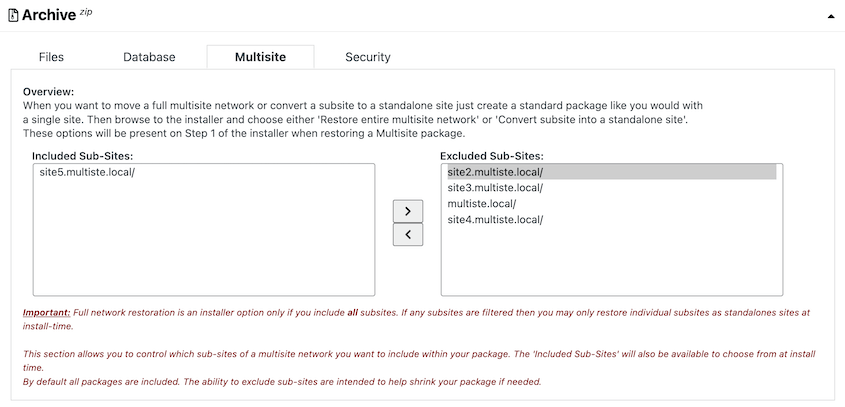
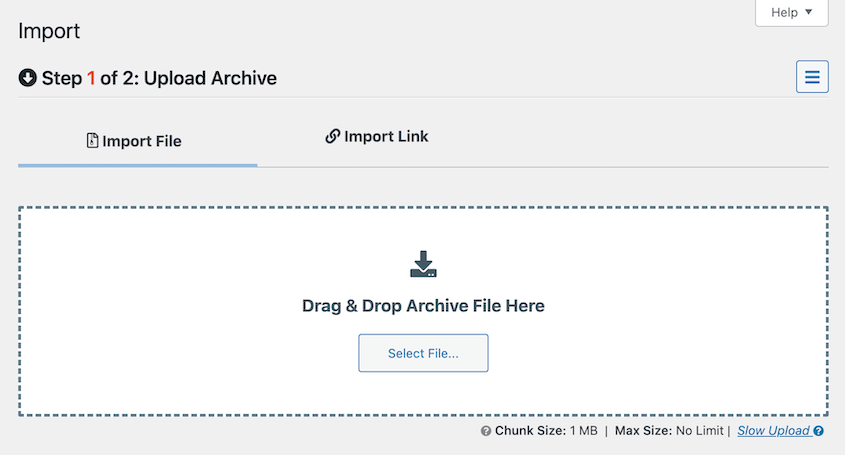
If you include all of your sub-sites, you can migrate your entire network to a new server. Simply install WordPress and drag and drop the backup into the new site.
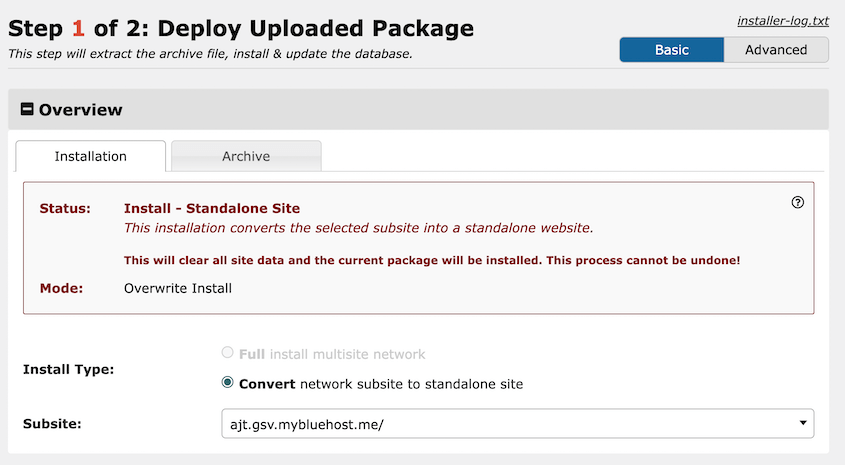
If you run an agency, you’re probably used to creating new sub-sites and eventually setting them up on an independent server.
With Duplicator, you can back up that sub-site and import it into another location. The sub-site will automatically convert to a single WordPress installation.
Duplicator is also the only migration plugin that doesn’t need WordPress to be installed. Once you create your backup files, upload them to the new server with an FTP client or cPanel.
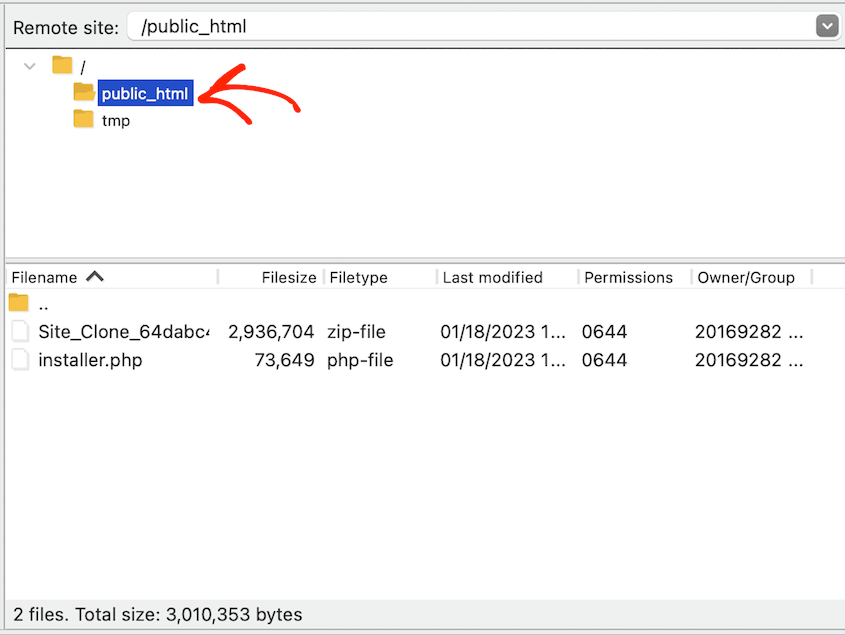
Then, launch the installer by simply searching for this URL: https://your-domain/installer.php
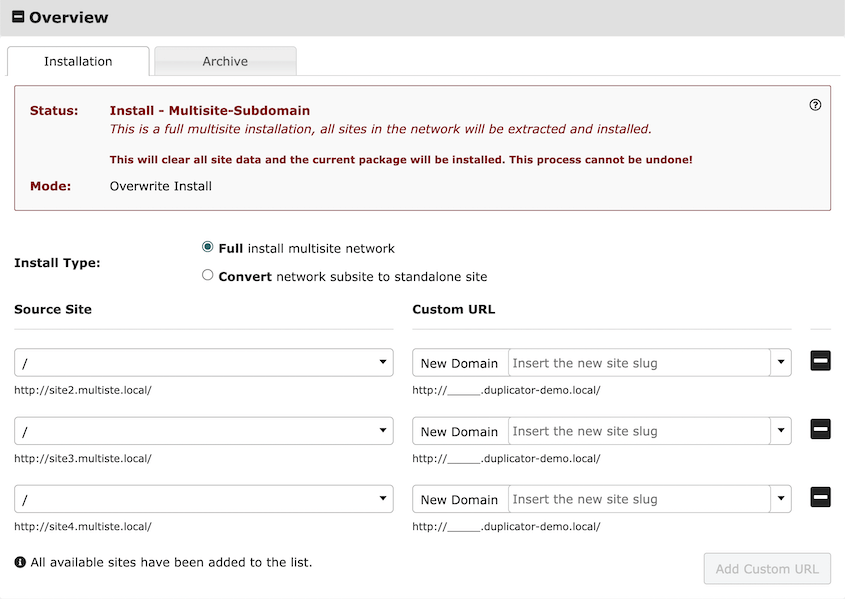
This speeds up your multisite migration! Following Duplicator’s installation steps, you’ll immediately access your new network admin dashboard.
What We Liked
- Full network migrations
- Converts sub-sites to standalone WordPress installs
- Search and replace sub-site URLs
- Custom multisite backups
- Cloud storage to providers like Amazon S3, Dropbox, Google Drive, and Google Cloud
- Built-in Duplicator Cloud storage that’s scalable to 150GB
- DupArchive file format to support large sites
- One-click restores
- Disaster recovery points to roll back your site after errors
- Schedule automatic backups
- Step-by-step migration wizard
- Empty site support
- Elite plan comes with a free media cleaner plugin
What We Didn’t Like
- You’ll have to upgrade to the Pro or Elite plans to access multisite support
Why We Chose Duplicator Pro
Duplicator is the best multisite migration plugin. You can use it to migrate your entire network or individual sub-sites. Duplicator also works as a backup tool, allowing you to automatically back up your multisite.
2. Migrate Guru
Migrate Guru is another popular migration plugin. It’s a free tool created by the same developers behind BlogVault.
What makes Migrate Guru stand apart is that it’s free and easy to use. Once you download it, enter your email address and hit Migrate.

Then, simply choose the new web host you want to migrate to.
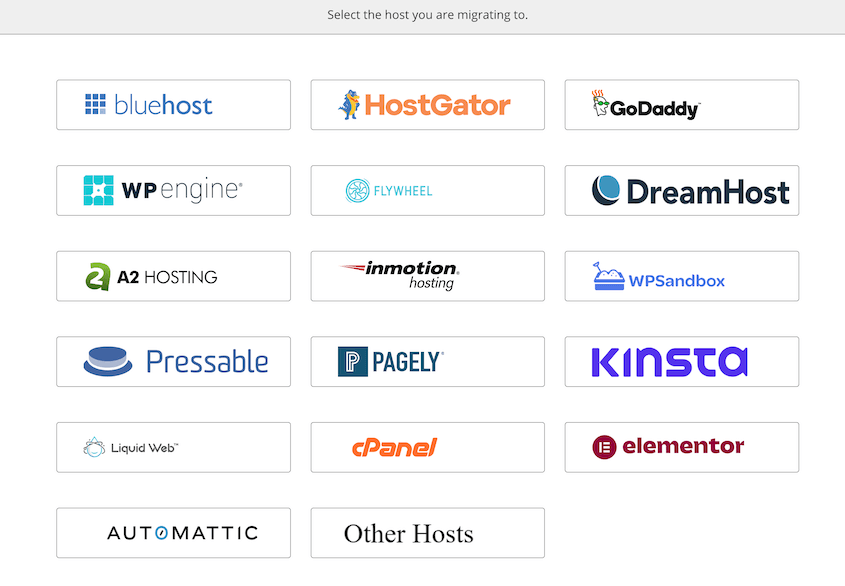
On the destination site, you’ll have to install Migrate Guru again and generate a migration key.
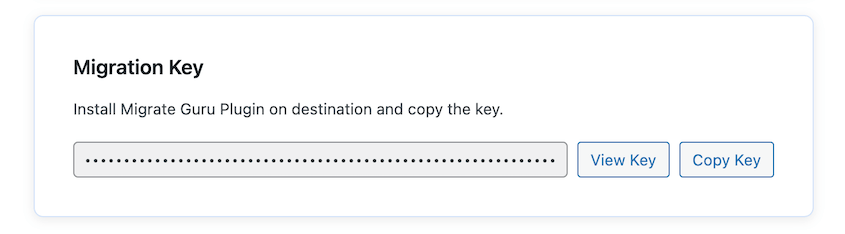
After you choose your new host, enter the migration key and your admin credentials.
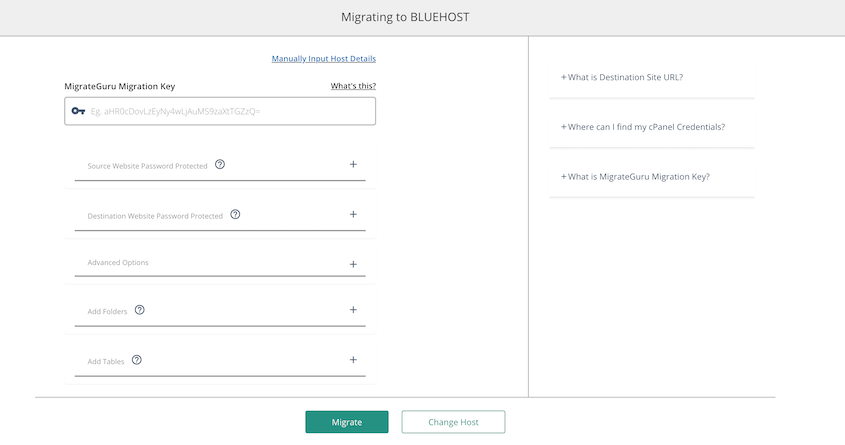
Migrate Guru will automatically clone your original site and move it to the new location.
What We Liked
- Migrate multisite networks
- Free version
- Doesn’t need extra storage space
- Move to any web host
- Search & replace
- Handles sites as large as 200GB
- Migration processes on BlogVault’s servers
What We Didn’t Like
- You can’t migrate a sub-site out of the network
- You can’t migrate a site into your network as a sub-site
- Doesn’t support migrations from a live site to a localhost
Why We Chose Migrate Guru
If you need a simple and free tool to migrate your entire multisite, try Migrate Guru. Just keep in mind that you won’t be able to migrate sub-sites into or out of the network. It’s more suited for full site migrations to new hosting providers.
3. WP Migrate

WP Migrate makes it easy to export your WordPress database, media files, themes, plugins, and core WordPress files. You can customize this backup with user-friendly checkboxes.
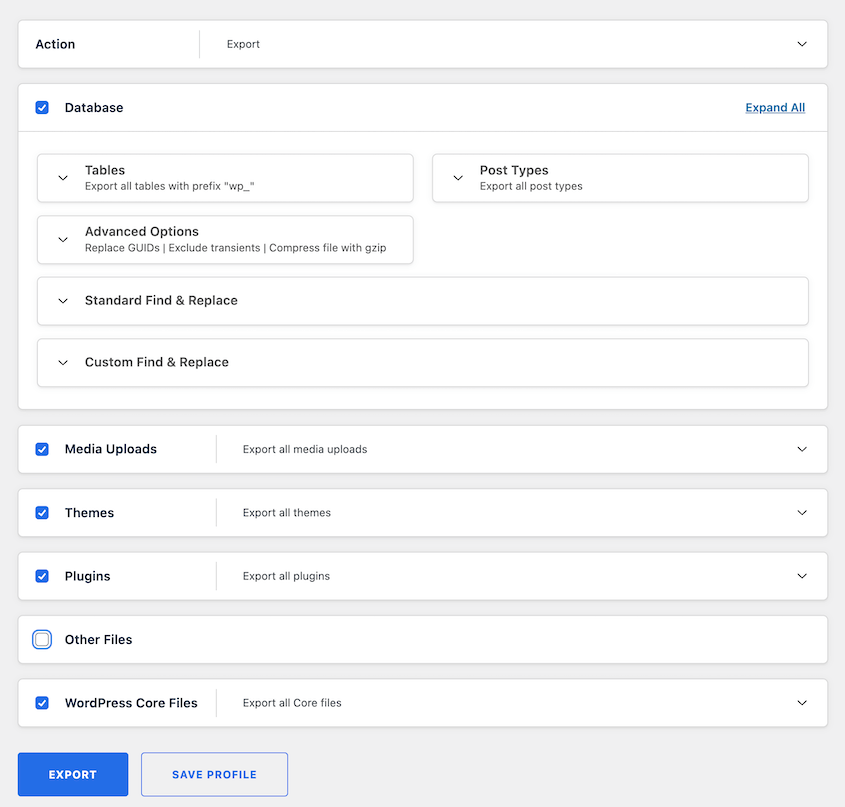
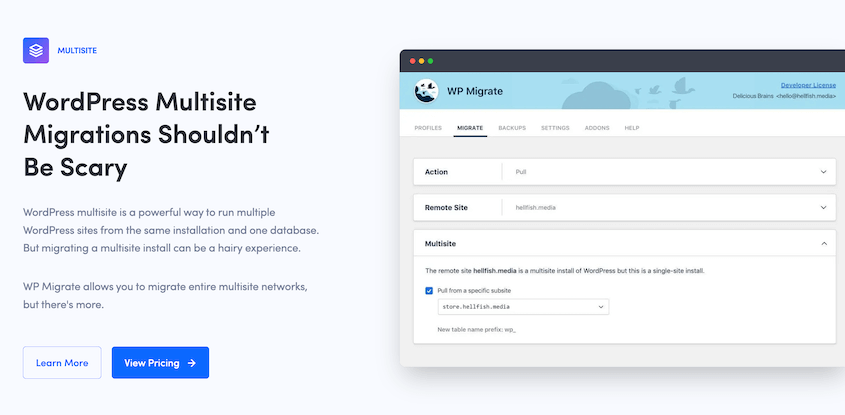
If you upgrade to a paid version, WP Migrate gives you full multisite support. You can convert a sub-site to a single site or pull a single site into your network.
WP Migrate can replace an entire multisite with a single site install, and vice versa.
What We Liked
- Migrate entire multisites
- Migrate single installs into sub-sites
- Migrate sub-sites into standalone sites
- Replace your multisite with a standalone site
- Replace a single site with a multisite network
- Find and replace function
- Sync media files between two sites
What We Didn’t Like
- The free version doesn’t support multisite
Why We Chose WP Migrate
WP Migrate is a great migration tool for developers. You can automate multisite migrations from the command line and push and pull any data you need to.
4. UpdraftPlus
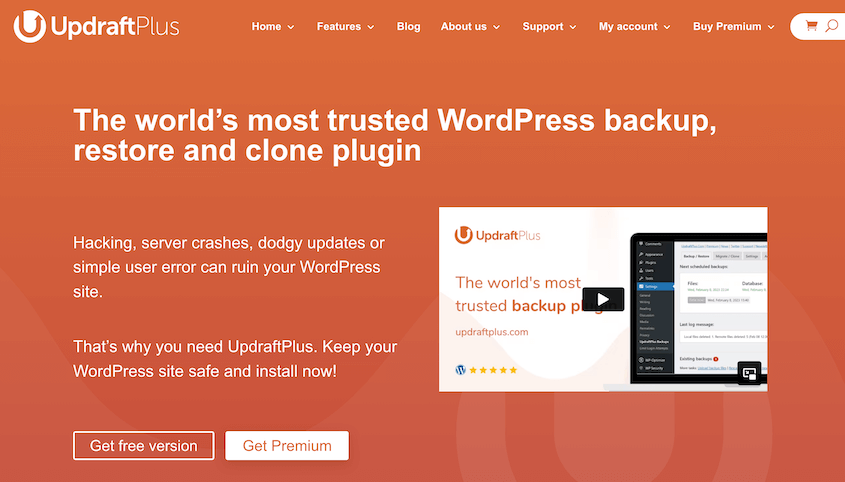
With UpdraftPlus, migrations don’t get much easier. After installing the plugin on two sites, create a custom backup on the original site. Then, restore the backup on the destination site.
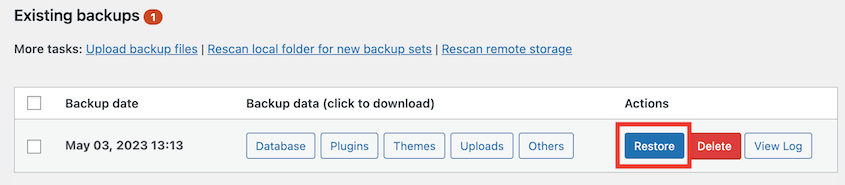
UpdraftPlus Premium extends this basic functionality, providing full support for multisite networks. You can use it to back up valuable data, save it in the cloud, and restore it if you need to.
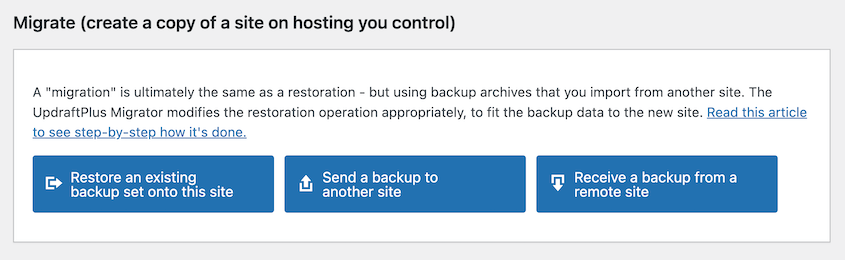
When paired with the Migrator add-on, UpdraftPlus can import a single site backup into your multisite.
What We Liked
- Backs up multisite networks
- Migrates single sites into the network
- Incremental backups
- Automatic backups
- Remote backup storage
What We Didn’t Like
- Generates separate export files for different data
- Can’t migrate sub-sites out of a network
- Can’t clone a sub-site on the same network
Why We Chose UpdraftPlus
UpdraftPlus is an effective tool for backing up your multisite network. Plus, it can migrate single sites into your network.
5. All-in-One WP Migration
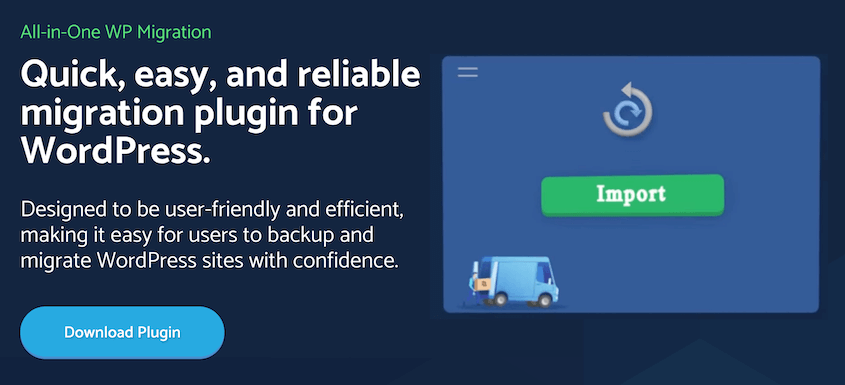
With over 5 million active installations, All-in-One WP Migration is one of the most popular WordPress migration plugins. Many WordPress site owners use the free version to quickly migrate single sites to different servers.
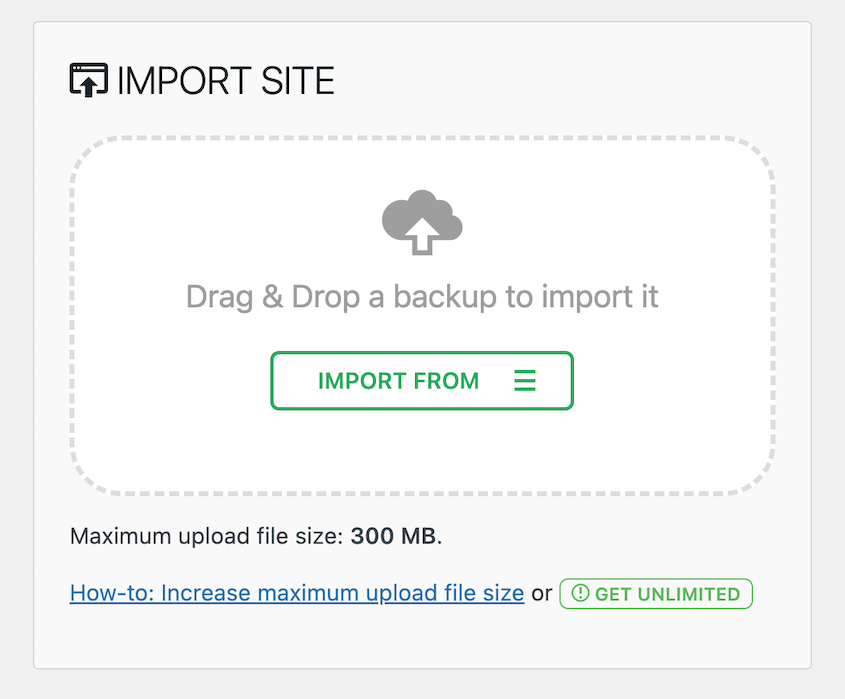
To migrate a multisite network, there is a multisite extension that costs $319 per year. This add-on gives you the full range of features you’d expect from a multisite migration plugin.
With All-in-One WP Migration, you can export single or multiple sub-sites out of your network. It can also migrate entire multisite networks.
What We Liked
- Migrate full multisite networks
- Migrate single sub-sites
- Import standalone sites into the network as sub-sites
- Import a multisite network
- Clone a sub-site
- Supports multi-networks
What We Didn’t Like
- Limited file upload size forces users to upgrade to Pro
- Requires separate add-on for multisite support, increasing costs
Why We Chose All-in-One WP Migration
All-in-One WP Migration is a popular multisite migration plugin that’s easy to use.
FAQs About the Best WordPress Multisite Migration Plugins
What is the best plugin for WordPress multisite migration?
Duplicator Pro is the best plugin for WordPress multisite migrations. You can easily export your entire network or individual sub-sites. It can help you set up sub-sites on standalone servers or import single installs into your network as sub-sites.
How do I move my WordPress multisite to a new host?
To move your WordPress multisite to a new host, create a full network backup with Duplicator Pro. Then, download the backup archive file. On the new host, install WordPress and activate Duplicator Pro. Drag and drop the backup into the Import page to start the migration.
Does All-in-One WP Migration work with multisite?
The free version of All-in-One WP Migration does not work with multisite. However, you can purchase a premium extension to add this functionality. Pricing for this multisite extension starts at $319 yearly.
How much does Migrate Guru cost?
Migrate Guru is completely free. Once you download it on WordPress.org, you can use Migrate Guru to migrate single sites or multisite networks. It’s one of the only free migration plugins that supports multisite.
How do I migrate a WordPress multisite without plugins?
To migrate WordPress multisite manually, use phpMyAdmin to download your MySQL database as a SQL file. You should also download your entire public_html folder and upload these files to your new site’s root directory.
Create a new database and import the SQL file you downloaded earlier. Lastly, edit your wp-config.php file to include your new database username, password, and hostname.
Ready to Move Your Multisite Network?
Managing a multisite network comes with unique challenges, but migration doesn’t have to be one of them.
Whether you’re moving to a new host, splitting off sub-sites, or consolidating single sites into a network, the right migration plugin makes all the difference.
Before you start any site move, here’s a pro tip: always test your migration on a staging environment first. This way, you can catch any issues before they affect your live network. And don’t forget to keep a backup of your original site until you’ve confirmed everything works perfectly on the new location.
Do you want to move your multisite to a new host or server? Download Duplicator Pro to easily handle full network migrations without timeouts!
While you’re here, I think you’ll like these other WordPress guides and tutorials:
- How to Migrate WordPress Multisite With Ease
- 13 Best WordPress Multisite Plugins
- How to Back Up WordPress Multisite (Beginner’s Guide)
- How to Migrate a WordPress Site to a New Domain (With No Downtime)
- 9 Best WordPress Backup Plugins (Expert Pick)