Duplicator’s Archive vs Installer: Why Every Backup Comes in Two Pieces
 Joella Dunn
Joella Dunn
Joella Dunn
 John Turner
John Turner
John Turner
Duplicator creates a backup, and there are two files staring back at you.
One’s called archive.zip. The other is installer.php. Neither one looks like a website.
I’ve watched people who have done a dozen migrations still pause here. Not because the process is hard, but because nobody ever explains why there are two files instead of one.
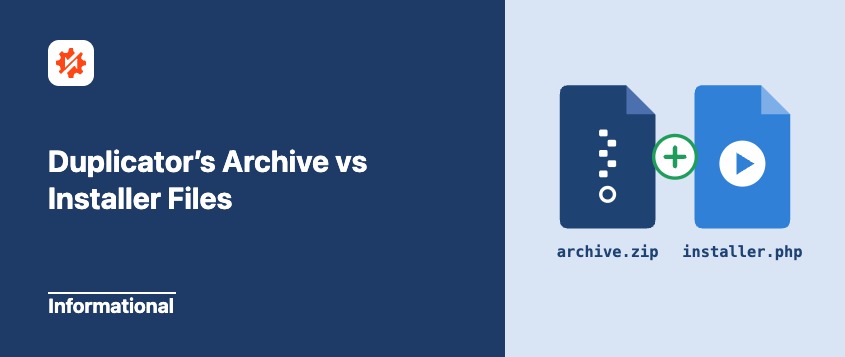
Duplicator splits every backup into these two pieces on purpose. The archive is your site’s data. The installer is the script that restores or migrates it.
They’re built to be used together, and each one only works with its matching partner.
In this post, I’ll show you why Duplicator does this and how you can use these files in your backup and migration tasks.
TLDR: Key Takeaways:
- The archive holds your site’s data, the installer is the script that rebuilds it, and each installer only works with the archive it was generated for.
- The installer doesn’t need WordPress to run. Because installer.php works independently of WordPress, it can restore a site onto a completely blank server.
- DupArchive has no practical size ceiling. Duplicator’s .daf format is confirmed at real-world migrations up to 400GB.
- Disaster recovery works through a separate link. Setting a recovery point in advance means you can restore a site even when the WordPress dashboard itself is locked out.
- Most mismatch errors come from pairing mix-ups or partial downloads, not corrupted software, and checking file size before starting a restore rules out the most common cause.
- Leaving installer.php live on a production server after migration is a security risk, and it should be deleted as soon as the restore is confirmed.
- The installer is not the backup. The archive is the actual backup data. Deleting the archive and keeping only the installer leaves nothing to restore.
Table of Contents
- What Is Duplicator’s Archive File?
- What Is Duplicator’s Installer File?
- Why Does Duplicator Split a Backup Into Two Files?
- What Breaks When These Files Get Mixed Up
- How to Handle Duplicator’s Files During a Migration
- When This Matters Most: Big Sites and Disaster Scenarios
- Frequently Asked Questions (FAQs)
What Is Duplicator’s Archive File?
Duplicator’s archive (whether it’s called archive.zip or archive.daf) is your website’s data. It holds your files and a scripted copy of your database, bundled into one package.
On its own, the archive does nothing. You can’t open it and expect a working site to appear. It’s inert data, waiting for something to unpack and rebuild it.
What Is Duplicator’s Installer File?
Installer.php is different. It’s a small PHP file you open in a web browser. It doesn’t run inside WordPress, and it doesn’t need WordPress installed to work.
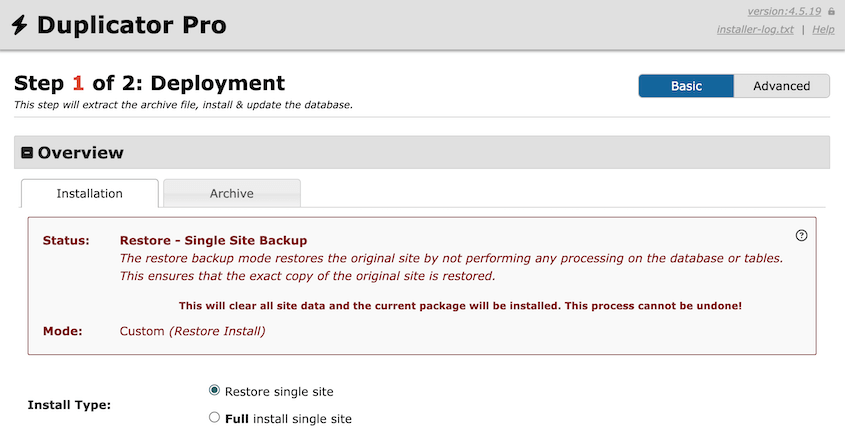
Point it at an empty server, and it builds the database, writes the config, and extracts your site from the archive.
When you run it, it asks for a few details about the destination, like its database credentials. Then, it reads the archive and rebuilds your site from it.
Why Does Duplicator Split a Backup Into Two Files?
Why not just bundle everything into one file and call it done?
Some migration tools do exactly that. Your files, database, and installer logic all get bundled into a single package that moves as one unit.
That works fine for a small site. But it means the entire operation (upload, extraction, and execution) all has to happen through that one file at once.
On shared hosting, that’s where things get tight. PHP memory limits and upload size caps were never built with massive single files in mind.
Duplicator’s installer stays small and fast no matter how big your archive gets. It’s not doing the heavy lifting; it’s coordinating the restore.

Plus, installer.php runs independently of WordPress, so it doesn’t need WordPress installed, active, or even working to do its job.
Plugin-based migration tools can’t say that. If the tool lives inside WordPress, WordPress has to be running for the import to happen.
Duplicator’s installer sidesteps that entirely. Point it at a completely empty server, and it builds the whole site from the archive.
That independence is what makes the archive itself capable of scaling. Duplicator’s DupArchive format (the .daf files) has no theoretical file size limit, confirmed in real-world migrations as large as 400GB.
Put those two things together (an installer that doesn’t need WordPress and an archive with no practical ceiling), and you get a backup that can restore a site nobody could open by any other means.
What Breaks When These Files Get Mixed Up
Most of the problems people run into with Duplicator come down to one thing: treating these two files as more interchangeable than they are.
The Mismatched Installer Error
This is the one I see most often. It shows up as “Installer and archive mismatch detected,” or sometimes “Archive not found!”
The usual cause is a pairing mix-up: an installer.php from one backup ends up next to an archive from a different one.
It also happens when the archive didn’t fully download. A partial or interrupted transfer leaves a file that looks present but isn’t complete.
Duplicator checks that the installer and archive belong together before it does anything else. If they don’t match or the archive isn’t fully intact, it stops and tells you rather than attempting a restore that would fail partway through. If you hit one, our guide to fixing installer and archive issues covers each error.
Losing the Installer File
Sometimes installer.php goes missing. Someone cleans up a downloads folder or only backs up the archive because it looks like the “real” file.
Without it, the archive still holds your entire site. You just don’t have the script to unpack it yet.
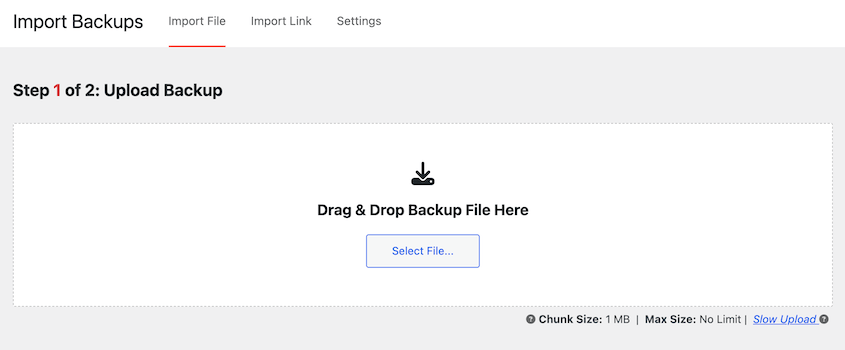
In that case, if you have Duplicator Pro, upload the archive to the Import Backups page. It supports drag-and-drop migrations without needing the installer.
Leaving installer.php Live After Migration
This one is easy to miss because the migration already worked. The new site is live, everything looks fine, and installer.php is still sitting in the root directory.
That’s a problem. A working installer script left on a production server is something anyone could stumble onto and run again.
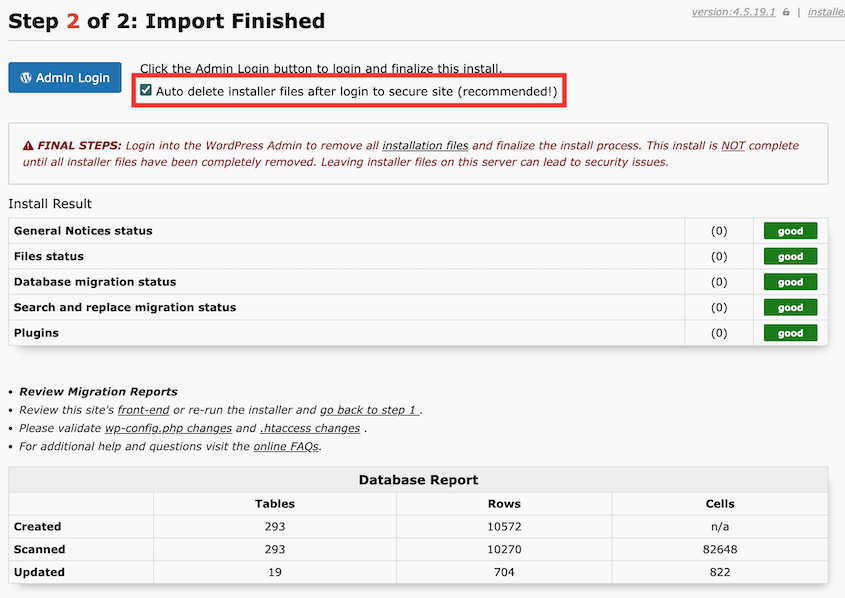
You should delete it as soon as the migration is confirmed. Duplicator usually does this automatically, but you can clean them up manually.
How to Handle Duplicator’s Files During a Migration
None of this requires a complicated system. A few habits cover almost every situation.
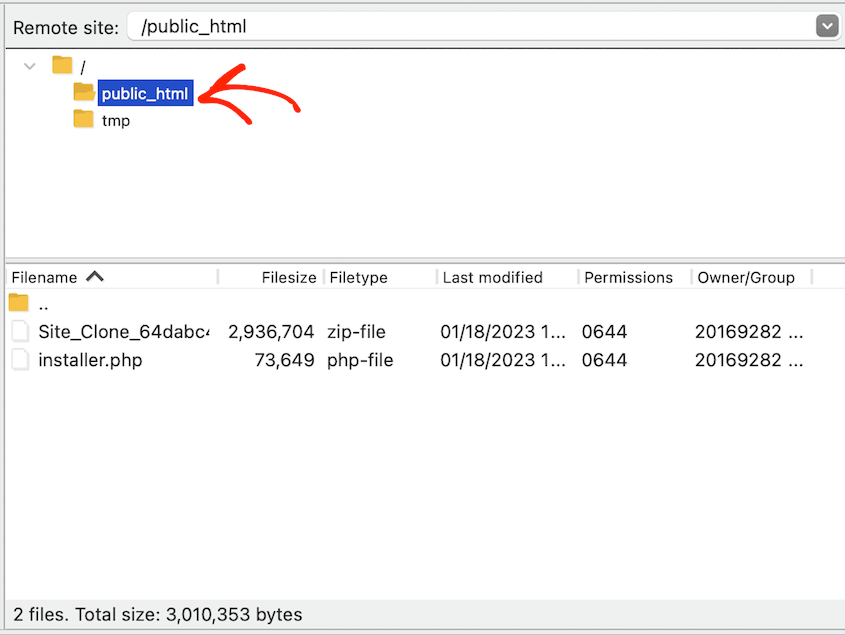
- Keep both files together. Upload the archive and installer.php to the same destination folder, and don’t separate them until the migration is done.
- Know how to launch the installer. Once both backup files are on the new server, start the installer with a URL like this: yourdomain.com/installer.php. Our classic installation guide walks through it.
- Delete installer.php once the site is confirmed working. There’s no reason to leave it in place after the restore succeeds.
- Test on a copy before touching your live site. This is where I’d lean on Duplicator Pro’s one-click staging. It turns a full-site backup into a staging copy in a few clicks.
- Password-protect the installer if the backup sits anywhere semi-public. Duplicator lets you set a password on the installer itself, separate from encrypting the archive with AES-256. Worth doing anytime the files leave your own machine, even briefly.
For the full step-by-step on running the installer itself, Duplicator’s Ultimate Guide to the Installer walks through every screen.
When This Matters Most: Big Sites and Disaster Scenarios
Everything so far applies to a routine migration. But the same two files that make routine migrations work are what make Duplicator useful when things go seriously wrong.
I mentioned earlier that Duplicator’s installer doesn’t need WordPress to already be running. That’s not just convenient for moving to a fresh server. It’s the same reason Duplicator can pull off a full recovery when your dashboard won’t even load.
Duplicator’s disaster recovery works through a recovery link. You set a backup as your recovery point ahead of time and save the link somewhere safe.
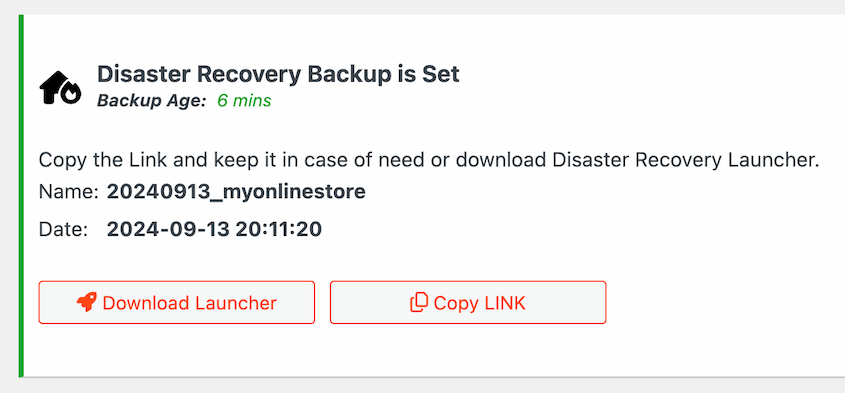
If your site goes down hard, paste that link into a browser, and the recovery wizard takes over from there.
That’s different from a normal migration. You’re not choosing to move a site. Something already broke, and you need a way in that doesn’t depend on your broken dashboard.
The same independence carries over to Multisite. Duplicator Pro supports full WordPress Multisite backups and restores.
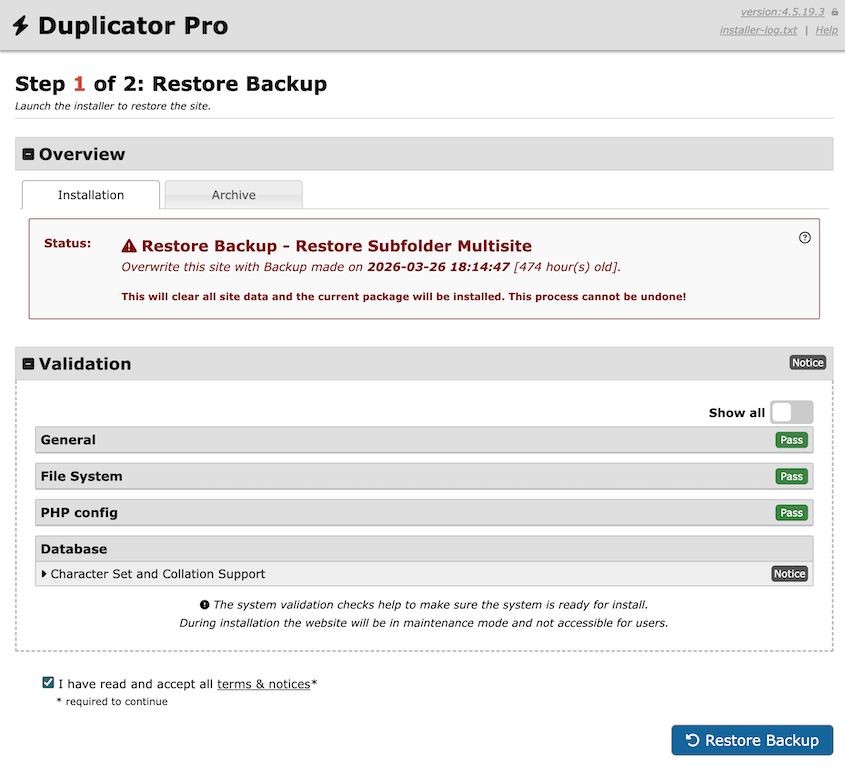
With more sites bundled into one installation, having an installer and archive that don’t depend on WordPress matters even more.
Frequently Asked Questions (FAQs)
Do I need both the archive and installer.php to restore a site?
Usually. The archive holds your site’s files and database, but it can’t do anything on its own. The installer is the script that reads the archive and rebuilds your site from it. Without both files present in the same location, the restore can’t run. However, if you already have WordPress working and Duplicator Pro installed, simply upload the archive file to the Import Backups page to restore or migrate the site.
What happens if I only have the archive file, not the installer?
Your data is still intact, since the archive holds everything. You just don’t have the tool to unpack it yet. If you have access to WordPress and Duplicator Pro, open the dashboard and upload the archive to the Import Backups page.
Can I reuse an installer.php from a different backup?
No. Each installer is generated to match one specific archive. Pairing an installer with an archive from a different backup triggers a mismatch error, and Duplicator won’t proceed with the restore until the correct pair is in place.
Is it safe to leave installer.php on my server?
Not after the migration is done. A working installer script sitting on a live server could be found and run again. Delete it as soon as the restore is confirmed successful, and add a password to it if it needs to stay longer than expected.
What’s the difference between archive.zip and archive.daf?
Both hold the same kind of data: your files and database. Archive.daf uses Duplicator’s DupArchive format, built for chunked processing with no theoretical size limit (confirmed at 400GB), while archive.zip is the standard zip format, better suited to smaller sites. To open a .daf file manually, use the DupArchive Extractor.
Why does my installer say it doesn’t match the archive?
Usually it’s a pairing mix-up. An installer from one backup ended up next to an archive from another, or the archive didn’t fully download. Duplicator checks that the two belong together before attempting anything, so it stops rather than risking a partial restore.
Is Duplicator free to use?
Yes. The free version of Duplicator on WordPress.org creates both files, the archive and installer.php. Duplicator Pro adds drag-and-drop imports, scheduled backups, disaster recovery, and one-click staging.
Do I need to create a database before running installer.php?
Usually, yes. Create an empty database and a database user in your hosting control panel first, then enter those details when the installer asks for them. You don’t need to install WordPress first, since the installer builds the site from the archive.
Two Files, One Job: Getting the Restore Right
Splitting a backup into an archive and an installer isn’t needlessly complex. It’s what lets Duplicator restore a site to a blank server, recover one that’s completely locked out, and handle archives with no practical size ceiling.
A single bundled file couldn’t do any of that.
Over 1.5 million WordPress users already trust Duplicator to handle backups, migrations, and disaster recovery. With a standalone installer in every version, plus Duplicator Pro’s one-click staging and disaster recovery, you’re covered for routine migrations and the ones that go wrong.
If this post got you thinking about how Duplicator handles backups and restores, these guides are worth reading next.
- How to Restore WordPress From a Backup (In Less Than 5 Minutes).
- Disaster Recovery and 1-Click Restore for WordPress
- How to Restore WordPress Multisite (4 Methods That Work in 2026)
- Site Just Crashed? Here’s Your Complete Website Recovery Plan
- How to Secure a WordPress Database: Hardening, Encryption, and Ongoing Protection