SeedProd Review: Is It the Ultimate WordPress Page Builder?
 Joella Dunn
Joella Dunn
Joella Dunn
 John Turner
John Turner
John Turner
Building a WordPress website can feel like assembling furniture without instructions. You know what you want it to look like, but getting there is another story.
I discovered SeedProd while searching for an easier way to build WordPress sites for my clients. This page builder plugin transformed how I create websites, making the process fast and code-free.
I’ve tested dozens of WordPress page builders over the years. Some promise the moon but deliver headaches. SeedProd stands out because it actually delivers on its promise to make website building straightforward.
In this review, I’ll share my hands-on experience with SeedProd’s features. You’ll learn exactly what this tool can do for your WordPress site!
Here are the key takeaways:
- Beginner-friendly drag-and-drop builder: Create professional websites without coding experience
- Complete theme builder capabilities: Build entire sites, not just landing pages
- Affordable pricing at $39.50/year: More cost-effective than competitors like Elementor ($59/yr) and Divi ($89/yr)
- Unique domain mapping feature: Use different domains for individual pages without separate WordPress installations
- Pre-built templates for landing pages, coming soon pages, 404 pages, and more
- Strong email marketing integrations: Seamlessly connects with Mailchimp, AWeber, ActiveCampaign, and other services
- All templates are responsive and performance-focused
- Built-in AI helps write headlines, copy, and website content
Table of Contents
- An Introduction to SeedProd
- Exploring SeedProd's Features
- 1. Onboarding Process
- 2. Pre-Built Landing Page Templates
- 3. Drag-and-Drop Customization
- 4. Theme Builder
- 5. Lead Generation and Sales
- 6. Pre-Built Page Sections
- 7. Color Palettes and Fonts
- 8. Reusable Blocks and Templates
- 9. Coming Soon and Maintenance Mode Pages
- 10. Access Control
- 11. Custom 404 and Login Pages
- 12. Use Different Domains for Any Page
- 13. Integrates with Email Marketing Services
- 14. Responsive and Mobile-Friendly
- 15. Compatible with Any WordPress Theme
- 16. AI Features
- Real User Testimonials: Why People Love SeedProd
- SeedProd vs. Competitors: A Comparison
- Frequently Asked Questions about SeedProd
An Introduction to SeedProd
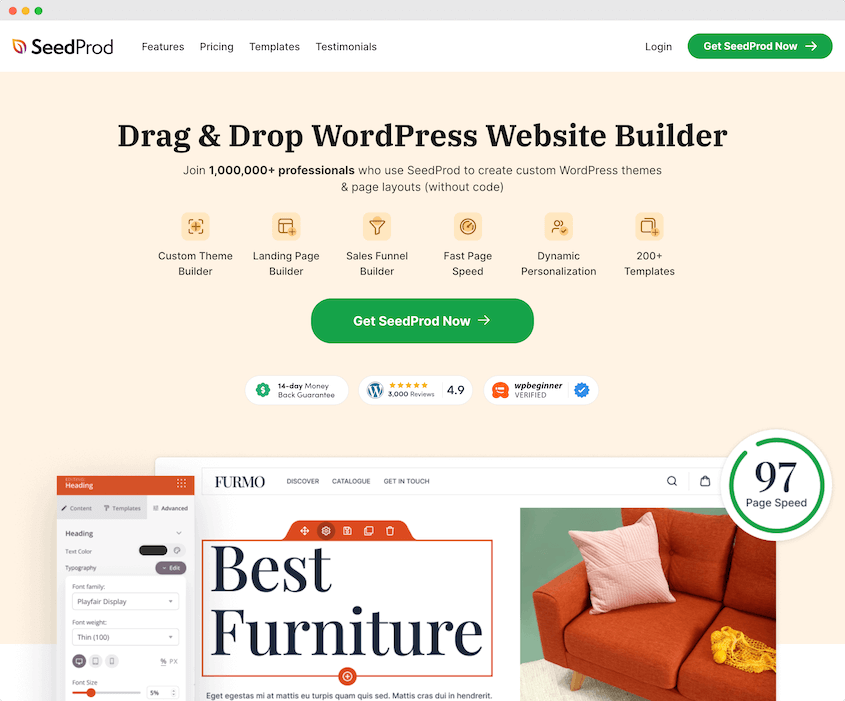
SeedProd is a WordPress page builder plugin that makes website building simple, intuitive, and fun. It has a drag-and-drop builder and a variety of pre-designed templates, allowing you to quickly set up a blog, WooCommerce store, or other website.
Exploring SeedProd’s Features
Are you ready for a deep dive into what SeedProd has to offer? Buckle up, as you’re about to discover all the fantastic features that this amazing plugin brings to the table.
- Onboarding Process: Clear setup instructions with helpful videos and documentation
- Pre-Built Landing Page Templates: Professional templates for sales pages, thank you pages, webinars, and more
- Drag-and-Drop Customization: Visual builder with content blocks, forms, and interactive elements
- Theme Builder: Create complete website designs from headers to footers
- Lead Generation and Sales: Opt-in forms, countdown timers, and WooCommerce integration
- Pre-Built Page Sections: Ready-made elements for headers, testimonials, CTAs, and FAQs
- Color Palettes and Fonts: Professional color schemes and Google Fonts integration
- Reusable Blocks and Templates: Save and reuse custom designs across multiple sites
- Coming Soon and Maintenance Mode: Professional pages for site updates and launches
- Access Control: Allow specific users to bypass maintenance pages for testing
- Custom 404 and Login Pages: Brand-consistent error and login experiences
- Domain Mapping: Use different domains for individual pages without separate WordPress setups
- Email Marketing Integrations: Connect with Mailchimp, AWeber, Drip, and other services
- Mobile Optimization: Responsive templates with mobile preview capabilities
- Theme Compatibility: Works with any WordPress theme, free or premium
- AI Content Generation: Built-in AI assists with writing headlines, copy, and website content
1. Onboarding Process
If you’re new to web design, you’ll want to find a page builder that is easy to use and ready to go right out of the box. When you take your first steps with SeedProd, you’ll find it refreshingly easy to get started.
Once you install SeedProd, you’ll immediately get clear instructions on how to set up the plugin. It will also give you helpful videos and documentation to help you learn about what SeedProd has to offer.
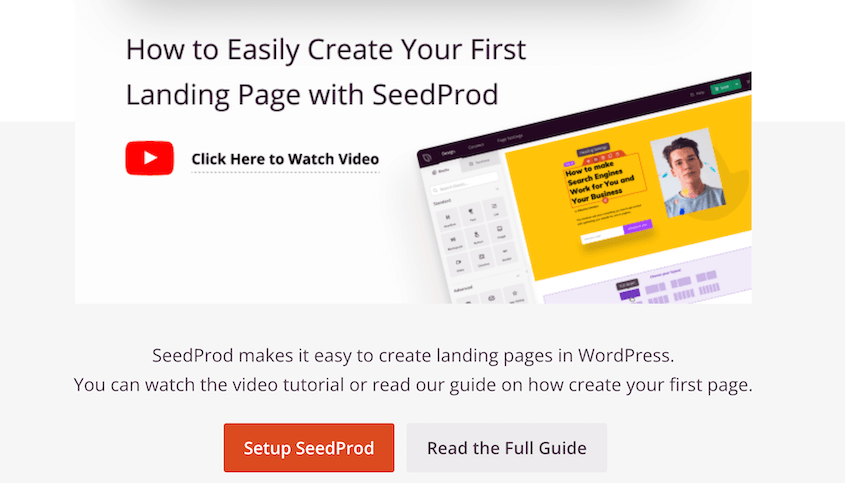
On the Setup page, you can start building anything from coming soon pages to a custom theme.
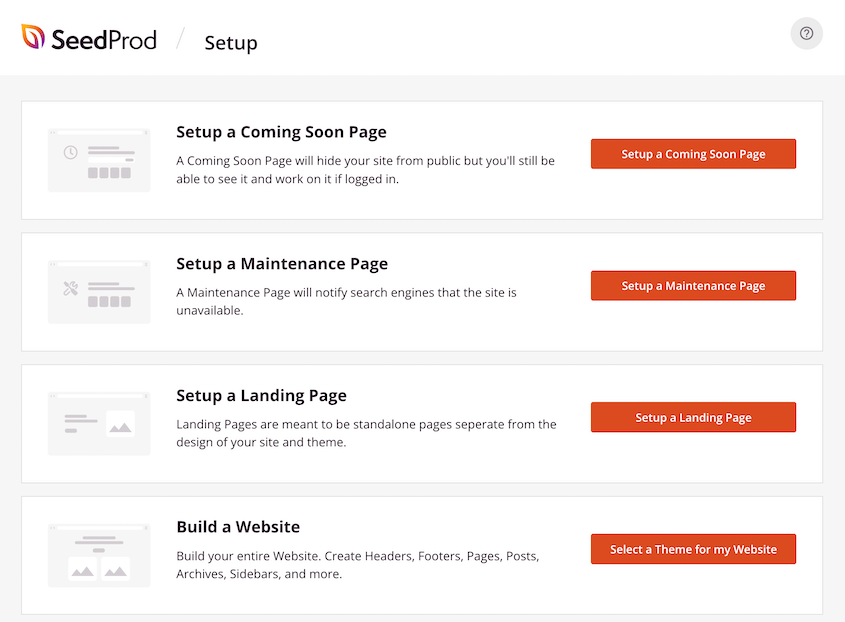
This clear walkthrough makes it a breeze to set up your website, whether you’re a seasoned developer or a novice. And if you do stumble along the way, there’s always prompt support to lean on.
2. Pre-Built Landing Page Templates
You no longer need to worry about crafting a design from scratch. With SeedProd’s professionally designed templates, you’ve got the groundwork already laid out for you.
So, what’s on the table?
- Thank you pages
- Maintenance mode pages
- 404 pages
- Login pages
- Video pages
- Sales pages
- Coming soon pages
- Lead squeeze pages
- Webinar registration pages
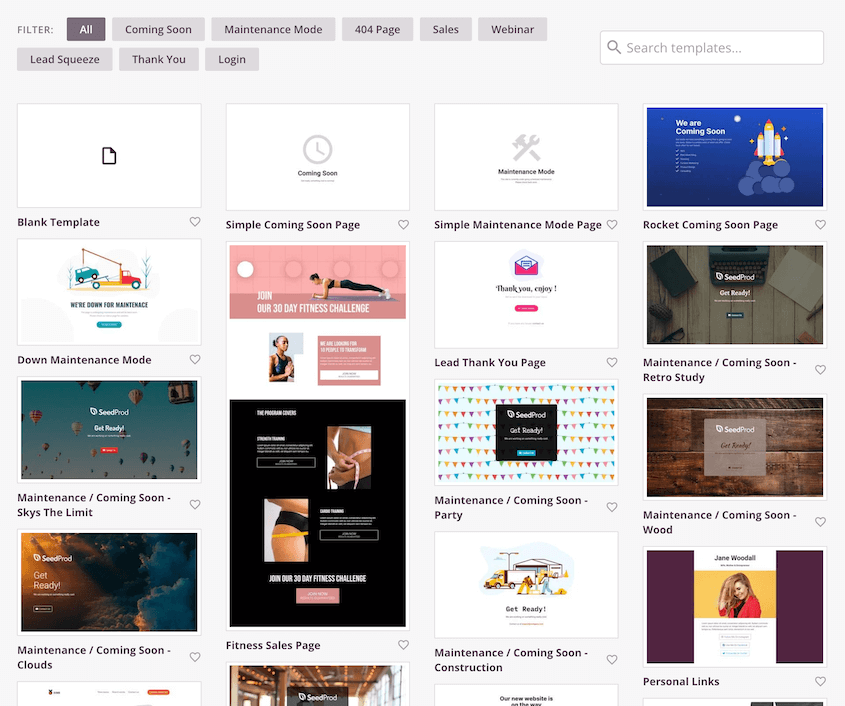
SeedProd provides a broad variety of templates to suit various business needs and aesthetic preferences. Select a template that matches your goals and branding, then tweak it.
If you’re ever tired of your site’s look, changing it up is as simple as picking a new template. Not many plugins can offer this level of flexibility and ease of use.
3. Drag-and-Drop Customization
One of the standout features of SeedProd is its user-friendly drag-and-drop builder.
This feature brings a level of simplicity when designing a website, as you won’t need complex coding experience. Instead, you can visually build your website by simply dragging and dropping elements onto your page.
The process is pretty straightforward:
- Select an element you want to add from the sidebar.
- Drag the element onto your page.
- Adjust and customize the element to your liking.
With SeedProd’s drag-and-drop feature, you have complete control over the look of your website. It allows you to build custom page layouts, add personal touches, and make real-time changes that you can view right away.
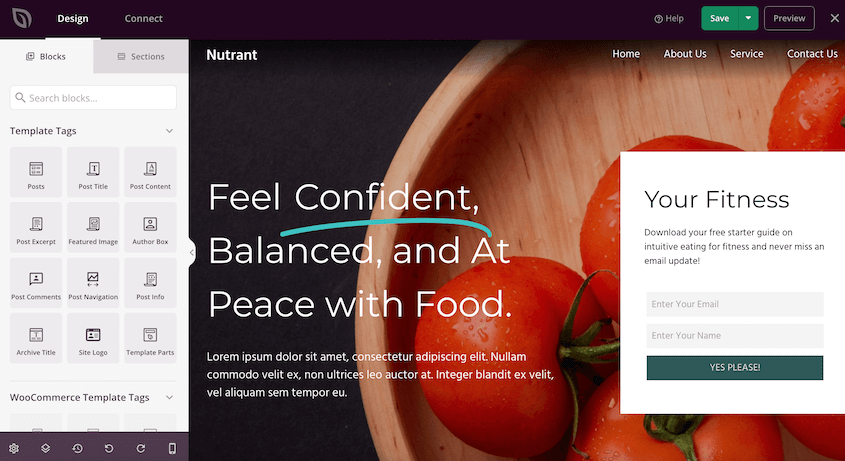
But what exactly can you add with this feature?
SeedProd has content blocks that include headers, text blocks, images, videos, buttons, and more. This helps you customize basic elements on a page.
You can also enhance your website with extra features like countdown timers, contact forms, opt-in forms, and social share buttons.
Plus, many of these blocks have different template options. You can easily change the default design in seconds.
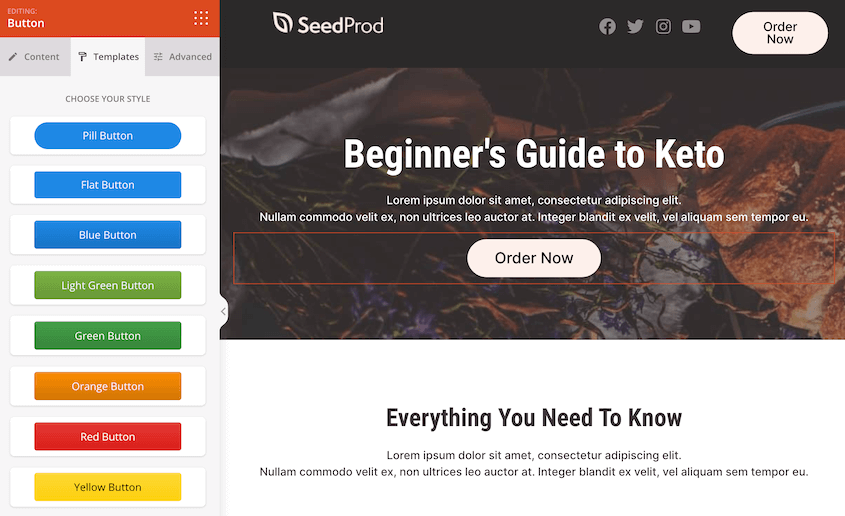
As you can see, all of these customizations are code-free. With SeedProd, you’ll quickly and easily build custom pages without knowing HTML or CSS.
4. Theme Builder
SeedProd is not only a WordPress landing page builder, but a theme builder. It effortlessly replaces your need for a graphic designer.
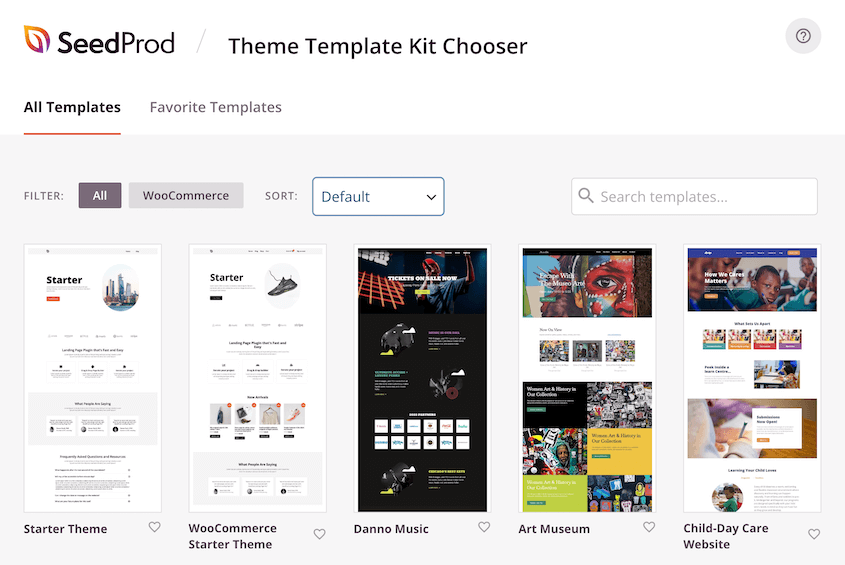
With SeedProd’s Theme Builder, you can create your entire site’s design from the ground up. Whether you’re fashioning headers, footers, or blog templates, everything can be customized to fit your unique needs and aesthetics.
But what if you don’t want to start from scratch?
You’ll find a range of beautifully designed, ready-to-use themes to kickstart your website development. Every piece of your website will match, creating a cohesive and professional appearance.
5. Lead Generation and Sales
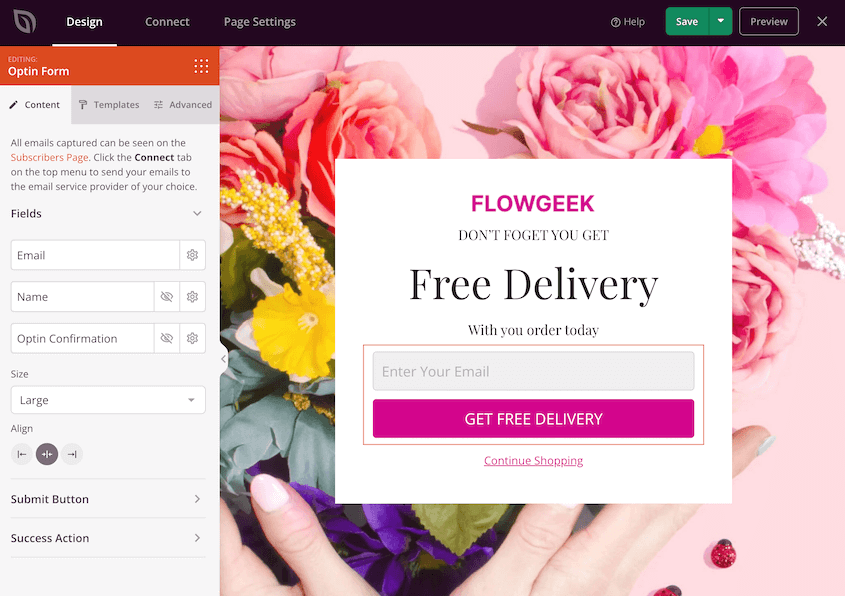
If you’re looking to grow your clientele, subscriber base, or overall brand reach, you’ll need to focus on lead generation. Since SeedProd started as a landing page builder, it has many blocks that are perfect for generating leads.
Here are some of SeedProd’s landing page blocks:
- Opt-in forms
- Giveaways
- Countdown timers
- Social media sharing buttons
- Progress bars
- Social profile buttons
- Star ratings
- Navigation menus
- Login forms
- Contact forms
- And more!
Plus, SeedProd supports WooCommerce blocks which can help you increase sales for your e-commerce store. This includes page elements like product grids and add-to-cart buttons.
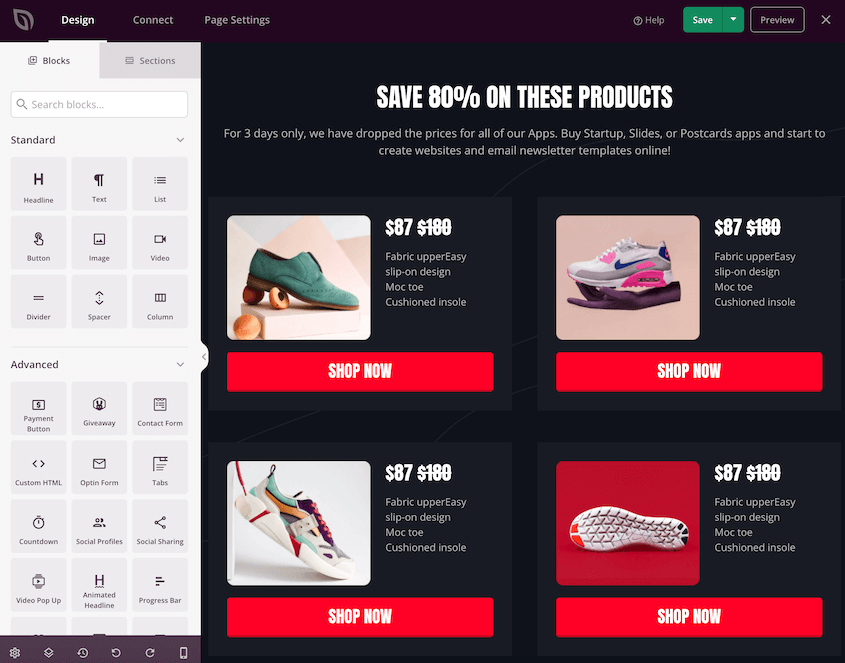
With these features, you can easily create checkout and product pages that convert.
6. Pre-Built Page Sections
If you want to keep your design consistent, SeedProd’s pre-built sections will come in handy. These are pre-made elements that you can insert into your pages.
The pre-built sections include common website elements such as headers, footers, content blocks, call-to-action buttons, testimonials, and so much more. They’re customizable, so you can make them match your brand and style.
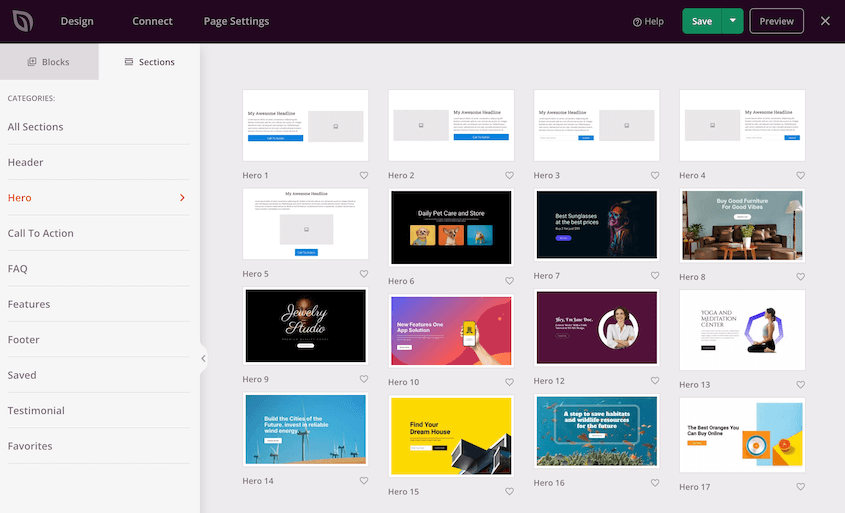
SeedProd’s pre-built sections can help you:
- List product features
- Generate leads
- Feature testimonials
- Answer FAQs
Pre-built page sections can save you valuable time. You don’t have to spend hours trying to code your own elements or hire a developer to do it for you. You’re just a few clicks away from a beautifully designed web page.
7. Color Palettes and Fonts
SeedProd offers an array of pre-designed color palettes, ensuring any option will be coordinated and aesthetic. These presets are created by design professionals, ensuring your website consistently maintains a sleek, sophisticated look.
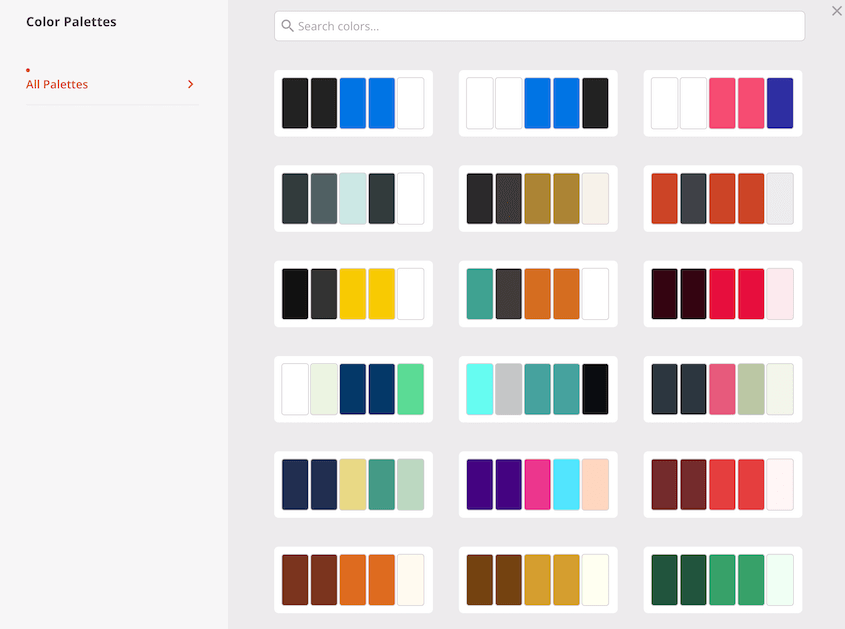
You can change your site’s fonts just as easily. Working with typography on SeedProd is a breeze, thanks to the extensive collection of Google Fonts integrated into the platform.
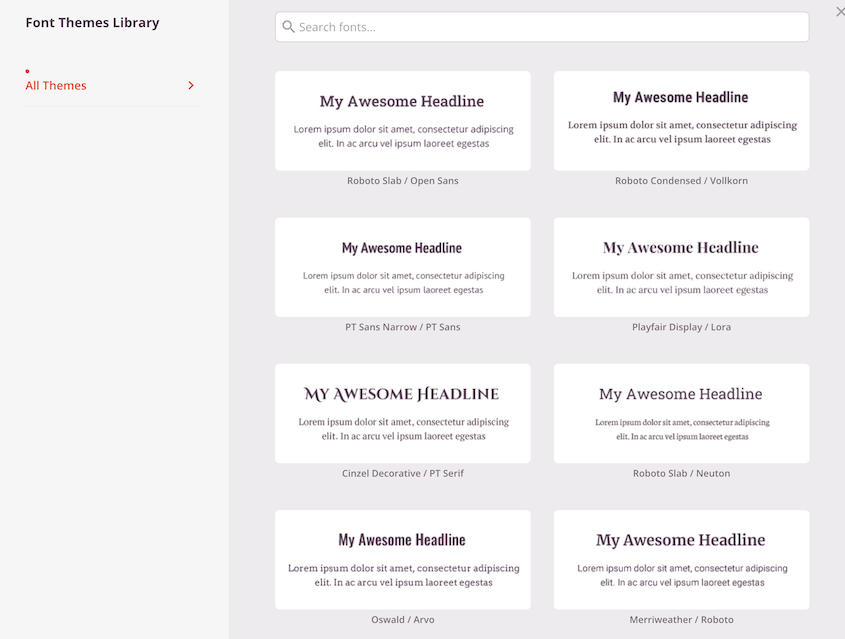
Wondering what a particular font or color scheme will look like on your site? The real-time live preview feature allows you to experiment with your look without committing any changes.
8. Reusable Blocks and Templates
With SeedProd, you can save your customized blocks and designs as templates. You can maintain a consistent look and feel across your website without recreating elements from scratch!
Once you’ve designed a block or a section, save it as a custom template. Then, instead of going through the same design process again for another page, select this template.

You can also reuse these templates across all your WordPress websites. This portrays a consistent brand image, especially critical if you own multiple websites.
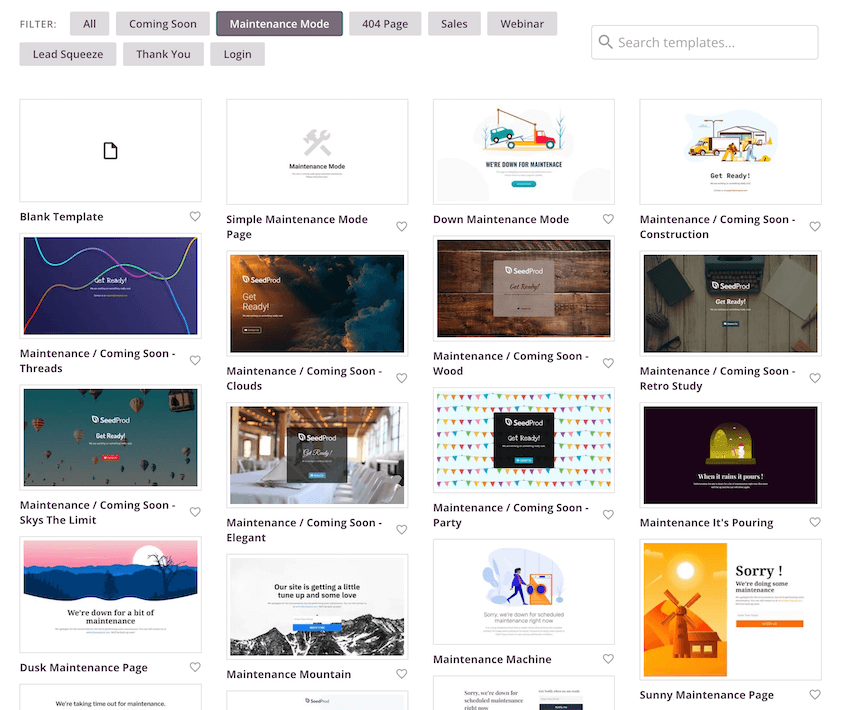
9. Coming Soon and Maintenance Mode Pages
If you make major edits to your live WordPress site instead of a staging site, your visitors could see 404 errors. To avoid this, you can redirect them to coming soon or maintenance mode pages.
These pages offer a much better user experience for visitors. They often explain why your website is unavailable and when it will be back.
With SeedProd, you won’t have to struggle to create maintenance mode or coming soon pages. Just like with your site pages and layouts, you can customize pre-built templates, or design from scratch.
When you’re ready to go into maintenance mode or coming soon mode, set the page to Active.
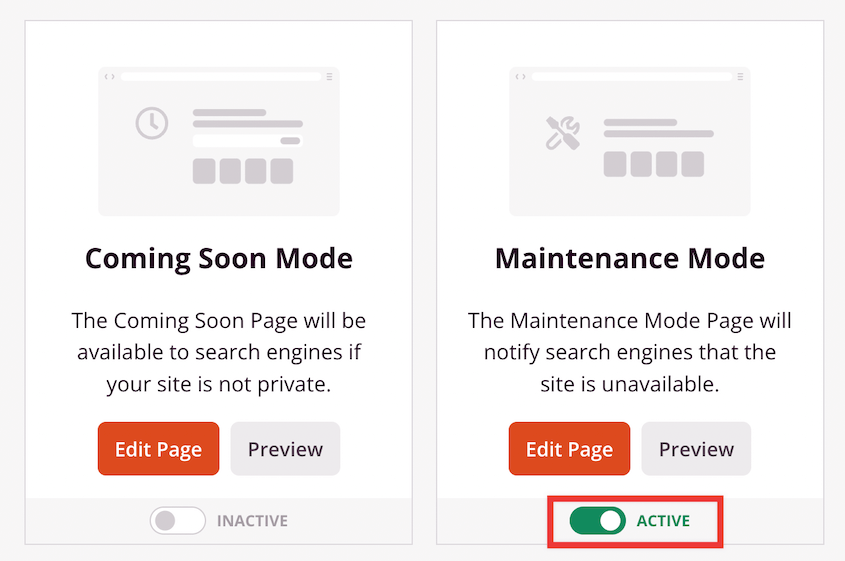
Now you’re free to work on your website without worrying about annoying your audience or dropping in search rankings.
10. Access Control
As you’re redesigning your site, you’ll want to publicly display a coming soon or maintenance page. However, SeedProd also gives you access controls in the page settings, allowing specific users to still view your site if you want them to.
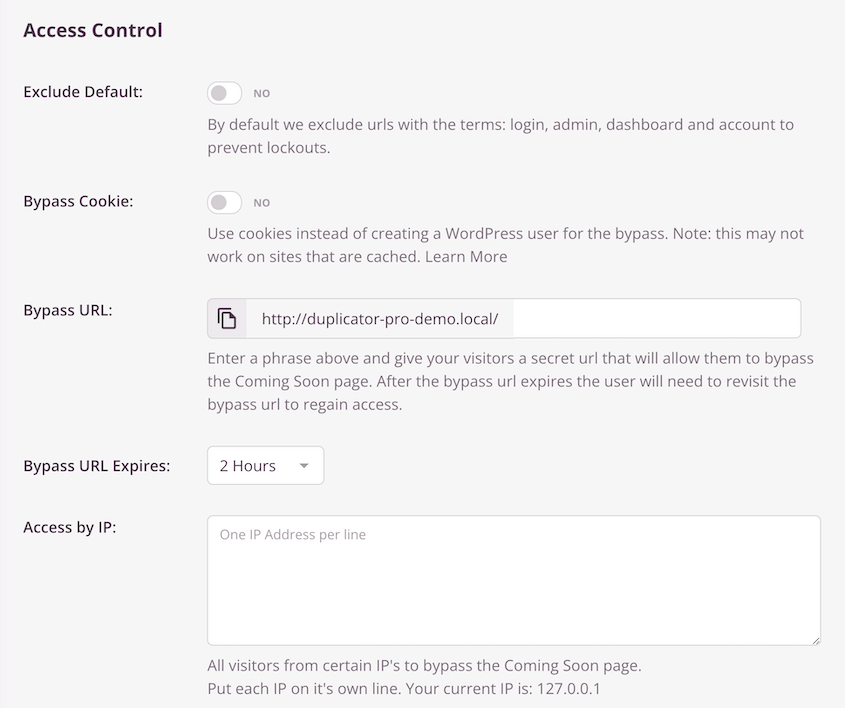
Basically, you can let some users bypass the custom landing page you set up. They’ll see behind the scenes, while everyone else has to wait for your changes to go live.
This could be useful for allowing only your team to view your website in its developmental stage. Team members can access, review, and provide feedback despite the site not being ready for public viewing.
All the while, the client’s visitors or customers continue to experience the older, stable version of the website.
You can also use SeedProd’s access control to run beta tests. A select group of users can access and interact with your new website or features before they go live for everyone. This process can ensure a smoother public launch.
11. Custom 404 and Login Pages
Instead of displaying the generic and unhelpful ‘Page Not Found’ message, SeedProd helps you design custom 404 pages that match your site. These pages guide your visitors back to a working page, or even take the opportunity to showcase some of your other content or services.
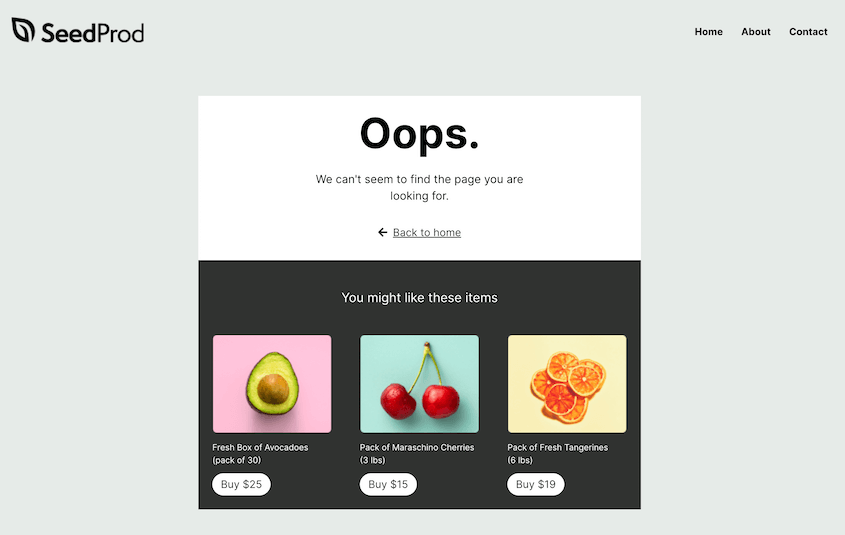
This keeps your site aesthetically consistent and helps retain visitors who might have otherwise left after encountering an error.
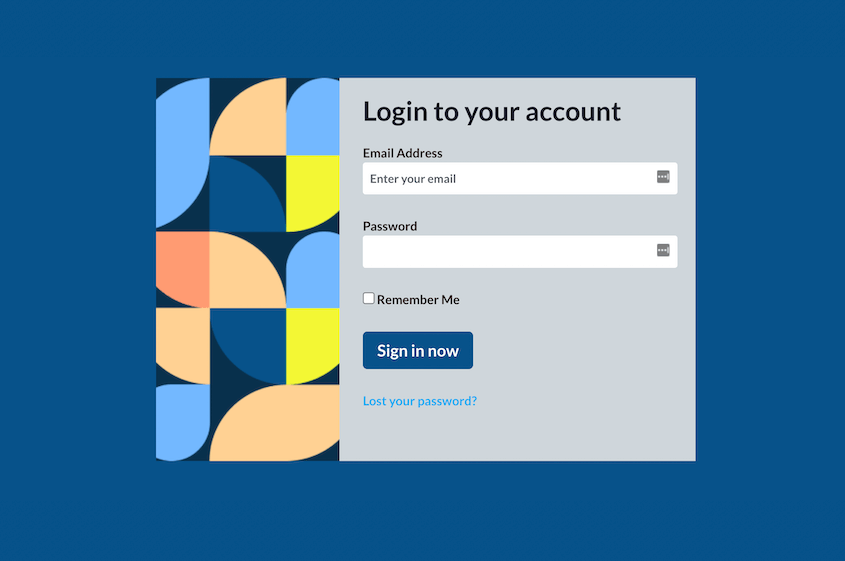
Many websites stick to the default WordPress login page, which can seem detached from your branding. But with SeedProd, you can design a seamless login experience featuring your brand colors, logo, and style.
12. Use Different Domains for Any Page
You’ve crafted the perfect high-converting landing page for your marketing campaign and you want it to stand out. What better way than having a unique domain name that speaks directly to your audience, different from your primary website?
That’s when you might use SeedProd’s domain mapping feature. With this unique tool, you can bypass the need for a whole new WordPress setup by mapping your landing page to a different domain.
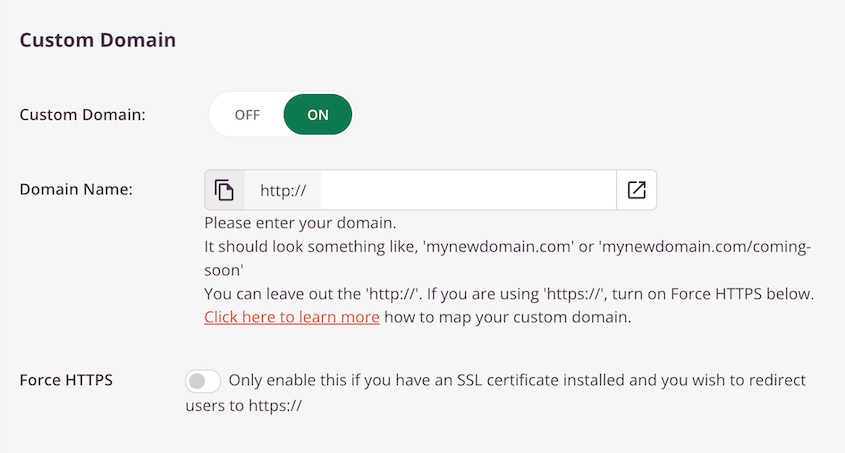
This allows the landing page to live on a new domain without the hassle of creating a new WordPress installation. With SeedProd, you’ll be able to easily manage each of your marketing campaigns on separate domains.
13. Integrates with Email Marketing Services
SeedProd seamlessly integrates with many popular email marketing services. You’ll be able to set up stunning landing pages that successfully grow your email list.
With a few clicks, you can connect your website forms to services like:
- Drip
- Constant Contact
- AWeber
- Mailchimp
- GetResponse
- ActiveCampaign
- and more!
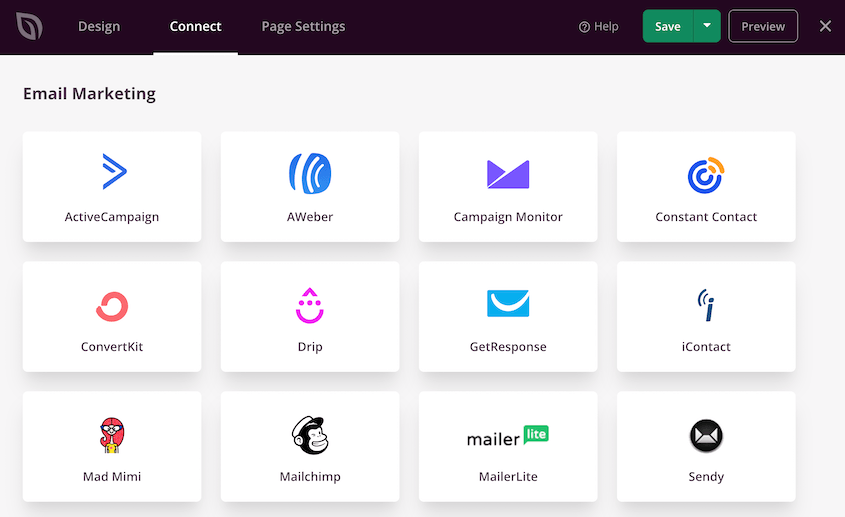
It also supports third-party tools like Google Analytics and Zapier.
By linking SeedProd with these services, you’ll maximize your potential reach and conversion opportunities, all while streamlining your email marketing process.
14. Responsive and Mobile-Friendly
Ever noticed that your website turns into a cluttered disaster on a mobile screen? With SeedProd, you won’t face this problem.
SeedProd optimizes every template and page for mobile users. It keeps the aesthetics of your site intact while ensuring it’s user-friendly for different devices.
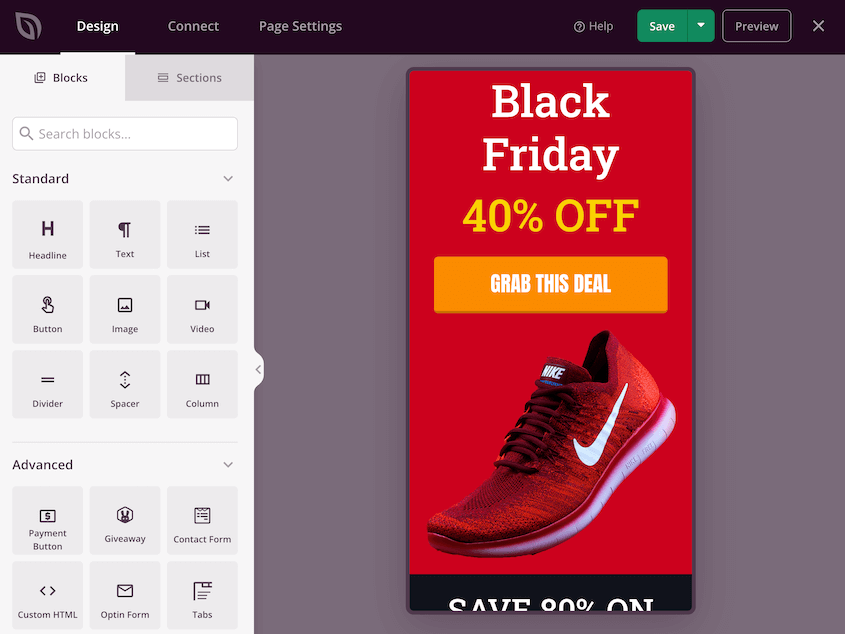
You can even preview how your site would look on a mobile device. Modify as needed to make sure your website is fully responsive. This way, you’ll provide a top-notch browsing experience for your audience.
Speed is another important feature that you might look for in a page builder. Fortunately, SeedProd is lightning-fast and bloat-free.
15. Compatible with Any WordPress Theme
If your WordPress theme isn’t compatible with your page builder, this can lead to conflicts. You could face unavoidable errors that affect your entire website.
Regardless of the theme you’re currently using or planning to switch to in the future, SeedProd adapts seamlessly. This compatibility extends to both free and premium WordPress themes. So, whether you’ve chosen a minimalist aesthetic or a theme brimming with features, SeedProd’s functionality won’t stutter.
16. AI Features
Especially if you’re building your first website, you might need a little help writing content on your pages. SeedProd has built-in AI to generate website copy for you.
On any headline or text box, you’ll have a Generate AI Text button.
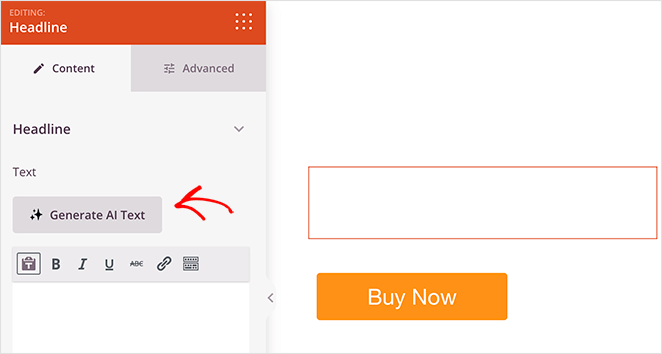
You can tell SeedProd what you want it to write. This could be a title, slogan, or other section of your website.
If you don’t like the first output, change the tone or style. You can even manually edit the text so it works for your site.
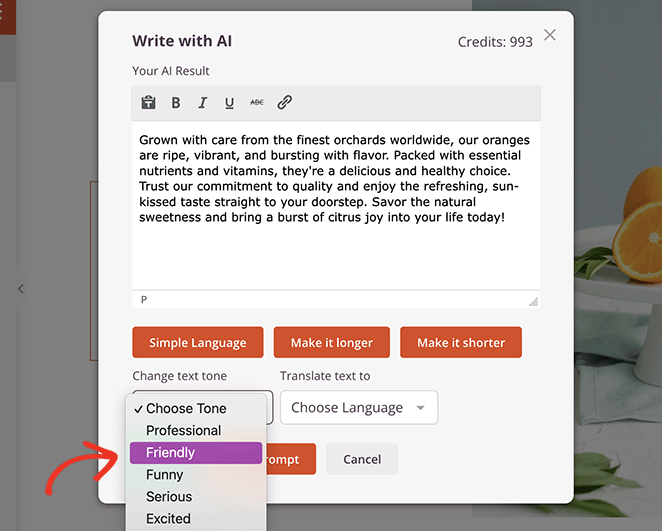
SeedProd’s AI makes it easy for anyone to create a website. You don’t have to be a writer, coder, or an expert in site design!
Real User Testimonials: Why People Love SeedProd
Before you start using SeedProd, you’ll want to know how other WordPress users feel about it. On WordPress.org, SeedProd has over 4,500 5-star reviews.
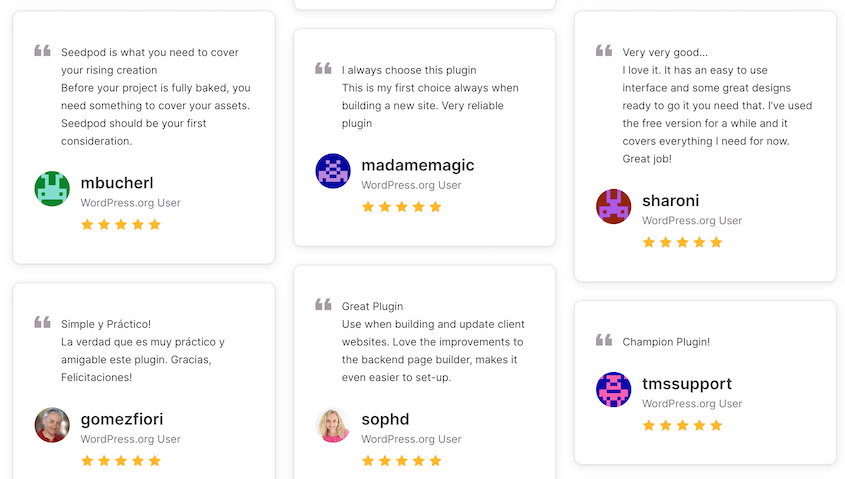
SeedProd users like to highlight the plugin’s beginner-friendly but powerful design capabilities. Many reviewers mention that SeedProd is easy to use, and provides flexible design options for virtually any user.
SeedProd vs. Competitors: A Comparison
To shed better light on what sets SeedProd apart, let’s compare it with popular competitors in the market: Elementor, Divi, and Beaver Builder.
| Feature | SeedProd | Elementor | Divi | Beaver Builder |
| Drag-and-drop builder | ✅ | ✅ | ✅ | ✅ |
| Pre-built templates | ✅ | ✅ | ✅ | More limited |
| Theme builder | ✅ | ✅ | ✅ | Beaver Themer add-on |
| Mobile optimization | ✅ | ✅ | ✅ | ✅ |
| Reusable blocks & templates | ✅ | ✅ | ✅ | ✅ |
| Domain mapping | ✅ | ❌ | ❌ | ❌ |
| Email marketing integrations | ✅ | ✅ | ✅ | ✅ |
| Real-time preview | ✅ | ✅ | ✅ | ✅ |
| Undo/redo buttons | ✅ | ❌ | ✅ | ❌ |
| Free version | ✅ | ✅ | ❌ | ✅ |
| Price | $39.50/yr | $59/yr | $89/yr | $99/yr |
Frequently Asked Questions about SeedProd
Is there a free version of SeedProd?
Yes, there is a free version of SeedProd available in the WordPress plugin directory. However, for advanced features and support, you might want to consider the premium version, which offers a variety of pricing plans to suit different needs.
What is the difference between Beaver Builder and SeedProd?
Beaver Builder and SeedProd are both popular page-building tools, but Beaver Builder has pricier plans and a more limited range of landing page templates. Additionally, the lack of undo/redo functionalities in Beaver Builder can make it a more challenging tool to use for website design.
Is SeedProd easy to use?
Yes, SeedProd is well-known for its easy-to-use interface. Even beginners with no coding knowledge can use SeedProd to design beautiful web pages. The drag-and-drop functionality simplifies the entire website creation process, making SeedProd a favorite among WordPress users.
Is SeedProd only for landing pages?
SeedProd is the best landing page builder, but it can do much more. In fact, it’s a powerful theme builder that you can use to build WooCommerce stores, portfolios, blogs, and much more.
What is the difference between SeedProd and Elementor?
Both SeedProd and Elementor are popular and powerful page builders. However, SeedProd Pro stands out with its more affordable pricing and easy connection with email marketing services. Plus, its undo/redo feature makes managing changes a breeze.
How much does SeedProd cost?
SeedProd has a completely free version that you can try out to see if it’s right for your needs. This can help you quickly and easily set up new landing pages for your website.
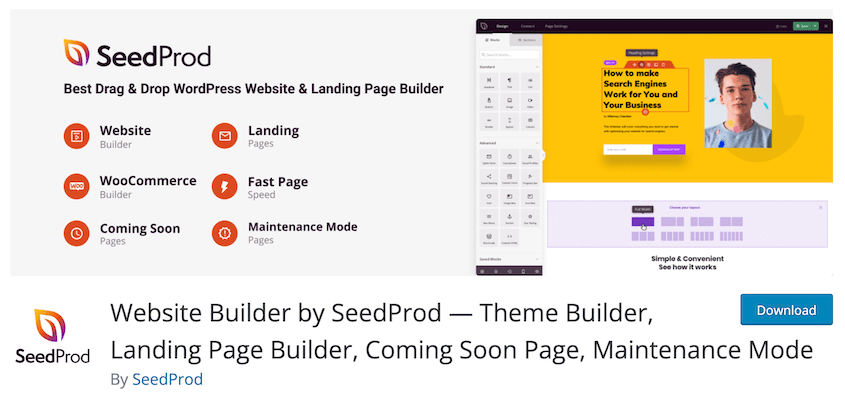
If you want to design your entire website, consider upgrading to the Pro version. This starts at only $39.50 per year.
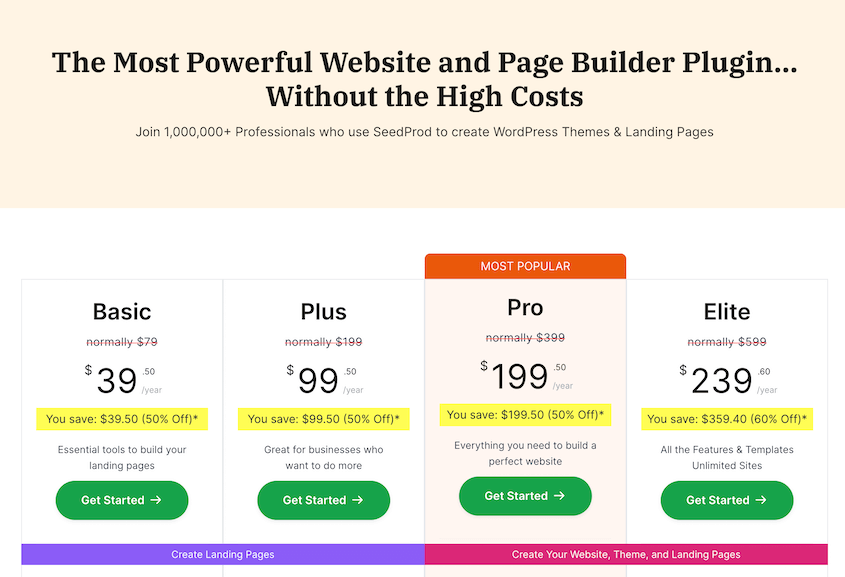
After upgrading, you’ll take advantage of features like subscriber management, access controls, email marketing integrations, a theme builder, and more!
Take Your Website to the Next Level
After years of building WordPress sites with SeedProd, I can confidently say it’s worth considering for your website.
I appreciate how SeedProd grows with you. You can start with basic landing pages and gradually explore more advanced features like theme building. The learning curve feels natural, adding new tools to your belt one at a time.
My suggestion? Start with SeedProd Lite to see if it matches your workflow. You can always upgrade later when you need more features.
Looking to learn more about WordPress? Check out our other guides:
- How to Redesign a WordPress Site (Without Downtime)
- 15 Best WordPress Themes to Build a Stunning Website
- How to Change Your WordPress Theme
- How to Delete a Theme in WordPress
- How to Update Your WordPress Theme and Keep Your Customizations
Once you design your dream website, you won’t want to lose it to unexpected errors or downtime. Download Duplicator Pro today to protect your site with automatic backups!